
Ниткоре ХЦ60 УХЕ
Nitecore HC60 UHE глава од 1600 луменаamp Упутство за употребу
Model: HC60 UHE | Brand: Nitecore
1. Увод
The Nitecore HC60 UHE is a high-performance headlamp designed for various activities including night running, camping, hiking, hunting, and industrial work. It features a powerful 1600 lumen output, USB-C rechargeable functionality, and both white and red light beams. Constructed from durable aero-grade aluminum alloy, it is rated IP68 waterproof and impact resistant up to 2 meters.
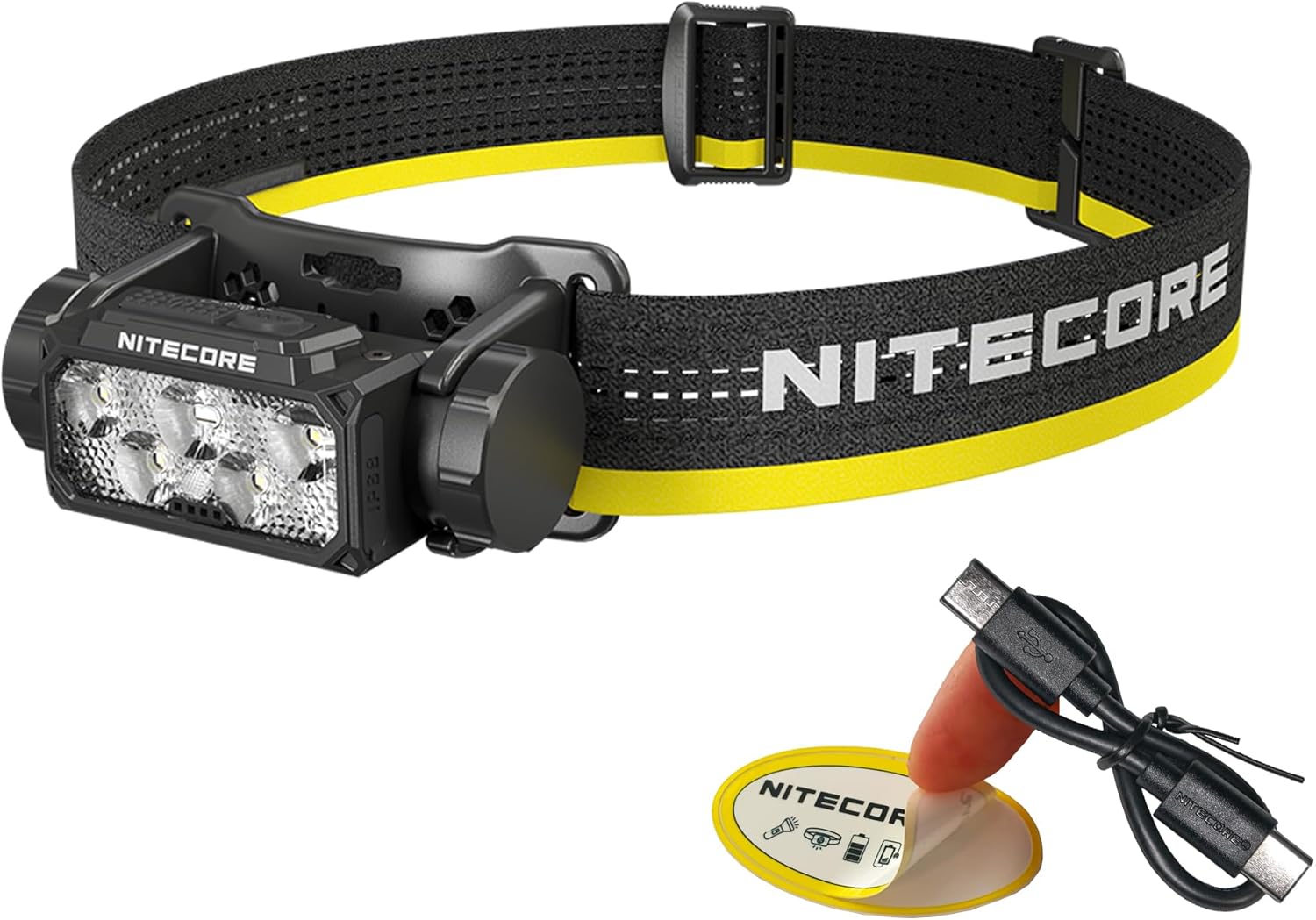
Image 1.1: Nitecore HC60 UHE Headlamp with included accessories.
2. Садржај пакета
Проверите да ли су све ставке присутне у вашем пакету:
- Nitecore HC60 UHE главаamp
- Nitecore NL1840 18650 Li-ion Battery (pre-installed)
- Кабл за пуњење од УСБ-Ц до УСБ-Ц
- Трака за главу
- Топ Страп
- Торбица за складиштење
- Налепница Nitecore
3. Производ је готовview
Familiarize yourself with the components of your HC60 UHE headlamp.

Слика 3.1: Предња страна view of the HC60 UHE headlamp, highlighting the primary white and auxiliary red LED lenses.
Слика 3.2: Врх view illustrating the dual button interface: Power Button (left) and Mode Button (right).
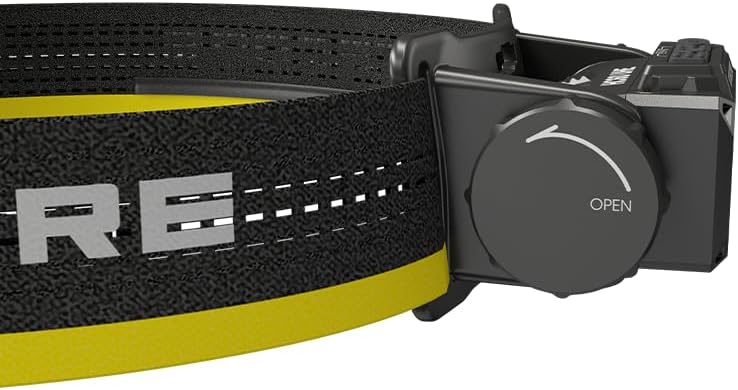
Слика 3.3: Бочна страна view showing the battery compartment cap with 'OPEN' indicator for battery access.
4. Подешавање
4.1. Инсталација батерије
The Nitecore NL1840 18650 Li-ion battery is pre-installed in the HC60 UHE headlamp. To access or replace the battery:
- Unscrew the battery compartment cap located on the side of the headlamp by rotating it counter-clockwise (refer to Image 3.3).
- Insert the 18650 Li-ion battery with the positive (+) terminal facing inwards.
- Carefully screw the cap back on clockwise until secure. Ensure proper alignment to avoid cross-threading.
4.2. Пуњење
The HC60 UHE features a waterproof USB-C charging port. It is recommended to fully charge the battery before first use.
- Пронађите USB-C порт за пуњење на главиamp.
- Повежите приложени USB-C кабл за пуњење са слушалицамаamp's port and to a USB power source (e.g., wall adapter, power bank, computer).
- During charging, the power indicators will illuminate to show the charging status.
- Charging is complete when all power indicators are steadily lit. A full charge typically takes approximately 2 hours.

Image 4.1: The HC60 UHE headlamp being charged via its USB-C port.
4.3. Монтажа траке за главу
Attach the headband and optional top strap for secure and comfortable wear.
- Thread the main headband through the bracket slots on the headlamp.
- Adjust the length of the headband for a snug fit around your head.
- For added stability, especially during active use, attach the top strap to the designated loops on the main headband.
5. Упутство за употребу
5.1. Укључивање/искључивање
- Да бисте укључили: Long press the Power Button for 1 second. The headlamp will turn on in the last used white light brightness level.
- Да искључите: While the light is on, long press either the Power Button or the Mode Button until the light turns off.
5.2. White Light Brightness Levels
When the white light is on, short press the Power Button to cycle through the following brightness levels: ULTRALOW (8 lumens) → LOW (100 lumens) → MID (400 lumens) → HIGH (1000 lumens).
- Accessing ULTRALOW: Када је главаamp is off, double press the Power Button.
- Accessing TURBO (1600 lumens): When the white light is on, double press the Power Button. The headlamp will temporarily activate TURBO mode.

Слика 5.1: Готовоview of white light brightness levels and special modes.
5.3. Red Light Operation
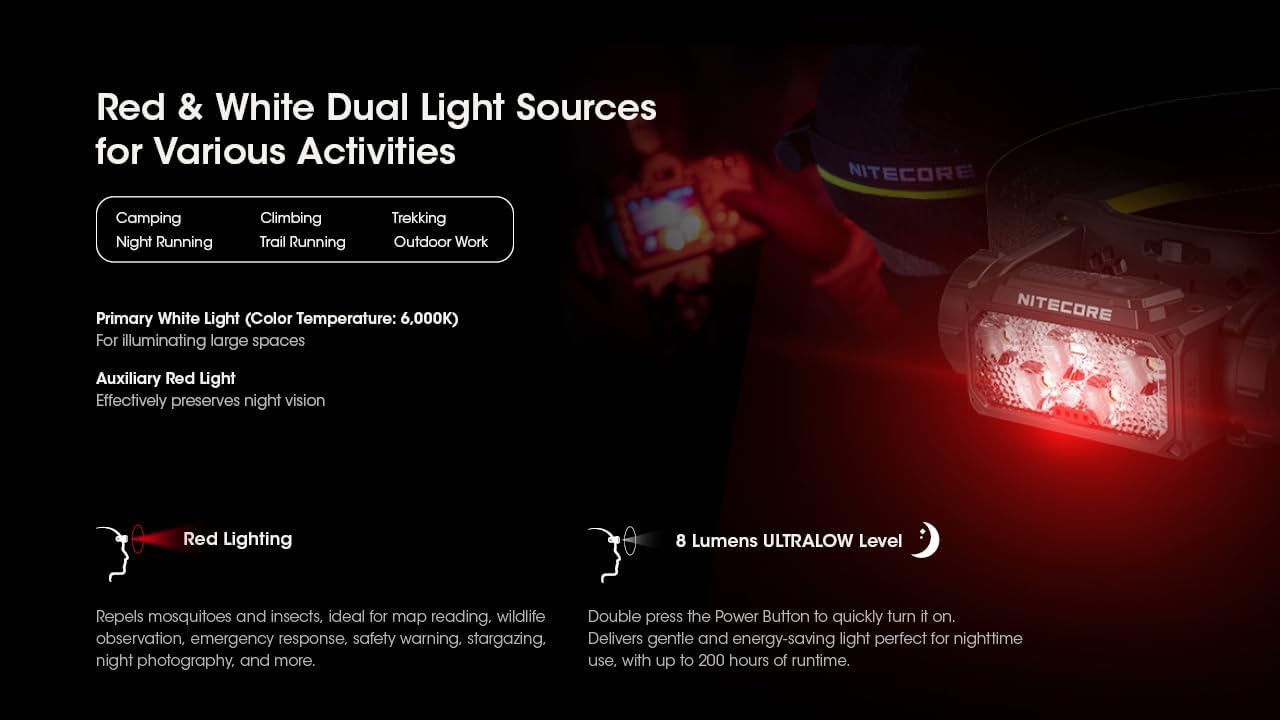
The HC60 UHE features an auxiliary red light, useful for preserving night vision and other specific tasks.
- To Turn On Red Light: Када је главаamp is off, long press the Mode Button for 1 second. The red light will turn on in LOW mode.
- To Cycle Red Light Modes: While the red light is on, short press the Mode Button to cycle through LOW → HIGH → SLOW FLASHING.
- To Turn Off Red Light: While the red light is on, long press the Mode Button until the light turns off.

Image 5.2: The HC60 UHE offers both primary white light and auxiliary red light for diverse applications.
5.4. Специјални режими (SOS, сигнални светионик)
These modes are accessible from the white light settings.
- Accessing SOS/Beacon: When the white light is on, long press the Mode Button for 1 second to activate SOS mode. Short press the Mode Button again to switch to BEACON mode.
- Exiting Special Modes: Long press the Mode Button to turn off the light, or short press the Power Button to return to the last used white light brightness level.
5.5. Индикација напајања
Хеадлamp features intuitive power indicators to display the remaining battery power.
- Када је главаamp is off, short press the Mode Button. The blue indicators will light up to show battery status:
- 4 constant-on indicators: 75% - 100%
- 3 constant-on indicators: 50% - 75%
- 2 constant-on indicators: 25% - 50%
- 1 constant-on indicator: 0% - 25% (Recharge or replace the battery promptly)

Image 5.3: The blue power indicators display the remaining battery charge.
6. Одржавање
6.1. Чишћење
- Обришите главуamp чистом, меком крпом.
- За тврдокорну прљавштину користите мало дamp крпа. Избегавајте јаке хемикалије или абразивне материјале.
- Уверите се да је поклопац USB-C порта добро затворен како би се одржала његова водоотпорност.
6.2. Складиштење
- Чувајте главуamp на хладном и сувом месту далеко од директне сунчеве светлости.
- If storing for an extended period, it is recommended to remove the battery to prevent potential leakage.
- Recharge the battery every three months to maintain optimal battery health.
КСНУМКС. Решавање проблема
If you encounter issues with your Nitecore HC60 UHE, refer to the following common problems and solutions:
- Хеадлamp не укључује:
- Ensure the battery is correctly installed with the positive (+) terminal facing inwards.
- Check if the battery is charged. Connect the headlamp to a power source using the USB-C cable. If it turns on when plugged in but not otherwise, the battery may be depleted or faulty.
- Verify that the battery compartment cap is fully and correctly screwed on to ensure proper electrical contact.
- Светлосни излаз је слаб или трепери:
- Батерија је можда празна. Напуните батерију.
- Ensure the battery contacts are clean. Clean them with a cotton swab if necessary.
- Хеадлamp does not charge:
- Уверите се да је USB-C кабл безбедно повезан са обе главеamp и извор напајања.
- Try a different USB-C cable or power adapter to rule out cable/adapter issues.
- Check the charging port for any debris that might obstruct the connection.
If the problem persists after attempting these solutions, please contact Nitecore customer support.
8. Спецификације
| Феатуре | Примарно бело светло | Помоћно црвено светло |
|---|---|---|
| Осветљеност (лумени) | TURBO: 1600, HIGH: 1000, MID: 400, LOW: 100, ULTRALOW: 8 | HIGH: 15, LOW: 5, SLOW FLASHING: 15 |
| време рада (сати) | TURBO: 3h 30m, HIGH: 5h, MID: 14h, LOW: 36h, ULTRALOW: 200h | HIGH: 95h, LOW: 150h, SLOW FLASHING: 95h |
| Беам Дистанце | TURBO: 157m, HIGH: 129m, MID: 81m, LOW: 41m, ULTRALOW: 7m | Н/А |
| Отпорност на удар | 2 метара | |
| ИП Ратинг | IP68 (Waterproof and Submersible) | |
- Материјал: Aero-grade Aluminum Alloy with HA III hard-anodized finish
- Димензије: 48.5 mm x 80 mm x 41.9 mm
- Тежина: 4.94 ounces (140g, including battery, bracket, and headband)
- батерија: 1 x Nitecore NL1840 18650 Li-ion Battery (included)
- Тип извора светлости: ЛЕД
- Color Temperature (White Light): 6,000К
Note: The stated data is measured using 1 x 18650 battery (4,000mAh) under laboratory conditions. This data may vary in real-world use due to different battery usage or environmental conditions.
9. Информације о гаранцији
The Nitecore HC60 UHE Headlamp comes with a limited warranty. For detailed information regarding warranty terms, conditions, and duration, please refer to the official Nitecore webсајт или контактирајте локалног дистрибутера. Сачувајте рачун као доказ о куповини за потребе гаранције.
10. Корисничка подршка
For further assistance, technical support, or inquiries regarding your Nitecore HC60 UHE Headlamp, please visit the official Nitecore webсајт на ввв.нитецоре.цом or contact your authorized Nitecore dealer.
Ask a question about this manual
Ask about setup, troubleshooting, compatibility, parts, safety, or missing instructions. Manuals+ will review the question and use this page’s manual context to help answer it.