
Sound Oasis BST-80-20B
Sound Oasis Baby Sound Machine with Bluetooth
Model: BST-80-20B
Увод
The Sound Oasis Baby Sound Machine with Bluetooth is designed to create a soothing and familiar sound environment for infants, promoting relaxation and sleep. This portable device features 20 built-in sounds, Bluetooth connectivity for streaming, and a rechargeable battery for use at home or while traveling.

Image: The Sound Oasis Baby Sound Machine positioned near a sleeping baby, illustrating its purpose in aiding relaxation and sleep.
Безбедносне информације
Please read and understand the following safety guidelines before using the Sound Oasis Baby Sound Machine:
- Avoid prolonged exposure of infants to loud sounds. Ensure the volume level is set appropriately for a baby's sensitive hearing.
- Handle the device with care to prevent electric shock. Do not expose to water or excessive moisture.
- Keep the device out of reach of children when not in use or when charging to prevent accidental damage or ingestion of small parts.
- Користите само приложени УСБ кабл за пуњење или сертификовани еквивалент.
Садржај пакета
Проверите да ли су све ставке присутне у пакету:
- Sound Oasis Baby Sound Machine (Model BST-80-20B)
- УСБ кабл за пуњење
- Упутство за употребу (овај документ)
- Micro SD Card (pre-loaded with 20 sounds)
- Help Booklet for New Parents

Слика: Оверview of the Sound Oasis Baby Sound Machine package contents, showing the device, USB charging cable, instruction manual, and a removable SD card.
Производ је завршенview
The Sound Oasis Baby Sound Machine features a compact design with intuitive controls.

Слика: Фронт view of the Sound Oasis Baby Sound Machine, highlighting the control buttons and the blue LED indicator light.
Контроле и портови:
- Дугме за смањивање јачине звука (-): Смањује јачину звука.
- Play/Pause/Sound Select Button (Circle):
- Press once to play/pause the current sound.
- Press and hold to cycle through the built-in sounds.
- Дугме за појачавање јачине звука (+): Повећава јачину звука.
- ЛЕД индикатор: Приказује статус напајања, статус пуњења и статус Bluetooth упаривања.
- Микро УСБ порт: За пуњење уређаја.
- Утор за микро СД картицу: Allows for changing or adding sound files.

Слика: Крупни план view of the Micro SD card slot on the side of the sound machine, with an SD card partially inserted.
Сетуп
1. Пуњење уређаја
Before first use, fully charge the sound machine. Connect the supplied USB charging cable to the Micro USB port on the device and the other end to a USB power adapter (not included) or a computer's USB port.
- ЛЕД индикатор ће приказивати статус пуњења (нпр. црвена за пуњење, искључена или плава за потпуно напуњено).
- A full charge provides approximately 4-5 hours of continuous use.

Image: The Sound Oasis Baby Sound Machine with the USB charging cable connected, illustrating the charging process.
2. Inserting/Changing the Micro SD Card
The device comes with a Micro SD card pre-loaded with 20 doctor-developed sounds. To change or add sounds:
- Пронађите слот за Micro SD картицу са стране уређаја.
- Gently push the existing Micro SD card until it clicks and ejects. Remove it.
- Insert a new Micro SD card (with desired sound files) into the slot until it clicks into place.
- Ensure the device is powered off before inserting or removing the SD card.
Упутство за употребу
1. Укључивање/искључивање
To power on the device, press and hold the Play/Pause/Sound Select button (circle) for a few seconds until the LED indicator lights up. To power off, press and hold the same button until the LED indicator turns off.
2. Playing Built-in Sounds
Once powered on, the device will automatically start playing the last selected sound or the first sound on the SD card.
- Избор звука: Press and hold the Play/Pause/Sound Select button (circle) to cycle through the 20 available sounds. Release the button when your desired sound is playing.
- Контрола јачине звука: Use the Volume Up (+) and Volume Down (-) buttons to adjust the sound level.
- Паузирај/пусти: Press the Play/Pause/Sound Select button (circle) once to pause or resume playback.
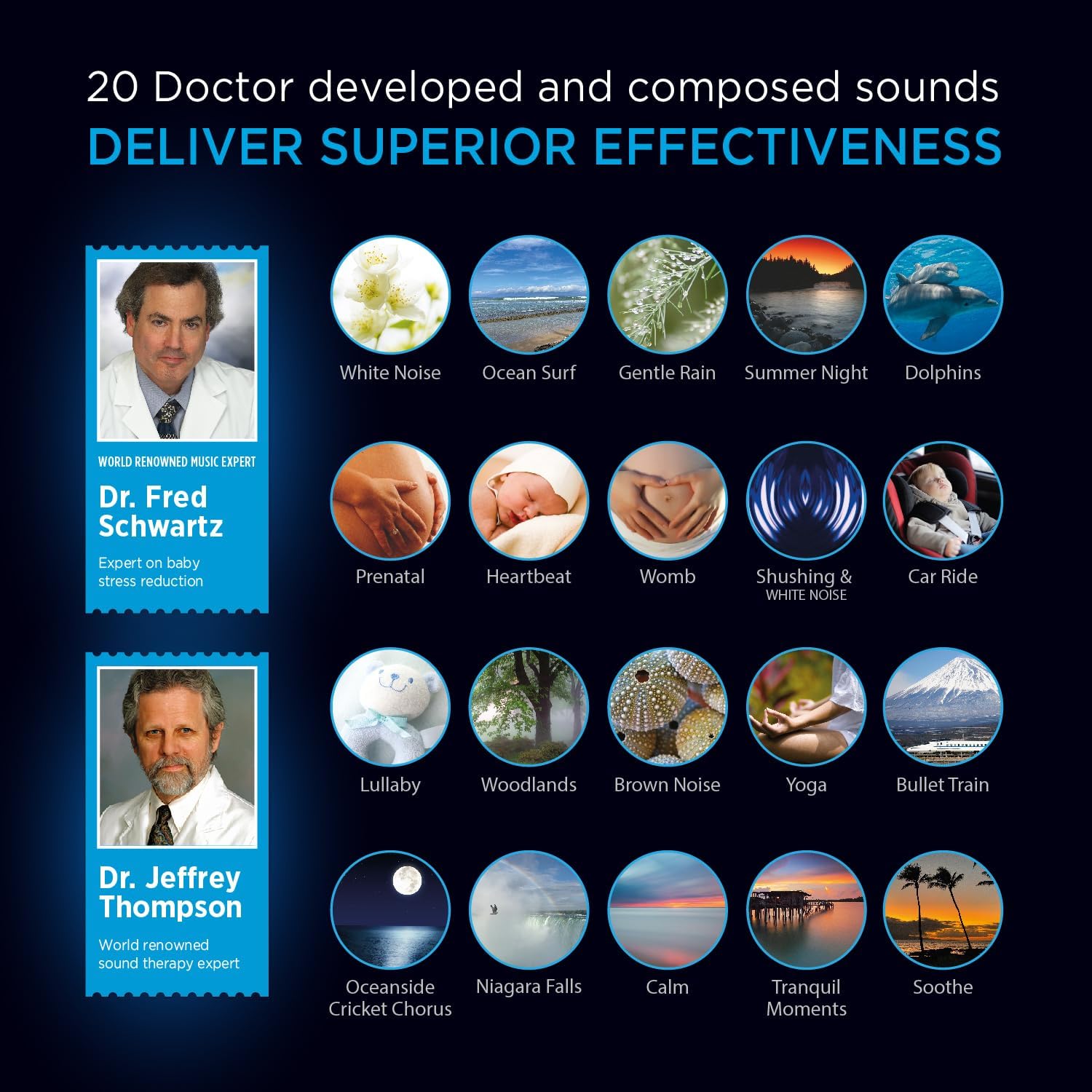
Image: A visual representation of the 20 doctor-developed sounds available on the Sound Oasis Baby Sound Machine, including categories like White Noise, Ocean Surf, Prenatal, and Lullaby.
3. Блуетоотх упаривање
The Sound Oasis Baby Sound Machine can stream audio wirelessly from your mobile device or computer.
- Ensure the sound machine is powered on.
- Activate Bluetooth on your mobile device or computer.
- Тражи available devices and select "Sound Oasis" from the list.
- The LED indicator on the sound machine will change to indicate a successful connection (e.g., solid blue).
- You can now stream audio from your device to the sound machine. The wireless range is approximately 30 feet (10 meters).

Image: A hand holding a smartphone, demonstrating the use of a mobile device to stream sounds or music to the Sound Oasis Baby Sound Machine via Bluetooth.
4. Sound Oasis Baby App
A complimentary Sound Oasis Baby App is available to enhance your experience. Refer to the included Help Booklet for details on downloading and using the app to access additional features or manage sounds.
Одржавање
- Чишћење: Обришите уређај меком, сувом крпом. Не користите течна средства за чишћење или абразивне материјале.
- Складиштење: Уређај чувајте на хладном и сувом месту, даље од директне сунчеве светлости и екстремних температура.
- Одржавање батерије: For optimal battery life, avoid fully discharging the battery frequently. Charge the device regularly, even if not in constant use.
Решавање проблема
| Проблем | Могуће решење |
|---|---|
| Уређај се не укључује. | Ensure the device is charged. Connect to a power source using the USB cable. |
| Нема звука или је јачина звука ниска. | Check volume levels using the (+) button. Ensure a sound is selected and not paused. If using Bluetooth, check volume on both the device and the streaming source. |
| Не могу се повезати преко Bluetooth-а. | Ensure Bluetooth is enabled on your streaming device and the sound machine is in pairing mode. Move closer to the sound machine. Try unpairing and re-pairing. |
| Sounds are not changing. | Press and hold the Play/Pause/Sound Select button (circle) to cycle through sounds. Ensure the Micro SD card is properly inserted. |
Спецификације
- Број модела: BST-80-20B
- Димензије: 5 к 3 к 3 инча
- Тежина: 8 унци
- батерија: 1 литијум-јонска батерија (укључена)
- Извор напајања: Battery Powered / USB Charging
- Материјал: Метал
- Блуетоотх опсег: Приближно 30 стопа (10 метара)
- Време извођења: 4-5 сата са једним пуњењем
Гаранција и подршка
For warranty information or technical support, please contact Sound Oasis customer service. Refer to the Sound Oasis website or the included Help Booklet for contact details.
Онлине ресурси:
Правно одрицање одговорности
Statements regarding dietary supplements have not been evaluated by the FDA and are not intended to diagnose, treat, cure, or prevent any disease or health condition. This product is intended to provide a soothing sound environment and is not a medical device.
Ask a question about this manual
Ask about setup, troubleshooting, compatibility, parts, safety, or missing instructions. Manuals+ will review the question and use this page’s manual context to help answer it.