
Увод
The Soundcore Liberty 4 Pro are advanced noise-cancelling wireless earbuds designed for an immersive audio experience. They feature 7 sensors for precise noise cancellation, real-time adaptive noise reduction, studio-level Hi-Fi audio, and clear call quality with 6 microphones. This manual provides detailed instructions for optimal use and care of your earbuds.
Шта је у кутији
Upon unboxing your Soundcore Liberty 4 Pro, verify that all components are present:
- Soundcore Liberty 4 Pro Earbuds
- Футрола за пуњење
- XXS/XS/S/M/L/XL Ear Tips (Size M Pre-Installed)
- УСБ-Ц кабл за пуњење

Image: All items included in the Soundcore Liberty 4 Pro package.
Сетуп
1. Пуњење слушалица и футроле
Before first use, fully charge the earbuds and charging case. Connect the provided USB-C cable to the charging port on the case and a power source. The display on the case will indicate charging status. A 5-minute charge provides approximately 4 hours of playtime.
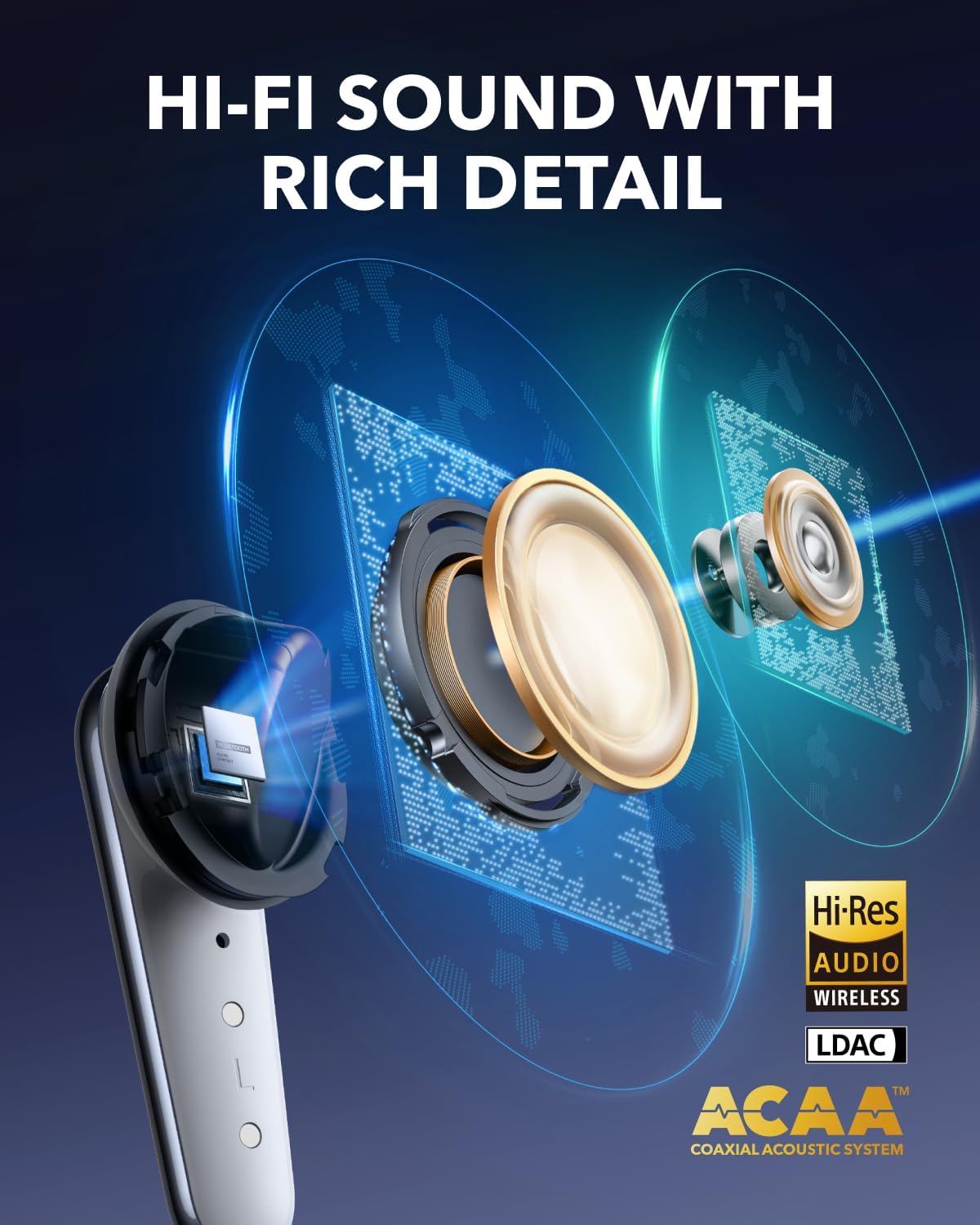
Image: The charging case with earbuds, showing battery indicators and fast charging.
2. Избор и подешавање врхова за уши
For optimal sound quality and noise cancellation, select the ear tips that provide the best seal and comfort for your ears. The Liberty 4 Pro includes XXS, XS, S, M, L, and XL sizes. Experiment with different sizes to find the most secure and comfortable fit.

Image: A selection of ear tips in different sizes to ensure a proper fit.
3. Ношење слушалица
Insert the earbuds into your ear canals and gently twist them until they feel secure and comfortable. A proper fit is crucial for effective noise cancellation and audio performance.
Video: Demonstrates the correct way to wear the Soundcore Liberty 4 Pro earbuds for a secure fit.
4. Упаривање са уређајем
Open the charging case. The earbuds will automatically enter pairing mode. On your device (smartphone, tablet, laptop), go to Bluetooth settings and select "Soundcore Liberty 4 Pro" from the list of available devices. Alternatively, you can manually initiate pairing by pinching the touch bar on both earbud stems for 3 seconds.
Video: Instructions on how to connect the Soundcore Liberty 4 Pro to two devices simultaneously.
Упутство за употребу
Noise Cancellation (ANC) and Transparency Modes
The Liberty 4 Pro features advanced Adaptive Noise Cancellation (ANC) and Transparency modes. The earbuds utilize 7 sensors (6 sound sensors and 1 barometric pressure sensor) to adapt to your environment, providing up to 3x stronger noise reduction. The system recalibrates every 0.3 seconds for optimal performance.

Image: Illustration of the 7 sensors within the earbuds that enable powerful noise reduction.
You can adjust ANC levels directly from the charging case using the touch bar or through the Soundcore app. To switch between ANC and Transparency modes, pinch either earbud stem for 2 seconds.

Image: The charging case showing the touch bar interface for ANC level adjustment.
Додирните контроле
The earbuds feature intuitive touch controls on their stems. These controls allow you to manage playback, calls, and noise modes without needing to access your connected device.
- Репродукција музике: Squeeze once to play/pause audio.
- Следећа нумера: Squeeze the right stem twice.
- Претходни запис: Squeeze the left stem twice.
- Подешавање јачине звука: Slide up or down on the earbud stem.
- Одговори/заврши позив: Squeeze once.
- Одбиј позив: Squeeze and hold for 2 seconds.
- Switch ANC/Transparency: Pinch and hold either earbud stem for 2 seconds.

Image: Visual guide to the touch and squeeze controls on the earbud stems.
Video: Demonstrates how to manage stem controls on the Liberty 4 Pro earbuds.
Квалитет звука и карактеристике
The Liberty 4 Pro delivers studio-level Hi-Fi audio through its ACAA acoustic architecture, 10.5mm bass driver, and titanium-coated tweeter. The Soundcore app allows for personalized sound profiles using the HearID test and offers 360° Spatial Audio with dynamic head tracking for an immersive listening experience.

Слика: Пресек view of the earbud highlighting its advanced audio drivers.
Повезивање са више уређаја
The earbuds support multipoint connection, allowing them to be connected to two devices simultaneously. This enables seamless switching between audio sources, such as from a laptop to a phone for an incoming call.
Квалитет позива
Equipped with 6 microphones and a noise reduction algorithm, the Liberty 4 Pro ensures clear calls even in noisy environments. A dedicated wind noise reduction algorithm further enhances communication clarity outdoors.
Одржавање
To ensure the longevity and optimal performance of your Soundcore Liberty 4 Pro earbuds, follow these maintenance guidelines:
- Чишћење: Regularly clean the earbuds, especially the ear tips and charging contacts, with a soft, dry, lint-free cloth. Remove ear tips and clean them with mild soap and water if necessary, ensuring they are completely dry before reattaching.
- Складиштење: Always store the earbuds in their charging case when not in use to protect them from dust, dirt, and damage.
- Отпорност на воду: The earbuds are IPX5 splash-proof, meaning they can withstand light splashes of water and sweat. They are not designed for submersion in water. Ensure the charging port is dry before charging.
- Избегавајте екстремне температуре: Не излажите слушалице или кућиште за пуњење екстремним температурама (врућим или хладним) јер то може утицати на век трајања батерије и укупне перформансе.
Решавање проблема
If you encounter issues with your Soundcore Liberty 4 Pro earbuds, refer to the following common solutions:
| Проблем | Решење |
|---|---|
| Слушалице се не упарују |
|
| Нема звука из једне слушалице |
|
| Лоше поништавање буке |
|
| Проблеми са пуњењем |
|
Спецификације
| Феатуре | Детаљ |
|---|---|
| Бранд | Соундцоре |
| Назив модела | Либерти 4 Про |
| Постављање уха | Ин Еар |
| Технологија повезивања | Бежично (Bluetooth 5.3) |
| Контрола буке | Адаптивно поништавање буке |
| Тип аудио драјвера | Динамички возач |
| Величина аудио драјвера | 10.5 милиметара |
| Фреквенцијски одзив | 20 KHz (up to 20,000 Hz) |
| Осетљивост | 126 дБ |
| Импеданса | 8 ома |
| Просечно трајање батерије (слушалице) | До 10 сати (једно пуњење) |
| Battery Average Life (with Case) | До 40 сати |
| Време пуњења батерије | 3 hours (for case) |
| Ниво отпорности на воду | IPX5 (отпоран на прскање) |
| Тип контроле | Контрола додиром |
| Тежина артикла | 62 г |
| Тежина торбе | 51 г |
| УПЦ | 194644297206, 194644297640 |
Гаранција и подршка
Soundcore products are backed by a warranty to ensure customer satisfaction. The Soundcore Liberty 4 Pro comes with an 18-month warranty.
- Гарантни период: 18 месеци од датума куповине.
- Покривеност: This warranty covers manufacturing defects and quality-related issues. It does not cover damage caused by misuse, accidents, or unauthorized modifications.
- Корисничка подршка: For technical assistance, warranty claims, or general inquiries, please contact AnkerDirect customer service. You can typically find contact information on the official Soundcore webсајту или путем ваше платформе за куповину.
- Планови заштите: Additional protection plans may be available for purchase, offering extended coverage beyond the standard warranty. Please refer to your retailer for details on available plans.
For the most up-to-date support information, please visit the official Soundcore webсајт или погледајте документацију која је приложена уз ваш производ.