
1. Увод
The Nillkin TW004 Wireless Earbuds are designed for audio playback and communication, featuring Bluetooth 5.0 connectivity, CVC noise cancellation, and IPX5 water resistance. This manual provides instructions for proper setup, operation, and maintenance of your earbuds.
2. Садржај пакета
Молимо вас да проверите да ли су све ставке присутне у вашем пакету:
- Nillkin TW004 Wireless Earbuds (Left and Right)
- Футрола за пуњење
- УСБ кабл за пуњење
- Више величина врхова за уши (S, M, L)
- Упутство за употребу

Image: Nillkin TW004 Wireless Earbuds and Charging Case, illustrating key features such as excellent sound quality, Apt-X audio decoding, CVC noise cancellation, Qualcomm 5.0, TWS Plus, mini compact design, 13 hours playtime, and IPX5 water-resistance.
3. Карактеристике производа
- Блуетоотх КСНУМКС: Provides stable and efficient wireless connection.
- CVC поништавање буке: Побољшава јасноћу позива смањењем амбијенталне буке.
- Apt-X High Audio Decoding: Delivers lossless sound quality with minimal transmission delay.
- ИПКС5 отпорност на воду: Protects against sweat and light splashes, suitable for sports.
- Контрола додиром: Интуитивне контроле за репродукцију музике и управљање позивима.
- Компактан и лаган дизајн: Ergonomic fit for comfortable and stable wearing.
- Продужено трајање батерије: Up to 13 hours of continuous earphone use, with additional charges from the case.

Image: A banner displaying the Nillkin TW004 Wireless Earbuds and charging case, highlighting features such as excellent sound quality, Apt-X audio decoding, CVC noise cancellation, Qualcomm 5.0, TWS Plus, mini compact design, 13 hours playtime, and IPX5 water-resistance.
4. Подешавање
4.1 Пуњење слушалица и футроле
Before first use, fully charge the earbuds and the charging case. Connect the provided USB charging cable to the charging case and a power source. The indicator lights on the case will show the charging status. Ensure the earbuds are properly seated in the charging slots inside the case.

Image: Nillkin TW004 Earbuds and charging case displaying Bluetooth V5.0, 13 hours continuous earphone use, 52 hours with charging box, 50 days standby time, 500mAh charging box battery, and 4-5 times earphone charging capacity.
4.2 Automatic Power On and Pairing
Once removed from the charging case, the earbuds will automatically power on and enter pairing mode. On your device (e.g., smartphone), enable Bluetooth and search for 'Nillkin TW004' in the list of available devices. Select it to connect. A voice prompt will confirm successful pairing.
Video: An official product video demonstrating the automatic power-on and pairing process of the Nillkin TW004 Wireless Earbuds when removed from their charging case.
4.3 Ношење слушалица
Choose the ear tips that provide the most comfortable and secure fit for your ears. Insert the earbuds into your ear canals and gently twist them to ensure a snug fit. A proper fit is essential for optimal sound quality and noise isolation.

Image: A person wearing a Nillkin TW004 earbud, demonstrating the mini body design and stable fit in the ear. The image emphasizes the ergonomic and invisible design, with a weight of only 5.6g per earphone, suitable for human auricle.

Image: Illustration showing small (S), medium (M), and large (L) ear tips, indicating options for a customized and stable fit for the Nillkin TW004 earbuds.
5. Упутство за употребу
5.1 Контроле на додир
The Nillkin TW004 earbuds feature touch-sensitive controls on the outer surface of each earbud. Refer to the following table for common functions:
| Акција | Функција |
|---|---|
| Један додир (лево/десно) | Пусти/паузирај музику, одговори/заврши позив |
| Двоструки додир (десно) | Нект Трацк |
| Двоструки додир (лево) | Превиоус Трацк |
| Дуги притисак (лево/десно) | Одбиј позив, активирај гласовног асистента |
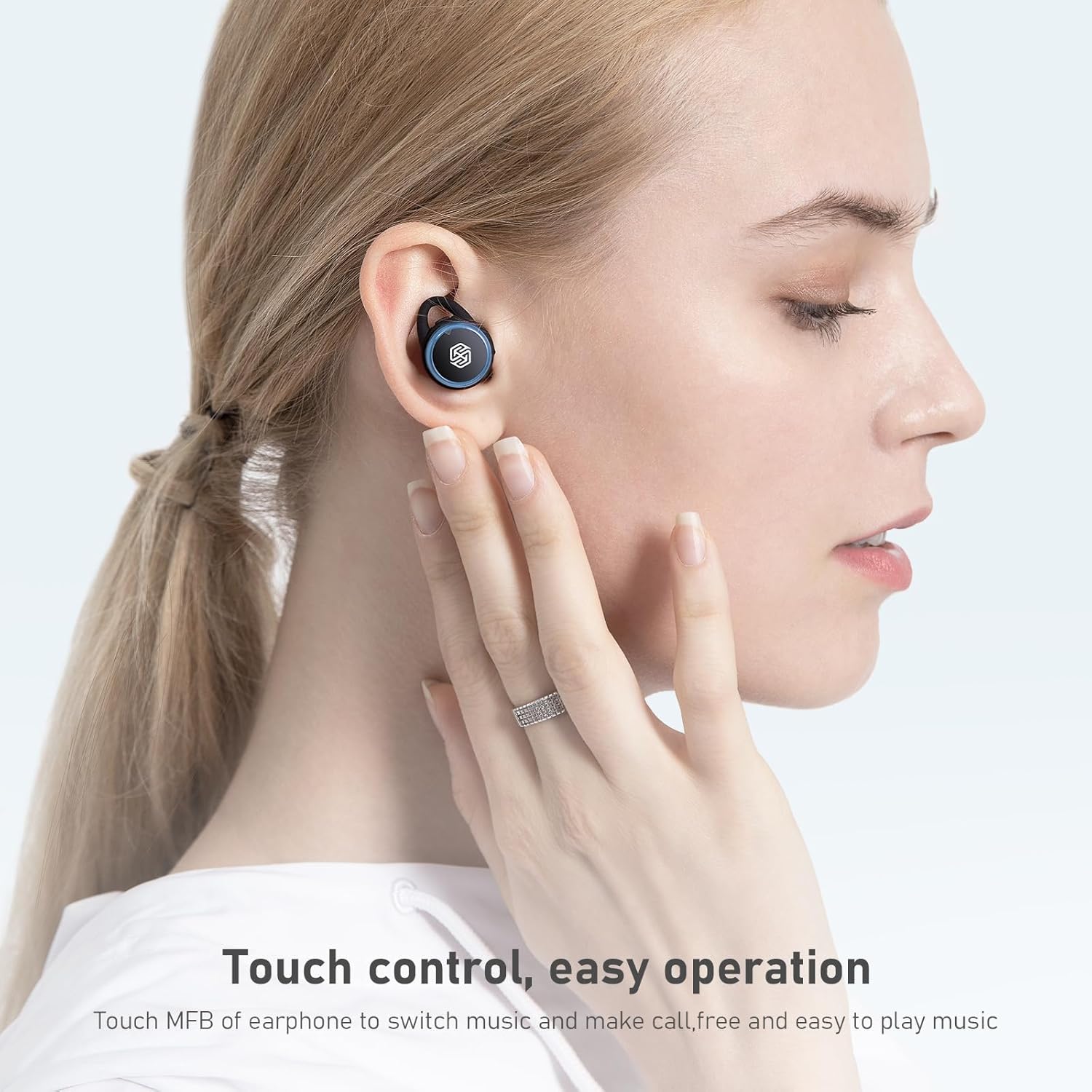
Image: A hand demonstrating touch control on a Nillkin TW004 earbud, illustrating the ease of operation for switching music and managing calls.
5.2 Укључивање/искључивање
- Укључено: Слушалице се аутоматски укључују када се изваде из кућишта за пуњење.
- Искључивање: Вратите слушалице у кућиште за пуњење да бисте их аутоматски искључили и почели са пуњењем.
6. Одржавање
6.1 Чишћење
Редовно чистите слушалице и кућиште за пуњење како бисте осигурали оптималне перформансе и хигијену.
- Користите меку, суву крпу која не оставља влакна да бисте обрисали слушалице и кућиште за пуњење.
- Уклоните врхове за уши и очистите их благим сапуном и водом. Уверите се да су потпуно суви пре него што их поново ставите.
- Пажљиво очистите контакте за пуњење на слушалицама и унутар кућишта сувим памучним штапићем.
6.2 Складиштење
Када се не користе, чувајте слушалице у њиховој футроли за пуњење како бисте их заштитили од прашине, оштећења и како би остале напуњене.

Image: Nillkin TW004 earbuds with water droplets on their surface, illustrating their IPX5 waterproof rating, suitable for sports and protection against sweat and rain.
КСНУМКС. Решавање проблема
If you encounter issues with your Nillkin TW004 Wireless Earbuds, refer to the following common solutions:
- Слушалице се не упарују:
Ensure both earbuds are fully charged. Place them back in the case, then remove them to re-enter pairing mode. Delete 'Nillkin TW004' from your device's Bluetooth list and attempt to pair again. - Нема звука из једне слушалице:
Check if both earbuds are charged. Try resetting the earbuds by placing them in the charging case and then taking them out. Ensure they are properly paired as a stereo pair. - Футрола за пуњење се не пуни:
Verify the USB cable is securely connected to both the case and the power source. Try a different charging cable or power adapter. - Лош квалитет звука:
Ensure the earbuds are properly seated in your ears with the correct size ear tips. Move closer to your connected device to avoid interference. - Додирне контроле не реагују:
Ensure your fingers are clean and dry. Try cleaning the touch surface of the earbuds.
8. Спецификације
| Феатуре | Детаљ |
|---|---|
| Број модела | TW004 (GO TW004) |
| Блуетоотх верзија | 5.0 |
| Контролни метод | Додирните |
| Отпорност на воду | ИПКС5 |
| Earphone Playtime | До 13 сати (континуирано) |
| Укупно време репродукције (са футролом) | До 65 сати |
| Батерија кућишта за пуњење | 500мАх |
| Аудио декодирање | Апт-Кс |
| Поништавање буке | ЦВЦ |
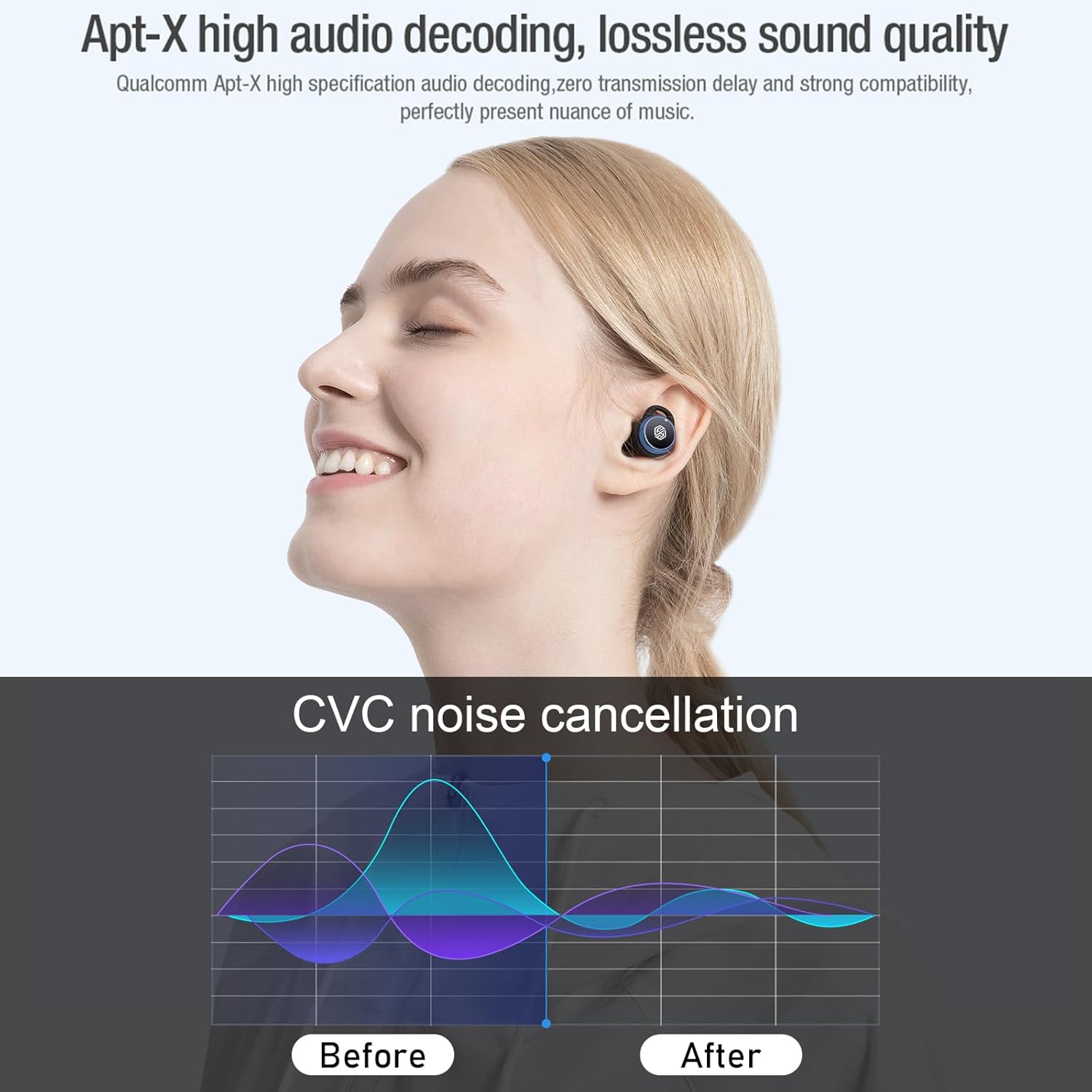
Image: Nillkin TW004 earbud illustrating Apt-X high audio decoding for lossless sound quality and a graph demonstrating CVC noise cancellation effectiveness before and after.
9. Гаранција и подршка
Nillkin products are manufactured to high quality standards. For warranty information, technical support, or customer service inquiries, please refer to the warranty card included in your product packaging or visit the official Nillkin webсајт. Сачувајте рачун као доказ о куповини.