
Увод
This manual provides detailed instructions for the safe and efficient operation of your Longer Ray5 20000mW Laser Engraver with Air Assist Kit. Please read this manual thoroughly before using the device to ensure proper setup, operation, and maintenance. Retain this manual for future reference.
Безбедносне информације
УПОЗОРЕЊЕ: Laser engravers are powerful tools that can cause serious injury if not used correctly. Always follow these safety guidelines:
- Always wear appropriate laser safety goggles when operating the machine.
- Never look directly into the laser beam or at its reflection.
- Ensure the work area is well-ventilated to dissipate fumes and smoke.
- Keep flammable materials away from the laser's path.
- Не остављајте машину без надзора током рада.
- Уверите се да је машина постављена на стабилну, равну површину.
- Држите децу и кућне љубимце даље од оперативног простора.
- Искључите напајање пре него што извршите било какво одржавање или подешавања.
- Упознајте се са поступцима за искључивање у хитним случајевима.
Садржај пакета
Проверите да ли су све компоненте присутне у пакету:
- Longer Ray5 20000mW Laser Engraver Unit
- Ваздушна помоћна пумпа
- Air Assist Nozzle and Tubing
- Повер Адаптер
- УСБ кабл
- Заштитне наочаре
- Кориснички приручник (овај документ)
- Материјал Сamples (may vary)

Image: Air assist kit components including the pump, nozzle, and tubing.
Сетуп
- Распакивање: Пажљиво уклоните све компоненте из паковања.
- Скупштина: Follow the included quick start guide for assembling the main laser engraver frame and attaching the laser module.
- Air Assist Installation:
- Connect the air assist pump to the designated port on the laser module using the provided tubing.
- Ensure the air assist nozzle is securely attached to direct airflow to the engraving/cutting point.
- Прикључак за напајање: Прикључите адаптер за напајање на гравуру, а затим на одговарајућу утичницу.
- Повезивање са рачунаром: Connect the engraver to your computer via USB, or prepare for Wi-Fi/TF card connection.

Image: The Longer Ray5 laser engraver with the air assist pump connected and ready for operation.
Упутство за употребу
1. Софтвер и повезивање
The Longer Ray5 supports various software and connection methods:
- Компатибилни софтвер: LaserGRBL and LightBurn.
- Оперативни системи: Supports Windows 7+, MacOS, and Linux.
- Методе повезивања: Wi-Fi, USB, App, and TF card.
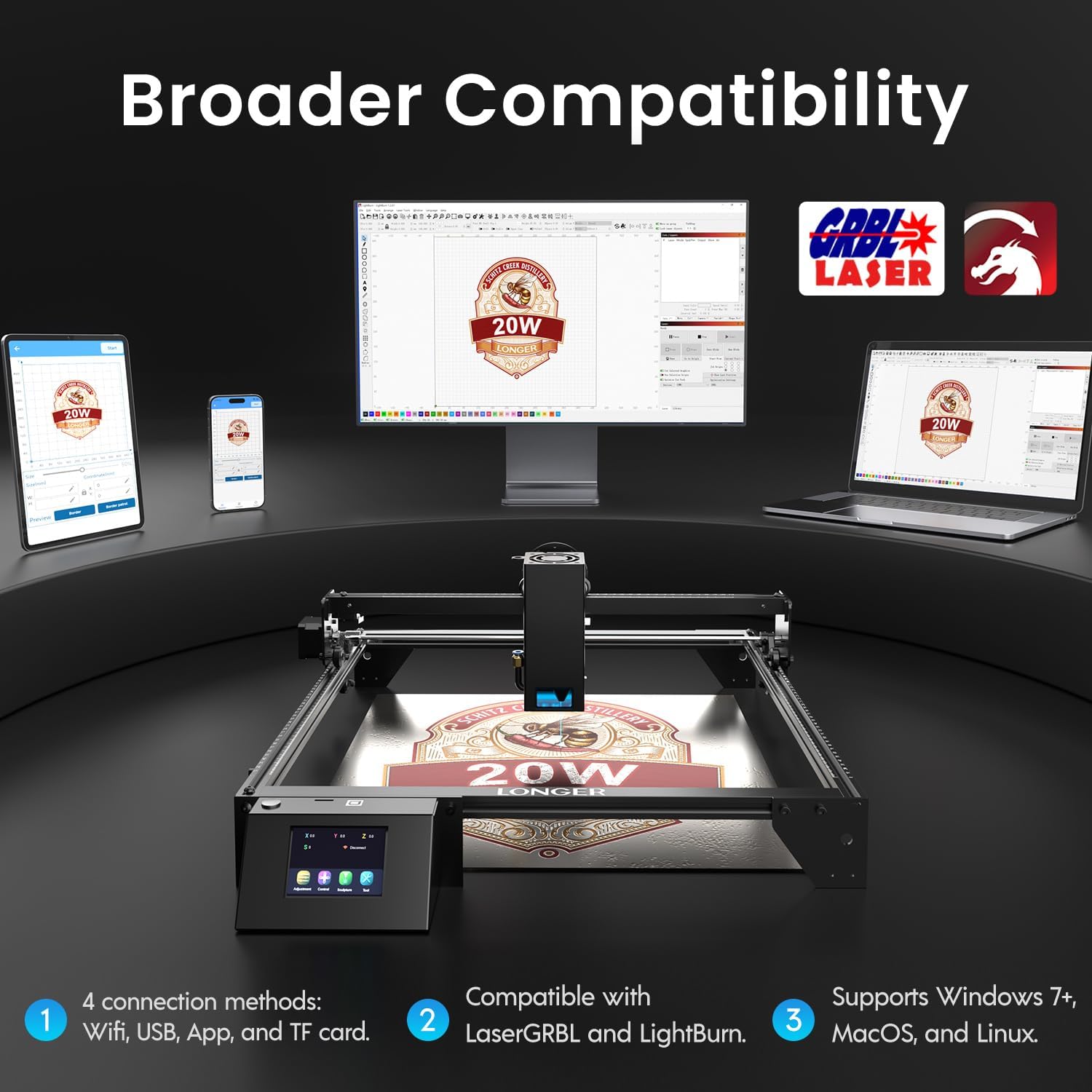
Image: Display showing the Longer Ray5's compatibility with LaserGRBL and LightBurn software, and various connection options including Wi-Fi, USB, App, and TF card across Windows, MacOS, and Linux operating systems.
2. Engraving and Cutting Capabilities
The 20W diode laser offers high-efficiency performance for various materials.
- Сечење: Capable of cutting up to 25mm of wood and 35mm of acrylic. It can also cut 0.05mm metal.
- Гравирање: Engrave hundreds of colors on metallic steel and a wide range of other materials.
- Материјали: Acrylic, metal, wood, stainless steel, and more.
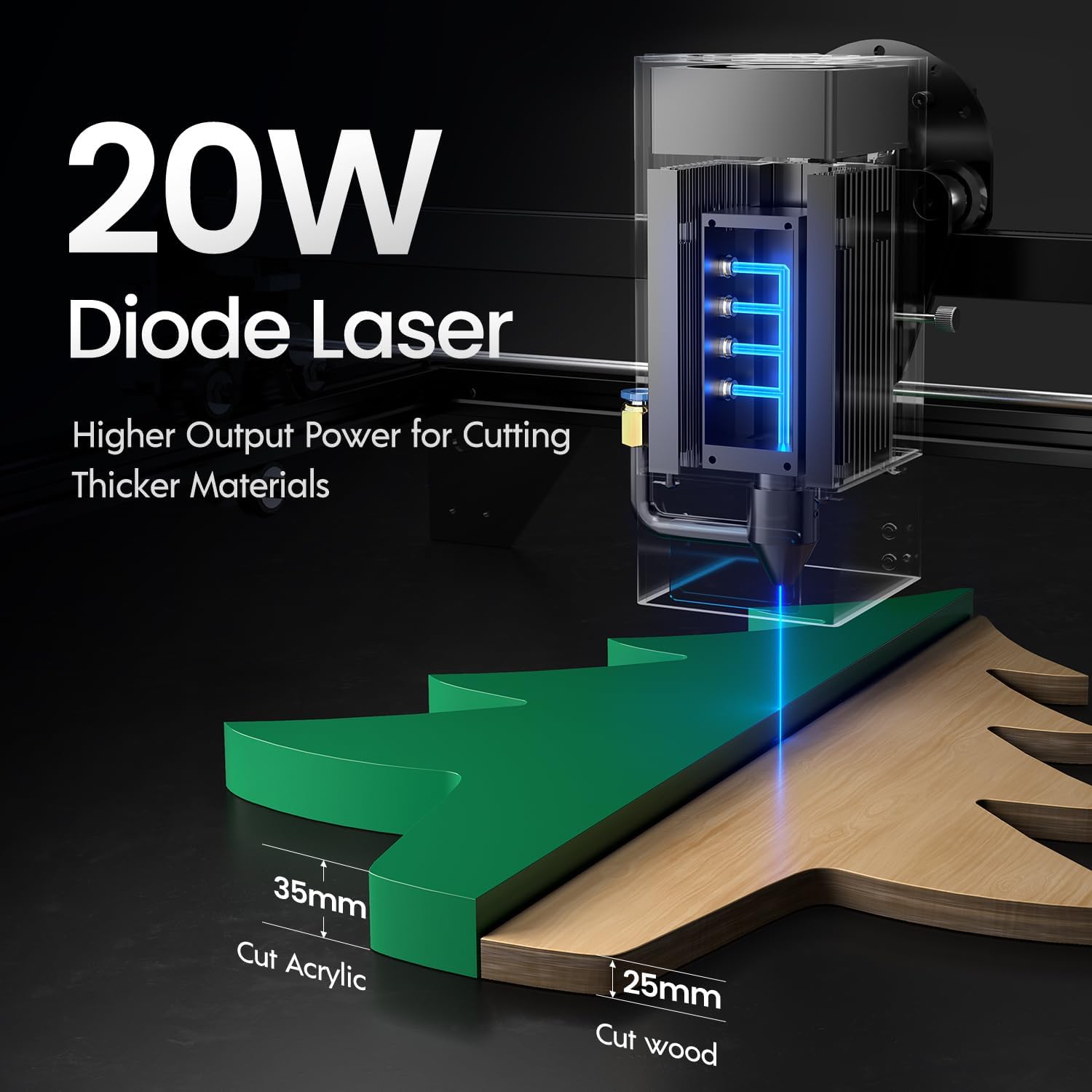
Image: Illustration demonstrating the 20W diode laser's capability to cut 25mm wood and 35mm acrylic.

Слика: прamples of engraving capabilities, showcasing over 380 colors on metallic surfaces and other DIY artworks.

Image: A collection of various items demonstrating the versatile material selection for engraving and cutting, including wood, metal, and acrylic.
3. Air Assist Function
The integrated air assist kit significantly improves cutting and engraving quality.
- Enhanced Cutting: The adjustable airflow (10-30L/min) suppresses smoke and dust, preventing laser energy attenuation and ensuring cleaner, smoother edges.
- Reduced Yellowing: Air assist helps prevent charring and yellowing on materials during laser processing, especially for wood and acrylic.

Image: A visual comparison showing the benefits of air assist, resulting in cleaner cuts and reduced processing time (e.g., 12 minutes with air assist vs. 20 minutes without).
4. Continuous Operation
The Longer Ray5 is designed for powerful continuous working capacity, supporting 24/7 continuous engraving. A single computer can control multiple machines.

Image: Depiction of multiple Longer Ray5 machines working simultaneously, illustrating continuous operation and the ability for one computer to control several units.
Одржавање
Regular maintenance ensures optimal performance and extends the lifespan of your laser engraver.
- Очистите ласерско сочиво: Периодично чистите ласерско сочиво меком крпом која не оставља влакна и раствором за чишћење сочива како бисте одржали квалитет снопа.
- Чисти остатке: Remove any accumulated dust or debris from the work area and machine components.
- Check Belts and Rails: Inspect drive belts for tension and wear. Keep linear rails clean and lubricated as per manufacturer recommendations.
- Air Assist Filter: If your air assist pump has a filter, clean or replace it regularly to ensure efficient airflow.
- Ажурирања фирмвера: Проверите произвођача webсајт за сва доступна ажурирања фирмвера за побољшање перформанси или додавање функција.
Решавање проблема
Овај одељак се бави уобичајеним проблемима на које можете наићи.
| Проблем | Могући узрок | Решење |
|---|---|---|
| Ласер не пуца | Power not connected, software error, laser module fault. | Check power connections. Verify software settings. Contact support if laser module is suspected faulty. |
| Лош квалитет гравирања/сечења | Incorrect focus, dirty lens, wrong power/speed settings, material issues, no air assist. | Adjust laser focus. Clean the laser lens. Optimize power/speed settings for the material. Ensure air assist is active. |
| Машина се не повезује са рачунаром | USB cable issue, driver not installed, Wi-Fi configuration error. | Try a different USB port/cable. Install necessary drivers. Reconfigure Wi-Fi connection. |
| Прекомерни дим/испарења | Insufficient ventilation, air assist not active or weak. | Ensure proper ventilation. Check air assist pump and tubing for blockages. Increase air assist flow. |
Спецификације
| Феатуре | Детаљ |
|---|---|
| Број модела | РАИ5 |
| Излазна снага ласера | 20000mW (20W) |
| Ласер Типе | Диодни ласер |
| Cutting Depth (Wood) | До 25 мм |
| Cutting Depth (Acrylic) | До 35 мм |
| Metal Cutting Capability | 0.05мм |
| Air Assist Flow | 10-30 L/min (Adjustable) |
| Екран на додир | 3.5 инча |
| Повезивање | Wi-Fi, USB, App, TF Card |
| Компатибилни софтвер | ЛасерГРБЛ, ЛигхтБурн |
| Подржани ОС | Windows 7+, MacOS, Linux |
| Произвођач | Дуже |
| Датум првог доступног | 1. августа 2024. године |
Гаранција и подршка
For warranty information and technical support, please refer to the official Longer webсајт или директно контактирајте њихову корисничку службу. Сачувајте рачун као доказ о куповини за потребе гаранције.
Онлине ресурси: Посетите Longer Store on Amazon за додатне информације о производу и подршку.