
Everest SM-BT08
Everest SM-BT08 USB 2-in-1 Bluetooth and 2.4GHz Wireless Mouse User Manual
Model: SM-BT08
Увод
Thank you for choosing the Everest SM-BT08 USB 2-in-1 Bluetooth and 2.4GHz Wireless Mouse. This device offers versatile connectivity options, allowing you to switch between 2.4GHz wireless and Bluetooth modes for seamless use across various devices. Please read this manual carefully to ensure proper installation, operation, and maintenance.
Садржај пакета
- Everest SM-BT08 Wireless Mouse
- USB 2.4GHz пријемник (смештен унутар миша)
- Упутство за употребу
- (Battery not included, typically)
Производ је завршенview
Familiarize yourself with the components of your Everest SM-BT08 mouse:
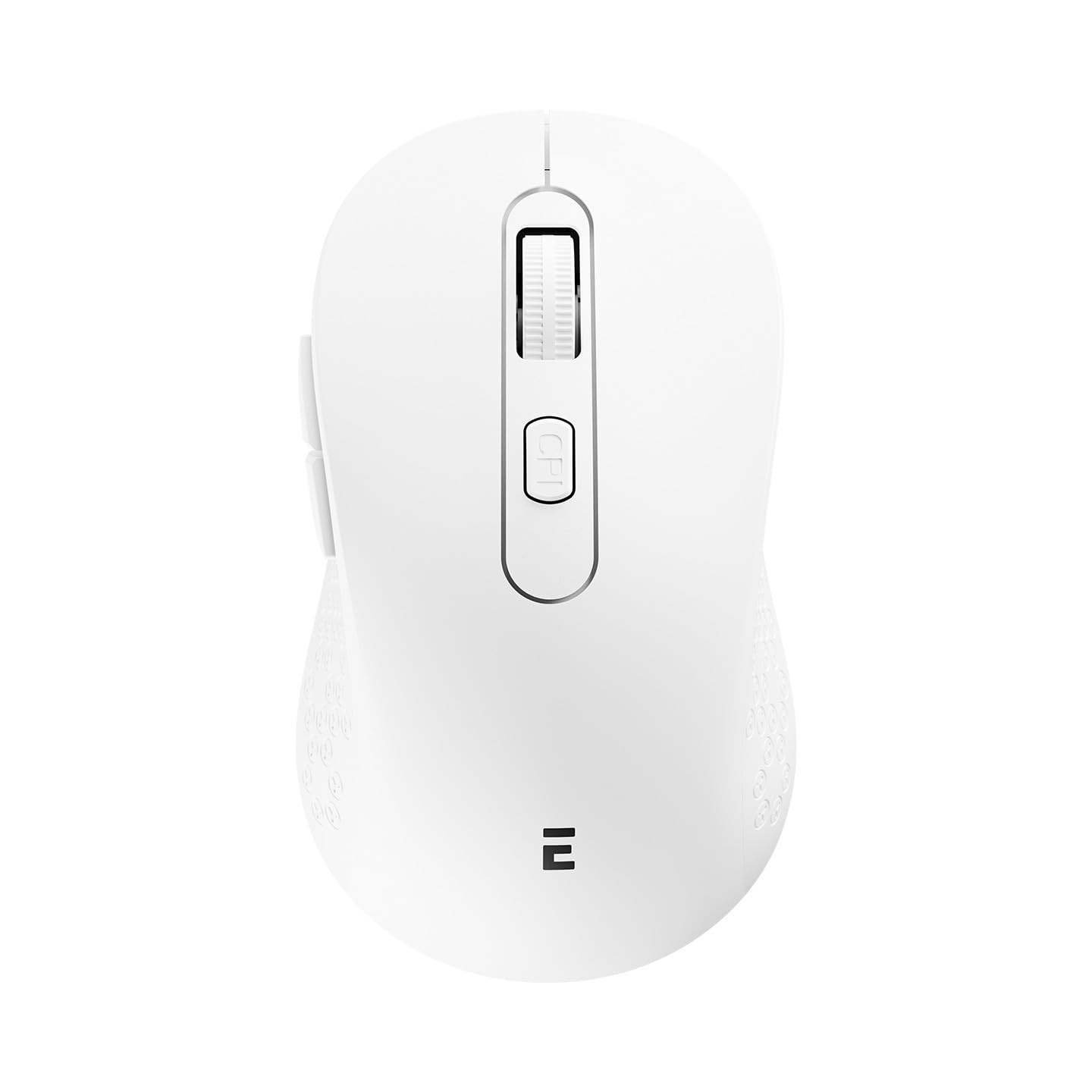
Слика: Врх view of the Everest SM-BT08 Wireless Mouse, showing the left and right click buttons, scroll wheel, and DPI button.
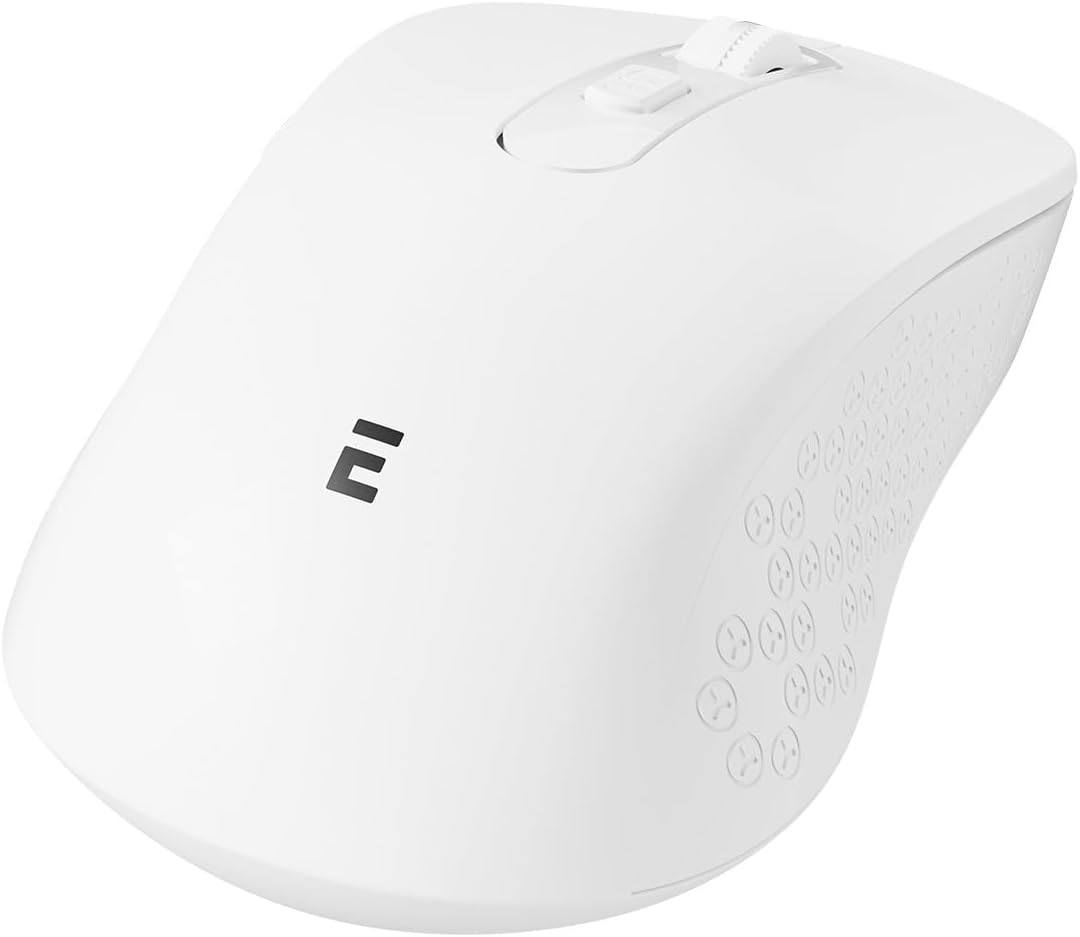
Слика: Са стране view of the Everest SM-BT08 Wireless Mouse, highlighting the ergonomic design and additional side buttons.
- Дугме левог клика
- Десни клик на дугме
- Точак за померање
- Дугме за подешавање ДПИ
- Дугме за премотавање напред (са стране)
- Дугме за померање уназад (са стране)
- Mode Switch Button (Bottom)
- USB Receiver Storage / Battery Compartment (Bottom)
Сетуп
1. Инсталација батерије
- Пронађите одељак за батерију на доњој страни миша.
- Отворите поклопац одељка за батерије.
- Уметните једну АА батерију (није укључена) у одељак, водећи рачуна о исправном поларитету (+/-).
- Добро затворите поклопац одељка за батерије.
2. Бежична веза од 2.4 GHz
- Remove the USB 2.4GHz receiver from its storage slot on the underside of the mouse.
- Укључите УСБ пријемник у слободан УСБ порт на рачунару.
- Turn on the mouse using the power switch (usually on the bottom).
- Press the mode switch button on the bottom of the mouse until the indicator light shows 2.4GHz mode (often green or red).
- Your computer should automatically detect and install the mouse.
3. Блуетоотх веза
- Уверите се да је миш укључен.
- Press the mode switch button on the bottom of the mouse until the indicator light shows Bluetooth mode (often blue).
- На рачунару или уређају идите на подешавања Bluetooth-а.
- Омогућите Блутут и потражите нове уређаје.
- Select "Everest SM-BT08" (or similar name) from the list of available devices to pair.
- Једном упарен, миш је спреман за употребу.
Упутство за употребу
ДПИ Адјустмент
The mouse features a DPI adjustment button, typically located behind the scroll wheel. Press this button to cycle through different DPI (Dots Per Inch) sensitivity levels. This allows you to adjust the cursor speed to your preference for various tasks.
Функције дугмета
- Леви клик: Primary function, selection.
- Десни клик: Secondary function, context menus.
- Точак за померање: Померање горе/доле, клик средњим тастером миша.
- Дугме ДПИ: Подешава осетљивост курсора.
- Бочна дугмад (напред/назад): Навигација web странице или фасцикле.
Switching Between 2.4GHz and Bluetooth Modes
Use the mode switch button on the underside of the mouse to toggle between 2.4GHz wireless mode and Bluetooth mode. An indicator light will typically change color to show the active mode.
Одржавање
- Чишћење: Користите меку, суву крпу за чишћење миша. За тврдокорну прљавштину, благо дamp Може се користити крпа, али водите рачуна да влага не уђе у уређај.
- Складиштење: When not in use for extended periods, turn off the mouse to conserve battery life. Store the USB receiver inside the mouse's compartment to prevent loss.
- батерија: Replace the battery when the mouse performance degrades or the low battery indicator (if present) illuminates.
Решавање проблема
| Проблем | Решење |
|---|---|
| Mouse not responding (2.4GHz) |
|
| Миш не реагује (Блутут) |
|
| Покрет курсора је неправилан или спор |
|
| Веза често пада |
|
Спецификације
- Бренд: Еверест
- Модел: СМ-БТ08
- Повезивање: 2.4 ГХз бежични, Блуетоотх
- Технологија сензора: Оптицал
- Број дугмади: 6
- Извор напајања: Напајање батеријама (AA)
- Оперативни системи: Виндовс, мацОС, Линук
- Тежина производа: 0.09 килограма
Гаранција и подршка
The Everest SM-BT08 Wireless Mouse comes with a 2 година гаранције from the date of purchase. This warranty covers manufacturing defects and material faults under normal use. It does not cover damage caused by misuse, accidents, unauthorized modifications, or normal wear and tear.
For technical support, warranty claims, or further assistance, please contact your retailer or visit the official Everest website. Please retain your proof of purchase for warranty service.
Ask a question about this manual
Ask about setup, troubleshooting, compatibility, parts, safety, or missing instructions. Manuals+ will review the question and use this page’s manual context to help answer it.