
zidoo Z3000 PRO
Упутство за употребу медија плејера zidoo Z3000 PRO-8K
Model: Z3000 PRO
Увод
This manual provides comprehensive instructions for the setup, operation, and maintenance of your zidoo Z3000 PRO-8K Media Player. Please read this manual thoroughly before using the device to ensure optimal performance and longevity.
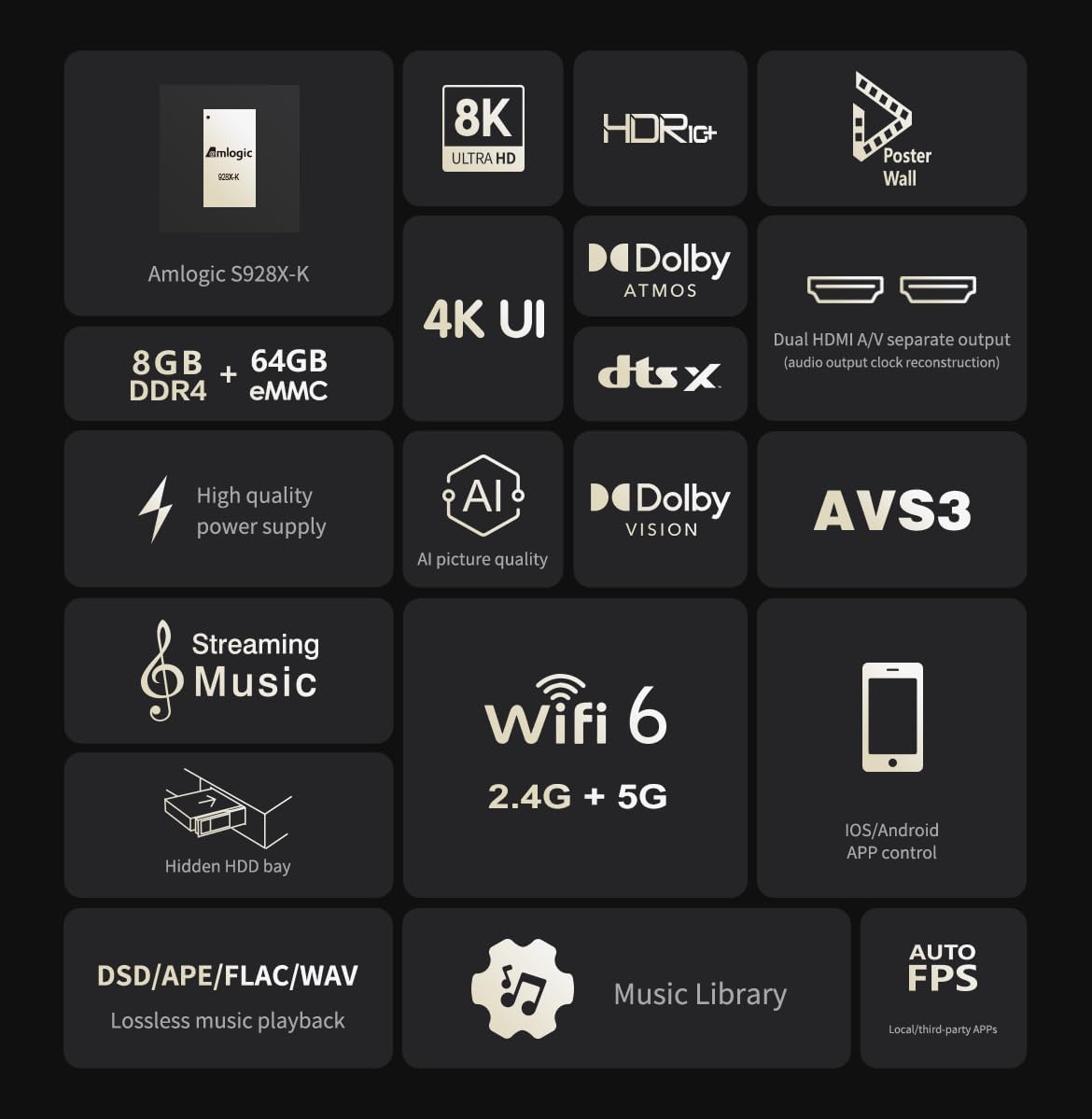
The zidoo Z3000 PRO is a high-performance media player featuring the Amlogic S928X-K processor, 8GB DDR4 RAM, and 64GB eMMC storage. It supports 8K video output, HDR technologies including HDR10, HLG, HDR10+, and Dolby Vision, and advanced audio formats.
Садржај пакета
Ensure all items listed below are present in the package:
- BT Remote Control (Batteries not included)
- ХДМИ кабл
- Повер Цабле
- Упутство за употребу
Производ је завршенview
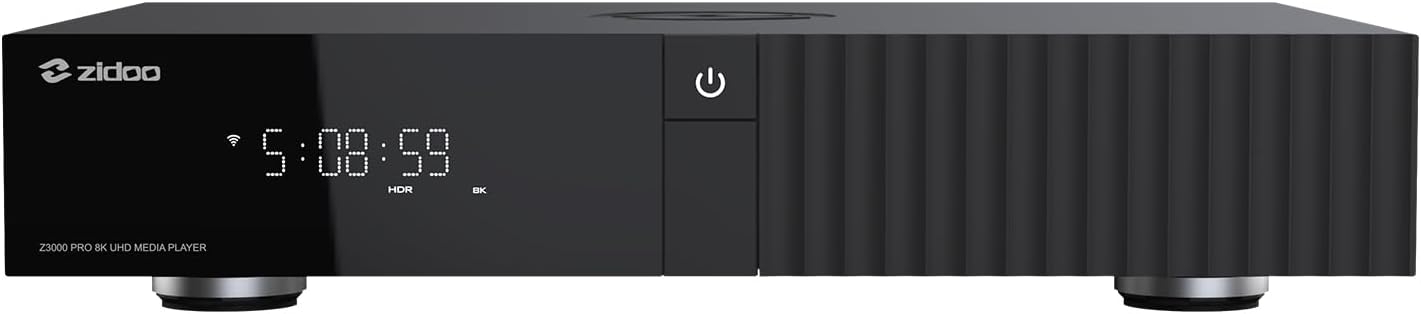

Сетуп
1. Connecting the Player
Прикључак за напајање: Connect the provided power cable to the AC POWER/SWITCH port on the rear of the player and then to a power outlet.
ХДМИ веза: Use the supplied HDMI cable to connect the HDMI OUT (MAIN) port on the player to an HDMI input on your TV or AV receiver. For separate audio output, connect the HDMI OUT (AUDIO ONLY) port to your audio receiver.
Мрежна конекција: For wired network access, connect an Ethernet cable from your router to the GIGABIT LAN port on the player. For wireless connection, the device supports 2.4G+5G dual-band WiFi 6.
УСБ уређаји: Connect USB storage devices or peripherals to the USB 3.0 or USB 2.0 ports.
HDD Installation (Optional): The player features a hidden NSS patented HDD bay. Refer to the detailed HDD installation guide for proper setup.
2. Прво укључивање
After connecting all necessary cables, switch on the AC POWER/SWITCH on the rear panel.
Press the power button on the front panel or the remote control to turn on the device.
Пратите упутства на екрану за почетно подешавање, укључујући избор језика и конфигурацију мреже.
Упутство за употребу
Навигација и интерфејс
The zidoo Z3000 PRO runs on Android 11 OS, providing a user-friendly interface. Navigate using the included BT Remote Control or the Zidoo Controller APP for iOS/Android devices.
Репродукција медија
Видео репродукција: Supports 8K@60Hz, 12Bit, AV1/VP9/H.265/AVS3/AVS2 codecs. Compatible with BD/UHD BDMV/ISO, MKV, TS, and other video formats. Features automatic frame rate (23.976) and resolution switching for smooth playback.
Аудио репродукција: Supports lossless music formats like DSD (SACD ISO, DSF, DFF), WAV, APE, DTS, FLAC up to DSD512/PCM 192KHZ sampling rate. Features Atmos/DTS X audio pass-through output.
ХДР подршка: Processes HDR10 static metadata (MaxFall, MaxCll) and HDR10+ dynamic metadata for enhanced brightness and contrast. Built-in VS10 image quality engine improves overall image quality.
Poster Wall 5.0: Organize your media library with the new Poster Wall 5.0, supporting movie trailers and custom classification.
Music Player 8.0: Enjoy lossless playback with the upgraded music player, featuring a new UI and personalized settings.
Мрежа и повезивање
Supports network protocols such as NFS, SMB v1/v2/v3, UPnP, Web DAV, and built-in SMB service for easy streaming from PC and NAS.
Блутут 5.2 за повезивање бежичних додатака.
Supports music streaming methods like DLNA and Tidal Connect.
Одржавање
Чишћење: Use a soft, dry cloth to clean the exterior of the player. Avoid liquid cleaners or abrasive materials.
вентилација: Ensure the player is placed in a well-ventilated area to prevent overheating. Do not block ventilation openings.
Ажурирања софтвера: The device supports OTA (Over-The-Air) updates. Regularly check for and install the latest firmware to ensure optimal performance and access to new features. Navigate to System Settings > About > System Update to check for updates.
Управљање складиштем: Periodically manage files on connected storage devices or the internal eMMC to maintain performance. Back up important data regularly.
Решавање проблема
| Проблем | Могући узрок | Решење |
|---|---|---|
| Но Повер | Power cable not connected; Power switch off; Power outlet issue. | Ensure power cable is securely connected. Turn on the AC POWER/SWITCH. Try a different power outlet. |
| Нема видео излаза | HDMI cable loose or faulty; Incorrect HDMI input selected on TV/receiver; Resolution incompatibility. | Check HDMI cable connections. Select the correct HDMI input on your display. Try a different HDMI cable. Adjust resolution settings if accessible. |
| Нема аудио излаза | Audio cable loose or faulty; Incorrect audio output settings; Receiver not powered on. | Check audio cable connections (HDMI, SPDIF). Verify audio output settings on the player. Ensure your AV receiver is powered on and set to the correct input. |
| Проблеми са мрежном везом | Ethernet cable disconnected; Incorrect Wi-Fi password; Router issues. | Check Ethernet cable. Re-enter Wi-Fi password. Restart your router and the media player. |
| Player Freezes/Unresponsive | Software glitch; Overheating; Corrupted media file. | Restart the player by unplugging and re-plugging the power cable. Ensure proper ventilation. Try playing a different media file. Consider a factory reset if issues persist (backup data first). |
Спецификације
| Феатуре | Детаљ |
|---|---|
| Процесор | Amlogic S928X-K 64-bit penta-core A76 + A55 |
| РАМ | 8ГБ ДДР4 |
| Складиштење | 64ГБ еММЦ |
| Оперативни систем | Андроид 11 |
| Видео Оутпут | HDMI 2.1, supports 8K 60Hz point-to-point output |
| ХДР подршка | HDR10, HLG, HDR10+, Dolby Vision |
| Аудио излаз | Dual HDMI (Main & Audio Only), SPDIF |
| Повезивање | Wi-Fi 6 (2.4G+5G dual-band), Gigabit LAN, Bluetooth 5.2 |
| УСБ портови | 2к УСБ 3.0, 1к УСБ 2.0 |
| ХДД Баи | Hidden NSS patented HDD bay (SATA3.0, supports up to 24TB) |
| Димензије (Д к Ш к В) | 13.78 к 9.45 к 2.37 инча (350 к 240 к 60 мм) |
| Тежина | 8.03 фунти |
| Контрола | Remote Control, App Control (iOS/Android), HDMI CEC, RS232, Control 4 |
Подршка и гаранција
For technical assistance or product inquiries, please contact the seller directly via email.
You can also visit the official Zidoo website and participate in their home theater forum for community support and additional resources.
Information regarding specific warranty terms and conditions can typically be found on the product packaging or the official Zidoo webсајт. Молимо вас да сачувате доказ о куповини за потребе гаранције.
Ask a question about this manual
Ask about setup, troubleshooting, compatibility, parts, safety, or missing instructions. Manuals+ will review the question and use this page’s manual context to help answer it.