
1. Увод
Thank you for choosing the Everest SM-BT09 2-in-1 Wireless Mouse. This device offers versatile connectivity options, allowing you to connect via 2.4GHz wireless technology using a USB receiver or via Bluetooth. It is designed for use with a variety of devices, including desktop computers, laptops, personal computers, smartphones, and tablets. Please read this manual carefully to ensure proper setup and operation.
2. Садржај пакета
- Everest SM-BT09 Wireless Mouse
- USB 2.4GHz пријемник
- Упутство за употребу
3. Производ је готовview
Familiarize yourself with the components of your Everest SM-BT09 wireless mouse.
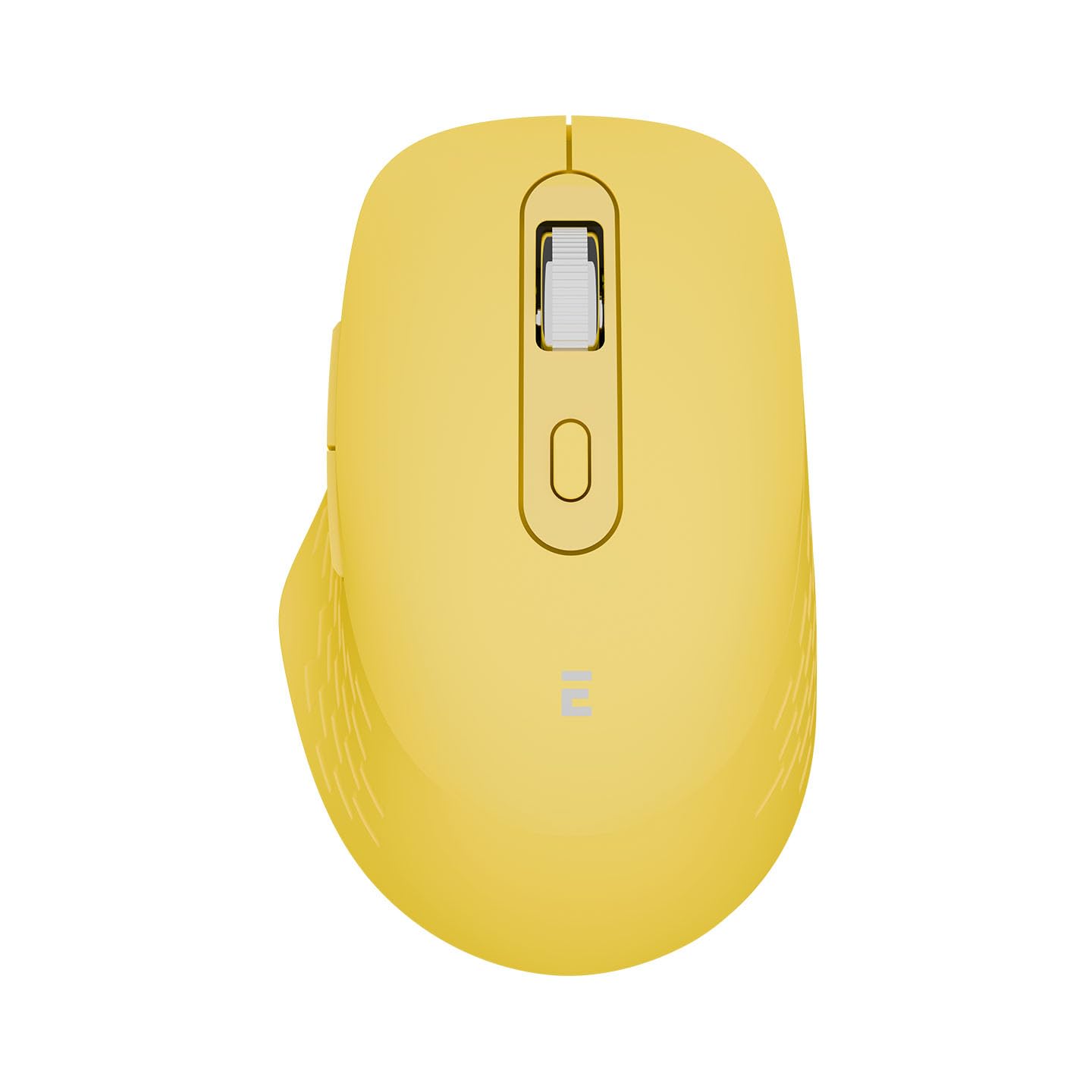
Слика 1: Под горњим углом view of the Everest SM-BT09 Wireless Mouse, showing the left and right click buttons, scroll wheel, and a button behind the scroll wheel (likely for DPI adjustment).

Слика 2: Бочно угаоно view of the Everest SM-BT09 Wireless Mouse, highlighting the two side buttons on the left side of the mouse.
- Леви клик: Primary function button.
- Десни клик: Secondary function button.
- Точак за померање: За вертикално скроловање и може функционисати и као средњи клик.
- Дугме за подешавање DPI-ја: Located behind the scroll wheel, used to cycle through different cursor speeds (DPI settings).
- Бочна дугмад: Two programmable buttons, typically for forward/backward navigation in web читачи.
- Прекидач за напајање/режим: Located on the underside of the mouse, used to turn the mouse on/off and switch between 2.4GHz and Bluetooth modes.
- USB Receiver Storage Slot: Located on the underside of the mouse for convenient storage of the 2.4GHz USB receiver.
4. Подешавање
4.1 Укључивање миша
The Everest SM-BT09 mouse is battery-powered. Locate the power switch on the underside of the mouse and slide it to the 'ON' position. If the mouse does not power on, ensure it is charged or has a functional battery installed.
4.2 Бежична веза од 2.4 GHz
- Locate the USB 2.4GHz receiver, usually stored in a compartment on the underside of the mouse.
- Insert the USB receiver into an available USB port on your computer or compatible device.
- Slide the power/mode switch on the mouse to the 2.4GHz mode (often indicated by a specific icon or position).
- Миш би требало аутоматски да се повеже са вашим уређајем. Обично нису потребни додатни драјвери.
4.3 Блуетоотх веза
- Slide the power/mode switch on the mouse to the Bluetooth mode (often indicated by a Bluetooth icon or 'BT' position).
- The mouse will enter pairing mode. An indicator light on the mouse may flash to show it is discoverable.
- On your computer, smartphone, or tablet, enable Bluetooth and search for new devices.
- Select "Everest SM-BT09" from the list of available devices to initiate pairing.
- Once paired, the indicator light on the mouse will typically stop flashing and remain solid or turn off.
5. Управљање мишем
- Основне функције: Use the left and right click buttons for primary and secondary actions. The scroll wheel allows for vertical navigation.
- ДПИ подешавање: Press the DPI button (behind the scroll wheel) to cycle through different cursor speeds. This allows you to adjust the mouse sensitivity to your preference.
- Бочна дугмад: The two side buttons typically function as 'Forward' and 'Backward' in web претраживачи и file explorers. Their functionality may be customizable through your operating system's mouse settings.
- Промена режима: To switch between 2.4GHz and Bluetooth connectivity, simply slide the power/mode switch on the underside of the mouse to the desired position.
6. Одржавање
- Чишћење: Користите меку, суву крпу за чишћење миша. За тврдокорну прљавштину, благо обришитеampИсперите крпу водом. Избегавајте употребу јаких хемикалија или абразивних материјала.
- Складиштење: When not in use, store the mouse in a clean, dry environment. If storing for an extended period, turn off the mouse to conserve battery life.
- Одржавање батерије: If your mouse has a rechargeable battery, avoid fully discharging it frequently. Charge it regularly to maintain battery health.
КСНУМКС. Решавање проблема
- Миш не реагује:
- Уверите се да је миш укључен.
- Проверите ниво батерије.
- For 2.4GHz, ensure the USB receiver is securely plugged into a working USB port. Try a different USB port.
- For Bluetooth, ensure Bluetooth is enabled on your device and the mouse is correctly paired. Try re-pairing the mouse.
- Ensure the mouse is within the effective operating range of your device.
- Неправилно кретање курсора:
- Очистите оптички сензор на доњој страни миша.
- Користите миш на чистој, нерефлектујућој површини. Препоручује се подлога за миш.
- Веза често прекида:
- Смањите сметње од других бежичних уређаја.
- Ensure the mouse is close to the receiver or Bluetooth device.
8. Спецификације
| Бранд | Еверест |
| Модел | СМ-БТ09 |
| Повезивање | 2.4 ГХз бежични, Блуетоотх |
| Откривање покрета | Оптицал |
| Број дугмади | 3 (Primary: Left, Right, Scroll Click. Additional side and DPI buttons are present.) |
| Компатибилни уређаји | Desktop Computer, Laptop, Personal Computer, Smartphone, Tablet |
| Извор напајања | Баттери Поверед |
9. Гаранција и подршка
For warranty information and technical support, please refer to the documentation provided with your purchase or visit the official Everest webсајт. Сачувајте доказ о куповини за потребе гаранције.