
1. Производ је готовview
The DBPOWER Smart WiFi Bluetooth Projector (Model: E2) offers a native 1080P Full HD resolution with 300 ANSI lumens brightness and a 10,000:1 contrast ratio. It features a 6-layer high-refractive lens for enhanced clarity and reduced eye strain. This projector is designed for versatile home and outdoor use, providing a large display experience with integrated smart features.
Кључне карактеристике:
- Native 1080P Resolution & 300 ANSI Brightness: Delivers stunning visuals with true Full HD and vibrant clarity.
- Built-in Smart Apps: Stream content directly from Netflix, YouTube, Prime Video, and more without an external TV stick.
- Fast Dual-Band 5G WiFi & Bluetooth 5.2: Ensures stable streaming and wireless audio connectivity with soundbars, headphones, or speakers.
- Large Display & Easy Setup: Projects a 40-200 inch screen with ±15° keystone correction, manual focus, and 50% digital zoom for effortless alignment.
- Долби Аудио: Integrated dual speakers with Dolby Audio support provide immersive sound.
- Широка компатибилност: Features HDMI, USB, AV, and audio ports for connecting various devices like phones, laptops, and gaming consoles.
2. Садржај пакета
Your DBPOWER Smart WiFi Bluetooth Projector package includes the following items:
- DBPOWER Smart WiFi Bluetooth Projector (Model: E2)
- Ремоте Цонтрол
- Повер Цорд
- ХДМИ кабл
- АВ кабл
- Поклопац објектива
- Cleaning Kit (Q-tips)
- Упутство за употребу
- Торбица за ношење

Image 2.1: The DBPOWER Smart WiFi Bluetooth Projector with its included carrying case and a smartphone displaying Bluetooth and WiFi icons.
3. Водич за подешавање
3.1 Physical Placement and Adjustments
Place the projector on a stable, flat surface. Ensure there is adequate ventilation around the device. The projector can be placed on a table, mounted on a tripod, or ceiling-mounted.
- Подешавање висине: Use the adjustable screw on the bottom of the projector to fine-tune the projection height.
- Кеистоне Цоррецтион: Use the keystone adjustment ring/slider on the projector to correct trapezoidal distortion, ensuring a rectangular image. The projector supports ±15° keystone correction.
- Ручно фокусирање: Окрећите прстен за фокусирање на објективу пројектора док пројектована слика не постане оштра и јасна.
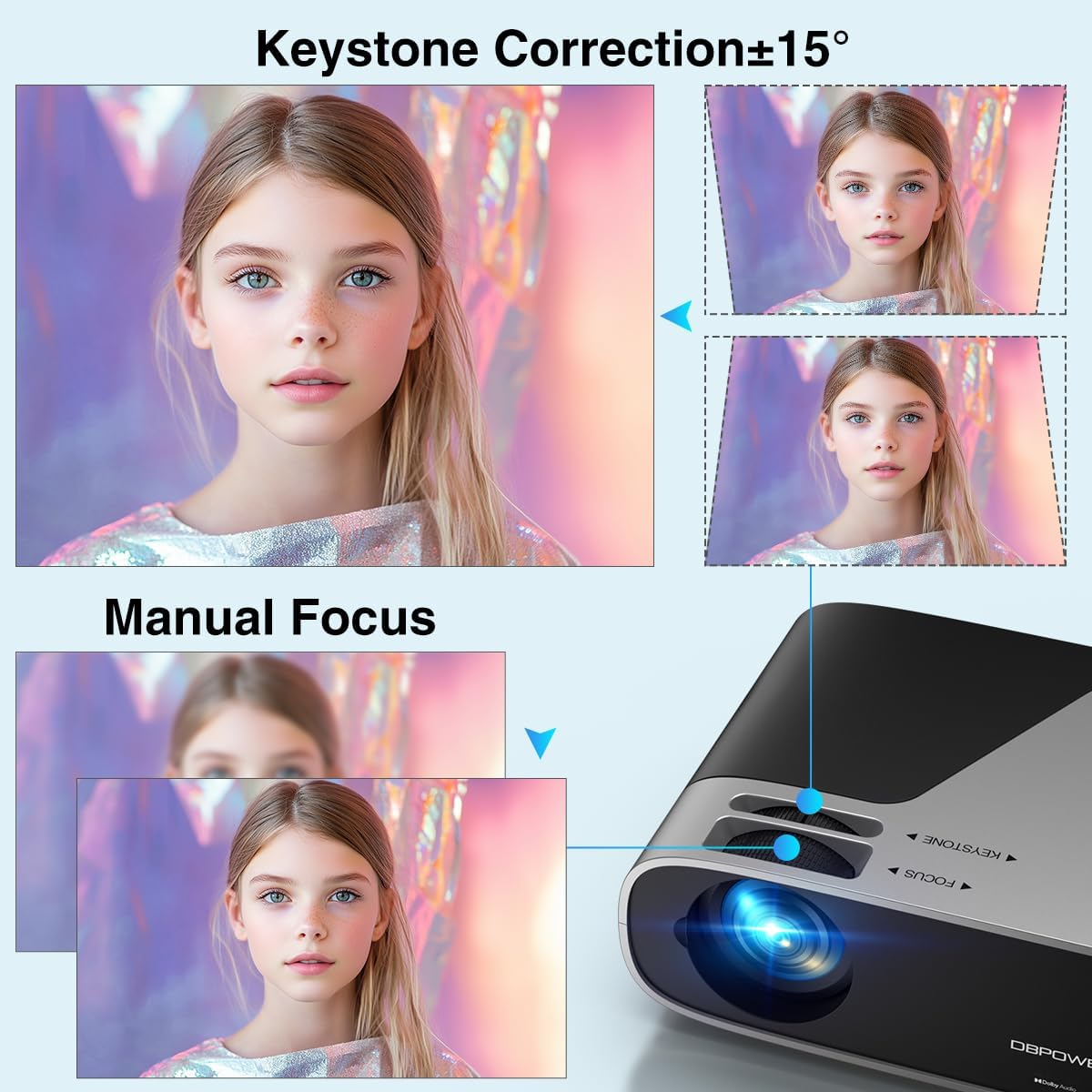
Image 3.1: Visual representation of keystone correction and manual focus adjustments on the projector.
3.2 Укључивање и почетна конфигурација
- Прикључите кабл за напајање на пројектор, а затим на утичницу.
- Притисните дугме за напајање на пројектору или даљинском управљачу да бисте укључили уређај.
- Follow the on-screen prompts to select your preferred language and connect to your Wi-Fi network (2.4G/5G Dual-Band supported).
3.3 Повезивање екстерних уређаја
Пројектор нуди више опција повезивања:
- ДВИ: Connect devices like laptops, gaming consoles (PS5), or TV sticks using an HDMI cable.
- УСБ: Прикључите УСБ дискове за репродукцију медија.
- АВ: Use the AV port for older devices.
- Аудио излаз: Connect external speakers or headphones via the 3.5mm audio jack or Bluetooth.

Слика 3.2: Готовоview of the projector's input/output ports and various compatible devices.
3.4 Bluetooth повезивање
To connect Bluetooth audio devices:
- Ensure your Bluetooth device (e.g., soundbar, headphones) is in pairing mode.
- On the projector's home screen, navigate to the Bluetooth settings.
- Изаберите свој уређај са листе доступних уређаја за упаривање.

Image 3.3: The projector demonstrating Bluetooth 5.2 connectivity with various audio devices.
4. Упутство за употребу
4.1 Navigating the User Interface
Use the remote control or the physical buttons on top of the projector to navigate the user interface. The remote control provides direct access to apps like Netflix and YouTube.
4.2 Using Built-in Streaming Apps
The projector comes pre-licensed with popular streaming apps. Simply connect to Wi-Fi, log in to your accounts, and start streaming.

Image 4.1: The projector's smart interface showing various pre-installed streaming applications.
4.3 Пресликавање екрана
Mirror your smartphone or tablet screen wirelessly:
- иОС уређаји: Use the ScreenSharer function. Ensure your iOS device and projector are on the same Wi-Fi network.
- Андроид уређаји: Use the ScreenCast function. Ensure your Android device and projector are on the same Wi-Fi network.
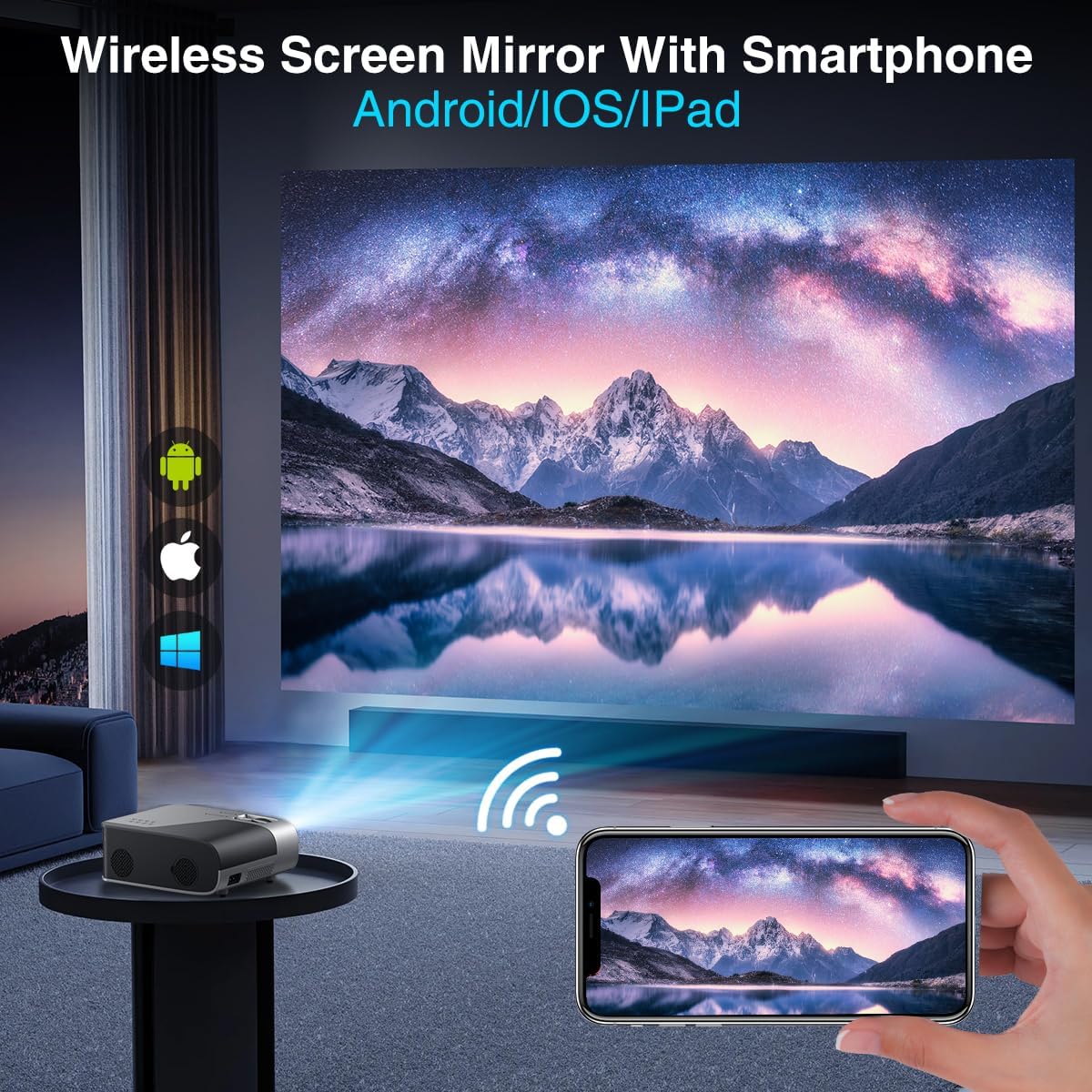
Image 4.2: A smartphone wirelessly mirroring its screen to the projector, compatible with Android and iOS devices.
4.4 Projection Modes
The projector supports multiple installation methods and projection modes:
- Front Projection: Standard setup where the projector is in front of the screen.
- Rear Projection: Projector is behind a translucent screen.
- Ceiling Mount (Front/Rear): Projector is mounted upside down from the ceiling. Adjust settings in the Projection Settings menu to flip the image.
4.5 Функција зумирања
The projector features a 50% digital zoom function, allowing you to adjust the screen size without physically moving the projector. This can be accessed via the remote control or projector settings.

Image 4.3: Illustration of the projector's 50% digital zoom feature, showing various screen sizes from 60 to 200 inches.
4.6 Сценарији коришћења
The DBPOWER projector is suitable for various entertainment and presentation needs:
- Кућни биоскоп: Enjoy movies and TV shows on a large screen.
- Играње: Connect gaming consoles for an immersive experience.
- Забава на отвореном: Perfect for backyard movie nights.
- Презентације: Can be used for displaying content from laptops or PCs.
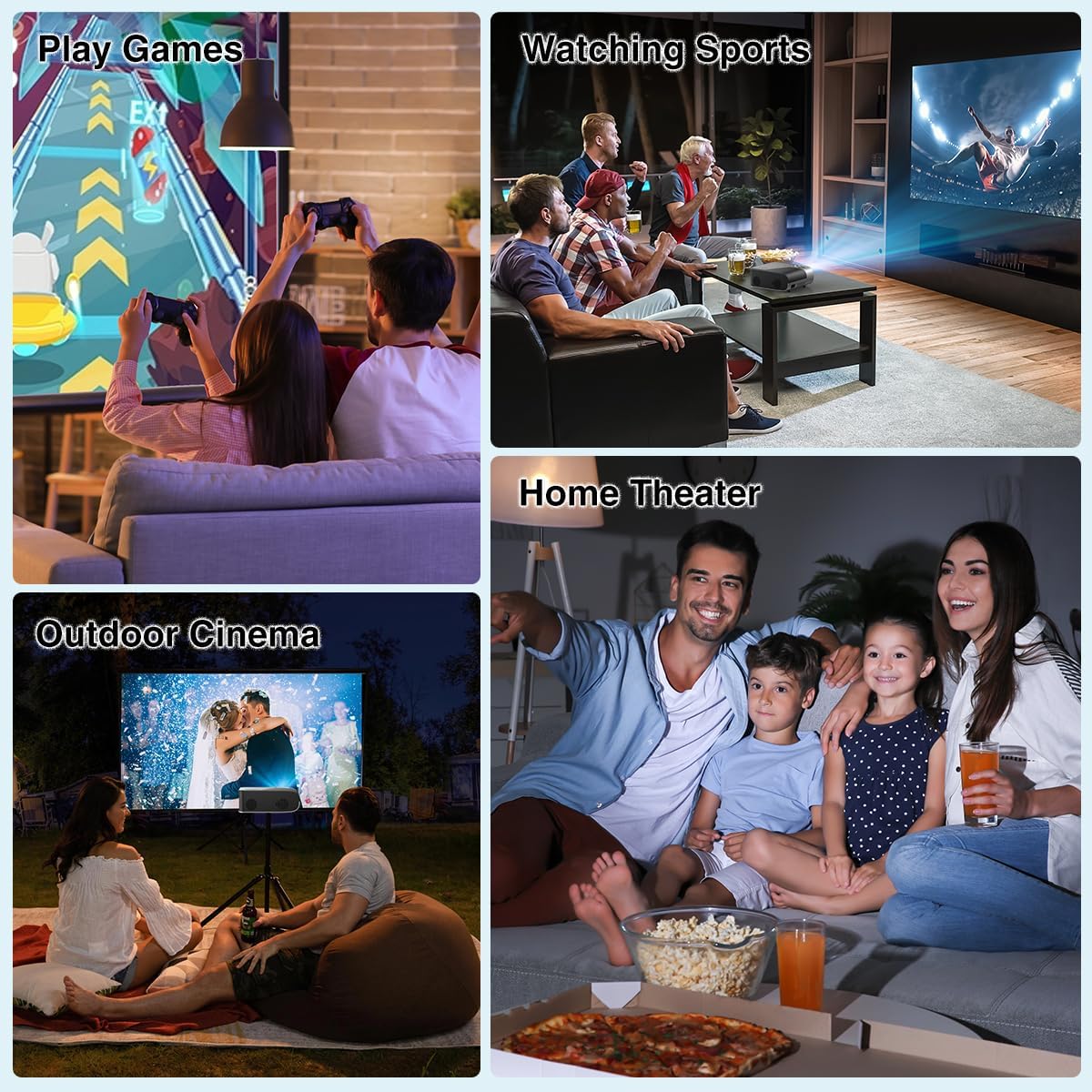
Слика 4.4: Примерamples of the projector's use in different settings, such as gaming, sports viewing, home theater, and outdoor cinema.
5. Одржавање
5.1 Чишћење сочива
Regularly clean the projector lens to ensure optimal image clarity. Use a soft, lint-free cloth or the provided cleaning kit. Avoid abrasive materials or harsh chemicals.
5.2 Чишћење филтера за прашину
The projector has a removable dust filter to prevent dust buildup inside the device. Periodically remove and clean the filter to maintain proper airflow and prevent overheating. Refer to the detailed instructions in the included user manual for specific steps on removing and cleaning the filter.
КСНУМКС. Решавање проблема
Ако наиђете на проблеме са пројектором, размотрите следећа уобичајена решења:
- Замућена слика: Adjust the manual focus ring until the image is sharp. Ensure the projector is placed at an appropriate distance from the screen.
- Trapezoidal Image: Use the keystone correction feature to adjust the image corners until it is rectangular.
- Нема сигнала: Check all cable connections (HDMI, AV, USB). Ensure the correct input source is selected on the projector.
- Проблеми са повезивањем путем Wi-Fi/Bluetooth-а: Ensure the projector is within range of your Wi-Fi router or Bluetooth device. Restart both the projector and the external device.
- Sound Sync Issues: If using external Bluetooth speakers, ensure a stable connection. Sometimes, restarting both devices can resolve minor sync issues.
- Black Spots on Screen: This may indicate dust on the lens or inside the projector. Refer to the maintenance section for cleaning instructions.
7. Спецификације
| Феатуре | Спецификација |
|---|---|
| Бранд | ДБПОВЕР |
| Резолуција екрана | 1920 x 1080 (Native 1080P) |
| Осветљеност | КСНУМКС АНСИ Луменс |
| Однос контраста | 10,000:1 |
| Технологија повезивања | HDMI, USB, AV, Bluetooth 5.2, 5G/2.4G Wi-Fi |
| Посебне карактеристике | Built-In Speaker, Built-In Wi-Fi, Dolby Audio, ±15° Keystone Correction, 50% Digital Zoom |
| Препоручена употреба | Кућни биоскоп |
| Тежина артикла | 5.17 фунти |
| Димензије пакета | 13.07 к 9.92 к 4.76 инча |
| Боја | Црно |
8. Гаранција и подршка
Specific warranty details and support contact information are typically provided in the product packaging or on the manufacturer's official website. Please refer to these resources for the most accurate and up-to-date information regarding your DBPOWER Smart WiFi Bluetooth Projector.
9. Званични видео производа
Видео 9.1: Детаљан прегледview of the DBPOWER E2 Smart Projector, demonstrating its features, setup, and performance in various environments.