
1. Производ је готовview
The XunFox K90 is a compact 66-key mechanical keyboard designed for efficient and responsive input. It features adjustable RGB backlighting and a durable construction. The ergonomic design aims to provide a comfortable typing experience, with keys engineered for smooth and responsive keystrokes.
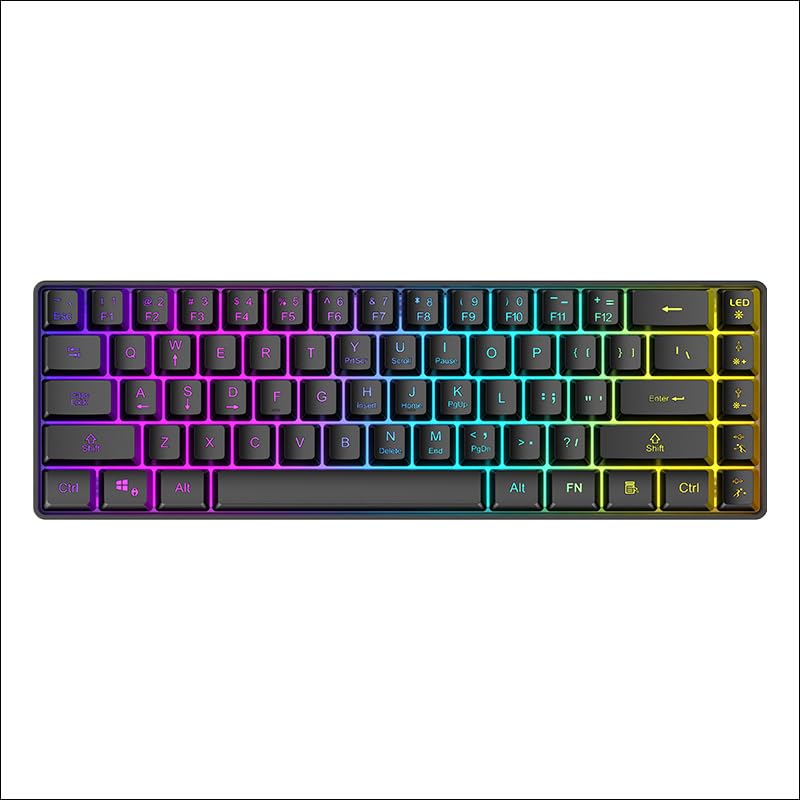
Слика 1: Одозго надоле view of the XunFox K90 RGB Gaming Keyboard, showcasinњегов компактан распоред са 66 тастера и живо RGB позадинско осветљење.
Кључне карактеристике:
- Compact 66-Key Design: A minimalist layout for enhanced typing comfort and portability.
- Adjustable RGB Backlighting: Customizable lighting effects to personalize your setup.
- Издржљива конструкција: Crafted with sturdy materials for reliable performance.
- Жична USB веза: Ensures a stable and lag-free connection.
- Разноврсна компатибилност: Compatible with Windows and other popular operating systems.
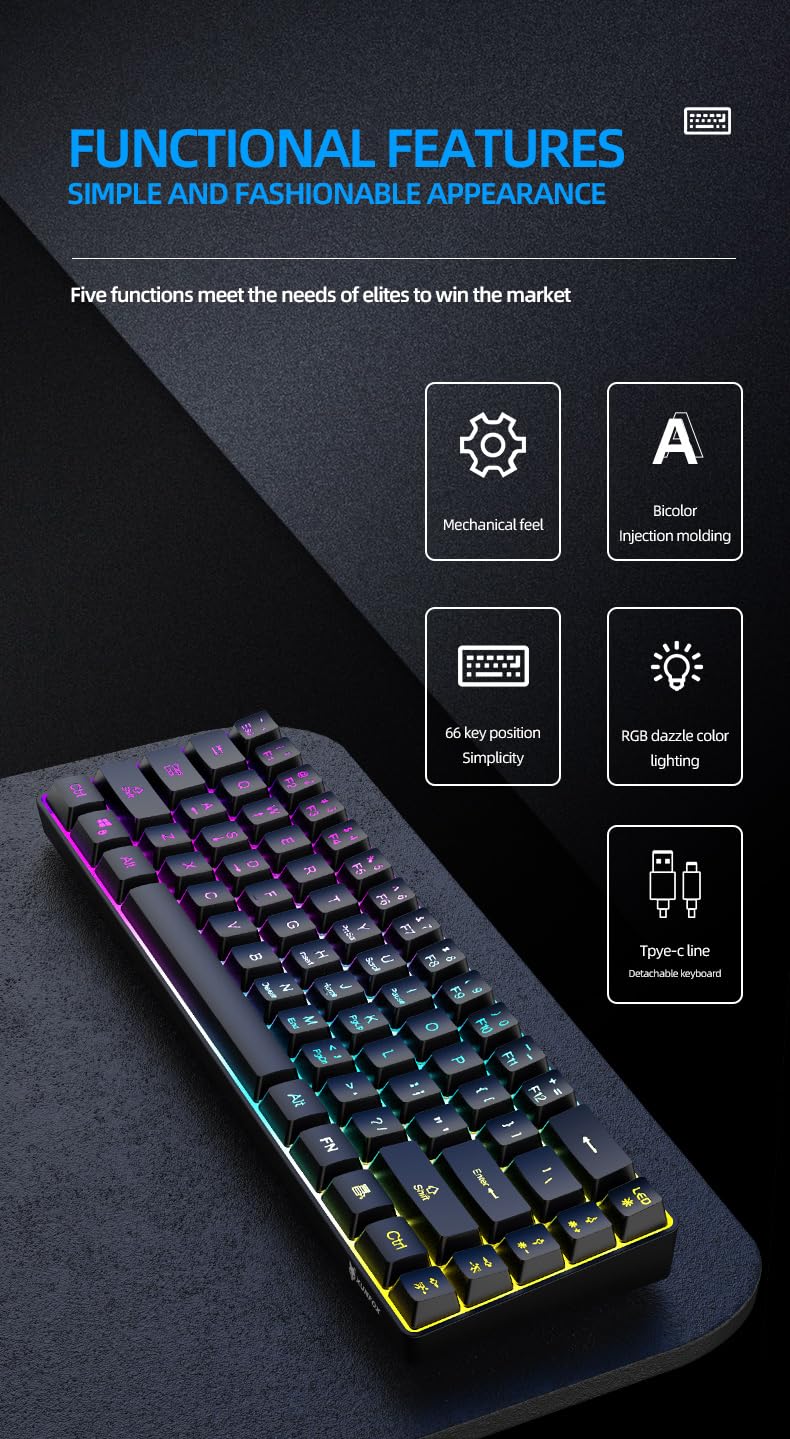
Слика 2: Готовоview of the XunFox K90 keyboard's functional features, including mechanical feel, bicolor injection molding, 66-key simplicity, RGB lighting, and detachable Type-C cable.
2. Упутства за подешавање
Садржај пакета:
- XunFox K90 RGB Gaming Keyboard
- USB кабл (Type-C на USB-A)
Повезивање тастатуре:
- Locate the USB Type-C port on the back or side of the XunFox K90 keyboard.
- Connect the Type-C end of the provided USB cable to the keyboard's port.
- Connect the USB-A end of the cable to an available USB port on your computer or laptop.
- The keyboard will automatically be recognized by your operating system (e.g., Windows 10). No additional drivers are typically required.

Слика 3: Image showing the detachable Type-C cable connecting to the keyboard, illustrating the wired USB connectivity.
3. Упутство за употребу
Основна операција:
The XunFox K90 keyboard functions as a standard 66-key input device. Simply plug it into your computer, and it will be ready for use.
RGB контрола позадинског осветљења:
The keyboard features adjustable RGB backlighting with multiple effects. Use the FN (Function) key in combination with specific keys to control the lighting.
- FN + LED Key (usually next to F12): Cycles through various lighting modes, including endless stream, colorful horse running, circular breathing, solid comet tailing, monochrome, multicolor diffusion, and backlight color impact diffusion.
- FN + ↑ (Up Arrow): Повећава осветљеност позадинског осветљења.
- FN + ↓ (Down Arrow): Смањује осветљеност позадинског осветљења.
- FN + → (Right Arrow): Increases the speed of the lighting effect.
- FN + ← (Left Arrow): Decreases the speed of the lighting effect.

Слика 4: Diagram illustrating the key combinations for controlling RGB lighting modes, intensity, and speed on the XunFox K90 keyboard.
4. Одржавање
Чишћење тастатуре:
- Искључите тастатуру из рачунара пре чишћења.
- Користите меку крпу која не оставља длачицеampводом или благим раствором за чишћење да бисте обрисали капице тастера и површину.
- Избегавајте прскање течности директно на тастатуру.
- За прашину и остатке између тастера користите компримовани ваздух.
- Do not use harsh chemicals or abrasive materials, as they may damage the finish.
Складиштење:
- Чувајте тастатуру на хладном и сувом месту, даље од директне сунчеве светлости и екстремних температура.
- If storing for an extended period, consider using the original packaging or a protective cover to prevent dust accumulation.
КСНУМКС. Решавање проблема
Тастатура не реагује:
- Проверите УСБ везу: Уверите се да је USB кабл безбедно повезан и са тастатуром и са рачунаром. Покушајте са другим USB портом.
- Поново покрените рачунар: Понекад једноставно поновно покретање система може решити проблеме са повезивањем.
- Тестирајте на другом рачунару: If possible, test the keyboard on a different computer to determine if the issue is with the keyboard or the original computer's setup.
RGB Lights Not Working or Incorrect:
- Check FN Key Combinations: Refer to the "RGB Backlight Control" section (Section 3) to ensure you are using the correct key combinations to adjust lighting modes, brightness, and speed.
- Reconnect Keyboard: Искључите и поново повежите УСБ кабл.
6. Спецификације
| Феатуре | Детаљ |
|---|---|
| Бранд | XunFox |
| Назив модела | К90 |
| Тип тастатуре | Механичка тастатура за игре |
| Распоред тастера | 66-Key Compact |
| Повезивање | Wired USB (Type-C detachable cable) |
| Позадинско осветљење | RGB with adjustable breathing lamp ефекти |
| Посебне карактеристике | Backlit, Ergonomic design |
| Компатибилни оперативни системи | Windows 10 and other popular operating systems |
| Компатибилни уређаји | Лаптоп, ПЦ |
| Димензије производа (ДкШкВ) | 38 к 12 к 4 цм |
| Тежина артикла | 600 г |
| Боја | Црно |
7. Информације о гаранцији
The XunFox K90 RGB Gaming Keyboard comes with a 2 година гаранције од датума куповине. Ова гаранција покрива производне недостатке и проблеме који настају нормалном употребом. Не покрива штету насталу услед злоупотребе, незгода, неовлашћених модификација или неправилног одржавања.
Сачувајте доказ о куповини за гаранцијске захтеве.
8. Подршка
For technical assistance, warranty claims, or any other inquiries regarding your XunFox K90 RGB Gaming Keyboard, please contact customer support:
- Брига о корисницима: +91 9906910066
- Увозник/Паковач: NJ Infotech, India