
Увод
Thank you for choosing the Attoe Wireless Gaming Mouse. This device offers a versatile gaming and work experience with its transparent RGB mechanical design, tri-mode connectivity (2.4GHz wireless, Bluetooth, and wired USB-C), and convenient charging base. This manual provides detailed instructions for setup, operation, maintenance, and troubleshooting to ensure optimal performance.
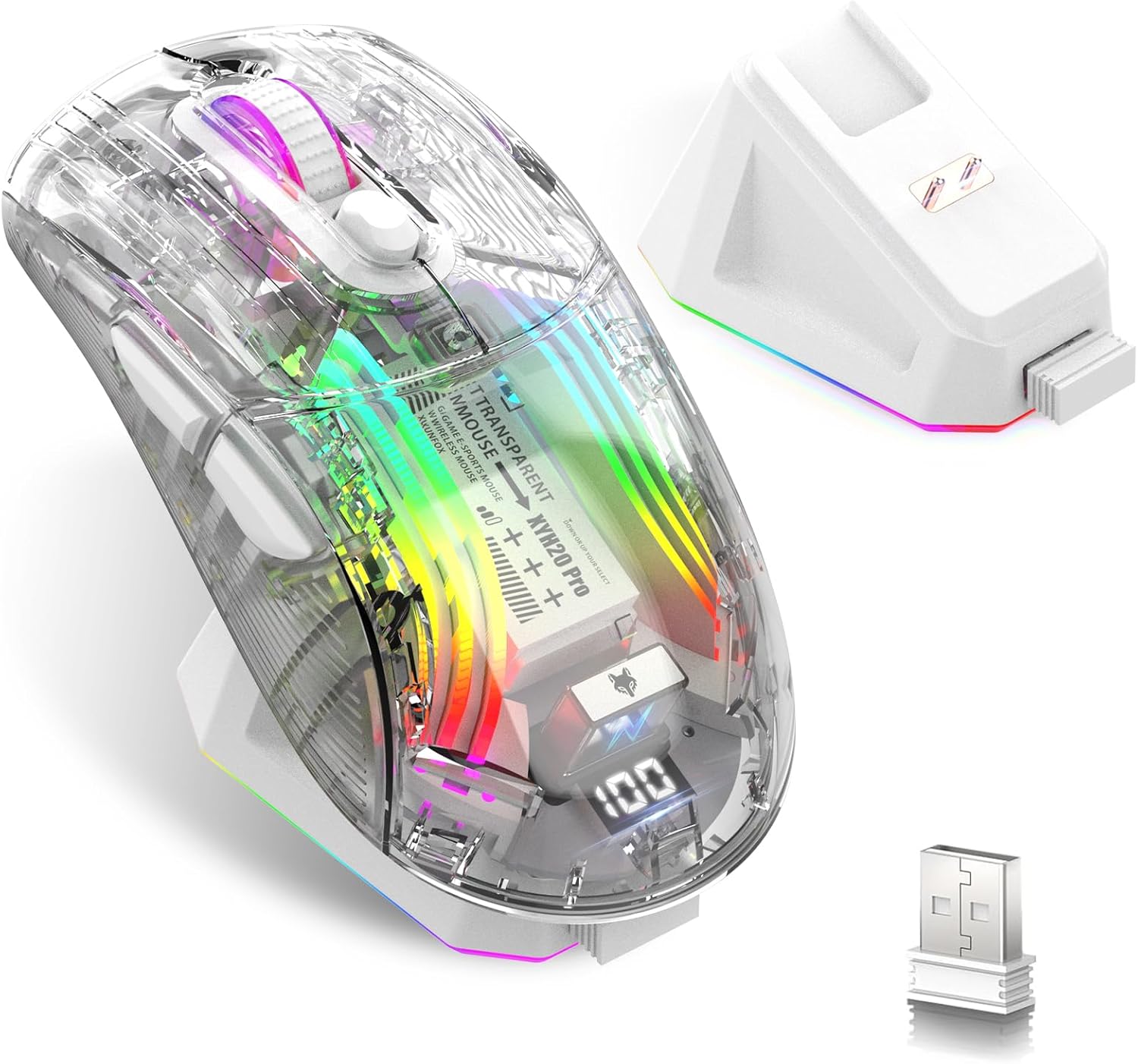
Image: Attoe Wireless Gaming Mouse, charging base, and USB receiver.
Шта је у кутији
- Бежични играчки миш
- База за пуњење
- Упутство за употребу
- ТИПЕ-Ц кабл
- УСБ пријемник
Производ је завршенview
Familiarize yourself with the components and controls of your Attoe Wireless Gaming Mouse.

Image: Detailed diagram showing mouse components including buttons, switches, and ports.
- Лево дугме
- Десно дугме
- Дугме за померање
- Дугме ДПИ
- Дугме за напред
- Дугме за повратак
- УСБ пријемник
- Light Switch (bottom)
- Receive Bin (for USB receiver)
- Modes Switch (bottom)
- Порт за пуњење (тип-Ц)
Сетуп
1. Пуњење миша
Before first use, fully charge the mouse. The mouse features a 500mAh rechargeable battery.
- Коришћење базе за пуњење: Place the mouse onto the magnetic charging base. The base will illuminate, indicating charging. The light will turn off after approximately 10 minutes if the mouse is fully charged or if left idle.
- Коришћење кабла типа C: Connect the provided Type-C cable to the mouse's charging port (11) and to a USB power source.

Image: Mouse on charging base, connected via Type-C cable.
The mouse features a digital display at the rear, showing the current power level. This allows you to monitor the battery status at any time.

Image: Close-up of the mouse's digital power display.
2. Connecting the Mouse (Tri-Mode)
The mouse supports three connection modes: 2.4GHz Wireless, Bluetooth, and Wired USB-C. Use the Modes Switch (10) on the bottom of the mouse to select your desired connection type.
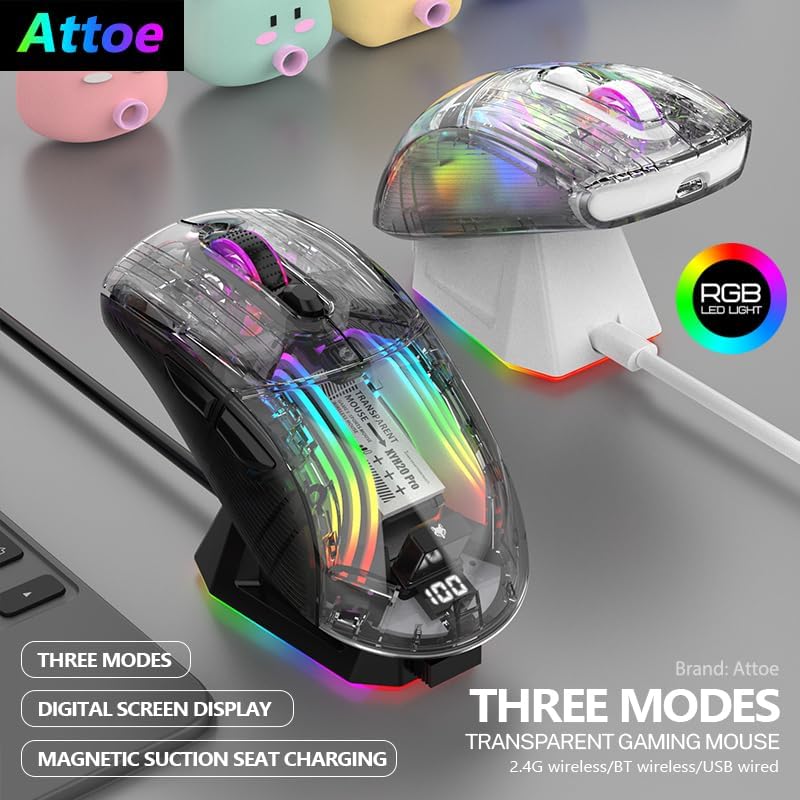
Image: Two Attoe mice (black and white) illustrating the three connection modes.
2.1. Бежични режим од 2.4 GHz
- Locate the USB receiver (7) stored in the receive bin (9) on the bottom of the mouse.
- Укључите УСБ пријемник у слободан УСБ порт на рачунару.
- Set the Modes Switch (10) on the bottom of the mouse to the 2.4GHz wireless icon.
- Миш би требало да се аутоматски повеже.
2.2. Блуетоотх режим
- Set the Modes Switch (10) on the bottom of the mouse to the Bluetooth icon.
- На рачунару или уређају отворите подешавања за Bluetooth и потражите нове уређаје.
- Select "Attoe Gaming Mouse" (or similar name) from the list of available devices to pair.
2.3. Жични USB-C режим
- Connect the provided Type-C cable to the mouse's charging port (11) and to a USB port on your computer.
- Миш ће се аутоматски пребацити у жични режим и почети са пуњењем.
Упутство за употребу
1. Укључивање/искључивање
The mouse powers on automatically when connected via wired mode or when a wireless mode is selected. To turn off the mouse, switch the Modes Switch (10) to the 'OFF' position (usually the middle position).
2. Подешавање DPI-ја
Press the DPI Button (4) to cycle through different DPI sensitivity levels. The mouse supports 5 steps of DPI, ranging from 800 to 2400 DPI, allowing you to adjust cursor speed to your preference.
3. RGB контрола осветљења
The mouse features various RGB lighting effects. To adjust or turn off the lighting:
- Промените режим осветљења: Short press the Light Switch (8) on the bottom of the mouse to cycle through different RGB lighting effects.
- Turn Off Lighting: Long press the Light Switch (8) for 3 seconds to turn off the RGB lighting. Repeat the long press to turn it back on.

Image: Transparent shell of the mouse showcasing the internal RGB lighting.
4. Дугмад са тихим кликом
The mouse is designed with silent click buttons, providing a quiet user experience suitable for various environments without disturbing others.

Image: Visual representation of the mouse's quiet click functionality.
Одржавање
- Чишћење: Користите меку, суву крпу за чишћење миша. Избегавајте употребу јаких хемикалија или абразивних материјала.
- Одржавање батерије: To prolong battery life, avoid fully discharging the mouse frequently. Charge the mouse when the digital display indicates a low power level.
- Складиштење: Када се миш не користи дуже време, чувајте га на хладном и сувом месту.
Решавање проблема
| Проблем | Могући узрок | Решење |
|---|---|---|
| Миш не реагује | Low battery; Incorrect connection mode; USB receiver not plugged in (2.4GHz); Bluetooth not paired. | Charge the mouse; Ensure correct mode is selected (2.4GHz, BT, or Wired); Plug in USB receiver; Pair via Bluetooth. |
| Проблеми са пуњењем | Cable or charging base not properly connected; Faulty cable/base. | Ensure secure connection; Try a different USB port or power adapter; Contact support if issue persists. |
| RGB lighting not working or flickering | Lighting turned off; Software conflict (rare). | Short press the Light Switch (8) to cycle modes, long press to turn on/off; Restart computer. |
| Покрет курсора је неправилан или спор | Low battery; DPI setting too low; Dirty sensor; Uneven surface. | Charge the mouse; Adjust DPI using the DPI Button (4); Clean the optical sensor; Use on a smooth, opaque surface. |
Спецификације
- Димензије производа: 5 к 2.5 к 0.04 инча
- Тежина артикла: 9.2 унци
- Технологија повезивања: Блутут, бежични 2.4 GHz, жичани USB-C
- Технологија детекције покрета: Оптицал
- Посебне карактеристике: 4-Way Scrolling, Ergonomic Design, LED Lights, Rechargeable, Wireless
- батерија: 500мАх пуњива
- ДПИ подешавања: 5 steps (800-2400 DPI)
Гаранција и подршка
Attoe products are designed for reliability and performance. For warranty information or technical support, please refer to the contact details provided with your purchase or visit the official Attoe webсајт. Сачувајте доказ о куповини за потребе гаранције.
За додатну помоћ, можете посетити Attoe Store on Amazon.