
WIITHINK WTB-777
WIITHINK WTB-777 Portable Cassette Player Boombox User Manual
Model: WTB-777
1. Увод
Хвала вам на куповиниasing the WIITHINK WTB-777 Portable Cassette Player Boombox. This device combines classic audio playback with modern connectivity, offering AM/FM radio, cassette playback and recording, Bluetooth streaming, and USB MP3 playback. This manual provides detailed instructions for setup, operation, and maintenance to ensure optimal performance and longevity of your device.
Молимо вас да пажљиво прочитате ово упутство пре употребе производа и сачувате га за будуће потребе.

Слика 1.1: Предња страна view of the WIITHINK WTB-777 Portable Cassette Player Boombox.
2. Шта је у кутији
Проверите да ли су сви предмети присутни приликом распакивања:
- WTB-777 Cassette Player Boombox
- Повер Цорд
- Кориснички приручник (овај документ)
3. Производ је готовview и карактеристике
The WTB-777 boombox offers a range of audio functionalities:
- Cassette Player & Recorder: Play your favorite cassette tapes and record audio directly to a blank tape.
- АМ/ФМ радио: Tune into local radio stations with clear reception.
- Блуетоотх повезивање: Wirelessly stream audio from your smartphone, tablet, or other Bluetooth-enabled devices.
- УСБ плејер: Пусти МП3 fileс са УСБ флеш диска.
- MP3 Conversion: Convert radio broadcasts or cassette tapes to MP3 files directly onto a USB drive.
- Утичница за слушалице: За приватно слушање.
- Опције двоструког напајања: Operates on AC power or DC batteries for portability.

Image 3.1: Key features of the WTB-777 Portable Retro Cassette Player Recorder.
3.1. Контроле и портови
Familiarize yourself with the various controls and connection points on your boombox:
- Дугме за напајање: Укључује/искључује уређај.
- Контрола јачине звука: Подешава ниво аудио излаза.
- Бирач функција: Switches between Tape, Radio, Bluetooth, and USB modes.
- Radio Tuner Dial: Selects AM/FM frequencies.
- Cassette Controls: Play, Stop, Fast Forward, Rewind, Record, Eject.
- УСБ порт: За повезивање УСБ флеш дискова.
- Утичница за слушалице: 3.5 мм стерео излаз за слушалице.
- Улаз наизменичне струје: За повезивање кабла за напајање.
- Одељак за батерије: Located on the bottom for DC power.
- Телескопска антена: За побољшани пријем ФМ радија.
4. Подешавање
4.1. Напајање јединице
The WTB-777 can be powered by either AC electricity or DC batteries.
AC Power (Household Current)
- Уверите се да је јединица искључена.
- Connect the provided AC power cord to the AC power input jack on the boombox.
- Plug the other end of the power cord into a standard wall outlet (AC 120V/60Hz).
DC Power (Batteries)
За преносиву употребу, уређају су потребне 4 батерија величине „C“ (нису укључене).
- Уверите се да је уређај искључен и одвојен од наизменичне струје.
- Отворите поклопац одељка за батерије који се налази на дну јединице.
- Insert 4 'C' size batteries, observing the correct polarity (+/-) as indicated inside the compartment.
- Добро затворите поклопац одељка за батерије.
Напомена: Извадите батерије ако уређај неће бити коришћен дуже време како бисте спречили цурење и оштећење.

Image 4.1: Dimensions of the WTB-777 boombox, highlighting its portable size.
5. Упутство за употребу
5.1. Опште операције
- Turn on the unit using the Power button.
- Adjust the Volume control to a comfortable listening level.
- Use the Function Selector to choose your desired mode (Tape, Radio, Bluetooth, USB).
5.2. Cassette Player/Recorder
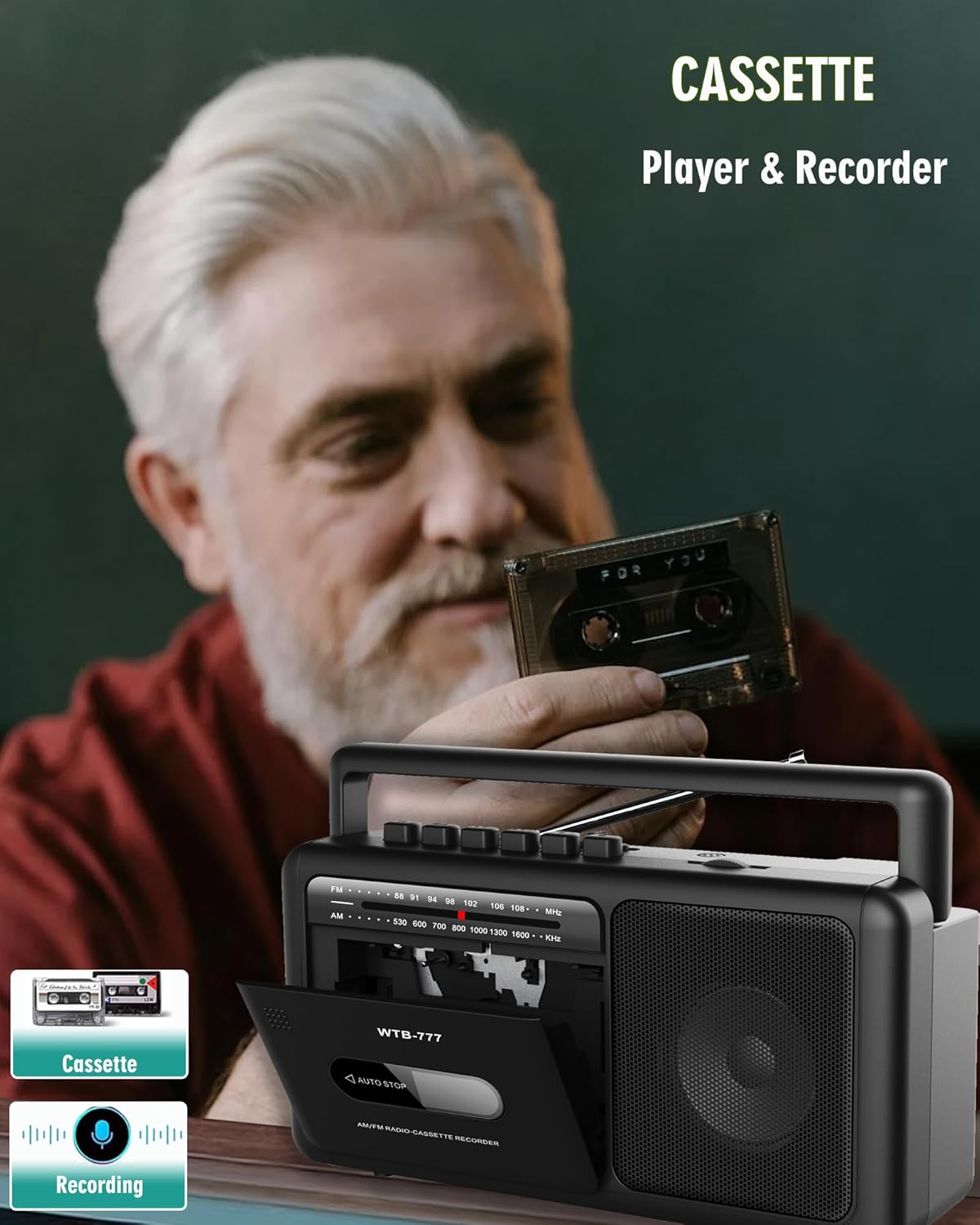
Image 5.1: Operating the cassette player and recorder function.
Репродукција касете
- Set the Function Selector to 'Tape'.
- Press the 'Eject' button to open the cassette door.
- Insert a cassette tape with the open edge facing upwards and the tape side facing you.
- Чврсто затворите врата касете.
- Press the 'Play' button to start playback.
- Use 'Fast Forward' or 'Rewind' to navigate the tape.
- Press 'Stop' to end playback.
Снимање на касету
You can record from the radio or Bluetooth input to a blank cassette tape.
- Уметните празну касету у одељак за касету.
- Select the desired input source (Radio or Bluetooth) using the Function Selector.
- Start playing the audio you wish to record (e.g., tune to a radio station or start Bluetooth playback).
- Press the 'Record' button on the cassette player. The 'Play' button will also engage automatically.
- To stop recording, press the 'Stop' button.
5.3. Рад AM/FM радија

Image 5.2: The WTB-777 functions as an AM/FM radio and cassette recorder.
- Set the Function Selector to 'Radio'.
- Извуците телескопску антену за оптималан ФМ пријем. За АМ пријем, окрените уређај ради најбољег сигнала.
- Rotate the Radio Tuner Dial to select your desired AM or FM station. The frequency scale will indicate the current tuning.
- Adjust the Volume control as needed.
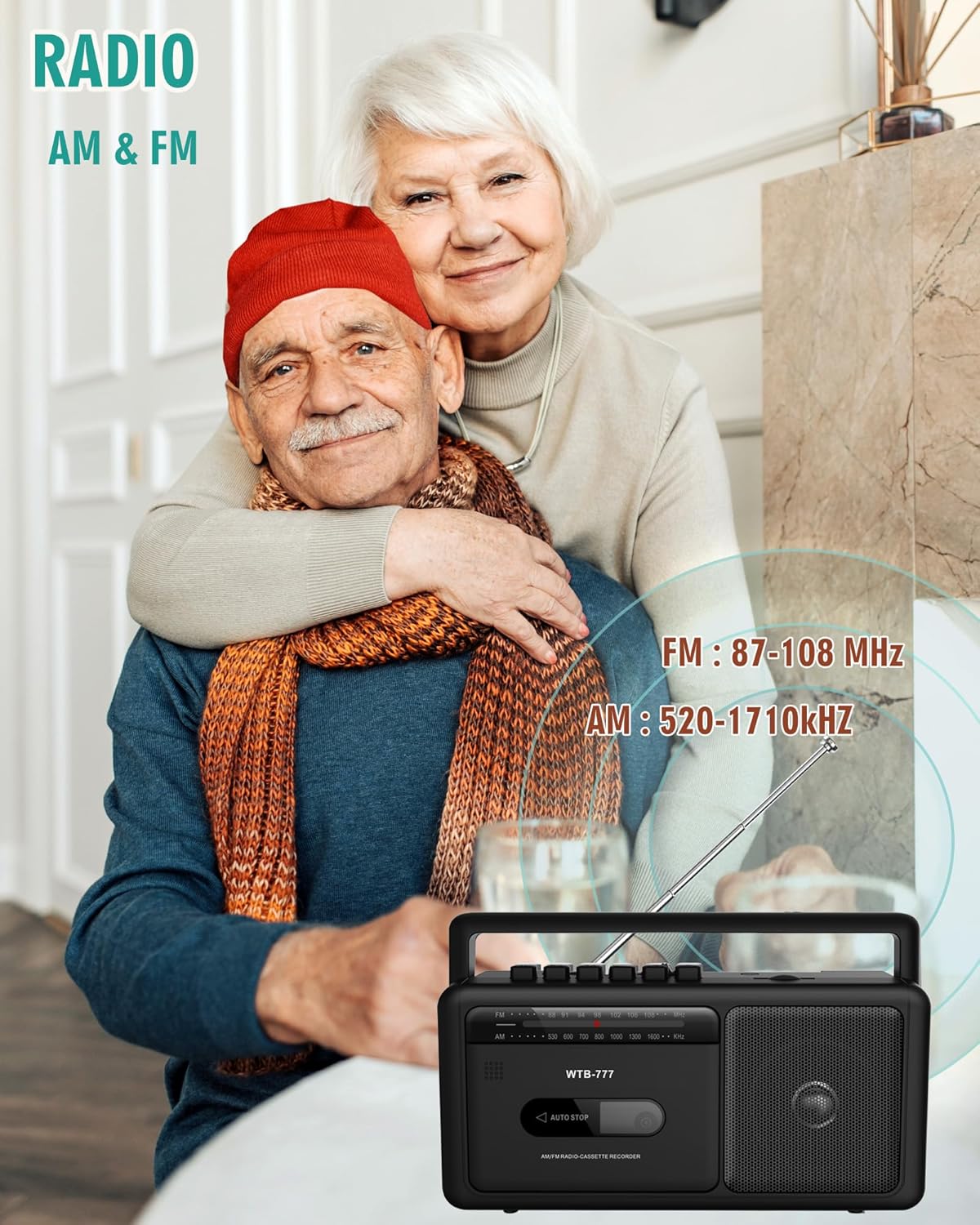
Image 5.3: The WTB-777 radio displaying its AM and FM frequency ranges.
5.4. Блуетоотх стриминг

Image 5.4: Bluetooth connectivity for streaming music to the boombox.
- Set the Function Selector to 'Bluetooth'. The unit will enter pairing mode, indicated by a flashing LED or audible prompt.
- На уређају који подржава Bluetooth (паметни телефон, таблет) омогућите Bluetooth и потражите доступне уређаје.
- Select 'WTB-777' from the list of devices to pair.
- Once paired, the LED indicator will stop flashing (or provide an audible confirmation).
- Start playing audio on your connected device. The sound will now play through the boombox.
- Adjust volume using the boombox's Volume control or your connected device.
5.5. USB MP3 Playback

Image 5.5: The WTB-777 supports USB MP3 playback.
- Set the Function Selector to 'USB'.
- Уметните УСБ флеш диск који садржи МП3 аудио fileс у УСБ порт.
- Уређај ће аутоматски детектовати и почети да репродукује МП3 files.
- Use the playback controls (Play/Pause, Next/Previous Track) if available on the unit, or rely on automatic playback.
5.6. MP3 Conversion (Radio/Cassette to USB)
The WTB-777 allows you to convert audio from the radio or cassette player directly to MP3 files on a USB drive.
- Уметните УСБ флеш диск у УСБ порт.
- Select the source you wish to record from (Radio or Tape) using the Function Selector.
- Start playing the audio from the source (e.g., tune to a radio station or play a cassette tape).
- Press the 'Record to USB' button (refer to your unit's specific button layout if not clearly labeled).
- The recording will begin, converting the audio to MP3 format on your USB drive.
- Press the 'Stop' button to end the recording.
6. Одржавање
6.1. Чишћење
- Увек искључите јединицу из извора напајања пре чишћења.
- Користите меку, суву крпу за брисање спољашњих површина.
- Не користите абразивна средства за чишћење, воскове или раствараче јер могу оштетити завршну обраду.
- For the cassette player, periodically clean the tape head and pinch roller with a cotton swab lightly dampнапуњен изопропил алкохолом.
6.2. Складиштење
- Ако складиштите уређај дуже време, извадите батерије да бисте спречили цурење.
- Чувати на хладном и сувом месту далеко од директне сунчеве светлости и екстремних температура.
КСНУМКС. Решавање проблема
| Проблем | Могући узрок | Решење |
|---|---|---|
| Нема струје | Кабл за напајање није повезан; Батерије су празне или неправилно уметнуте. | Ensure AC cord is securely plugged in; Replace batteries or check polarity. |
| Нема звука | Јачина звука је прениска; изабран је погрешан режим рада; повезане су слушалице. | Increase volume; Select correct function (Tape, Radio, BT, USB); Disconnect headphones. |
| Лош радио пријем | Антена није извучена; Слаб сигнал. | Fully extend the telescopic antenna; Reposition the unit for better signal. |
| Касета се не репродукује/не снима | Tape incorrectly inserted; Tape damaged; Cassette door not closed. | Reinsert tape correctly; Try a different tape; Ensure cassette door is closed. |
| Блуетоотх се не упарује | Unit not in pairing mode; Device too far; Bluetooth already connected to another device. | Set function to Bluetooth; Move device closer; Disconnect from other devices and try again. |
| УСБ се не репродукује | УСБ диск није правилно уметнут; Некомпатибилан file формат; УСБ диск оштећен. | Reinsert USB drive; Ensure files are MP3 format; Try a different USB drive. |
8. Спецификације
- Модел: ВТБ-777
- Бренд: ВИИТХИНК
- Димензије производа (Д к Ш к В): 9.8 к 3 к 5.1 инча
- Тежина артикла: 2.72 фунте (без батерија)
- Технологија повезивања: Bluetooth, USB, Earphone Jack
- Опсег радио фреквенција: FM 87 - 108 MHz, AM 520 - 1710 kHz
- Извор напајања: AC 120V/60Hz or 4 x 'C' size batteries (DC)
- Тип звучника: Портабле
- Боја: Црно
9. Безбедносне информације
- Не излажите јединицу киши или влази да бисте спречили опасност од пожара или удара.
- Не отварајте цasinг. Сва сервисирања препустите квалификованом особљу.
- Избегавајте постављање уређаја у близини извора топлоте као што су радијатори, грејни уређаји, шпорети или други уређаји (укључујући ampлифиерс) који производе топлоту.
- Заштитите кабл за напајање од гажења или прикљештења, посебно на утикачима, утичницама и на месту где излазе из уређаја.
- Користите само додатке/прибор које је навео произвођач.
- Искључите овај апарат из струје током олуја са грмљавином или када га не користите дуже време.
10. Гаранција и подршка
For warranty information or technical support, please refer to the documentation included with your purchase or contact WIITHINK customer service directly. Contact details can typically be found on the manufacturer's official webсајту или на паковању производа.
Please have your model number (WTB-777) and purchase date ready when contacting support.
Ask a question about this manual
Ask about setup, troubleshooting, compatibility, parts, safety, or missing instructions. Manuals+ will review the question and use this page’s manual context to help answer it.