
zelotes F33
zelotes Wireless Trackball Mouse User Manual
Модел: Ф33
Увод
Хвала вам на куповиниasing the zelotes Wireless Trackball Mouse. This ergonomic mouse is designed to provide precise and comfortable cursor control, reducing strain on your wrist and arm. It features versatile connectivity options, adjustable DPI settings, and a long-lasting rechargeable battery. Please read this manual thoroughly to ensure proper use and maintenance of your device.
Шта је у кутији
- 1 x Trackball Bluetooth Wireless Mouse
- КСНУМКС к УСБ пријемник
- 1 к кабл за пуњење
- 1 к Упутство за употребу
Производ је завршенview
Familiarize yourself with the components of your zelotes Wireless Trackball Mouse.

Слика: Одозго надоле view of the zelotes F33 Wireless Trackball Mouse, showcasing its ergonomic design, trackball, and blue LED lighting.

Слика: Са стране view of the zelotes F33 Wireless Trackball Mouse, highlighting the trackball and button layout.
Видео: Оверview of the F33 Bluetooth Trackball Mouse, demonstrating its features including rechargeable battery and DPI settings.
Водич за подешавање
1. Пуњење миша
The mouse comes with a built-in 730mAh rechargeable battery. For the best experience, fully charge the mouse before first use.
- Connect the included USB charging cable to the charging port on the mouse.
- Укључите други крај кабла у УСБ извор напајања (нпр. УСБ порт рачунара, УСБ адаптер за зид).
- Миш се може користити током пуњења.

Image: The zelotes F33 mouse connected via its USB charging cable, illustrating the rechargeable battery feature.
2. Wireless Connection Modes
This mouse supports two wireless connection modes: 2.4GHz USB wireless and Bluetooth (BT1, BT2). It can connect to three devices simultaneously.
2.1. 2.4GHz USB Wireless Mode
- Locate the USB receiver stored in the mouse's bottom compartment.
- Прикључите УСБ пријемник у слободан УСБ порт на рачунару или уређају.
- Укључите миш помоћу прекидача за напајање на дну.
- Миш ће се аутоматски повезати са пријемником.
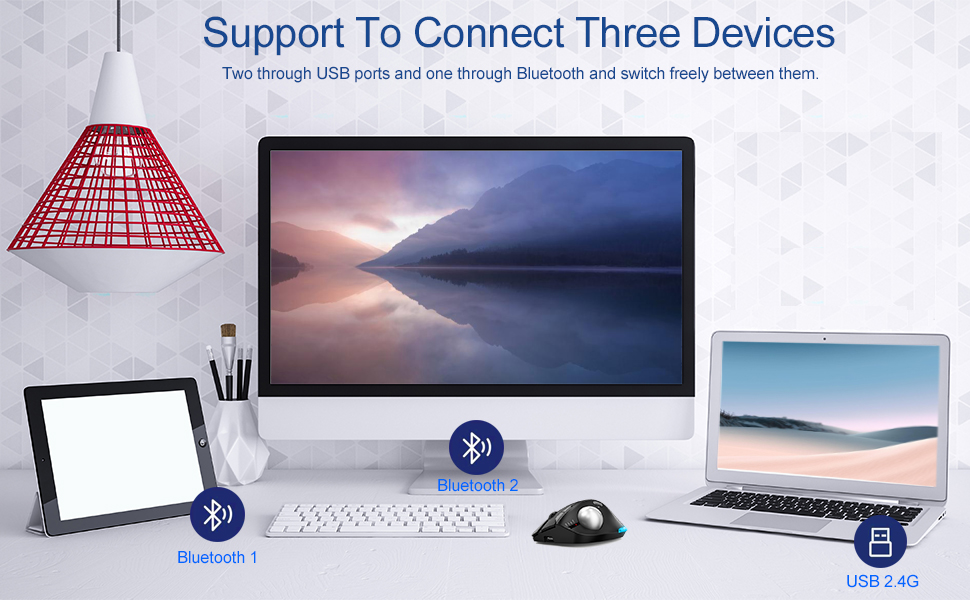
Image: Illustration of the mouse's ability to connect to three devices simultaneously: two via Bluetooth and one via 2.4G USB.
2.2. Bluetooth Mode (BT1 / BT2)
- Укључите миш помоћу прекидача за напајање.
- Press the mode switch button on the bottom of the mouse to select either BT1 or BT2 mode. The corresponding indicator light will flash.
- On your device (laptop, tablet, phone), go to Bluetooth settings and search for new devices.
- Select "zelotes F33" (or similar name) from the list of available devices to pair.
- Када се упари, индикаторска лампица ће престати да трепери и остати упаљена.
3. Пребацивање између уређаја
To switch control between connected devices, simply press the mode switch button on the bottom of the mouse to cycle through 2.4G, BT1, and BT2 modes.
Упутство за употребу
1. Thumb Operation
The trackball is designed for thumb operation, allowing you to move the cursor precisely without moving your wrist or arm. This ergonomic design helps reduce muscle strain during prolonged use.
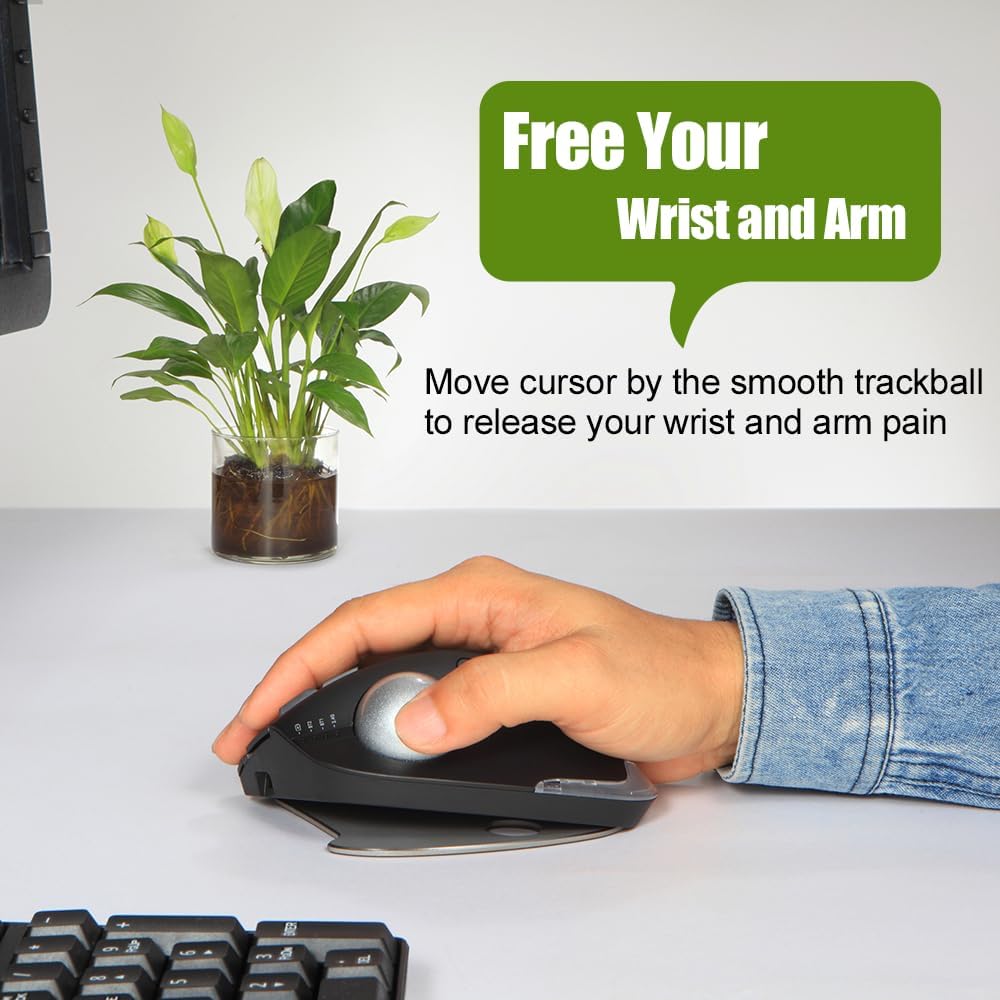
Image: A hand demonstrating the thumb-operated trackball, emphasizing the ergonomic benefit of reducing wrist and arm strain.
2. Adjustable DPI Settings
The mouse features 5 adjustable DPI settings to suit your preference and task requirements:
- 800 ДПИ
- 1200 ДПИ
- 1600 ДПИ
- 2400 ДПИ
- 4800 ДПИ
Press the DPI button (usually located near the scroll wheel or on the side) to cycle through the settings. A higher DPI provides faster cursor movement, while a lower DPI offers more precise control.
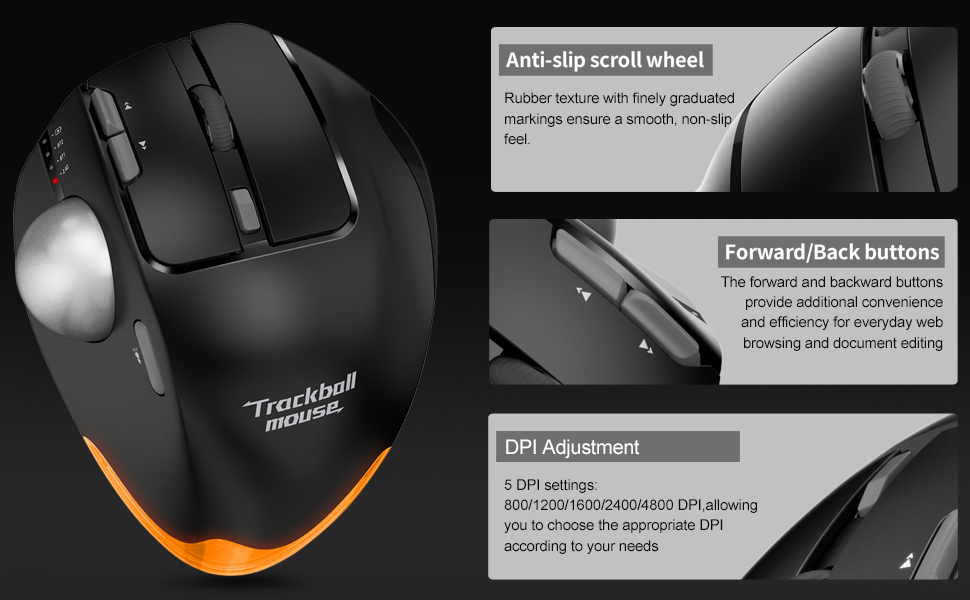
Слика: Детаљна view of the mouse highlighting the anti-slip scroll wheel, forward/back buttons, and the DPI adjustment feature.
3. Дугмад за напред/назад
Conveniently located on the side of the mouse, the forward and back buttons enhance efficiency for web browsing and document editing.
4. Adjustable Angle Design
The mouse features an innovative adjustable angle design with a detachable aluminum alloy base, allowing you to switch between 0-degree and 18-degree angles. This helps maintain a natural palm position for long-term comfort.

Image: Comparison showing the zelotes F33 mouse with its base adjusted to 0-degree and 18-degree angles for ergonomic comfort.
5. ЛЕД осветљење
The mouse features vibrant LED lighting with 16.8 million colors. You can switch lighting colors using independent buttons. The lighting can be turned off if preferred.

Image: The zelotes F33 mouse showcasing its customizable LED lighting in different colors.
Водич за одржавање
Regular cleaning of the trackball ensures smooth and precise movement.
Чишћење тракбола:
- 1. корак: The trackball can be pushed out from the trackball socket at the bottom of the mouse.
- 2. корак: Remove the trackball and gently clean the trackball socket with a cotton cloth.
- 3. корак: Place the trackball back into the mouse to complete the cleaning process.
* If the surface of the trackball needs cleaning, gently wipe it with water and allow it to air dry. Avoid using chemical agents.

Image: Visual guide detailing the steps for disassembling and cleaning the trackball for optimal performance.
Решавање проблема
| Проблем | Решење |
|---|---|
| Mouse not responding (2.4GHz) |
|
| Mouse not connecting (Bluetooth) |
|
| Cursor movement is erratic or sticky |
|
| ЛЕД светла не раде или су заглављена |
|
Спецификације
- Модел: Ф33
- Повезивање: Bluetooth 5.0/3.0 + 2.4GHz USB Receiver
- ДПИ подешавања: 800/1200/1600/2400/4800 DPI
- батерија: Built-in 730mAh Lithium Ion rechargeable battery
- Дугмад: 8 Buttons (including trackball, scroll wheel, forward/back, DPI, mode switch)
- Димензије: 5.2 к 4 к 0.04 инча
- Тежина артикла: 13.4 унци
- Компатибилност: Win11, Win10, Win8, Win7, Mac OS, Chrome OS, Android 5.0 or higher
- Посебне карактеристике: Wireless, Portable, Programmable Buttons, Ergonomic Design, Rechargeable, Adjustable Angle (0°/18°), LED Lighting
- Произвођач: zelotes
- Земља порекла: Кина
Гаранција и подршка
For warranty information or technical support, please refer to the product packaging or contact zelotes customer service through their official website or the retailer where the product was purchased. Keep your purchase receipt for warranty claims.
Ask a question about this manual
Ask about setup, troubleshooting, compatibility, parts, safety, or missing instructions. Manuals+ will review the question and use this page’s manual context to help answer it.