
Увод
This manual provides detailed instructions for the safe and efficient operation of your HOVOYNN HC030 Portable Bluetooth CD Player. Please read this manual thoroughly before using the device and retain it for future reference.
Производ је завршенview
The HOVOYNN HC030 is a versatile audio device featuring CD playback, Bluetooth 5.3 (transmit and receive), FM radio, USB playback, and AUX input/output. It includes built-in dual stereo speakers and a rechargeable battery for portable use.
Садржај пакета
- ЦД плејер
- Кабел типа Ц
- АУКС кабл
- АЦ адаптер
- Упутство за употребу
Распоред и контроле уређаја
Familiarize yourself with the main components and controls of your CD player.

The front panel features an LCD color display, EQ, REPEAT, VOL-, VOL+, MODE buttons, and playback controls (Play/Pause, Skip Forward, Skip Backward, Stop, Power). The remote control provides convenient access to all functions.

The rear of the device includes essential connectivity options: a DC IN 5V 2A Type-C charging port, an ON/OFF power switch, a 3.5mm headphone jack, an AUX input port, a USB port for flash drives, and a retractable FM antenna.

The device is equipped with dual stereo speakers on its sides, providing integrated audio playback.
Сетуп
Напајање уређаја
- Пуњење: Connect the provided Type-C cable to the DC IN 5V 2A port on the rear of the CD player and the AC adapter to a power outlet. The built-in 3000 mAh rechargeable battery will begin charging.
- Укључивање/искључивање: Use the ON/OFF switch on the rear panel to turn the device on or off.
Припрема даљинског управљача
Before first use, ensure you remove the battery insulating strip from the remote control to activate it.
Упутство за употребу
ЦД репродукција
- Убаци ЦД: Gently open the top lid of the CD player. If present, remove any protective cardboard or film from the CD compartment. Place a compatible CD (CD, CD-R, MP3, HDCD) onto the spindle, ensuring it clicks into place. Close the lid.
- Select CD Mode: Притисните тастер МОДЕ button until "CD" is selected on the LCD screen. The player will automatically load and begin playing the CD.
- Контроле репродукције: Use the Play/Pause, Skip Forward, Skip Backward, and Stop buttons on the device or remote control to manage playback.
- Подешавање јачине звука: Користите ВОЛ+ и ВОЛ- дугмад за подешавање јачине звука.
- Еквилајзер (ЕК): Притисните тастер EQ button to cycle through five sound modes: Flat, ROCK, POP, JAZZ, CLASS.
- Функција понављања: Користите РЕПЕАТ button to select different repeat modes (e.g., repeat one, repeat all).

For a visual guide on CD loading and basic operation, refer to the video below:
Видео 1: Demonstrates the process of inserting a CD into the HOVOYNN HC030 player and basic playback controls.
Видео 2: Ан оверview of the HOVOYNN HC030, including unboxing, CD insertion, and volume adjustment during playback.
Блуетоотх функционалност
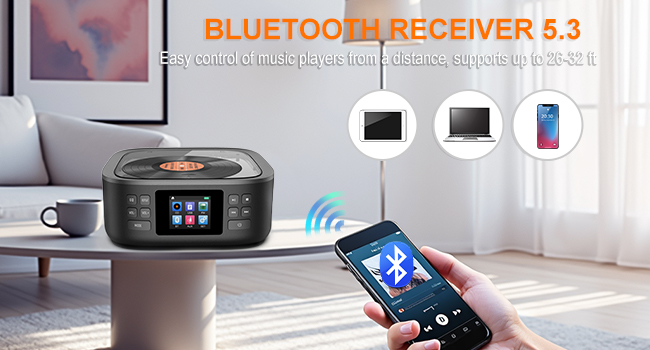
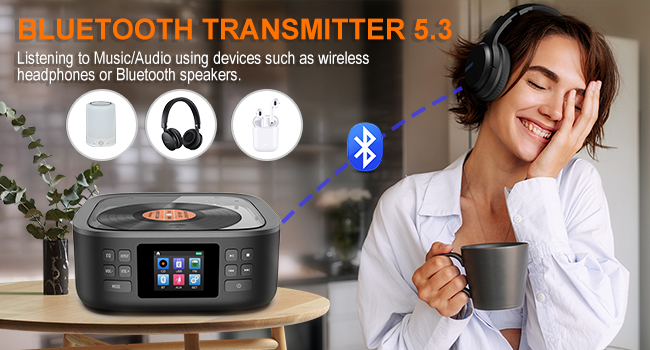
The HC030 supports both Bluetooth transmission (sending audio from the CD player to other Bluetooth devices) and Bluetooth reception (receiving audio from other Bluetooth devices to play through the CD player's speakers).
- Режим Блуетоотх пријемника:
- Притисните тастер МОДЕ button to select "BT" (Bluetooth) mode. The device will enter pairing mode, indicated on the LCD screen.
- On your external device (e.g., smartphone, tablet, computer), enable Bluetooth and search for available devices.
- Select "HC030" from the list to connect. Once paired, you can play audio from your external device through the CD player's speakers.
- Режим Блуетоотх предајника:
- Уверите се да су ваше Bluetooth слушалице или звучник у режиму упаривања.
- On the CD player, navigate to the settings menu (usually via the СЕТ button) and select "Bluetooth emission". Turn Bluetooth ON and select "Pair".
- The CD player will search for nearby Bluetooth receiving devices. Select your headphones or speaker from the device list to connect. Audio from the CD player will now be transmitted to your paired device.
For a visual demonstration of Bluetooth pairing, watch the video below:
Видео 3: Shows how to use the HOVOYNN HC030 as both a Bluetooth transmitter and receiver, demonstrating pairing with external devices.
ФМ Радио
- Изаберите ФМ режим: Притисните тастер МОДЕ дугме да бисте изабрали режим „FM“.
- Продужна антена: Fully extend the retractable antenna on the rear of the device for optimal reception.
- Тражи станице: Use the playback control buttons (e.g., Play/Pause for auto-scan, Skip for manual tuning) to search for radio stations. The device supports automatic or manual searches and can store up to 30 preset stations.

УСБ репродукција
- Уметните УСБ диск: Insert a USB flash drive (capacity below 32GB, FAT32 format recommended) into the USB port on the rear of the device.
- Изаберите USB режим: Притисните тастер МОДЕ button to select "USB" mode. The player will automatically detect and begin playing audio fileс са УСБ диска.
- Контроле репродукције: Use the standard playback controls (Play/Pause, Skip, Stop) to manage your music.
AUX Functionality
- АУКС улаз: Connect an external audio device (e.g., smartphone, computer) to the AUX port on the rear of the CD player using the provided 3.5mm AUX cable.
- Изаберите AUX режим: Притисните тастер МОДЕ button to select "AUX" mode. Audio from the connected device will now play through the CD player's speakers.
- AUX Output (Headphone Jack): To listen privately or connect to external speakers, plug headphones or an external speaker system into the 3.5mm headphone jack on the rear of the device.
Одржавање
To ensure the longevity and optimal performance of your HOVOYNN HC030 CD Player, follow these maintenance guidelines:
- Чишћење: Користите меку, суву крпу за чишћење спољашњости уређаја. За CD сочиво користите специјализовани комплет за чишћење CD сочива. Не користите абразивна средства за чишћење или раствараче.
- Складиштење: Чувајте уређај на хладном и сувом месту, даље од директне сунчеве светлости, екстремних температура и влаге.
- Руковање: Avoid dropping the device or subjecting it to strong impacts. When transporting, ensure the CD compartment is empty and the lid is closed.
Решавање проблема
If you encounter issues with your HOVOYNN HC030 CD Player, refer to the following common problems and solutions:
| Проблем | Могући узрок | Решење |
|---|---|---|
| CD прескаче или се не репродукује | Dirty or scratched CD; CD not properly inserted; CD lens dirty; mechanical noise. | Clean the CD with a soft cloth. Ensure the CD is correctly seated on the spindle. Clean the CD lens with a specialized cleaner. Try a different CD. If mechanical noise is excessive, contact support. |
| Лош ФМ радио пријем | Антена није извучена; подручје слабог сигнала. | Fully extend the retractable FM antenna. Reposition the device to an area with better signal reception. Perform an auto-scan for stations. |
| Bluetooth device not pairing/connecting | Device not in pairing mode; incorrect device selected; distance too far. | Ensure the CD player is in the correct Bluetooth mode (receiver or transmitter) and in pairing state. Ensure the external device's Bluetooth is enabled and searching. Select "HC030" from the list. Keep devices within the effective range (up to 23-32 feet). |
| Нема звука или је тиха | Volume too low; incorrect mode selected; AUX cable not fully inserted. | Повећајте јачину звука користећи ВОЛ+. Ensure the correct playback mode (CD, BT, USB, AUX, FM) is selected. For AUX mode, ensure the cable is fully inserted into both devices. |
| Equalizer settings not saving | This device may reset EQ settings upon power cycle. | Re-select your preferred EQ mode after powering on the device. |
| AUX output not working with external speakers | Confusion between AUX IN and Headphone Jack. | The AUX port is for input only. To output audio to external speakers or headphones, use the dedicated 3.5mm Headphone Jack. |
Спецификације
| Феатуре | Детаљ |
|---|---|
| Број модела | ХЦ030 |
| Димензије производа | 6.5 к 6.5 к 2.8 инча |
| Тежина артикла | 2.31 фунти |
| Батерије | 1 C battery required (included), Built-in 3000 mAh rechargeable battery |
| Технологија повезивања | Помоћни, Блутут, УСБ |
| Спеакер Типе | Stereo (Dual Speakers) |
| ФМ радио фреквенција | 76-108 МХз |
| УСБ подршка | U-Disk, capacity below 32GB, FAT32 format |
| ЦД формати | CD, CD-R, MP3, HDCD |
Гаранција и подршка
Specific warranty details are not provided in this manual. Please refer to the product packaging or contact HOVOYNN customer support for warranty information and technical assistance.