
Производ је завршенview
This RECCAZR Wireless Keyboard and Mouse Combo (Model HS8100) provides a stable and reliable 2.4GHz wireless connection for seamless operation across various devices. Designed for comfort and efficiency, it features a full-sized keyboard with multimedia keys and an adjustable DPI mouse, making it suitable for office, home, and portable use.
Кључне карактеристике:
- 2.4ГХз бежична веза: Stable and reliable connection up to 10m (33ft) with a single nano USB receiver for both keyboard and mouse.
- Тастатура пуне величине: Designed for comfortable and efficient typing, saving desk space.
- 12 Multimedia Function Keys: Quick access to multimedia player, volume, email, and more.
- Аутоматска уштеда енергије: Паметни режим спавања за тастатуру и миш ради уштеде батерије.
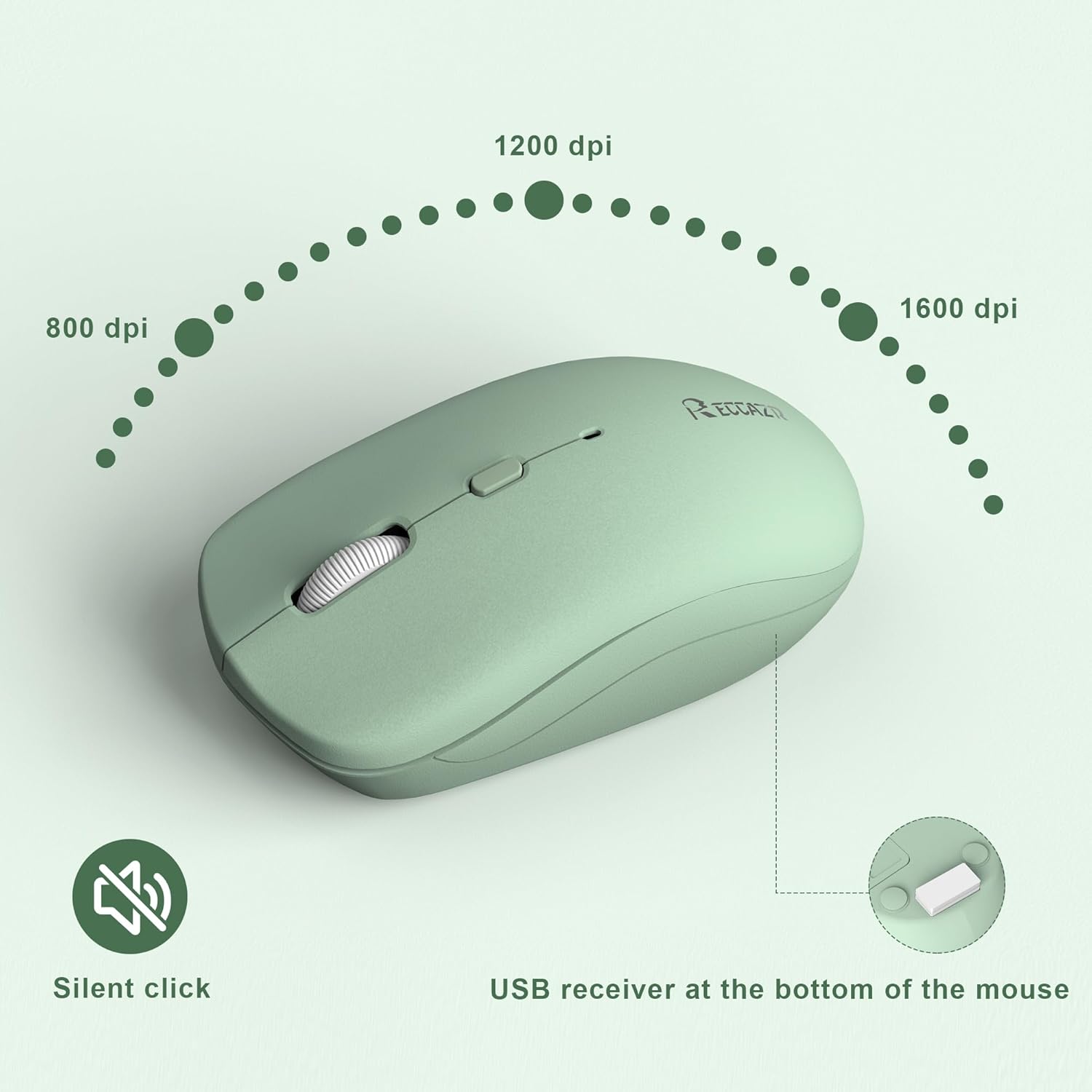
- 3 подесива нивоа DPI-ја: Mouse sensitivity can be adjusted between 800-1200-1600 DPI.
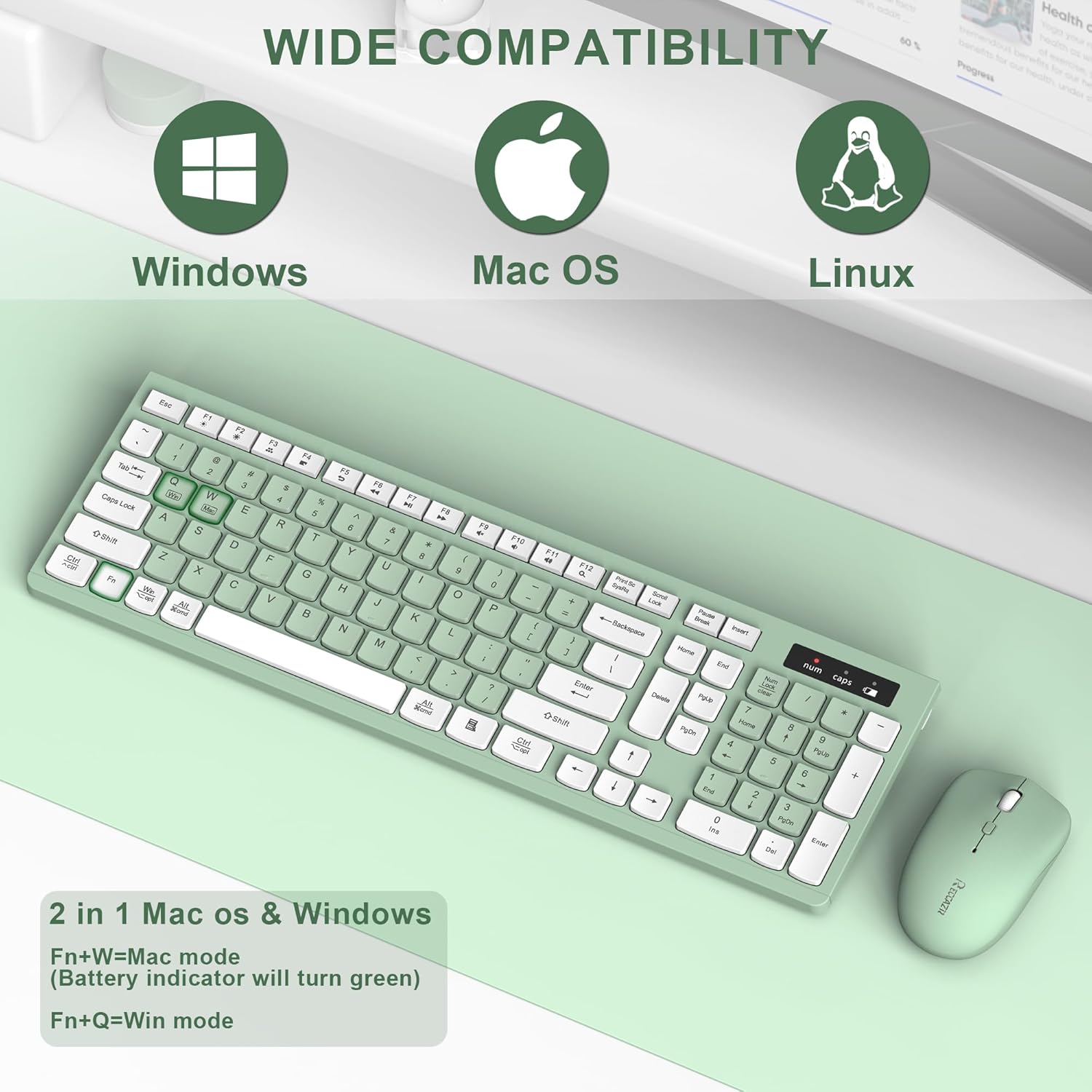
- Широка компатибилност: Compatible with Windows 2000/XP/2003/2007/Vista/Win7/Win8/Win10, and Apple systems.
Упутства за подешавање
Follow these steps to set up your RECCAZR Wireless Keyboard and Mouse Combo:
- Инсталирајте батерије:
- For the keyboard: Open the battery compartment on the back and insert two AAA batteries (not included).
- For the mouse: Open the battery compartment on the bottom and insert one AA battery (not included).
- Пронађите УСБ пријемник: The nano USB receiver is conveniently stored in the battery compartment of the mouse. Carefully remove it.
- Повежите пријемник: Plug the USB receiver into an available USB port on your computer (PC, laptop, desktop).
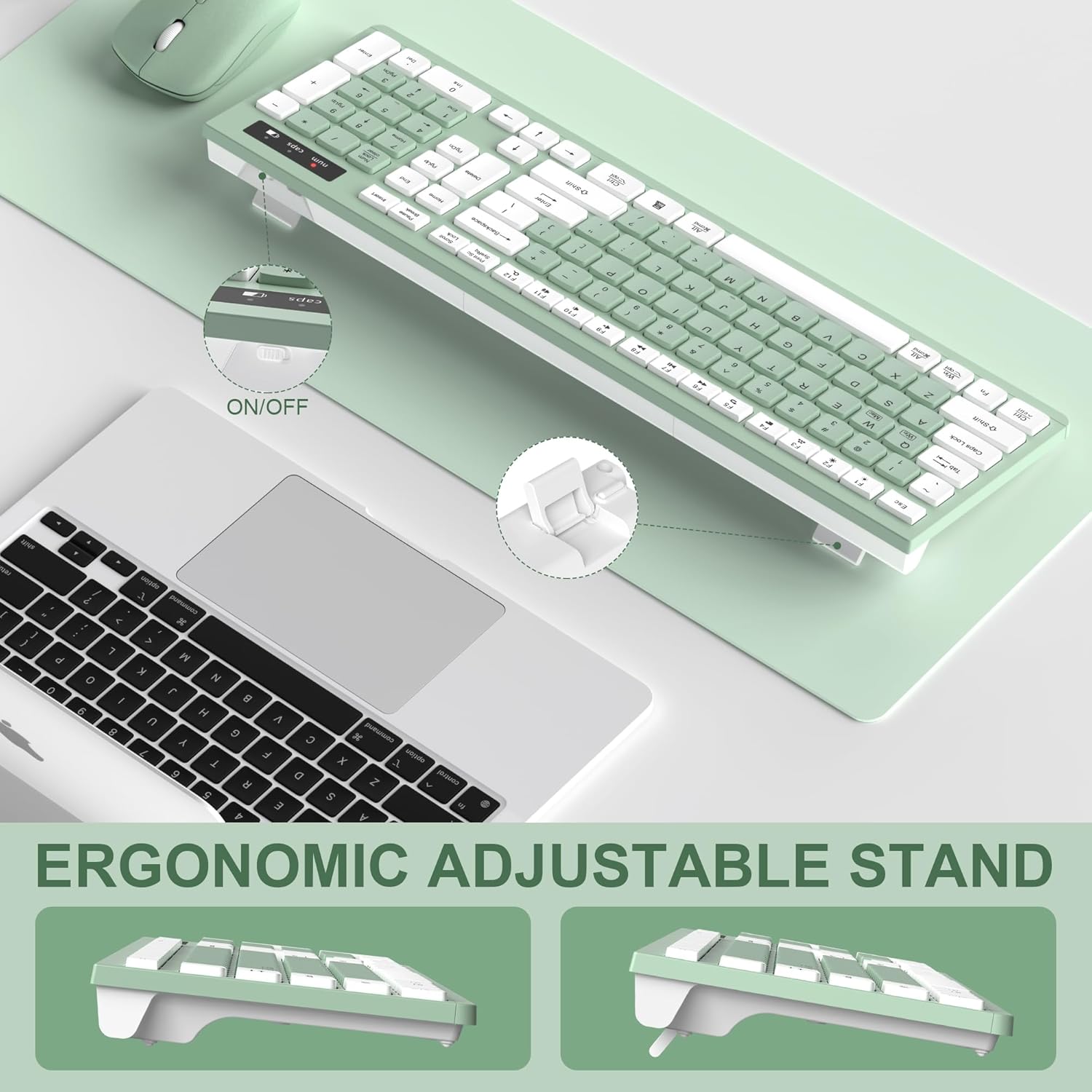
- Укључено: Turn on the keyboard and mouse using their respective ON/OFF switches. The devices are plug-and-play and should connect automatically.

Видео демонстрације подешавања:
Видео: Свеобухватан прегледview of the Full-Size Wireless Keyboard and Mouse, demonstrating its smooth, silent, and reliable 2.4GHz connection, including setup and usage.
Упутство за употребу
Once set up, your keyboard and mouse are ready for use. Here are some key operational features:
- Мултимедијални тастери: The keyboard features 12 multimedia function keys (F1-F12) for quick access to common functions like media playback, volume control, email, and web browser. Refer to the key labels for specific functions.
- Adjusting Mouse DPI: The mouse has 3 adjustable DPI levels (800-1200-1600). Press the DPI button located near the scroll wheel to cycle through the sensitivity settings to match your preference.
- Промена режима оперативног система: For optimal compatibility, switch between Windows and Mac OS modes using the function keys:
- Притисните Фн + К for Windows mode.
- Притисните Фн + В for Mac mode.
- Функција аутоматског спавања: Both the keyboard and mouse enter a smart auto-sleep mode after a period of inactivity to save power. Press any key on the keyboard or click any button on the mouse to wake them up.
Одржавање
To ensure the longevity and optimal performance of your RECCAZR Wireless Keyboard and Mouse Combo, follow these maintenance guidelines:
- Чишћење: Користите меку, суву крпу да обришете површине тастатуре и миша. За тврдокорну прљавштину, благо дamp Може се користити крпа, али водите рачуна да влага не уђе у унутрашње компоненте.
- Дизајн отпоран на проливање: The keyboard features a splash-proof design, offering some protection against accidental spills. However, it is not waterproof. In case of a spill, immediately disconnect the device, remove batteries, and allow it to dry completely before re-use.
- Замена батерије: Replace batteries when the low battery indicator light appears (on the keyboard) or when performance degrades. Always use fresh, high-quality batteries of the correct type (AAA for keyboard, AA for mouse).
Решавање проблема
If you encounter any issues with your RECCAZR Wireless Keyboard and Mouse Combo, try the following solutions:
- Нема везе/Кашњење:
- Уверите се да су батерије правилно инсталиране и да нису истрошене. Замените их ако је потребно.
- Проверите да ли је УСБ пријемник безбедно прикључен на исправан УСБ порт на рачунару.
- Move the keyboard and mouse closer to the USB receiver (within 10m/33ft) to ensure optimal signal strength.
- Покушајте да прикључите УСБ пријемник на други УСБ порт на рачунару.
- Keys/Mouse Not Responding:
- Check if the keyboard/mouse is powered on.
- Wake the devices from auto-sleep mode by pressing any key/button.
- Re-establish connection by unplugging and re-plugging the USB receiver.
- Incorrect Key Functions (Mac/Windows): Ensure the correct operating system mode is selected (Fn+Q for Windows, Fn+W for Mac).
Спецификације
| Бранд | РЕЦЦАЗР |
| Модел | ХС8100 |
| Боја | Авокадо зелена |
| Технологија повезивања | 2.4 GHz бежични (USB пријемник) |
| Батерија за тастатуру | 2 к ААА батерије (нису укључене) |
| Батерија за миш | 1 к АА батерија (није укључена) |
| Нивои DPI миша | 800-1200-1600 adjustable DPI |
| Домет | До 10 м (33 стопа) |
| Посебне карактеристике | Lightweight, Spillproof, Multimedia Keys, Auto-Sleep |
| Компатибилни уређаји | Laptop, Personal Computer (Windows, Mac OS, Linux) |
| Тежина артикла | 1.34 фунти |
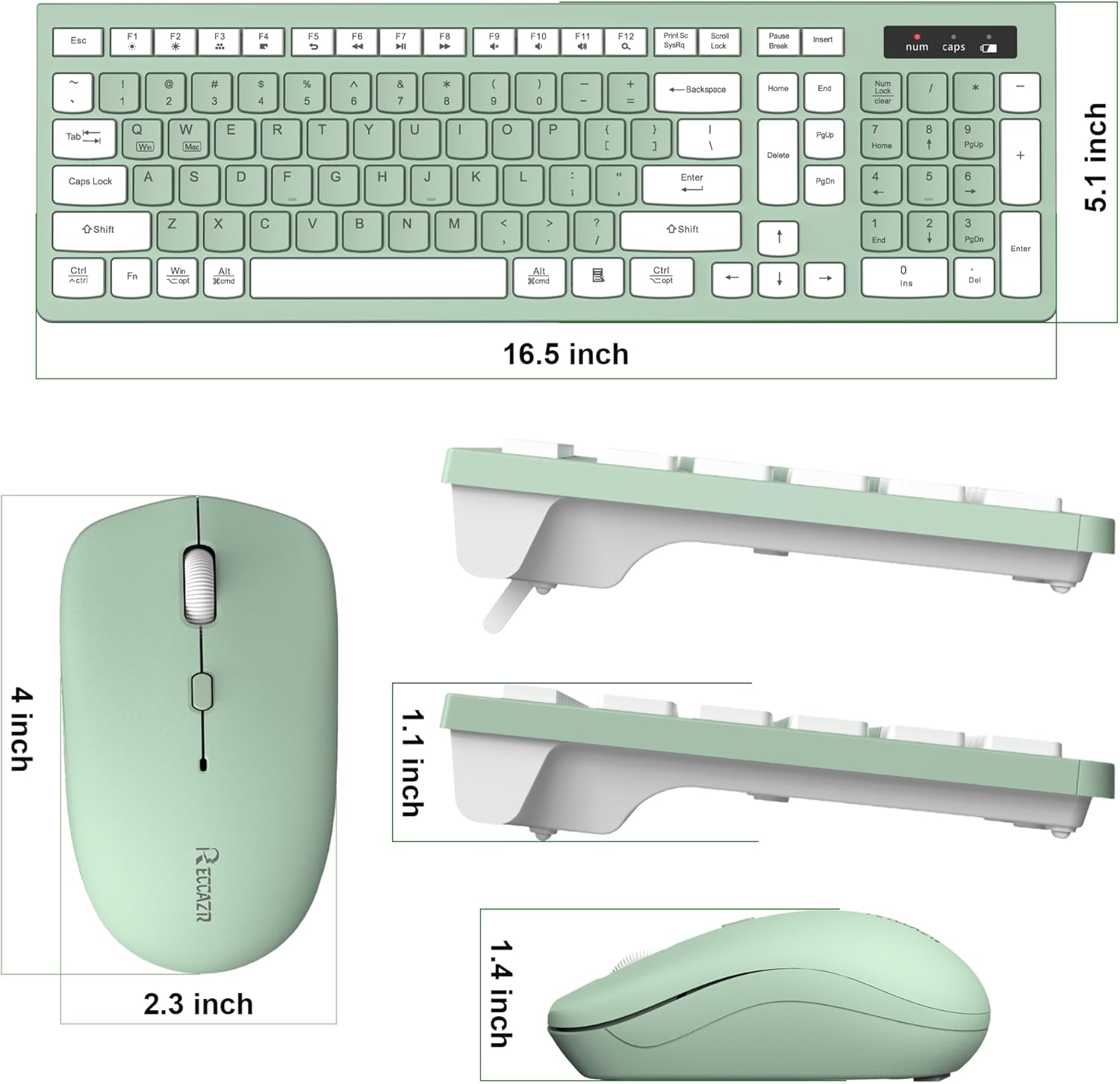
| Димензије пакета | 17.17 к 7.99 к 1.77 инча |
Гаранција и подршка
RECCAZR offers a Двогодишња гаранција без бриге и а Повраћај новца у року од 30 дана без навођења разлога for this product. For any questions, technical assistance, or warranty claims, please contact RECCAZR customer service. We are dedicated to providing 24/7 support to ensure your satisfaction.
