
1. Увод
Хвала вам на куповиниasing the Salange HY300Pro Mini Projector. This manual provides essential information for setting up, operating, and maintaining your projector. Please read it thoroughly before use to ensure optimal performance and longevity of your device.
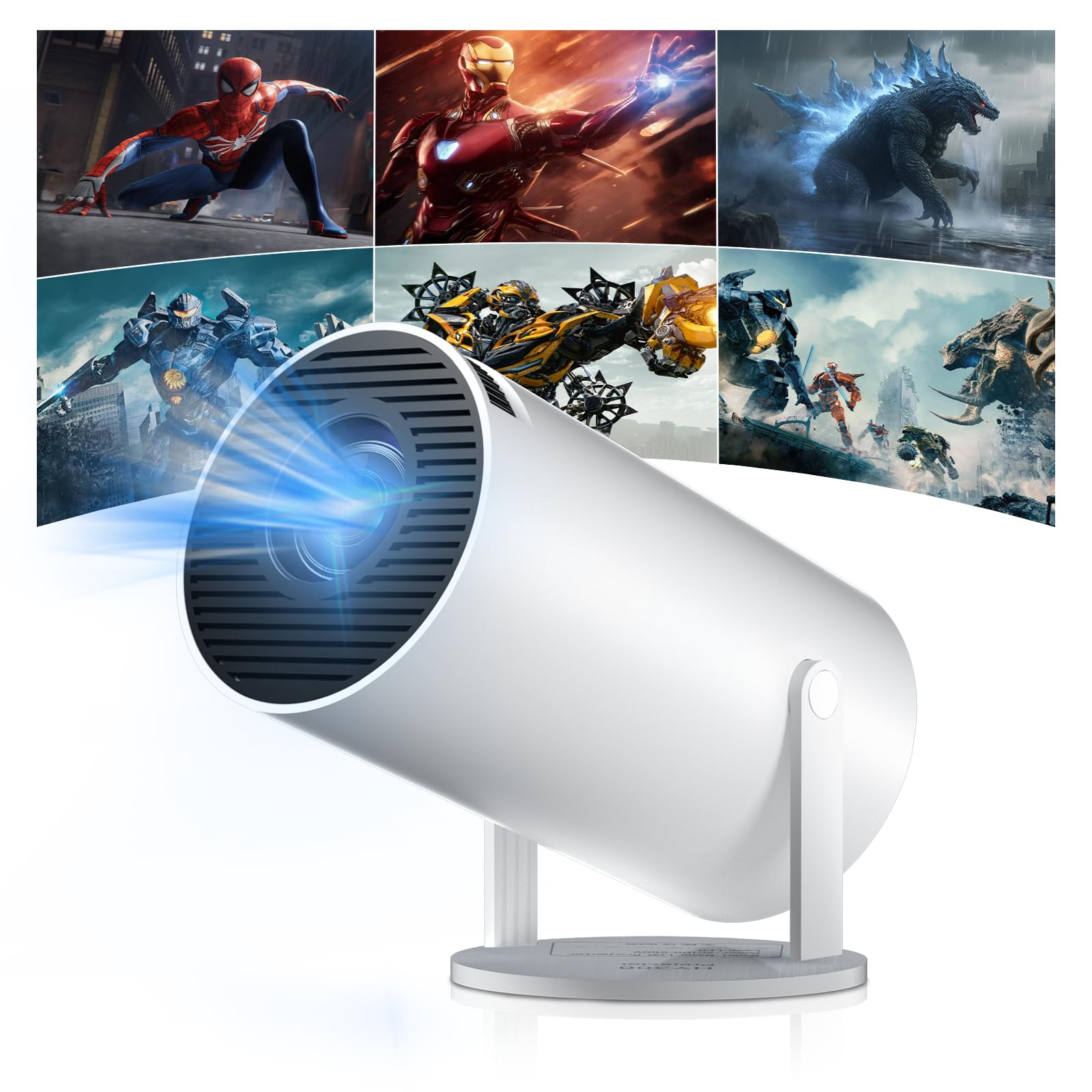
Figure 1: Salange HY300Pro Mini Projector
2. Производ је готовview
Кључне карактеристике
- Dual-Band WiFi 6 & Bluetooth 5.4: Ensures fast and stable network connectivity and seamless audio pairing with external speakers or headphones.
- Оперативни систем Андроид 11.0: Supports installation of various applications directly on the projector for versatile entertainment and productivity.
- 4K Support & Native 720P Resolution: Delivers clear and vibrant images, supporting 1080P and 4K video playback.
- Ротација за 180°: Flexible projection angles for various setups, including ceiling, wall, or angled surfaces.
- Automatic Keystone Correction & Manual Focus: Intelligently corrects image distortion and allows for fine-tuning clarity.
- Компактан и преносив дизајн: Weighs only 700g, making it easy to transport for outdoor activities or different rooms.

Слика 2: Завршеноview of Salange HY300Pro features including 8K support, WiFi 6, Bluetooth 5.4, 180° rotation, and auto keystone correction.
Шта је у кутији
- 1 x Salange HY300Pro Projector
- 1 к Упутство за употребу
- 1 к кабл за напајање
- 1 к даљински управљач

Figure 3: Contents of the Salange HY300Pro package.
3. Подешавање
3.1 Распакивање и постављање
- Пажљиво уклоните све компоненте из паковања.
- Place the projector on a stable, flat surface. Ensure adequate ventilation around the device.
- The projector's 180° rotation feature allows flexible placement. Adjust the projector's angle to project onto a wall, ceiling, or screen as desired.

Figure 4: Projector demonstrating 180-degree rotation for various projection surfaces.
3.2 Прикључак за напајање
Connect the provided power cable to the projector's power input and then to a power outlet.
3.3 Почетно укључивање и подешавање фокуса
- Притисните дугме за напајање на пројектору или даљинском управљачу да бисте укључили уређај.
- The projector features automatic keystone correction. It will intelligently detect and correct image distortion to ensure a square image.
- For fine-tuning the image clarity, use the manual focus adjustment ring on the projector.

Figure 5: Illustration of automatic keystone correction and manual focus adjustment.
3.4 Мрежна веза (Wi-Fi)
- Идите до менија „Подешавања“ на почетном екрану пројектора.
- Select 'Network & Internet' and enable Wi-Fi.
- Choose your desired Wi-Fi network from the list and enter the password if prompted. The projector supports dual-band 2.4G + 5G WiFi 6 for fast and stable connections.

Figure 6: Visual representation of the projector's WiFi 6 capabilities for ultra-fast streaming.
3.5 Блуетоотх упаривање
- From the 'Settings' menu, select 'Connected Devices' or 'Bluetooth'.
- Омогућите Блуетоотх и потражите доступне уређаје.
- Изаберите свој Bluetooth звучник или слушалице са листе за упаривање.

Figure 7: Projector connected to various Bluetooth audio devices.
3.6 Повезивање екстерних уређаја
The projector supports HDMI and USB connections.
- ДВИ: Connect your laptop, game console, Blu-ray player, or TV stick using an HDMI cable. Select the corresponding HDMI input source from the projector's input menu.
- УСБ: Уметните УСБ диск да бисте репродуковали медије files directly. Access the files through the media player application on the Android OS.
4. Упутство за употребу
4.1 Навигација кроз Андроид ОС
The Salange HY300Pro runs on Android 11.0, providing a smart TV experience.
- Use the remote control to navigate through the home screen, applications, and settings.
- The interface is intuitive, similar to an Android smartphone or tablet.

Figure 8: Projector displaying the Android OS home screen with various streaming apps.
4.2 Управљање апликацијама
You can install and manage applications directly on the projector.
- Access the app store (e.g., Google Play Store) to download streaming services, games, and productivity tools.
- To uninstall an app, go to 'Settings' > 'Apps' and select the desired app.
4.3 Пресликавање екрана
Mirror your smartphone or tablet screen to the projector wirelessly.
- Ensure both your device and the projector are connected to the same Wi-Fi network.
- On the projector, select the screen mirroring function (e.g., 'Miracast', 'AirPlay', or 'Screen Share').
- On your smartphone/tablet, enable screen mirroring and select the projector from the list of available devices.
4.4 Подешавања слике и звука
Adjust various settings to optimize your viewинг искуство.
- Подешавања слике: Access 'Settings' > 'Display' to adjust brightness, contrast, color, and aspect ratio.
- Подешавања звука: Access 'Settings' > 'Sound' to adjust volume, sound mode, and output device.

Figure 9: Projector displaying a large image, illustrating its ability to create a home cinema experience.
5. Одржавање
5.1 Чишћење сочива
Користите меку крпу без влакана, посебно дизајнирану за оптичка сочива, да бисте нежно обрисали сочиво пројектора. Не користите абразивна средства за чишћење или прекомерну силу.
5.2 Вентилација
Ensure the projector's ventilation vents are clear of dust and obstructions. Blocked vents can lead to overheating and reduced performance. Periodically clean the vents with a soft brush or compressed air.
5.3 Складиштење
Када се пројектор не користи дуже време, чувајте га на хладном и сувом месту, даље од директне сунчеве светлости и екстремних температура. Користите оригинално паковање или заштитну футролу да бисте спречили накупљање прашине и оштећења.
КСНУМКС. Решавање проблема
| Проблем | Могући узрок | Решење |
|---|---|---|
| Нема приказане слике | Power cable disconnected; Incorrect input source; Projector in standby mode. | Check power connection; Select correct HDMI/USB input; Press power button to wake up. |
| Слика је мутна | Фокус није подешен; Пројектор је превише далеко/близу платну. | Adjust manual focus ring; Ensure projector is within optimal projection distance. |
| Нема звука | Volume too low; Muted; Incorrect audio output selected; Bluetooth device not paired. | Increase volume; Unmute; Check audio settings; Re-pair Bluetooth device. |
| Проблеми са Wi-Fi/Bluetooth везом | Incorrect password; Out of range; Interference. | Verify password; Move closer to router/device; Reduce interference from other electronics. |
| Даљински управљач не ради | Dead batteries; Obstruction; Not paired. | Замените батерије; Уклоните препреке; По потреби поново упарите даљински управљач. |
7. Спецификације
| Феатуре | Детаљ |
|---|---|
| Бранд | Саланге |
| Број модела | X-HY300PRO |
| Сериес | Salange Mini Beamer |
| Боја | Бела |
| Дисплаи Типе | ЛЦД |
| Нативе Ресолутион | 1280 к 720п |
| Max Display Resolution | 3840 x 2160 (подржано 4K) |
| Технологија повезивања | Bluetooth, Wi-Fi (WiFi 6) |
| Хардверски интерфејс | Блутут, HDMI, USB |
| Компатибилни уређаји | Smartphones, Laptops, Game Consoles, Blu-ray Players, Media Players |
| Димензије артикла (Д к Ш к В) | 9.5 к 9.5 к 15.7 центиметара |
| Посебне карактеристике | Wi-Fi Compatible, Digital Keystone Correction, Lightweight, Portable, 180° Rotation |
| Препоручена употреба | Business, Home Cinema, Gaming, Education |
| Форм Фацтор | Портабле |
| Тип монтаже | Табле Моунт |
8. Гаранција и подршка
For warranty information and technical support, please refer to the documentation included with your purchase or visit the official Salange webсајт. Сачувајте доказ о куповини за потребе гаранције.