
Dopesplay DR1563
Dopesplay 15.6" Portable Monitor User Manual
Модел: ДР1563
Brand: Dopesplay
Увод
The Dopesplay 15.6-inch Portable Monitor is designed to enhance your productivity and entertainment on the go. Featuring a high-resolution, clear display in a compact and lightweight form factor, it's an ideal companion for laptops, gaming consoles, and other compatible devices. Its easy setup, adjustable stand, and anti-glare matte screen make it versatile for various environments, from travel to home office setups. The monitor operates efficiently with low power consumption, capable of being powered by a single Type-C cable from a compatible phone or power bank.
Кључне карактеристике
- 15.6" FHD 1080P IPS Display: Experience crisp, vibrant visuals with excellent color accuracy and wide viewинг углова.
- ХДР подршка: Enjoy enhanced contrast and brilliant colors for an immersive viewинг искуство.
- Плуг-анд-Плаи повезивање: Simple setup with USB-C and Mini HDMI inputs.
- Adjustable Integrated Stand: Provides stable support and allows for comfortable viewинг углова.
- Matte Screen Surface: Reduces glare and reflections for improved visibility.
- Ултра танак и лаган дизајн: Easy to carry, fitting conveniently into laptop bags.
- Мала потрошња енергије: Can be powered by a 5V USB source, including compatible smartphones.
- Уграђени звучници: Integrated audio for convenience.
- ФрееСинц технологија: Reduces input lag, stuttering, and screen tearing for smoother visuals.
- ВЕСА компатибилан: Омогућава флексибилне опције монтаже.
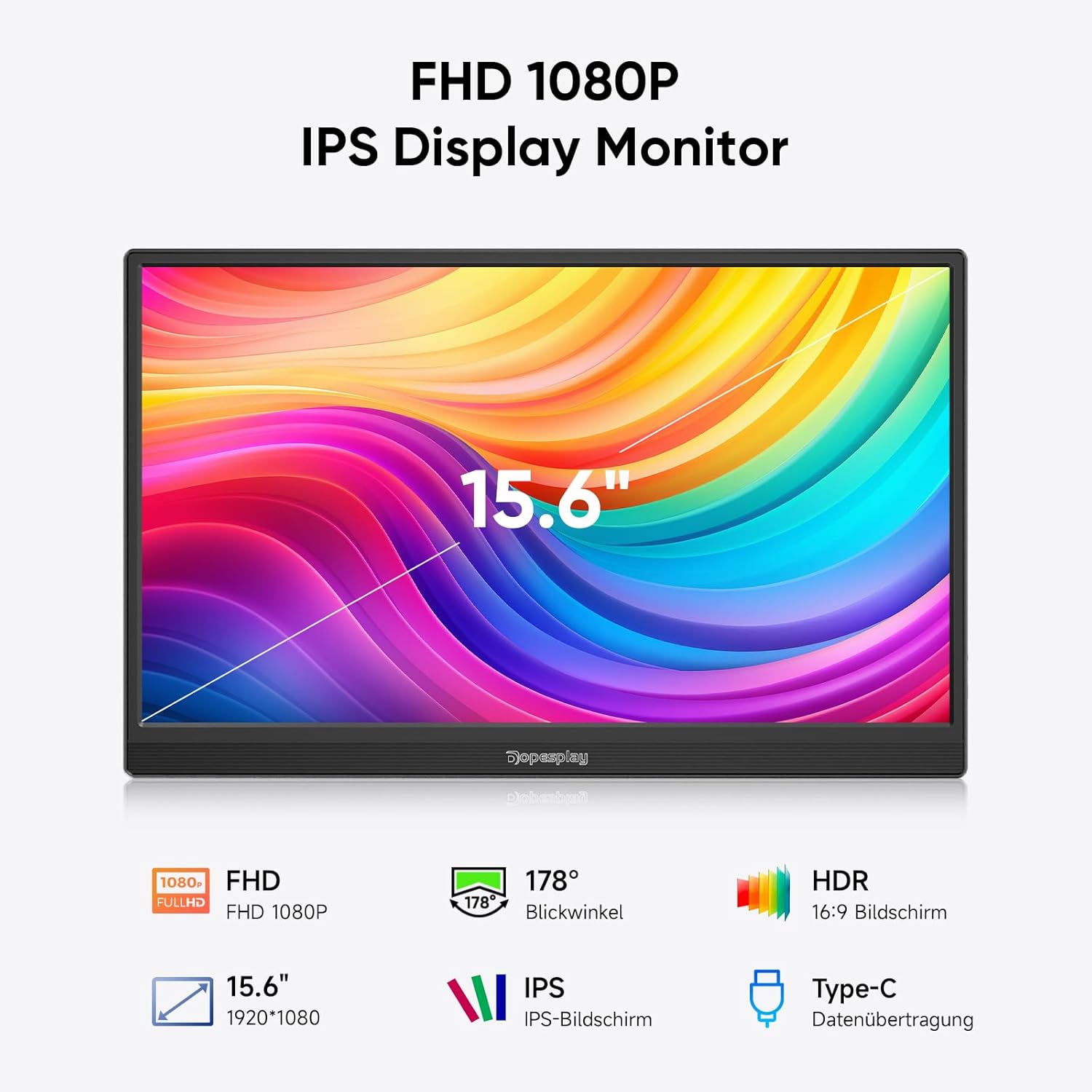
Figure 1: Key features of the Dopesplay 15.6" Portable Monitor.
Сетуп
Повезивање вашег уређаја
The Dopesplay portable monitor offers flexible connectivity options to suit various devices. Ensure your device's USB-C port supports full functionality (DisplayPort Alternate Mode and Power Delivery) for single-cable connection.
Option 1: Single USB-C Cable Connection (for compatible devices)
If your laptop or device has a full-featured USB-C port, you can connect the monitor using a single USB-C to USB-C cable. This cable will transmit both video signal and power to the monitor.

Figure 2: Connection options for the portable monitor. The top diagram illustrates a single USB-C connection, while the bottom shows HDMI and USB-A connections with external power.
Option 2: HDMI and USB-A Connection (for devices without full-featured USB-C)
For devices that do not support video output over USB-C or require separate power, use the Mini HDMI to HDMI cable for video signal and a USB-A to USB-C cable for power. An external power adapter (5V/3A or higher) may be required, especially if adjusting brightness above 80% or if the connected device cannot supply sufficient power.
Monitor Ports and Buttons
Familiarize yourself with the ports and buttons on the side of the monitor for optimal use.
- Mini HDMI Input: For video input from devices with HDMI output.
- USB-C Input (x2): For video, data, and power input from compatible devices.
- Слушалице: За повезивање спољних аудио уређаја.
- Дугме за ротирање: To adjust screen orientation.
- Power On/Off / Back Button: Controls power and navigates menus.
Note: If you wish to adjust the brightness above 80%, an external power supply of 5V/3A or higher is required.
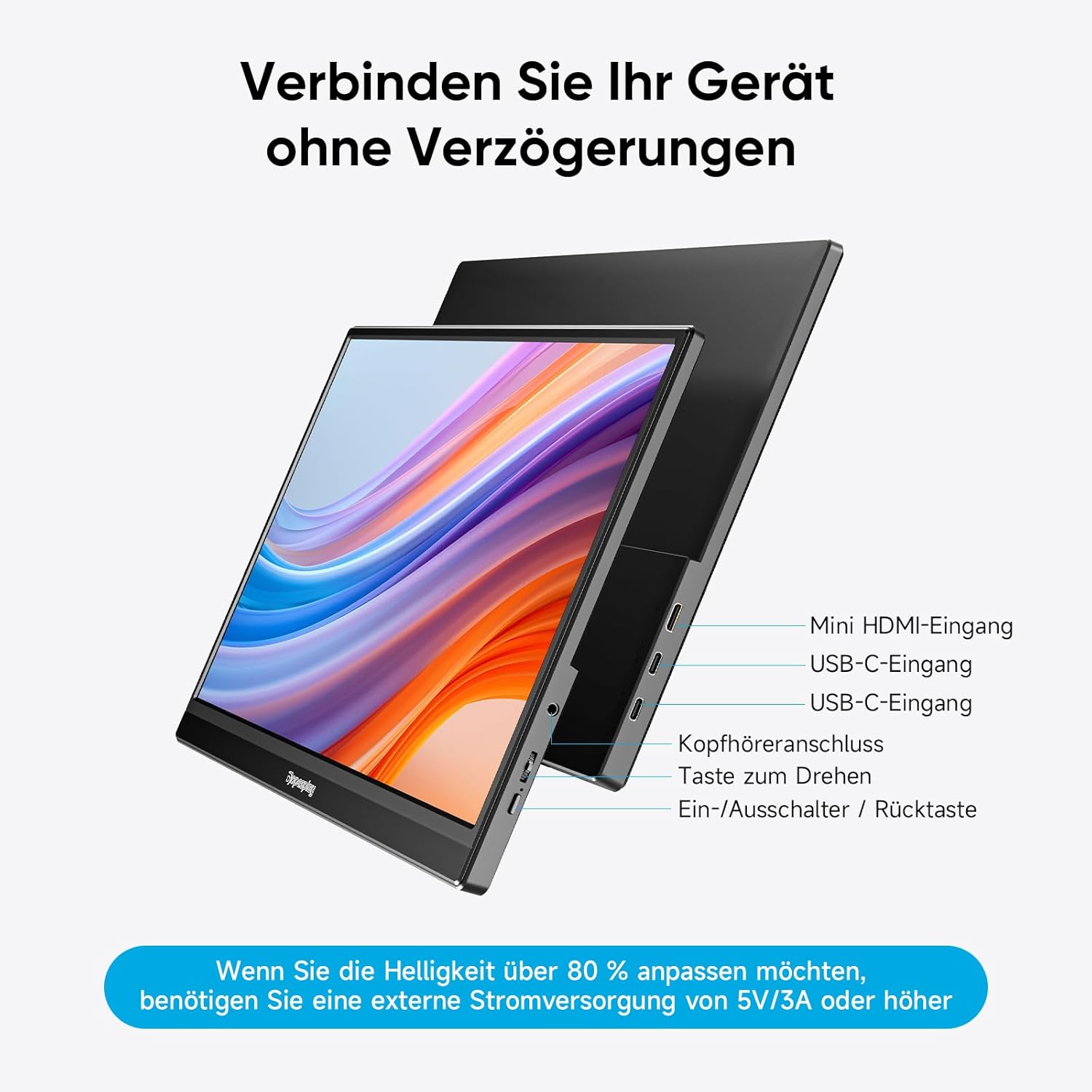
Слика 3: Завршеноview of monitor ports and controls.
Упутство за употребу
Display Modes (Mac & Windows)
The monitor supports both duplicate and extended display modes, allowing you to mirror your primary screen or expand your desktop workspace.
- Duplicate Display: Shows the same content on both your primary device and the portable monitor.
- Проширени приказ: Expands your desktop across both screens, providing more space for multitasking.

Figure 4: Display modes for Mac and Windows devices.
Gaming Console Connection (e.g., Nintendo Switch)
Connect your gaming console directly to the monitor using a single USB-C cable (if supported by the console) or HDMI for video and a USB-C cable for power. The monitor can power both itself and the console simultaneously, eliminating the need for a separate dock.
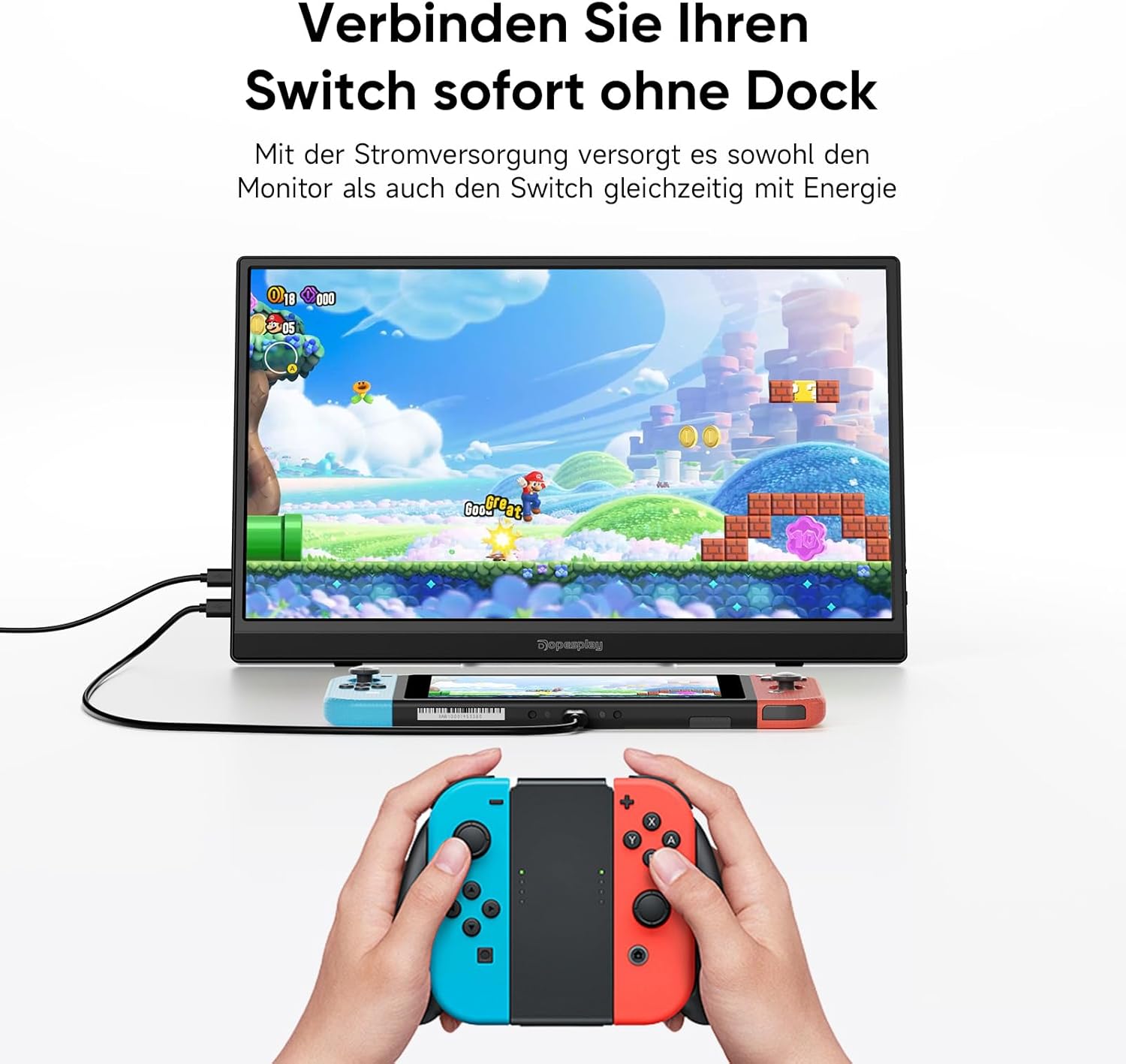
Figure 5: Connecting a Nintendo Switch to the portable monitor.
Подесиво постоље
The integrated stand allows you to adjust the monitor to your preferred viewing angle for maximum comfort and ergonomics.

Figure 6: Adjustable stand for optimal viewинг.
ВЕСА компатибилност
The monitor is VESA compatible, allowing it to be easily mounted on compatible monitor arms or wall mounts in both landscape and portrait orientations.
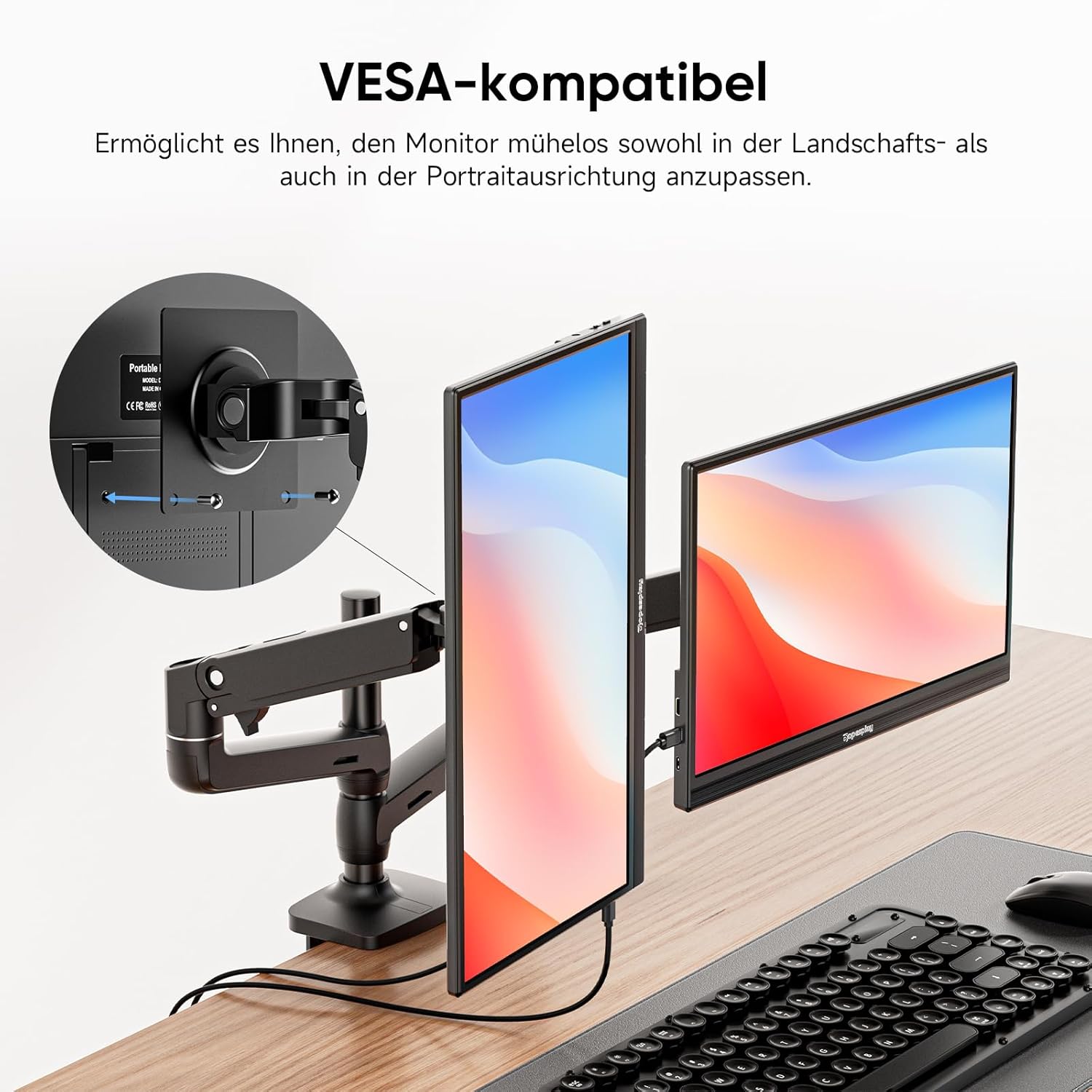
Figure 7: VESA mounting options.
ФрееСинц Тецхнологи
For a smoother visual experience, especially during gaming or fast-paced video playback, the monitor features FreeSync technology. This helps to reduce input lag, stuttering, and screen tearing.

Figure 8: FreeSync technology in action.
Одржавање
To ensure the longevity and optimal performance of your Dopesplay portable monitor, follow these maintenance guidelines:
- Чишћење: Gently wipe the screen with a soft, lint-free cloth. For stubborn smudges, use a screen-specific cleaning solution applied to the cloth, not directly to the screen. Avoid abrasive cleaners or solvents.
- Складиштење: When not in use, store the monitor in a cool, dry place, preferably in its original packaging or a protective sleeve to prevent dust accumulation and scratches.
- Руковање: Монитор увек држите за ивице. Избегавајте притискање екрана.
- Снага: Disconnect the power cable during electrical storms or when unused for extended periods.
Решавање проблема
If you encounter issues with your Dopesplay portable monitor, refer to the following common troubleshooting steps:
| Проблем | Могући узрок | Решење |
|---|---|---|
| Нема дисплеја/Нема сигнала | Incorrect cable connection; Insufficient power; Device not outputting signal. |
|
| Треперење екрана или нестабилна слика | Loose cable connection; Power fluctuations; Incompatible resolution/refresh rate. |
|
| Нема звука из звучника | Volume too low; Muted; Incorrect audio output selected on device. |
|
| Brightness cannot be adjusted above 80% | Недовољно напајање. |
|
Спецификације
| Феатуре | Детаљ |
|---|---|
| Бранд | Допесплаи |
| Број модела | ДР1563 |
| Величина екрана | 15.6 инча |
| Резолуција | FHD 1080p (1920 x 1080) |
| Аспецт Ратио | 16:9 |
| Површина екрана | Мат |
| Однос контраста | 1000:1 |
| Време одговора | 3 милисекунди |
| Рефресх Рате | 60 Хз |
| Везе | 2x USB Type-C, 1x Mini HDMI |
| Посебне карактеристике | Portable, Built-in Speaker, Ultra Slim, HDR, FreeSync, VESA Compatible |
| Боја | Црно |
Гаранција и подршка
For warranty information and technical support, please refer to the documentation included with your product or visit the official Dopesplay webсајт. Сачувајте рачун као доказ о куповини за потребе гаранције.
Регулатори Информатион
This product complies with relevant European Union regulations. For detailed product data and energy efficiency information, please refer to the EPREL database:

Figure 9: Product Data Sheet (EPREL).

Слика 10: Ознака енергетске ефикасности.
Ask a question about this manual
Ask about setup, troubleshooting, compatibility, parts, safety, or missing instructions. Manuals+ will review the question and use this page’s manual context to help answer it.