
Увод
Welcome to the instruction manual for your new Ice-Watch ICE Digit Explorer digital watch. This watch is designed for children, featuring a durable silicone strap, a lightweight plastic case, and a clear digital display. This guide will help you understand the watch's functions, set the time, and maintain it for long-lasting use. Please read these instructions carefully before using your watch.
Производ је завршенview
Familiarize yourself with the components and controls of your Ice-Watch ICE Digit Explorer.
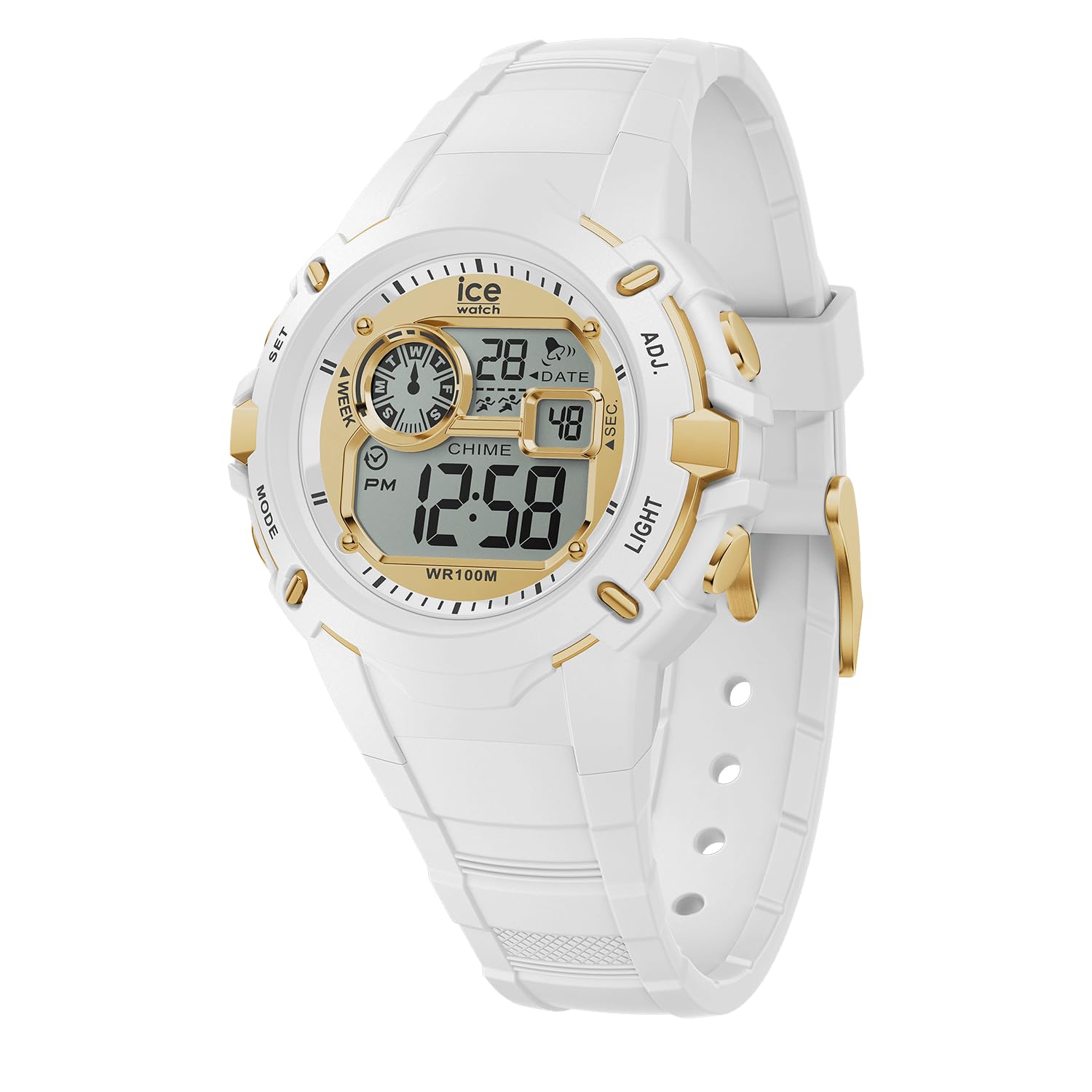
Слика 1: Предња страна View of the Watch. This image displays the watch face, showing the digital display with time, date, day of the week, and various indicators. The four control buttons are visible on the sides of the watch case.
- Приказ: Shows time, date, day, and other indicators.
- Дугмад: Four buttons located on the sides of the watch case for various functions.
- SET (Top Left): Used to enter and confirm setting modes.
- РЕЖИМ (доле лево): Used to cycle through different display modes (Time, Alarm, Stopwatch).
- ADJ (Top Right): Used to adjust values during setting.
- СВЕТЛО (доле десно): Activates the backlight for visibility in low light conditions.
- Силиконска трака: Comfortable and durable for daily wear.
- Buckle Clasp: Securely fastens the watch to the wrist.
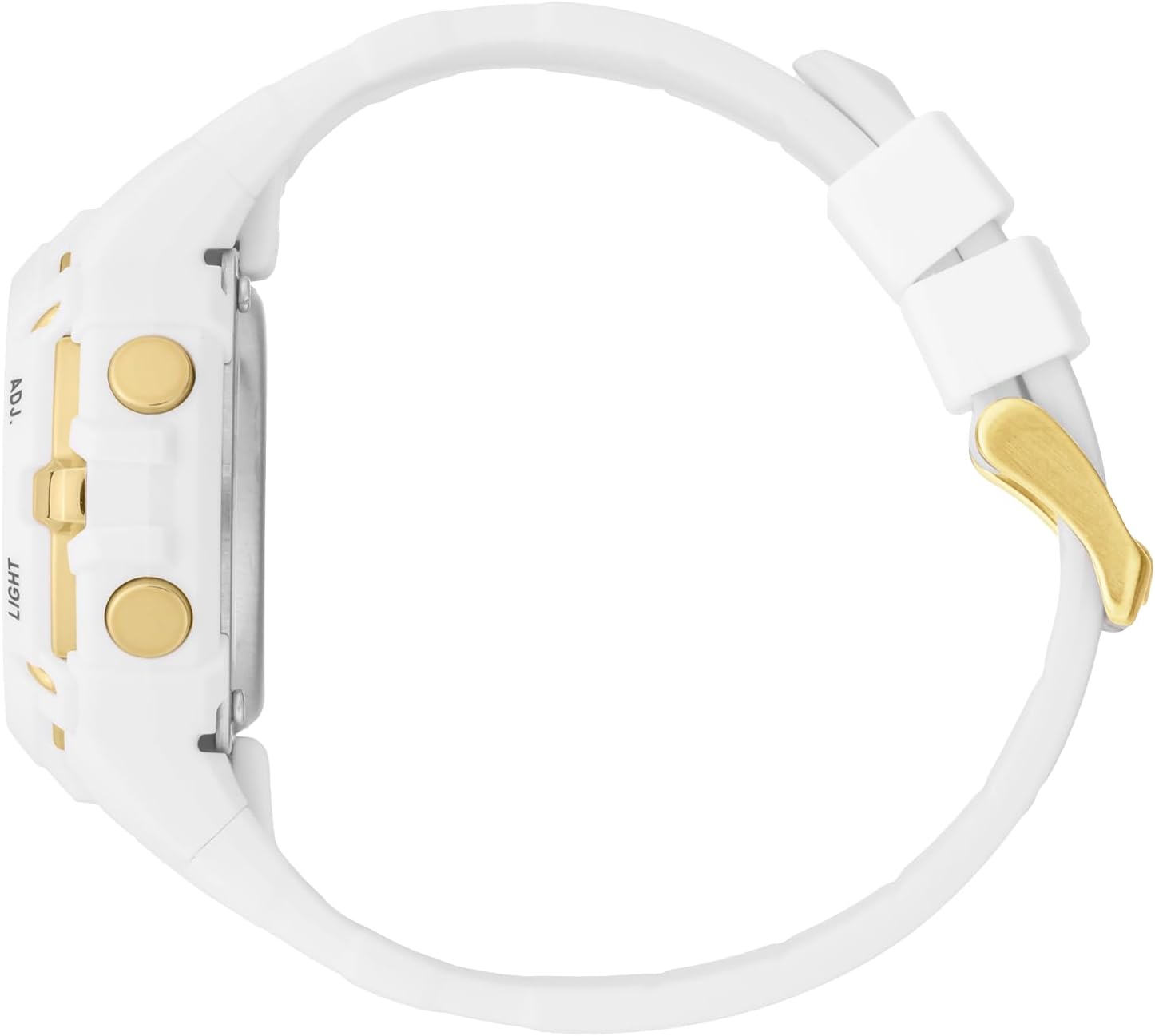
Слика 2: Страна View. This image highlights the ADJ (Adjust) and LIGHT buttons on the right side of the watch case.

Слика 3: Позади View. This image shows the stainless steel caseback, which includes the Ice-Watch logo, model number, and water resistance rating (100M).
Сетуп
Подешавање времена и датума
- У режиму нормалног приказа времена, притисните и држите СЕТ button until the seconds digits begin to flash. This indicates you are in setting mode.
- Притисните тастер МОДЕ button to cycle through the settings: Seconds → Hours → Minutes → Month → Date → Day of the Week.
- While a digit or setting is flashing, use the АДЈ button to increase the value or change the setting.
- Repeat step 3 for each setting (Hours, Minutes, Month, Date, Day).
- Када су сва подешавања подешена, притисните дугме СЕТ поново притисните дугме да бисте изашли из режима подешавања и сачували измене.
Формат 12/24 сата
While setting the hours, pressing the АДЈ button will cycle between 12-hour (with PM indicator) and 24-hour formats.
Управљање сатом
Режими приказа
Притисните тастер МОДЕ дугме за прелазак кроз различите режиме приказа:
- Нормалан приказ времена: Приказује тренутно време, датум и дан у недељи.
- Режим аларма: Allows setting and activating an alarm.
- Режим штоперице: Used for timing events.
Using the Stopwatch (Chronograph)
- Из нормалног приказа времена, притисните МОДЕ button until "ST" or "STOPWATCH" appears on the display.
- Притисните тастер АДЈ дугме за покретање штоперице.
- Притисните тастер АДЈ поново притисните дугме да бисте паузирали штоперицу.
- To resume, press the АДЈ дугме.
- Да бисте ресетовали штоперицу на нулу, притисните СЕТ дугме док је штоперица паузирана.
- Притисните тастер МОДЕ дугме за повратак на нормалан приказ времена.
Подешавање и употреба аларма
- Из нормалног приказа времена, притисните МОДЕ button until "AL" or "ALARM" appears on the display.
- Притисните и држите СЕТ дугме док цифре сата аларма не почну да трепћу.
- Користите АДЈ дугме да бисте подесили жељени сат аларма.
- Притисните тастер МОДЕ button to move to the alarm minute digits.
- Користите АДЈ дугме да бисте подесили жељене минуте аларма.
- Притисните тастер СЕТ button to confirm and exit alarm setting mode.
- Да бисте активирали/деактивирали аларм, у режиму аларма, притисните АДЈ button. An alarm icon (often a bell) will appear/disappear on the display.
- Када се аларм огласи, притисните било које дугме да бисте га зауставили.
Коришћење позадинског осветљења
Притисните тастер ЛИГХТ button (bottom right) to illuminate the display for a few seconds, improving visibility in dark conditions.
Отпорност на воду
Your Ice-Watch ICE Digit Explorer is water resistant up to 10 ATM (100 meters). This means it is suitable for swimming, showering, and water sports. However, it is не suitable for scuba diving. Avoid pressing buttons while the watch is submerged to prevent water ingress.
Одржавање
Чишћење сата
To keep your watch clean, wipe it regularly with a soft, damp cloth. For the silicone strap, mild soap and water can be used. Ensure the watch is completely dry before wearing. Avoid using harsh chemicals or abrasive materials, as these can damage the watch's finish or components.
Замена батерије
The watch is powered by a single battery (included). When the display becomes dim or the watch stops functioning, the battery may need replacement. Battery replacement should ideally be performed by a qualified watch technician to ensure proper sealing and maintain water resistance.
Складиштење
Када се не користи, чувајте сат на хладном и сувом месту, даље од директне сунчеве светлости и екстремних температура.
Решавање проблема
| Проблем | Могући узрок | Решење |
|---|---|---|
| Екран је празан или замагљен. | Слаба или испражњена батерија. | Замените батерију (препоручује стручњак). |
| Time/Date cannot be set. | Not in setting mode, or incorrect button sequence. | Ensure you press and hold the СЕТ button until digits flash. Follow the setting instructions carefully. |
| Вода унутар сата. | Buttons pressed underwater, or seal compromised. | Stop using the watch immediately. Seek professional repair to prevent further damage. Avoid pressing buttons underwater. |
| Дугмад не реагују. | Dirt/debris, or internal malfunction. | Clean around the buttons. If issue persists, contact customer support. |
Спецификације
| Бранд | ПОСТРАЈ НА ЛЕДУ |
| Назив / број модела | ICE Digit Explorer / 023266 |
| Дисплаи Типе | Дигитал |
| Мовемент Типе | кварц |
| Материјал кућишта | Пластика |
| Пречник кућишта | 40 милиметара |
| Цасе Тхицкнесс | 18 милиметара |
| Банд Материал | Силицоне |
| Банд Видтх | 17 милиметара |
| Тип копче | Копча |
| Материјал прозора за бирање | Минерал |
| Отпорност на воду | 10 ATM (100 Meters) |
| Посебне карактеристике | Хронограф |
| Тежина артикла | 42 грама |
| Батерија | 1 x Unknown (Included) |
Гаранција и подршка
Гаранција произвођача
Your Ice-Watch ICE Digit Explorer is covered by a manufacturer's warranty. Please refer to the warranty card included with your purchase for specific terms, conditions, and duration. Keep your proof of purchase for warranty claims.
Корисничка подршка
For further assistance, technical support, or warranty inquiries, please contact Ice-Watch customer service. Contact details can typically be found on the official Ice-Watch webсајту или на паковању вашег производа.
Напомена: The official Ice-Watch webсајт је ввв.ице-ватцх.цом.