
1. Увод
This manual provides essential information for the safe operation and maintenance of your SIMREX X800 Drone. Please read it thoroughly before first use to ensure proper functionality and to maximize your flying experience. The SIMREX X800 is a compact and versatile drone designed for both beginners and experienced users, featuring a 1080P camera, altitude hold, and various intelligent flight modes.

2. Шта је у кутији
Проверите да ли су све компоненте присутне пре него што наставите са подешавањем:
- SIMREX X800 Drone (Black)
- Ремоте Цонтрол
- Modular Batteries (2x 1000mAh)
- УСБ кабл за пуњење
- Spare Propeller Blades (1 set)
- Phone Holder for Remote Control
- Упутство за употребу

3. Водич за подешавање
3.1. Пуњење батерије
The drone comes with two 1000mAh modular batteries. Ensure both are fully charged before use.
- Повежите УСБ кабл за пуњење са батеријом дрона.
- Укључите други крај USB кабла у USB адаптер за напајање (није укључен) или USB порт рачунара.
- The indicator light on the battery will show charging status (refer to battery specific indicators for details).
- Charging typically takes approximately 60-90 minutes per battery.
3.2. Инсталирање батерије дрона
- Unfold the drone arms.
- Insert the fully charged modular battery into the battery compartment on the drone until it clicks securely into place.
3.3. Подешавање даљинског управљача
The remote control requires 2 LR44 batteries (included). Install them into the battery compartment on the back of the remote.
- Attach the phone holder to the top of the remote control.
- Place your smartphone securely into the phone holder.
- Download and install the SIMREX drone application (refer to the QR code in the included manual for the app).
- Укључите дрон, а затим укључите даљински управљач.
- Connect your smartphone to the drone's Wi-Fi network (usually named 'SIMREX-XXXXXX').
- Open the SIMREX app to establish a connection and view феед камере.
3.4. Уградња/провера пропелера
The drone comes with propellers pre-installed. If replacement is necessary, ensure correct orientation (A and B propellers) as indicated on the drone arms and propellers themselves.
4. Упутство за употребу
Familiarize yourself with the drone's controls and features before attempting flight.
4.1. Basic Flight Preparation
- Ensure the drone is placed on a flat, level surface.
- Perform gyroscope calibration by pushing both joysticks down and to the left/right simultaneously (refer to the specific manual for exact combination).
- Ensure a stable Wi-Fi connection between your phone and the drone for FPV (First Person View) and app control.
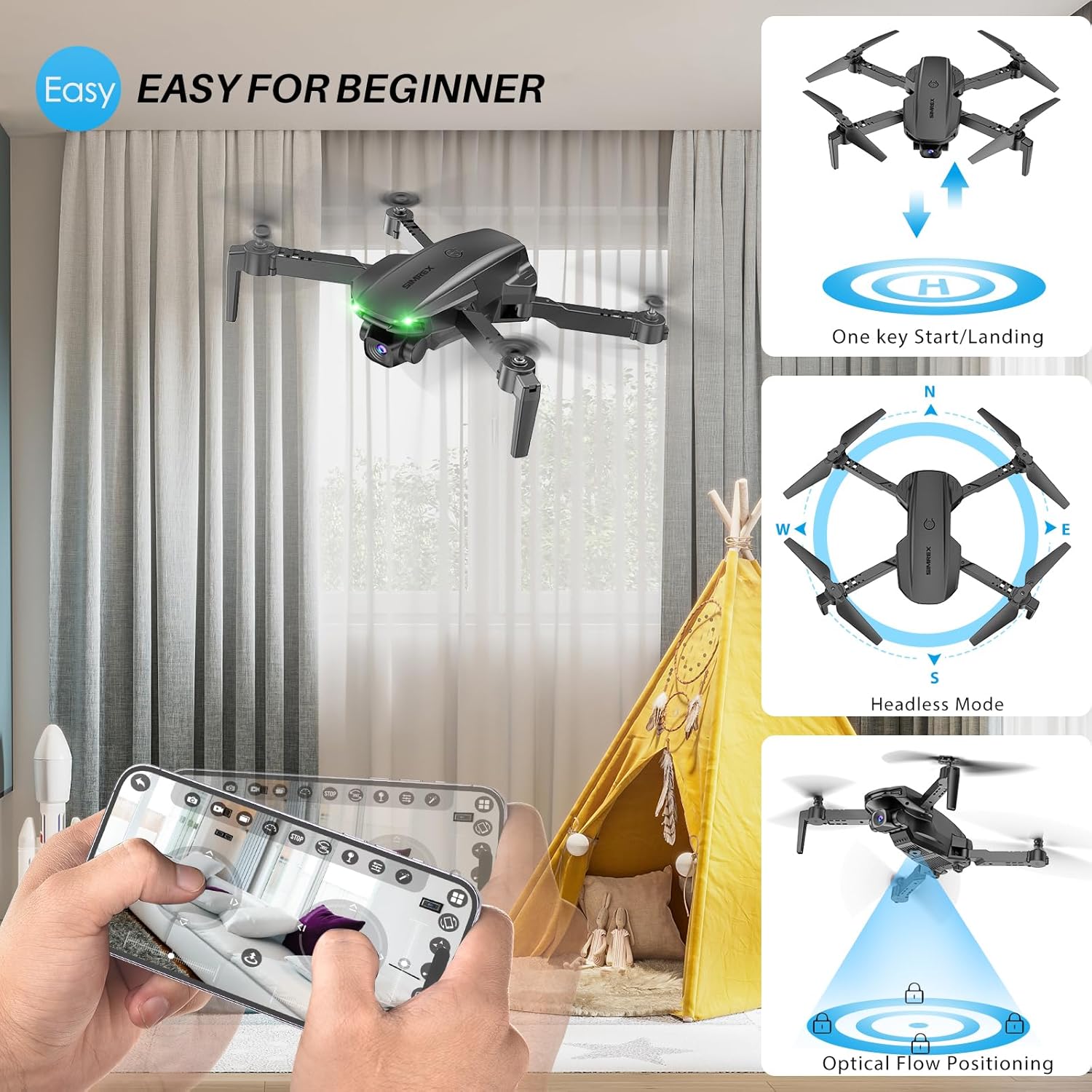
4.2. One Key Start/Landing
This feature simplifies takeoff and landing, making it ideal for beginners.
- Press the One Key Start button on the remote control or in the app. The drone will automatically take off and hover at a stable altitude.
- Press the One Key Landing button. The drone will slowly descend and land automatically.
4.3. Altitude Hold & Optical Flow Positioning
These features contribute to stable flight and precise hovering.
- Задржавање надморске висине: The drone maintains a fixed height, allowing for stable video and photo capture without constant throttle input.
- Позиционирање оптичког тока: Utilizes a bottom-mounted camera to detect ground patterns, enabling the drone to hover accurately in position, especially useful indoors or in low-wind conditions.

4.4. Режим без главе
In Headless Mode, the drone's orientation is relative to the pilot, not the drone's front. This simplifies control, as pushing the joystick forward will always move the drone away from you, regardless of which way the drone is facing.
- Activate Headless Mode by pressing the dedicated button on the remote.
- Calibrate Headless Mode before flight for accurate control.
4.5. Waypoint Fly
Plan your flight path directly on your smartphone screen.
- Open the SIMREX app and select the Waypoint Fly function.
- Draw a desired flight path on the map displayed on your phone.
- The drone will automatically follow the designated route.
4.6. 3D Flip
Perform exciting aerial acrobatics with a single button press.
- Ensure sufficient altitude (at least 3 meters) before attempting a 3D flip.
- Press the 3D Flip button and move the right joystick in the desired flip direction (forward, backward, left, or right).
4.7. Подешавање брзине
The drone offers three speed modes to suit different skill levels and flying conditions.
- Toggle between Low, Medium, and High speeds using the speed switch button on the remote.
- Start with Low speed for learning and indoor flight, gradually increasinг како стичете самопоуздање.

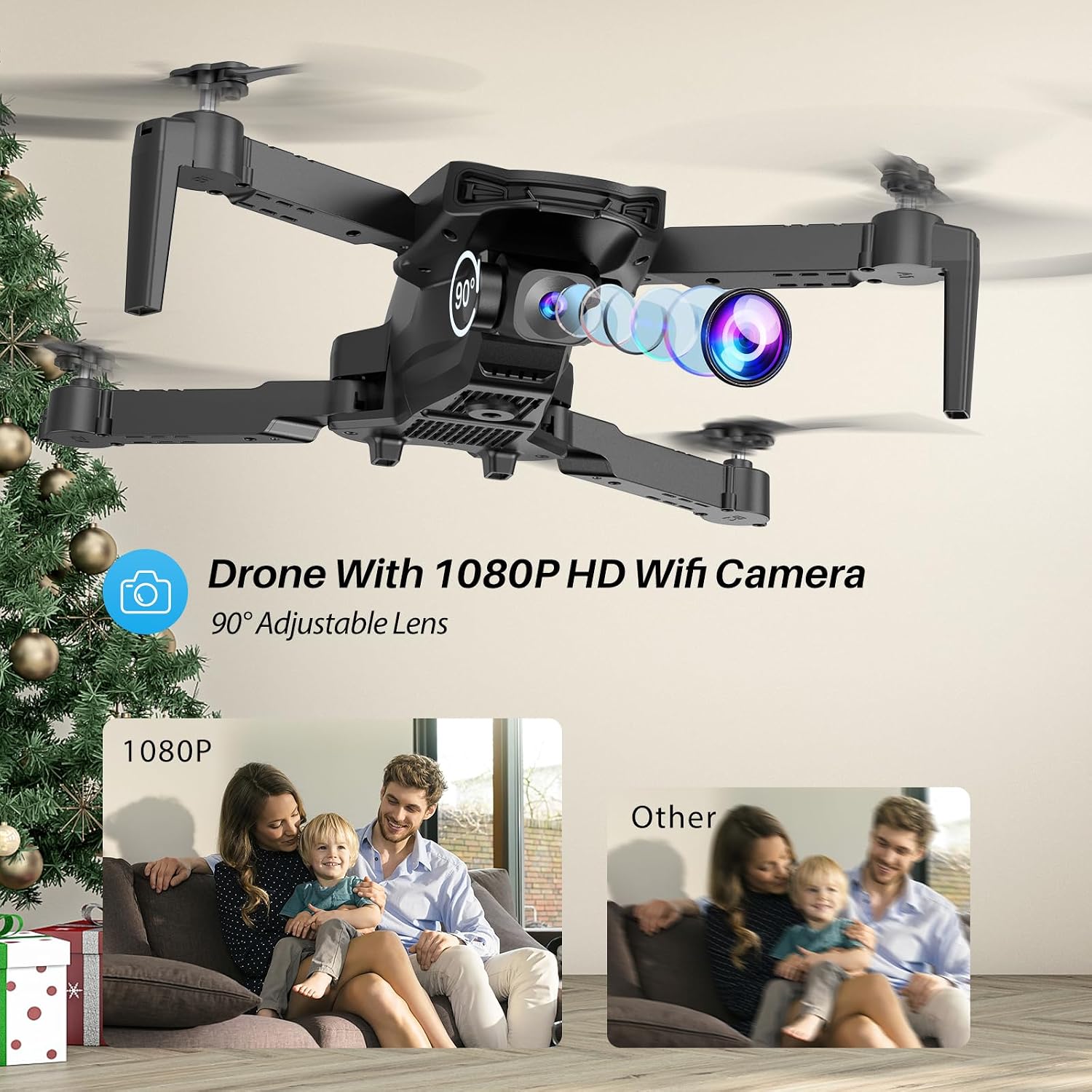
4.8. Рад камере
The SIMREX X800 is equipped with a 1080P camera with a 90° adjustable lens.
- View the live camera feed on your smartphone via the SIMREX app.
- Use the app to capture photos and record videos directly to your phone's storage.
- Adjust the camera lens angle manually before flight for optimal viewинг.
4.9. Контрола гравитације
Control the drone's flight motion by tilting your mobile phone.
- Activate Gravity Control within the SIMREX app.
- Tilt your phone forward, backward, left, or right to control the drone's corresponding movement.
4.10. Flight Environment Considerations
- The SIMREX X800 is recommended for унутрашња употреба.
- If flying outdoors, operate only in windless conditions to maintain control and prevent loss.
- Увек одржавајте визуелну линију вида са дроном.
- Avoid flying near obstacles, people, or animals.
5. Одржавање
Regular maintenance ensures the longevity and optimal performance of your drone.
5.1. Чишћење
- Користите меку, суву крпу за чишћење тела дрона и објектива камере.
- Избегавајте употребу јаких хемикалија или растварача.
- Ensure no dust or debris obstructs the optical flow sensor on the bottom of the drone.
5.2. Замена пропелера
In case of damage, replace propellers promptly.
- Искључите дрон.
- Пажљиво уклоните оштећени пропелер.
- Install a new propeller, ensuring it matches the 'A' or 'B' marking on the drone arm and the propeller itself. Incorrect installation will prevent flight.
5.3. Брига о батерији
- Немојте препунити или препразнити батерије.
- Чувајте батерије на хладном и сувом месту даље од директне сунчеве светлости и екстремних температура.
- If not used for an extended period, charge batteries to approximately 50% capacity.
КСНУМКС. Решавање проблема
Погледајте овај одељак за решења уобичајених проблема.
| Проблем | Могући узрок | Решење |
|---|---|---|
| Дрон не реагује на даљински управљач. | Not paired; low battery (drone/remote); interference. | Уверите се да су дрон и даљински управљач укључени и упарени. Напуните батерије. Преместите се на место са мање сметњи. |
| Дрон лебди током лета. | Gyroscope not calibrated; windy conditions; uneven propeller. | Perform gyroscope calibration. Fly in windless conditions. Check propellers for damage and replace if necessary. |
| No camera feed on phone. | No Wi-Fi connection; app not open; phone settings. | Connect phone to drone's Wi-Fi. Open the SIMREX app. Check phone's Wi-Fi settings. |
| Кратко време лета. | Battery not fully charged; aged battery; aggressive flying. | Ensure batteries are fully charged. Consider replacing old batteries. Fly at lower speeds. |
| Дрон се неочекивано срушио. | Out of range; low battery; strong wind; pilot error. | Keep drone within control range. Monitor battery levels. Avoid windy conditions. Practice basic controls. |
7. Спецификације
| Феатуре | Детаљ |
|---|---|
| Бранд | СИМРЕКС |
| Назив модела | Кс800 |
| Боја | Црно |
| Резолуција снимања видео записа | 1080п |
| Посебне карактеристике | 360 Degree Flip, Adjustable Camera, Foldable Design, Long Battery Life, One Key Rotation (Start/Landing), Altitude Hold, Optical Flow Positioning, Headless Mode, Waypoint Fly, Gravity Control, 3 Speeds |
| Технологија повезивања | USB (for charging), Bluetooth (Remote Control) |
| Укључене компоненте | Drone, Remote Control, 2x Batteries, USB Charger, Spare Blades, Phone Holder |
| Ниво вештине | Све (прилагођено почетницима) |
| Тежина артикла | 0.21 фунте (приближно 96 г) |
| Материјал | Пластика |
| Састав батерије батерије | Lithium Ion (Drone), LR44 (Remote) |
| Димензије производа | 1.9" Д x 4.5" Ш x 1.3" В (склопљено) |
| Време лета | До 22 минута (са 2 батерије) |
8. Подршка и гаранција
For any questions, technical assistance, or warranty claims regarding your SIMREX X800 Drone, please contact the seller or manufacturer directly through your purchase platform. Keep your proof of purchase for any warranty-related inquiries.
Optional protection plans are available for purchase separately to extend coverage beyond the standard manufacturer's warranty.