
1. Увод
Thank you for choosing the MageGee LIGHT100 Wireless Creamy Keyboard. This mechanical keyboard is designed for versatility and comfort, featuring a gasket structure, hot-swappable switches, and multi-mode connectivity. This manual provides essential information for setting up, operating, and maintaining your new keyboard to ensure optimal performance and longevity.

Figure 1: MageGee LIGHT100 Wireless Creamy Keyboard.
2. Кључне карактеристике
- Three Mode Connection: Supports Bluetooth 5.0, 2.4GHz wireless, and USB-C wired modes for versatile connectivity across multiple devices.
- Creamy Thock Sound Gasket Structure: Features a gasket-mounted design with five layers of sound-absorbing foams for reduced noise and a softer, more comfortable typing experience.
- Hot Swappable Prebuilt Custom Switch: Equipped with quiet linear Blue Whale switches that are individually removable and compatible with 3-pin/5-pin configurations for easy customization without soldering.
- 16.8 Million Cool RGB Backlight: Offers a wide range of static and dynamic backlight effects and colors to personalize your setup and enhance your gaming experience.
- 8000mAh Large Battery and PBT Keycaps: Features a high-capacity battery for extended use and durable, unique side-printed PBT keycaps. The 96% layout saves desktop space while retaining essential keys.

Figure 2: Gasket structure and internal components for enhanced typing feel.

Figure 3: Creative 96% compact 99-key layout.
3. Подешавање
The MageGee LIGHT100 keyboard offers three convenient connection modes:
- Жични режим (USB-C): Connect the detachable USB-C cable from the keyboard to your computer's USB port. The keyboard will automatically be recognized and ready for use.
- 2.4 ГХз бежични режим: Toggle the switch on the keyboard to the '2.4G' position. Insert the 2.4GHz USB receiver into an available USB port on your device. The keyboard will connect wirelessly.
- Режим Bluetooth 5.0: Toggle the switch on the keyboard to the 'BT' position. Press Фн + 1/2/3 to select one of three Bluetooth channels. On your device, search for Bluetooth devices and select 'MageGee LIGHT100' to pair. You can connect up to three devices and switch between them using Фн + 1/2/3.
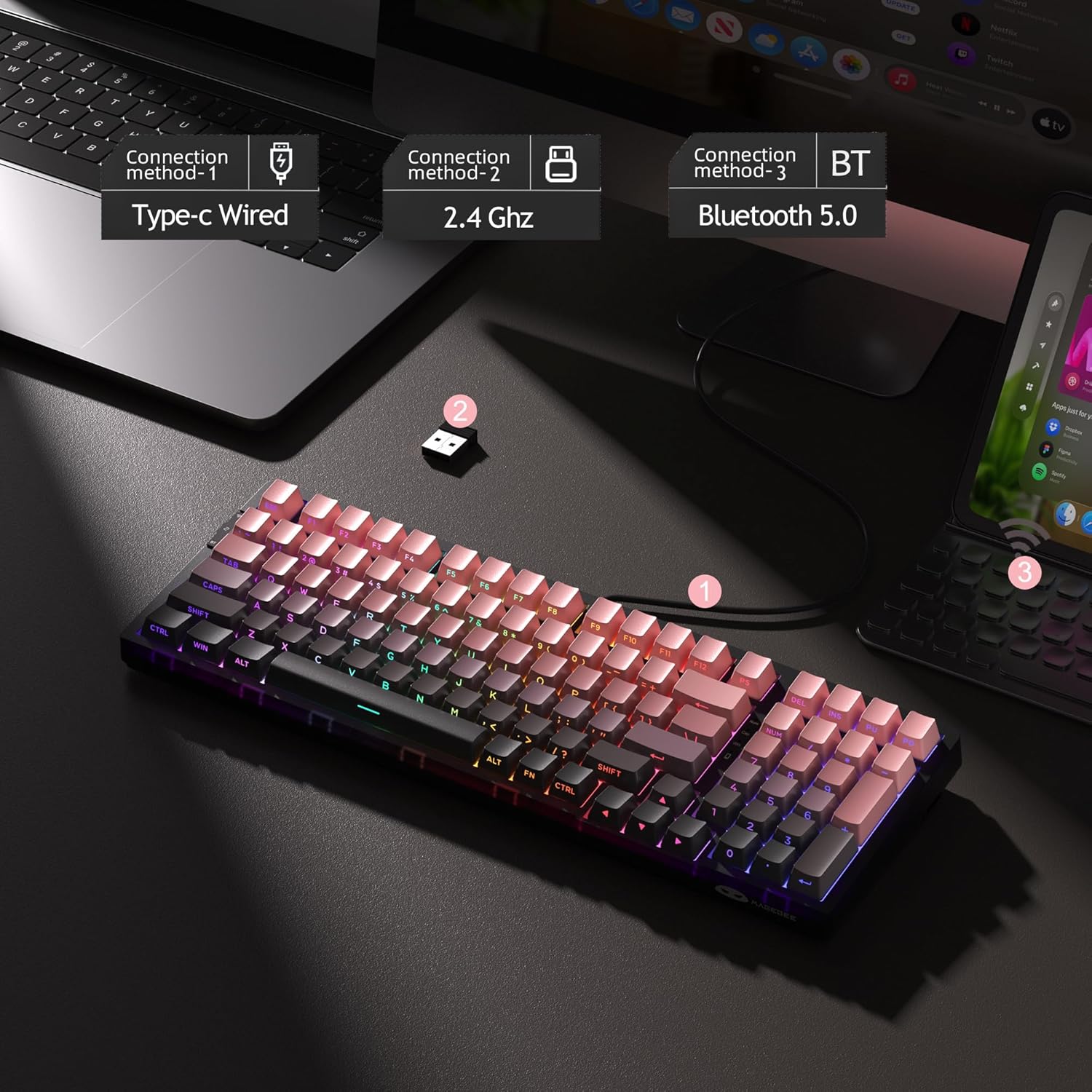
Figure 4: Three connection methods for the LIGHT100 keyboard.
4. Упутство за употребу
4.1 RGB контрола позадинског осветљења
The LIGHT100 keyboard features dynamic RGB backlighting with 16.8 million colors. Use the following key combinations to customize the lighting:
- Фн + Ентер: Toggle between approximately 20 different backlit modes.
- Fn + ←/→: Adjust backlit colors.
- Fn + ↑/↓: Control backlit brightness (increase/decrease).
- Fn + =+/_-: Control backlit speed (increase/decrease).

Figure 5: RGB Backlight control functions.
4.2 Информације о батерији
The keyboard is equipped with an 8000mAh large-capacity battery for extended usage. Battery life varies depending on backlight usage:
- Approximately 53 hours with RGB backlight ON.
- Approximately 400 hours with RGB backlight OFF.
- Sleep standby time: Approximately 450 hours.
Да бисте проверили статус батерије, притисните Фн + Цтрл.
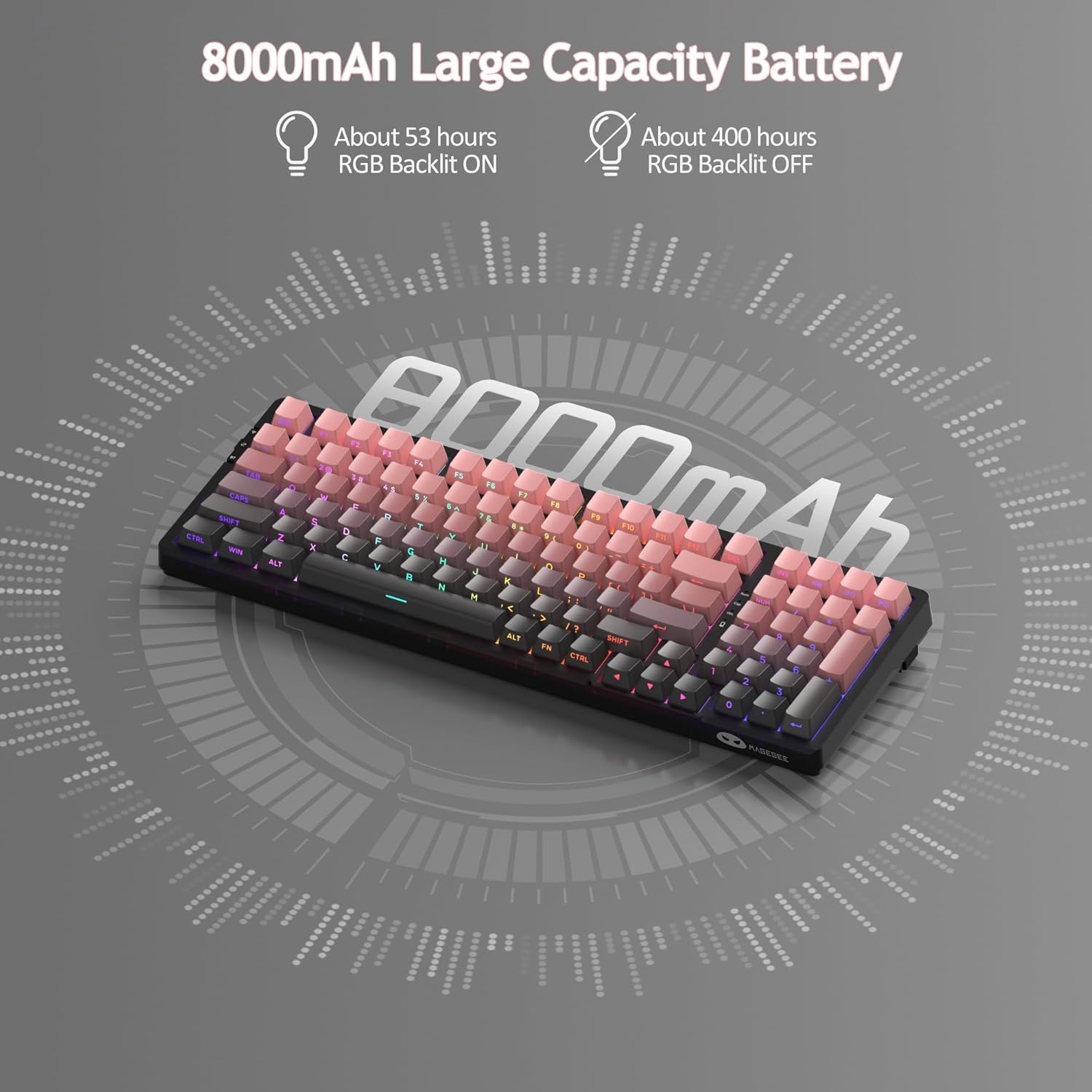
Figure 6: 8000mAh large capacity battery details.
4.3 Званични видео производа
Video 1: Official MageGee LIGHT100 Wireless Gasket Creamy Keyboard overview. This video demonstrates the keyboard's features, including its tri-mode connectivity, gasket structure, and RGB lighting.
5. Одржавање
5.1 Прекидачи са могућношћу замене током рада
The MageGee LIGHT100 keyboard features hot-swappable switches, allowing you to easily replace individual switches without soldering. This provides flexibility for customization and repair. The keyboard supports both 3-pin and 5-pin switches.

Figure 7: Hot-swappable switch mechanism.
5.2 PBT капице за тастере
The keyboard comes with durable PBT keycaps, which are known for their resistance to shine and wear over time. The unique side-printed legends ensure longevity and a clean aesthetic. To clean the keycaps, gently wipe them with a soft, damp cloth. For deeper cleaning, you can use the included keycap puller to remove them and clean individually.

Figure 8: Detachable PBT keycaps for easy cleaning and customization.
КСНУМКС. Решавање проблема
If you encounter any issues with your MageGee LIGHT100 keyboard, please try the following common troubleshooting steps:
- Проблеми са повезивањем: Ensure the keyboard is in the correct mode (wired, 2.4GHz, or Bluetooth) for your connection type. For wireless modes, check battery level. For Bluetooth, ensure your device's Bluetooth is enabled and try re-pairing.
- Тастери не реагују: Check if the keyboard is properly connected. If in wireless mode, ensure it's charged. If individual keys are not responding, the switch might be faulty and can be replaced due to the hot-swappable design.
- Проблеми са позадинским осветљењем: Verify that the backlight is turned on using Фн + Ентер. Adjust brightness with Fn + ↑/↓.
- Кашњење или закашњење: For wireless connections, try moving closer to the receiver or device. Ensure there are no strong interferences from other wireless devices.
For further assistance, please refer to the support information in Section 8.
7. Спецификације
| Бранд | MageGee |
| Број модела | Rosa - 8000mAh |
| Технологија повезивања | USB-C, 2.4GHz, Bluetooth 5.0 |
| Опис тастатуре | Ergonomic, Mechanical |
| Број кључева | 99 (96% Layout) |
| Позадинско осветљење | RGB (16.8 милиона боја) |
| Тип прекидача | Linear (Blue Whale Switch) |
| Капацитет батерије | 8000мАх |
| Тежина артикла | 2.97 фунти |
| Димензије пакета | 16.85 к 8.78 к 2.44 инча |
| Компатибилни уређаји | Computers, Laptops, Tablets, Smartphones (Win/Mac Dual System) |
8. Гаранција и подршка
MageGee products are backed by a limited warranty. For detailed warranty information, product support, or to contact customer service, please visit the official MageGee website or refer to the warranty card included in your product packaging. Please retain your proof of purchase for warranty claims.
MageGee Official Store: Visit the MageGee Store on Amazon