
1. Безбедносне информације
Always prioritize safety when operating the Genmitsu 4040-PRO MAX CNC Router Machine. Failure to follow safety guidelines can result in injury or damage to the equipment.
1.1 Општа безбедност
- Прочитајте и разумејте цело упутство пре почетка рада.
- Одржавајте радни простор чистим и добро осветљеним. Затрпана или мрачна подручја изазивају несреће.
- Не користите машину у експлозивним атмосферама, као што је присуство запаљивих течности, гасова или прашине.
- Држите децу и особе у близини док рукујете машином. Ометања могу узроковати да изгубите контролу.
- Носите одговарајућу личну заштитну опрему (ЛЗО), укључујући заштитне наочаре, заштиту за слух и маске за прашину.
1.2 Електрична сигурност
- Ensure the power source matches the machine's voltagзахтеви (230 волти).
- Do not abuse the power cord. Never use the cord for carrying, pulling, or unplugging the machine.
- Држите кабл за напајање даље од топлоте, уља, оштрих ивица или покретних делова.
- Always unplug the machine before performing any maintenance, adjustments, or when changing accessories.
1.3 Оперативна безбедност
- Сигурно цлamp all workpieces to prevent movement during operation.
- Ensure the cutting tool is correctly installed and tightened before starting.
- Никада не остављајте машину без надзора док ради.
- Avoid reaching into the machine's working area while it is in operation.
- Use the emergency stop button immediately if any abnormal operation or hazard occurs.
2. Садржај пакета
Verify that all components are present and undamaged upon opening the package. If any items are missing or damaged, contact customer support.
- Genmitsu 4040-PRO MAX CNC Router Machine (1 unit)
- 710W Trimmer/Spindle
- Контролни одбор
- Power Supply (Corded Electric)
- Дата Цабле
- Auxiliary Tools (e.g., wrenches, screwdrivers)
- Spindle Line
- Прекидач за хитно заустављање
- Лимит Свитцхес
- Упутство за употребу
3. Подешавање и монтажа
Follow these steps carefully to assemble and set up your CNC router machine.
3.1 Распакивање и идентификација компоненти
Carefully remove all components from the packaging. Refer to the package contents list to ensure all parts are present.

Слика: Прекоview of the Genmitsu 4040-PRO MAX CNC Router Machine.
3.2 Machine Assembly
The 4040-PRO MAX features an easy assembly design. Align the X&Y-axis with support blocks as shown in the diagram.

Image: Diagram illustrating the easy assembly process, showing how to align the X and Y axes with support blocks.
The X-axis is composed of SBR16 linear rails and a lead screw, designed for high precision and stability. The Z-axis also utilizes a lead screw and linear rail structure for stable vertical movement.

Слика: Детаљна view of the X and Z axes, highlighting the linear rails and lead screws.
3.3 Spoilboard Installation
The machine includes an upgraded spoilboard with a rigid aluminum spine, secure T-track grip, and lasting flatness. Ensure it is properly installed for stable workpiece mounting.

Image: The upgraded spoilboard featuring a rigid aluminum spine and T-track grip.
3.4 Ожичење и прикључци
Connect the stepper motors, limit switches, spindle, and power supply to the control board. Ensure all connections are secure and follow the wiring diagrams provided in the full manual.
Video: Installation tutorial for a similar Genmitsu Pro Max CNC machine, demonstrating unboxing, assembly, and wiring steps. This video provides a visual guide for the assembly process.
4. Упутство за употребу
The Genmitsu 4040-PRO MAX is controlled via GRBL. It supports wireless control through an upgraded motherboard and an optional Wi-Fi module (ASIN: B0D1BZW5LY) for seamless integration with the official Genmitsu app.
4.1 Основни рад
- Power on the machine and connect it to your computer or use the optional offline controller.
- Учитајте свој Г-код file using compatible software (e.g., Candle, UGS) or the Genmitsu app.
- Set the workpiece origin (X, Y, Z zero points).
- Start the carving or cutting process. Monitor the machine during operation.
4.2 Компатибилност материјала
The 710W compact router provides powerful performance for carving and cutting various materials, including wood, metal, and acrylic.
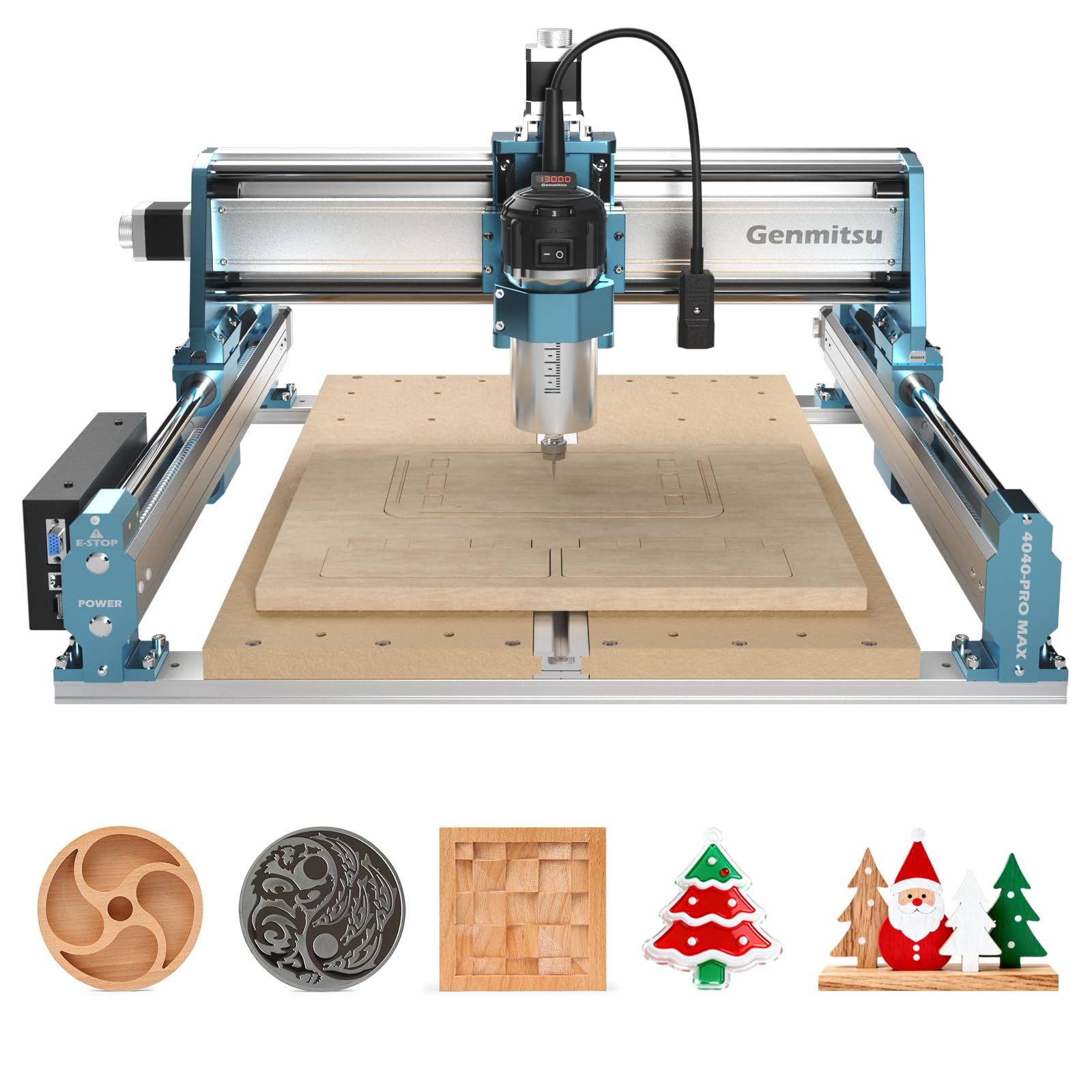
Image: The 710W spindle carving intricate designs into a metal plate.
4.3 Increased Pass Height
The machine features an increased step height of 100mm, allowing for the engraving of taller materials compared to previous PRO versions.

Image: Comparison showing the increased pass height of 100mm on the upgraded model.
4.4 Accessories and Upgrades
The 4040-PRO MAX is designed for expandability. It is compatible with various accessories such as the 4040-PRO Y-axis extension kit, 4th axis rotary module, and dust shoe.

Image: The Genmitsu CNC router shown with various compatible accessories like an extension kit, Wi-Fi module, dust shoe, relay module, Z-probe, and 4th axis.
Video: Demonstration of Genmitsu end mills with 3.175mm shanks, showcasing their use in CNC carving.
5. Одржавање
Редовно одржавање осигурава оптималне перформансе и дуготрајност ваше машине.
- подмазивање: Regularly lubricate the lead screws and linear rails to ensure smooth movement and prevent wear.
- Чишћење: Keep the machine free from dust and debris, especially around the moving parts and electronics. Use a soft brush or compressed air.
- инспекција: Periodically check all screws and connections for tightness. Ensure the cutting tools are sharp and free from damage.
КСНУМКС. Решавање проблема
This section provides solutions to common issues. For more complex problems, refer to the full online manual or contact customer support.
6.1 Уобичајена питања
- Машина се не укључује: Check all power connections, ensure the power supply is correctly installed, and verify the voltage switch on the power supply is set correctly (110V or 220V).
- Мотори се не покрећу: Check motor wiring connections to the control board. Ensure the emergency stop button is disengaged.
- Inaccurate carving: Verify that the workpiece is securely clamped. Check for loose components or worn cutting tools. Ensure correct G-code and software settings.
- Software connection issues: Ensure correct drivers are installed and the USB cable is properly connected. If using wireless, verify Wi-Fi module installation and app connection.
7. Спецификације
| Феатуре | Спецификација |
|---|---|
| Бранд | Генмитсу |
| Број модела | 4040-PRO MAX |
| Материјал | Метал |
| Извор напајања | Цордед Елецтриц |
| Волtage | 230 Волтс |
| Хорсеповер | 0.95 HP (approx. 710W) |
| Work Area (X, Y, Z) | 15.75 x 15.75 x 3.15 инча (приближно 40 x 40 x 8 цм) |
| Тежина артикла | 16.4 килограма |
| Контролни систем | Контрола ГРБЛ-а |
| Кс-оса | SBR16 Linear Rails, Lead Screw |
| З-оса | Lead Screw, Linear Rail Structure |
| Pass Height | 100мм Мак |
| Бежична функционалност | Supported (with optional Wi-Fi module) |
8. Гаранција и подршка
For warranty information, technical support, or to purchase additional accessories, please visit the official Genmitsu webсајт или директно контактирајте њихову корисничку службу.
Више информација и ресурса за подршку можете пронаћи на Генмитсу продавница на Амазону.