
Увод
Thank you for choosing the Cuifati Mini Body Camera. This manual provides detailed instructions for the proper use, setup, and maintenance of your device. Please read this manual thoroughly before operating the camera to ensure optimal performance and longevity.
Садржај пакета
- 1 x Wearable Camera
- 1 к торба за ношење
- 1 к Упутство за употребу
- 1 к Ланиард
- 1 x Back Shell Bracket
- 1 к статив
- 1 к УСБ кабл
- 1 к крпа за чишћење

Figure 1: Cuifati Mini Body Camera and included accessories.

Figure 2: Multi-scenario application examples for the body camera.
Производ је завршенview
Familiarize yourself with the components and controls of your Cuifati Mini Body Camera.
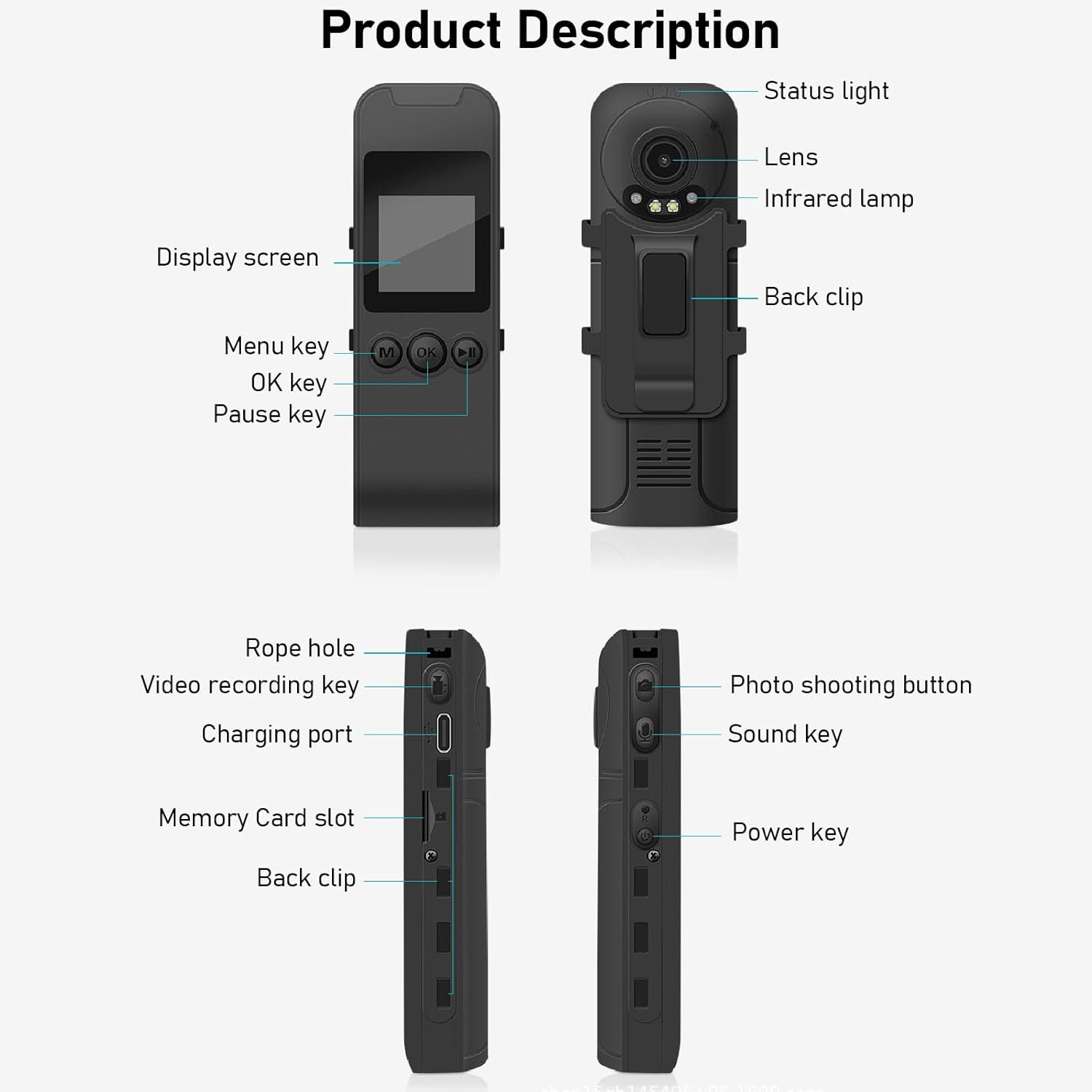
Figure 3: Labeled components of the Cuifati Mini Body Camera.
- Статусна лампица: Indicates device status (e.g., recording, charging).
- Објектив: Main camera lens for video and photo capture.
- Инфрацрвени Л.amp: Обезбеђује осветљење за ноћни вид.
- Задњи клип: For attaching the camera to clothing or other surfaces.
- Екран: 1.3-inch LCD for live view, репродукција и навигација по менију.
- Menu Key (M): Приступ подешавањима уређаја.
- ОК тастер: Confirms selections or starts/stops functions.
- Тастер за паузу: Pauses playback or recording.
- Rope Hole: Attachment point for the lanyard.
- Video Recording Key: Initiates and stops video recording.
- Порт за пуњење (тип C): За пуњење уређаја и повезивање са рачунаром.
- Слот за меморијску картицу: Insert microSD card for storage.
- Photo Shooting Button: Captures still images.
- Звучни тастер: Controls audio recording.
- Тастер за укључивање: Укључује или искључује уређај.
Сетуп
1. Пуњење батерије
Before first use, fully charge the camera's built-in lithium-ion battery. Connect the camera to a power source using the provided Type-C USB cable. The status light will indicate charging status. A full charge provides approximately 20 hours of work time and 10 hours of video recording.
Figure 4: Built-in 1200mAh battery for extended use.
2. Убацивање меморијске картице
The camera supports up to a 256GB memory card (not included). Locate the memory card slot on the side of the camera. Gently insert the microSD card with the gold contacts facing down until it clicks into place. To remove, push the card in slightly until it springs out.

Figure 5: Memory card slot for storage expansion.
Упутство за употребу
1. Укључивање/искључивање
- За укључивање: Press and hold the Power Key until the display screen illuminates.
- За искључивање: Press and hold the Power Key until the device shuts down.
2. Видео снимање
The camera records in 1440P HD at 30 frames per second with a 120° wide-angle lens and infrared night vision.
- Да бисте започели снимање: Press the Video Recording Key. The status light will change, and a recording indicator will appear on the screen.
- Да бисте зауставили снимање: Press the Video Recording Key again.
- Лооп Рецординг: The camera supports loop recording, automatically overwriting the oldest fileс када је меморијска картица пуна.
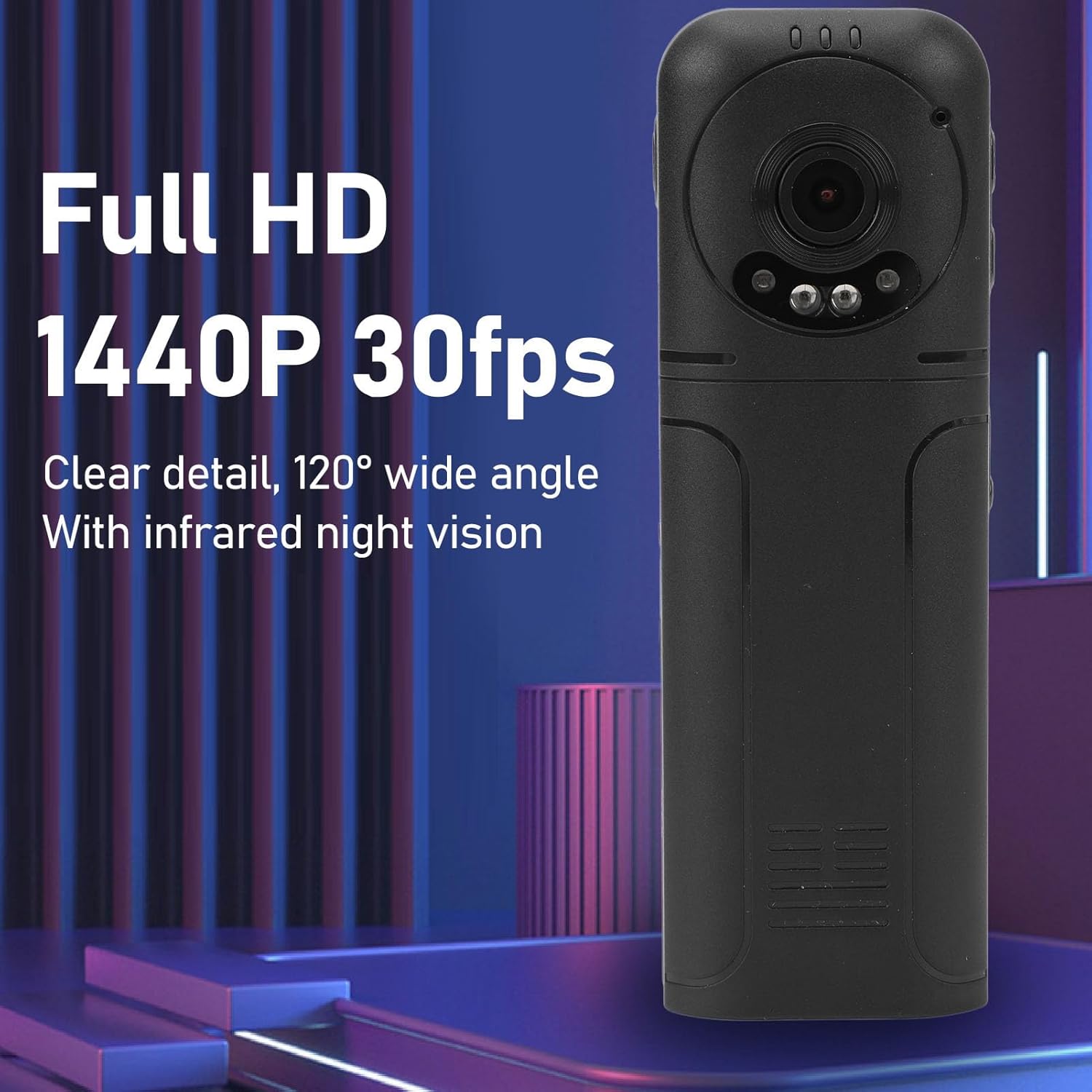
Figure 6: 1440P HD video recording with night vision.
3. Photo Taking
- Да снимите фотографију: In standby mode, press the Photo Shooting Button.
4. Аудио снимање
- To Start Audio Recording: Press the Sound Key.
- To Stop Audio Recording: Press the Sound Key again.

Figure 7: Audio recording functionality.
5. Репродукција и File Менаџмент
The 1.3-inch LCD screen supports live playback, browsing, and pausing of videos, photos, and recordings directly on the device.

Figure 8: 1.3-inch color screen for on-device playback.
- Репродукција на уређају: Use the Menu, OK, and Pause keys to navigate and play fileс на екрану.
- Повезивање са рачунаром: Connect the camera to a computer via the Type-C USB cable to transfer, view, or delete files.
- OTG функција: If your mobile phone supports OTG, you can connect the camera directly to your phone for playback and file менаџмент.
Одржавање
1. Чишћење
- Use the provided cleaning cloth or a soft, dry cloth to wipe the camera body and lens.
- Do not use liquid cleaners or solvents, as they may damage the device.
2. Складиштење
- Чувајте камеру на хладном и сувом месту, даље од директне сунчеве светлости и екстремних температура.
- Remove the memory card if storing for extended periods.
Решавање проблема
Ако наиђете на проблеме са камером, погледајте следеће уобичајене проблеме и решења:
| Проблем | Решење |
|---|---|
| Камера се не укључује. | Уверите се да је батерија напуњена. Прикључите се на извор напајања и покушајте поново. |
| Cannot record video/photo. | Check if a memory card is inserted correctly and has sufficient free space. Format the memory card if necessary (this will erase all data). |
| Меморијска картица није препозната. | Ensure the memory card is inserted correctly. Try a different compatible memory card. Format the card using the camera's menu or a computer. |
| Poor video/audio quality. | Ensure the lens is clean. Check lighting conditions. For audio, ensure the microphone is not obstructed. |
| Уређај се замрзава или престаје да реагује. | Press and hold the Power Key for 10-15 seconds to force a restart. |
Спецификације
Below are the technical specifications for the Cuifati Mini Body Camera (Model CUIFATI2vg0ri8moa):
- Тип артикла: Wearable Camera
- Материјал: АБС
- Ноћни вид: 2pcs Night Vision Light Beads
- Видео резолуција: 1440P (Maximum)
- Брзина кадрова: 30ФПС
- Тип батерије: Литијум-јонска батерија
- Капацитет батерије: 1200mAh (уграђена)
- Подршка за складиштење: Maximum 256GB Memory Card (Not Included)
- Порт за пуњење: Типе-Ц
- Назив апликације: For RoadCam (if applicable for advanced features)
- Назив модела: CUIFATI2vg0ri8moa
- Произвођач: CUIFATI
Гаранција и подршка
For warranty information or technical support, please refer to the documentation provided at the time of purchase or contact Cuifati customer service directly. Keep your purchase receipt as proof of purchase.