
1. Увод
Thank you for choosing the TOPTRO X7 Smart Projector. This manual provides essential information for setting up, operating, and maintaining your device. The TOPTRO X7 offers advanced features including auto focus, auto keystone correction, native 1080P resolution with 4K support, ultra-fast WiFi 6, and Bluetooth 5.2 for an immersive viewинг искуство.
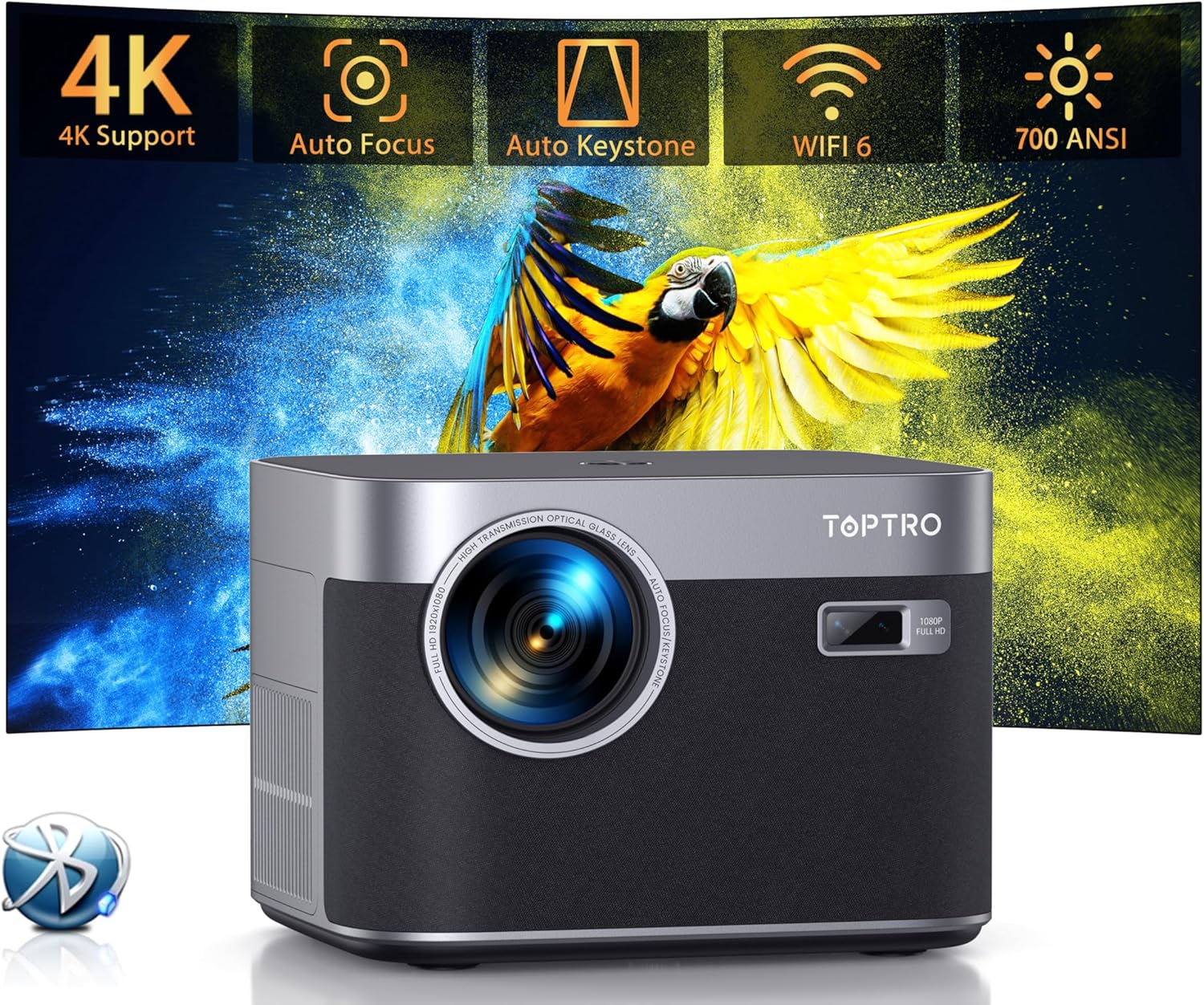
Слика 1.1: Предња страна view of the TOPTRO X7 Smart Projector highlighting key features.
2. Шта је у кутији
- TOPTRO X7 Smart Projector
- Ремоте Цонтрол
- ХДМИ кабл
- Повер Цорд
Video 2.1: Unboxing the TOPTRO X7 Projector, showing included accessories.
3. Производ је готовview и кључне карактеристике
3.1 Auto Focus & Auto Keystone Correction
The projector features advanced auto focus and auto keystone correction. Upon power-on, it automatically adjusts for a clear, rectangular image within 3 seconds. A manual mode is also available for precise adjustments.

Image 3.1: Visual representation of the projector's auto focus, auto keystone, and zoom capabilities.
Video 3.1: Demonstration of how to operate the auto focus feature on the TOPTRO X7 projector.
Video 3.2: Explanation of how the TOPTRO X7 projector performs keystone correction.
3.2 Native 1080P Resolution with 4K Support
The projector delivers vivid, clear HD images with native 1080P resolution and supports 4K movie playback. Its 25000:1 contrast ratio and dynamic image processing technology enhance detail and color accuracy.

Image 3.2: Illustrates the superior brightness and resolution of the TOPTRO X7 compared to other projectors.
3.3 Ultra-fast WiFi 6 and Bluetooth 5.2
Equipped with upgraded WiFi 6 technology, the projector offers speeds up to 9.6 Gbps for smoother streaming and gaming. Bluetooth 5.2 allows seamless wireless connection to external audio devices.

Image 3.3: Highlights the benefits of WiFi 6 technology for projector performance.

Image 3.4: Demonstrates the projector's Bluetooth 5.2 connectivity with external audio devices.
Video 3.5: Instructions on how to connect the TOPTRO X7 projector to Bluetooth devices.
3.4 Built-in Hi-Fi Speakers and Zoom Function
The projector includes built-in HiFi dual stereo speakers with an SRS sound system for 360-degree surround sound. The zoom function allows screen size adjustment from 50% to 100% without moving the projector, along with automatic obstacle avoidance and screen alignment.
3.5 Advanced Dustproof Design
The IP5X dustproof design features a fully sealed optical engine, preventing dust accumulation and black spots, ensuring long-term clear image quality.

Image 3.5: Shows the internal dustproof structure of the projector.
3.6 AI Color Optimization and Smart Eye Protection
AI Color Optimization technology enhances clarity, revivifies colors, and reduces image noise. The projector also features Smart Eye Protection, certified for low blue light emission, to protect viewers' eyes.
4. Упутства за подешавање
4.1 Почетно смештање
Place the projector on a stable, flat surface or mount it using a compatible bracket. Ensure there are no obstructions in front of the lens. The projector can be placed on a table, tripod, or ceiling mounted.
4.2 Прикључак за напајање
Connect the power cord to the projector's power input and then plug it into a power outlet.
4.3 Подешавање екрана
Upon powering on, the projector will automatically perform auto focus and auto keystone correction. If further adjustments are needed, use the remote control or the projector's settings menu to manually adjust focus, keystone, or zoom (50-100%).
5. Упутство за употребу
5.1 Navigation and App Access
Use the remote control's directional buttons and 'OK' button to navigate the on-screen menu. The projector has a built-in smart system with pre-installed streaming apps like Netflix, YouTube, and Prime Video. Simply select the desired app from the home screen.

Image 5.1: The projector's interface showing available streaming applications.
5.2 Пресликавање екрана
The projector supports screen mirroring for iOS and Android devices via Wi-Fi. Navigate to the 'Screen Mirroring' option in the menu and follow the on-screen instructions to connect your device.
Video 5.1: Guide on how to mirror an Android phone to the TOPTRO X7 projector.
Video 5.2: Instructions for mirroring an iPhone to the TOPTRO X7 projector.
5.3 Playing Video
Select your desired app or input source (HDMI, USB) to play videos. The projector supports various video formats and resolutions up to 4K.
Video 5.3: Tutorial on how to play video content using the TOPTRO X7 projector.
6. Повезивање
The TOPTRO X7 offers multiple connectivity options:
- WiFi 6/5G/2.4G: For high-speed internet access and screen mirroring.
- Блуетоотх КСНУМКС: For connecting to Bluetooth headsets, speakers, or earphones.
- ДВИ: For connecting external devices like laptops, gaming consoles, or TV sticks.
- УСБ: For playing media directly from USB drives.
- 3.5 мм аудио: За повезивање жичних слушалица или екстерних звучника.
7. Одржавање
To ensure optimal performance and longevity of your TOPTRO X7 projector, follow these maintenance guidelines:
- Чишћење сочива: Use a soft, lint-free cloth or lens cleaning paper to gently wipe the projector lens. Avoid abrasive materials or harsh chemicals.
- Уклањање прашине: The projector features an advanced dustproof design. However, for general cleaning, use a soft brush or compressed air to remove dust from the vents and exterior surfaces.
- Складиштење: When not in use, store the projector in a cool, dry place, away from direct sunlight and extreme temperatures. Use the provided lens cover to protect the lens from dust and scratches.
КСНУМКС. Решавање проблема
If you encounter any issues with your TOPTRO X7 projector, refer to the following common troubleshooting tips:
- Нема напајања: Уверите се да је кабл за напајање безбедно повезан и са пројектором и са утичницом. Покушајте са другом утичницом.
- Нема слике: Check that the correct input source is selected in the projector's menu. Verify HDMI or USB connections are secure.
- Замућена слика: Allow the auto focus feature to complete its cycle. If needed, manually adjust the focus using the settings menu. Ensure the projection surface is flat.
- Искривљена слика: The auto keystone correction should correct image distortion. If the image is still distorted, manually adjust keystone settings in the menu.
- Нема звука: Check the volume settings on both the projector and the connected device. Ensure Bluetooth audio is correctly paired or wired audio cables are securely connected.
- Проблеми са пресликавањем екрана: Ensure both the projector and your mobile device are connected to the same Wi-Fi network. Restart both devices and try again.
9. Спецификације
| Феатуре | Детаљ |
|---|---|
| Бранд | ТОПТРО |
| Број модела | X7 |
| Резолуција екрана | Native 1920 x 1080P (Supports 4K) |
| Осветљеност | КСНУМКС АНСИ Луменс |
| Однос контраста | 25000:1 |
| Технологија повезивања | WiFi 6/5G/2.4G, Bluetooth 5.2, HDMI, USB, 3.5mm Audio |
| Посебне карактеристике | Auto Focus, Auto Keystone, Built-In Speaker, Zoom Function (50-100%), Dustproof Design (IP5X), AI Color Optimization, Smart Eye Protection |
| Тежина артикла | 5.28 фунти |
| Димензије производа | 8.32 к 7.25 к 6.28 инча |
| Боја | Греи |
| Препоручена употреба | Home Cinema, Outdoor Activities, Conference Presentations, Gaming |
10. Гаранција и подршка
TOPTRO provides a standard manufacturer's warranty for this product. For detailed warranty information, product support, or service inquiries, please refer to the warranty card included in your product packaging or visit the official TOPTRO website. Contact customer service for any technical assistance or troubleshooting beyond the scope of this manual.