
Увод
Thank you for choosing TTQ Hearing Aids. This device is designed to provide clear and natural sound, enhancing your hearing experience in various environments. It combines advanced hearing aid technology with the convenience of wireless Bluetooth headphones, offering a versatile solution for individuals with moderate hearing loss. Please read this manual carefully to ensure proper use and maintenance of your device.

Производ је завршенview
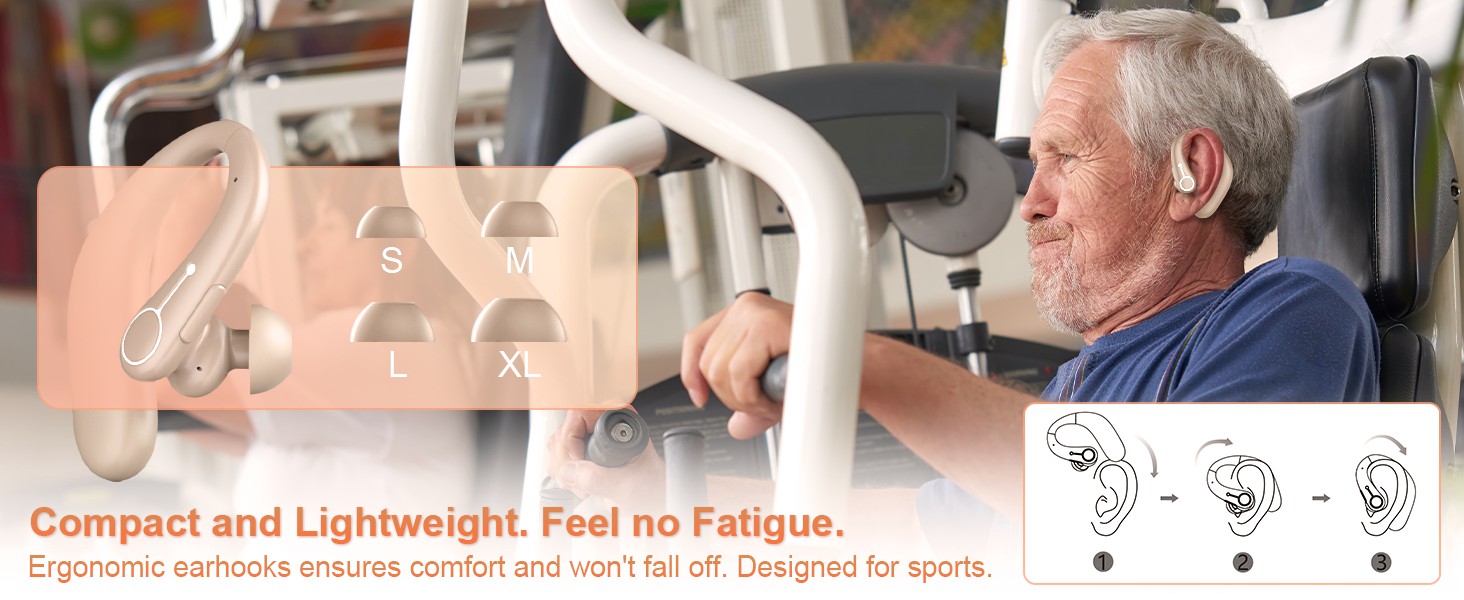
The TTQ Hearing Aids are compact, lightweight, and designed for comfortable long-term wear. They feature an ergonomic earhook design and come with multiple ear dome sizes to ensure a secure and comfortable fit.
Компоненте и карактеристике
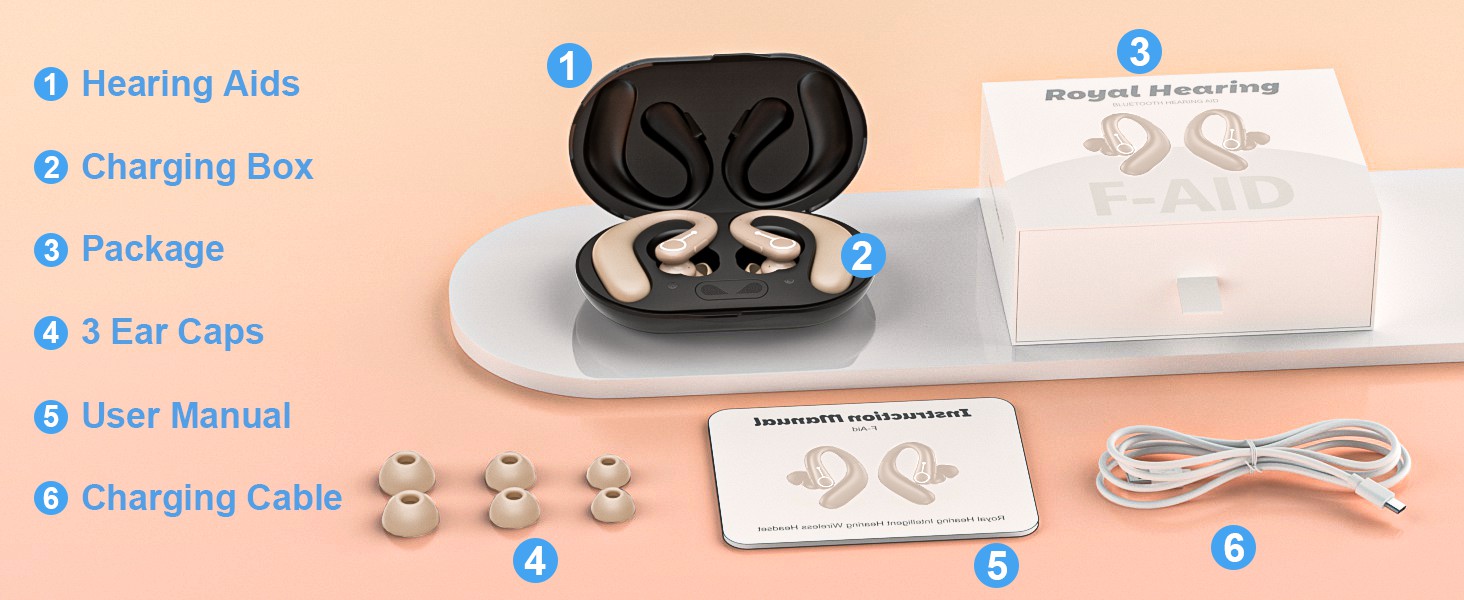
- Слушни апарати: Main units with integrated DSP chip for sound processing.
- Поље за пуњење: Portable case for charging and dehumidification.
- Ушне куполе: Six different sizes (S, M, L, XL) for optimal fit.
- Функцијско дугме: Single button for volume control, mode switching, and call management.
- Advanced Microphone: For clear sound capture and noise cancellation.
- Светло индикатора: Пружа информације о статусу.

Сетуп
1. Пуњење уређаја
Before first use, fully charge the hearing aids and the charging box. The charging box features an LED display to show the remaining power and includes overcharge protection circuitry.
- Place the hearing aids into the charging slots in the charging box.
- Повежите кутију за пуњење са извором напајања помоћу приложеног УСБ кабла.
- A full charge takes approximately 2 hours. The hearing aids provide up to 18 hours of hearing aid use or 13 hours of Bluetooth headphone use on a single charge.

2. Selecting and Fitting Ear Domes
Choose the ear domes that provide the most comfortable and secure fit in your ear canal. An improper fit can lead to whistling or reduced sound quality.
- Experiment with the different sizes (S, M, L, XL) provided.
- Gently insert the hearing aid into your ear, ensuring the earhook rests comfortably over your ear.
3. Блуетоотх упаривање
Your hearing aids can also function as wireless Bluetooth headphones, allowing you to connect to your smartphone or other Bluetooth-enabled devices.
- Ensure the hearing aids are powered on.
- На свом уређају идите на Блуетоотх подешавања и потражите доступне уређаје.
- Select "F-Aid" from the list to pair. Once connected, you can stream audio or make calls.

Упутство за употребу
Укључивање/искључивање
The hearing aids automatically power on when removed from the charging case and power off when placed back in the case.
Контрола јачине звука
Adjust the volume using the single function button on the hearing aid.
- Кратки притисак: Increases volume level. There are 5 adjustable levels (20%, 30%, 50%, 80%, 100%).
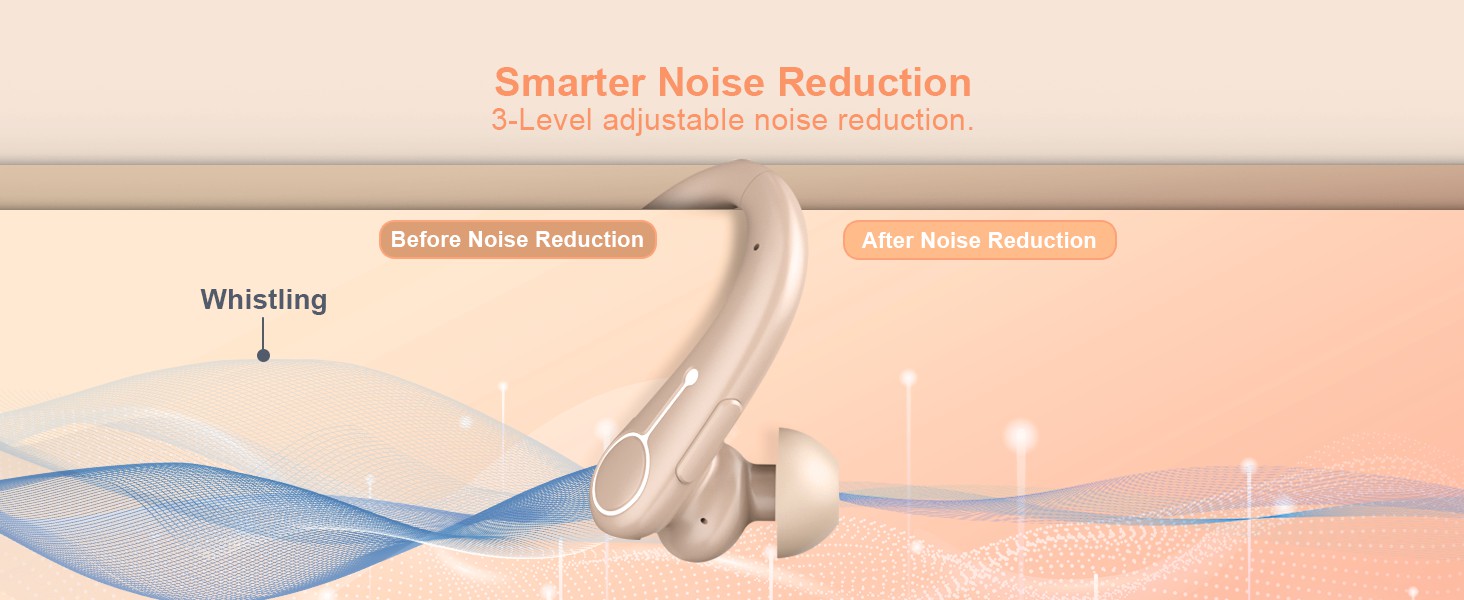
Режими за поништавање буке
Switch between different noise reduction modes to suit your environment.
- Дуго притисните: Cycles through 3 noise reduction modes: Universal, Noise Reduction, and Strong Noise Reduction.
Bluetooth Functionality (Calls & Music)
When connected via Bluetooth, the function button also manages calls and media playback.
- Short Press (during call): Одговори/Заврши позив.
- Long Press (during call): Одбиј позив.
- Short Press (music playback): Пусти/Пауза.

Одржавање
Чишћење
- Regularly clean the ear domes and the body of the hearing aids with a soft, dry cloth.
- Do not use water or cleaning solutions directly on the hearing aids.
- Ensure no earwax or debris accumulates in the sound outlet or microphone ports.
Одвлаживање
The charging box supports a dehumidification function to vaporize sweat and moisture, extending the life of your hearing aids.
- Place the hearing aids in the charging box after each use, especially if exposed to moisture or sweat.
- The dehumidification process occurs automatically when the hearing aids are in the charging box.
Решавање проблема
| Проблем | Могући узрок | Решење |
|---|---|---|
| Нема звука или је звук слаб | Low battery; Ear dome clogged; Incorrect volume level; Improper fit. | Charge the device; Clean ear dome; Adjust volume; Re-fit the hearing aid or try a different ear dome size. |
| Звиждање или повратна информација | Improper fit; Ear dome too small; Earwax buildup. | Ensure a snug fit; Try a larger ear dome; Clean ear canal and hearing aid. |
| Проблеми са Блуетоотх везом | Уређај није у режиму упаривања; Ван домета; Сметње. | Ensure hearing aids are on and in pairing mode; Move closer to the connected device; Restart both devices. |
| Пуњење не ради | Cable or adapter issue; Poor contact in charging case. | Check cable and adapter; Ensure hearing aids are correctly seated in the charging case. |
Спецификације
| Феатуре | Детаљ |
|---|---|
| Назив модела | FAID |
| Бранд | ТТК |
| Боја | Беж |
| Материјал | Пластика |
| Извор напајања | Баттери Поверед |
| Hearing Aid Battery Life | До 18 сати |
| Bluetooth Headphone Battery Life | До 13 сати |
| Време пуњења | Прибл. 2 сата |
| Волуме Левелс | 5 нивоа (20%, 30%, 50%, 80%, 100%) |
| Noise Reduction Modes | 3 modes (Universal, Noise Reduction, Strong Noise Reduction) |
| Димензије пакета | 5.31 к 4.17 к 2.13 инча |
| Тежина артикла | 8.78 унци |
Важне информације о безбедности
Изјаве у вези са суплементима исхрани нису процењене од стране ФДА и нису намењене за дијагностиковање, лечење, лечење или превенцију било које болести или здравственог стања.
Always consult with a healthcare professional before using any hearing device, especially if you have pre-existing medical conditions or experience sudden hearing loss.
Гаранција и подршка
Specific warranty details and customer support contact information are not provided in this manual. Please refer to the product packaging or the manufacturer's official website for warranty registration and support inquiries.