
1. Увод
The Stealth Cam 40MP Deceptor Max Cellular Trail Camera is designed for advanced outdoor surveillance and wildlife monitoring. This camera captures high-resolution photos and videos with audio, offering reliable connectivity and extended battery life for efficient field use. This manual provides essential information for setting up, operating, and maintaining your Deceptor Max camera.
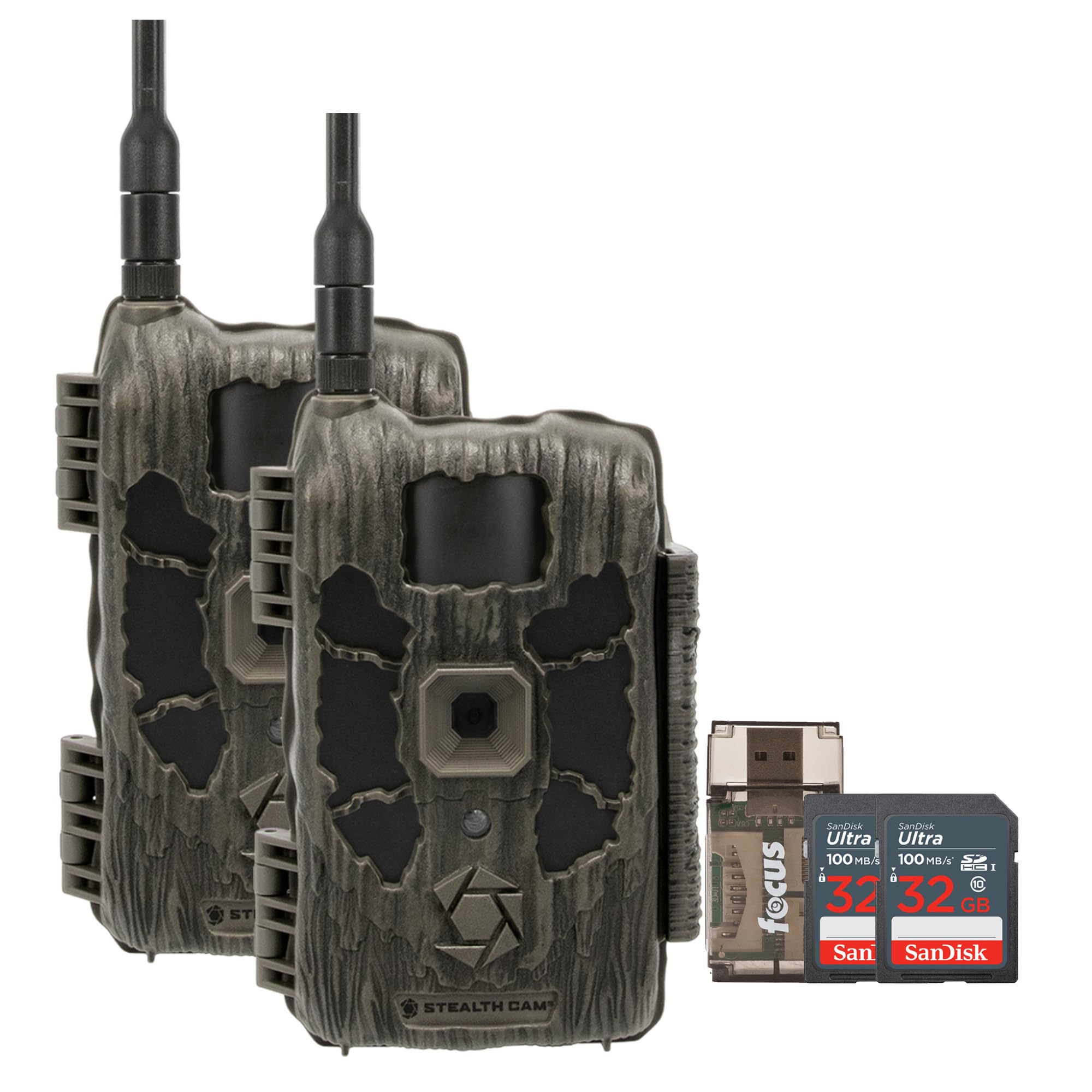
Figure 1: Stealth Cam 40MP Deceptor Max Cellular Trail Camera
2. Садржај пакета
Проверите да ли су све ставке присутне у вашем пакету:
- 2 x Stealth Cam 40MP Deceptor Max Cellular Trail Camera
- 2 x 32GB SDHC UHS-I Memory Card (100MB/s)
- 1 x All-In-One High Speed Card Reader

Figure 2: Included items in the 2-pack bundle
3. Подешавање
3.1 Инсталација батерије
The Deceptor Max camera requires 16 AA batteries (not included) for operation. Ensure batteries are inserted with correct polarity as indicated inside the battery compartment. The expanded battery capacity provides extended field use.
3.2 Инсталација меморијске картице
Insert a 32GB SDHC UHS-I memory card into the designated SD card slot. Ensure the card is fully seated. The camera supports high-speed memory cards for optimal performance.
3.3 Подешавање SIM картице и мреже
The camera comes with two pre-installed SIM cards. It features Automatic Network Coverage, which continuously monitors both AT&T and Verizon signal strengths. The camera will automatically connect to the strongest available network. To manage connectivity and camera settings, download and use the Stealth Cam Command Pro app on your smartphone.
3.4 Монтирање камере
The Deceptor Max features weatherproof housing and an integrated lock latch for secure placement. Use the 1/4-inch threaded insert at the bottom of the camera to attach compatible mounting hardware (not included) to trees, posts, or other desired locations. Ensure the camera is securely fastened and positioned for optimal field of view.
4. Упутство за употребу
4.1 Укључивање/искључивање
Locate the power switch inside the camera housing. Toggle the switch to the 'ON' position to power on the camera. To power off, toggle the switch to the 'OFF' position.
4.2 Basic Settings and Features
The Deceptor Max offers advanced features for capturing wildlife:
- Резолуција: Captures photos up to 40 Megapixels and videos with audio.
- Брзина окидања: Features a rapid 0.4-second trigger speed to minimize missed shots.
- Бурст режим: Capable of capturing up to nine photos per burst.
- No-Glo LED Array: Equipped with a 36-piece, 940nm No-Glo LED array for invisible detection and an 80-foot flash range, ensuring discreet operation.
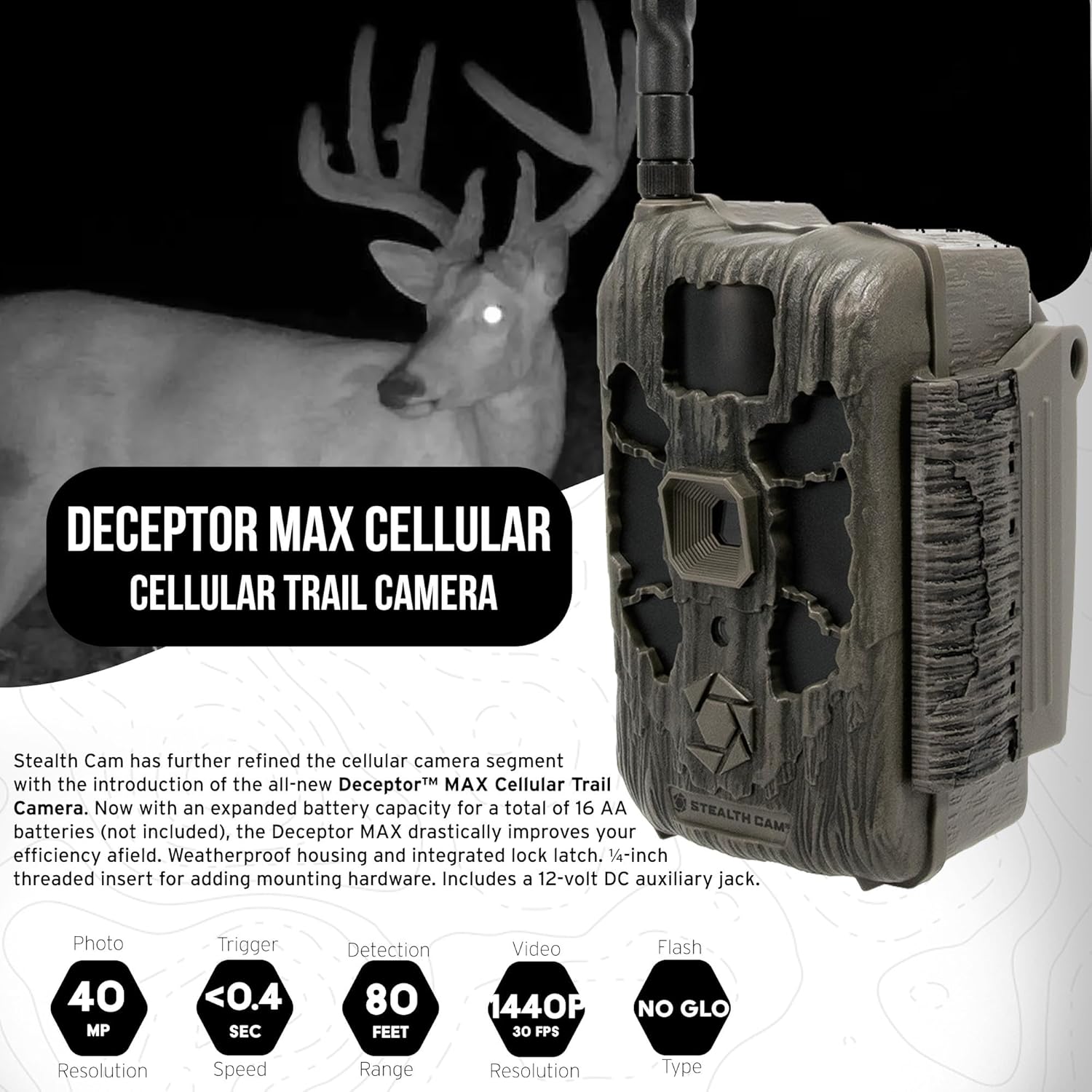
Figure 3: Key features of the Deceptor Max Cellular Trail Camera
4.3 Using the Command Pro App
The Command Pro app allows you to remotely control your camera, view captured media, and adjust settings. Utilize the app for on-demand photo and video capture, receiving crystal-clear images and videos with audio in real-time directly to your device.
5. Одржавање
5.1 Чишћење
Regularly clean the camera lens and housing with a soft, dry cloth. Avoid using abrasive cleaners or solvents that could damage the camera's finish or optical components. Ensure the weatherproof seals are free of debris.
5.2 Замена батерије
When the battery indicator shows low power, replace all 16 AA batteries simultaneously with fresh, high-quality alkaline or lithium batteries. Do not mix old and new batteries or different battery types.
5.3 Ажурирања фирмвера
Периодично проверавајте Stealth Cam website or the Command Pro app for available firmware updates. Keeping your camera's firmware up-to-date ensures optimal performance and access to new features.
КСНУМКС. Решавање проблема
If you encounter issues with your Deceptor Max camera, consider the following:
- Камера се не укључује: Проверите постављање батерија и уверите се да су батерије свеже.
- Није снимљена ниједна фотографија/видео запис: Verify the SD card is correctly inserted, not full, and not locked. Check camera settings for proper mode and trigger sensitivity.
- Нема мобилне везе: Ensure the camera is in an area with AT&T or Verizon signal. Check the Command Pro app for network status and ensure your subscription is active.
- Лош квалитет слике: Clean the camera lens. Ensure the camera is mounted securely to prevent movement.
7. Спецификације
| Феатуре | Спецификација |
|---|---|
| Број модела | STC-DCPTRX-K2 |
| Резолуција слике | 40 мегапиксела |
| Брзина окидача | 0.4 секунди |
| Фласх Типе | 36-piece, 940nm No-Glo LED |
| Домет блица | До 80 стопа |
| Бурст Моде | Up to 9 photos per burst |
| Тип батерије | 16 к АА (није укључено) |
| Целлулар Цоннецтивити | Dual SIM (AT&T & Verizon Automatic Network Coverage) |
| Компатибилност апликација | Stealth Cam Command Pro App |
| Монтажа | 1/4-inch threaded insert |
| Отпорност на временске услове | Weatherproof Housing |
| Димензије (Д к Ш к В) | 9.1 к 9.1 к 9.1 инча |
8. Гаранција и подршка
For warranty information, technical support, or service inquiries, please refer to the official Stealth Cam webсајт или контактирајте њихову службу за кориснике. Сачувајте рачун о куповини ради потврде гаранције.
Стеалтх Цам Webсајт: ввв.стеалтхцам.цом