
1. Увод
Thank you for choosing the HOMVILLA Digital Alarm Clock. This device is designed to provide reliable timekeeping and alarm functions with user-friendly features such as a large LED display, adjustable brightness, dual alarms, and a convenient USB charging port. Please read this manual carefully to ensure proper use and to maximize the lifespan of your product.
2. Безбедносне информације
- Не излажите уређај екстремним температурама, директној сунчевој светлости или високој влажности.
- Избегавајте испуштање или излагање уређаја јаким ударима.
- Користите само приложени адаптер за напајање и USB кабл.
- Држите уређај даље од воде или других течности.
- Не покушавајте сами да растављате или поправљате уређај. Уколико се појаве проблеми, обратите се корисничкој подршци.
- Remove the protective film from the display before first use.
3. Садржај пакета
Молимо вас да проверите пакет за следеће ставке:
- HOMVILLA Digital Alarm Clock
- УСБ кабл за пуњење
- Повер Адаптер
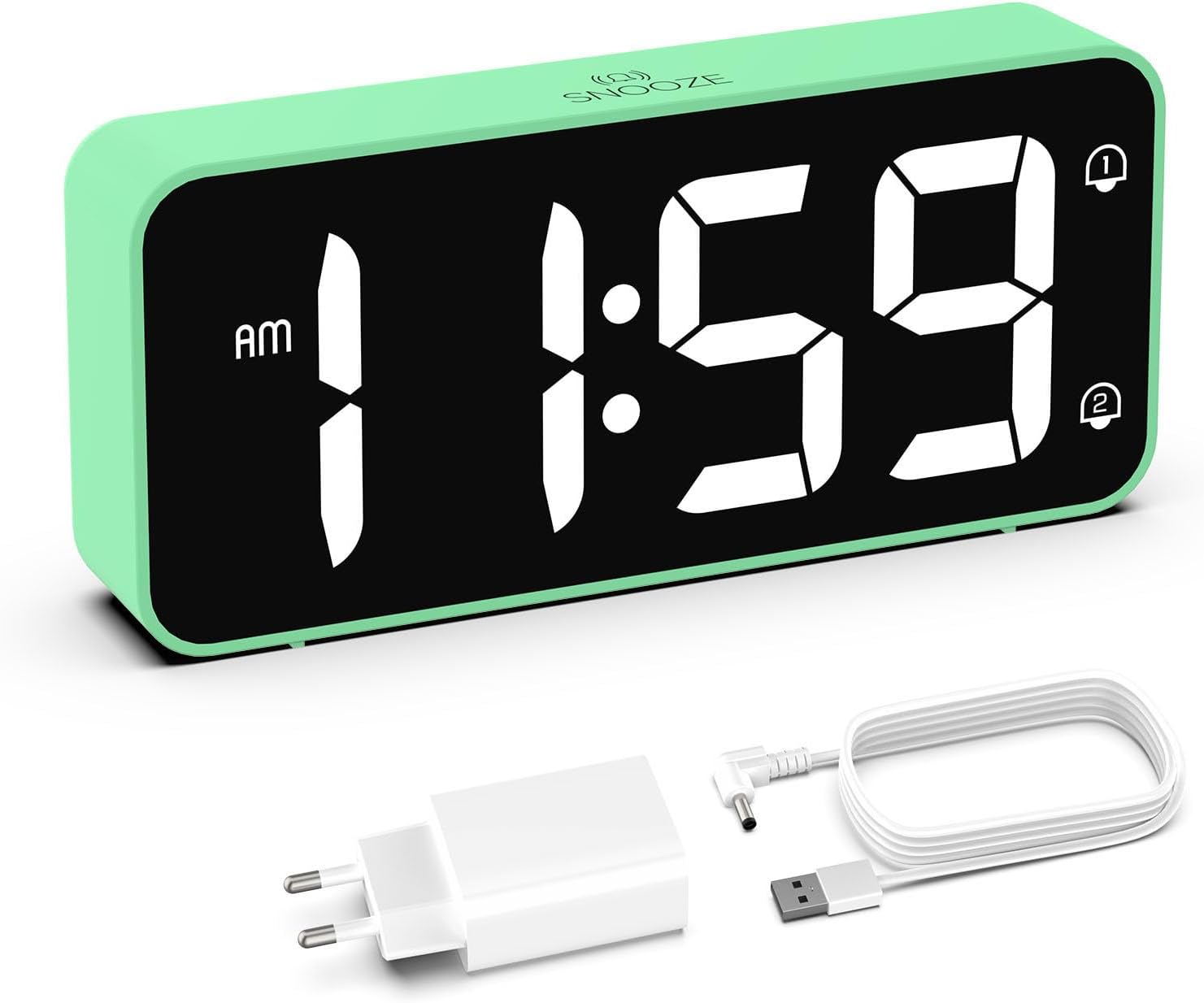
Image: The HOMVILLA Digital Alarm Clock, its USB charging cable, and the power adapter included in the package.
4. Производ је готовview
The HOMVILLA Digital Alarm Clock features a large LED display and intuitive controls. Familiarize yourself with the various components and buttons:

Image: A detailed diagram illustrating the front display and rear control panel of the alarm clock, with labels for each button, port, and dimension.
Предњи дисплеј:
- Приказ времена: Large LED digits for current time.
- Индикатор пре подне/по подне: За 12-часовни формат.
- Alarm 1 Indicator: Icon to show Alarm 1 is active.
- Alarm 2 Indicator: Icon to show Alarm 2 is active.
- ДСТ индикатор: Icon to show Daylight Saving Time is active.
- Snooze Indicator: Icon to show snooze is active (top center).
Задња контролна табла:

Image: The back of the alarm clock, highlighting the scroll wheels for volume and dimmer, and the central control buttons.
- Точкић за померање јачине звука: Adjusts alarm volume (left side).
- Дугме за подешавање времена: Улази у режим подешавања времена.
- Дугме горе: Повећава вредности током подешавања.
- Дугме доле: Смањује вредности током подешавања.
- Дугме за подешавање аларма: Улази у режим подешавања аларма.
- Дугме за укључивање/искључивање: Turns alarms on or off.
- Dimmer Scroll Wheel: Adjusts display brightness (right side).
- Дугме за ресетовање: Ресетује сат на фабричка подешавања.
- УСБ порт: За пуњење екстерних уређаја.
- ДЦ Порт: За улазну снагу.
- DST Button: Activates/deactivates Daylight Saving Time.
- Одељак за батерије: For backup batteries (2x AAA, not included).
5. Подешавање
5.1 Прикључак за напајање
- Connect the USB charging cable to the DC port on the back of the alarm clock.
- Укључите адаптер за напајање у стандардну електричну утичницу.
- The display will light up, indicating the clock is powered.

Image: The alarm clock connected to a wall outlet via its power adapter, placed on a bedside table.
5.2 Инсталација батерије (функција меморије)
To retain time and alarm settings during a power outage, install two AAA batteries (not included) in the battery compartment.
- Отворите поклопац одељка за батерије на задњој страни сата.
- Уметните две ААА батерије, водећи рачуна о исправном поларитету (+/-).
- Затворите поклопац одељка за батерије.
Note: Batteries only support the memory function and do not power the display or alarm functions independently. The clock must be connected to mains power for full operation.

Image: A four-panel diagram illustrating the installation of AAA batteries into the alarm clock and demonstrating how the time setting is preserved even when the main power is disconnected and reconnected.
6. Упутство за употребу
6.1 Setting the Time (12/24-Hour Format)
- Притисните и држите Тиме Сет button on the back of the clock. The hour digits will flash.
- Користите Up or Доле дугмад за подешавање сата.
- Притисните тастер Тиме Сет поново притисните дугме да бисте потврдили сат и прешли на подешавање минута. Цифре за минуте ће трептати.
- Користите Up or Доле дугмад за подешавање минута.
- Притисните тастер Тиме Сет button a third time to confirm the minutes and exit time setting mode.
- To switch between 12-hour and 24-hour format, briefly press the Тиме Сет button while the time is displayed (not in setting mode). The AM/PM indicator will appear for 12-hour format.
6.2 Setting Dual Alarms
The clock supports two independent alarms (Alarm 1 and Alarm 2).
- Притисните тастер Аларм Сет button once to set Alarm 1. The Alarm 1 icon and hour digits will flash.
- Користите Up or Доле дугмад за подешавање сата аларма.
- Притисните Аларм Сет поново да бисте потврдили сат и прешли на подешавање минута. Цифре за минуте ће трептати.
- Користите Up or Доле дугмад за подешавање минута аларма.
- Притисните Аларм Сет a third time to confirm Alarm 1 settings.
- Да бисте подесили Аларм 2, притисните Аларм Сет button twice. Follow steps 1-5 for Alarm 2.
- Да бисте активирали/деактивирали аларм, кратко притисните Он/Офф button. The corresponding alarm icon (1 or 2) will appear/disappear on the display.

Image: Two separate scenarios illustrating the use of dual alarms, with one person waking at 8:20 and another at 14:30, highlighting the clock's ability to manage two distinct alarm times.
6.3 Функција одлагања
Када се огласи аларм, притисните велико Одложи button on the top of the clock to temporarily silence the alarm for 5 minutes. The alarm will sound again after 5 minutes. To turn off the alarm for the day, press any other button on the back of the clock.
Image: A person reaching to press the 'Snooze' button on the top of the alarm clock, which is placed on a bedside table.
6.4 Подешавање осветљености екрана
The display brightness can be adjusted from 5% to 100% to suit your preference, ensuring readability day and night without disturbance.
- Лоцирајте Dimmer Scroll Wheel on the right side of the back panel.
- Gently slide the wheel up or down to increase or decrease the display brightness.

Image: A graphic demonstrating the alarm clock's display brightness settings, showing the time '8:20' at 5%, 50%, and 100% illumination, with the clock itself shown below on a desk.
6.5 Подешавање јачине звука аларма
The alarm volume can be adjusted from 90dB to 120dB.
- Лоцирајте Волуме Сцролл Вхеел on the left side of the back panel.
- Gently slide the wheel up or down to increase or decrease the alarm volume.
6.6 Selecting Alarm Sounds
The alarm clock offers 8 different alarm melodies to choose from.
- While in alarm setting mode (after setting the alarm time), press the Up or Доле buttons to cycle through the available alarm sounds.
- Притисните тастер Аларм Сет дугме да потврдите свој избор.
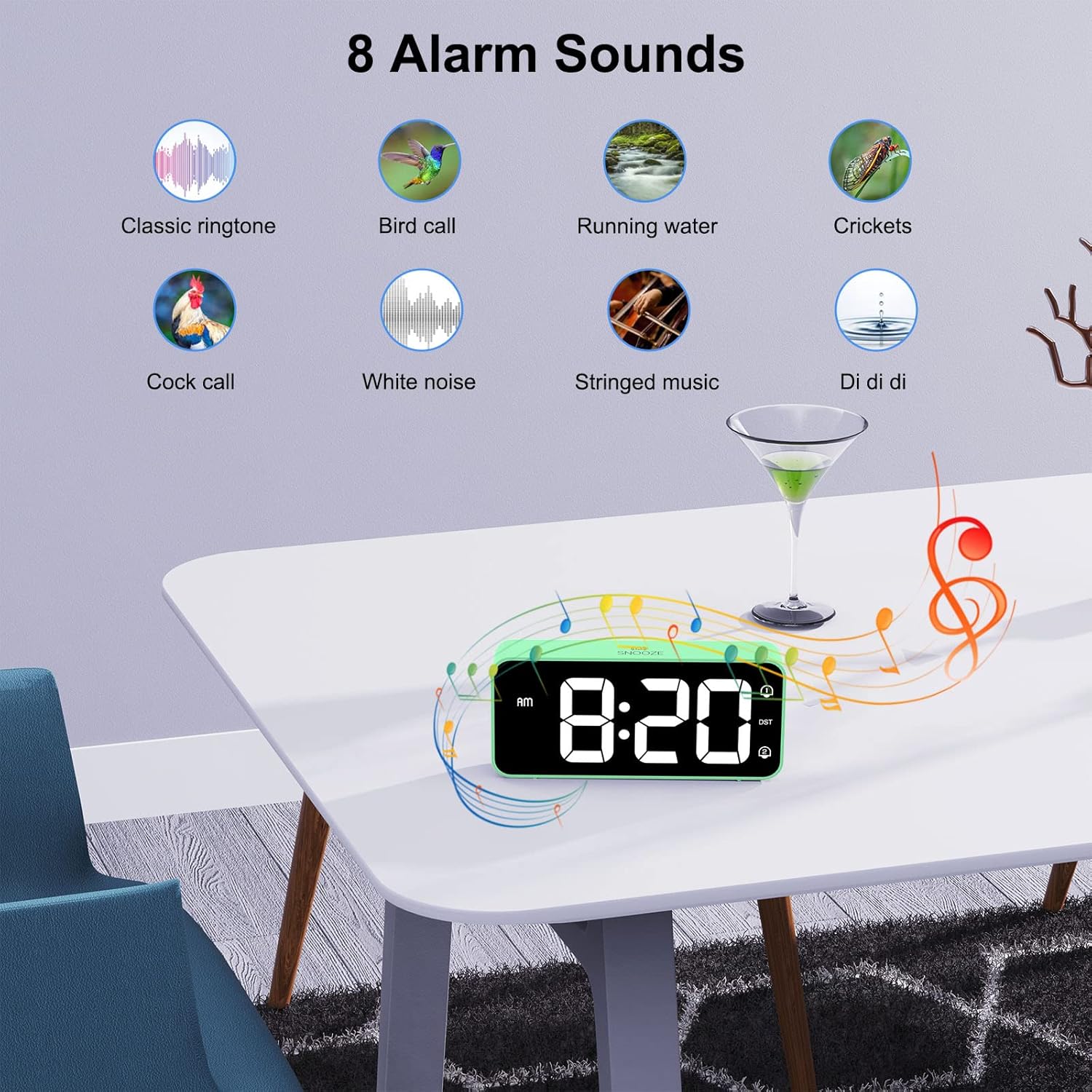
Image: A visual display of eight distinct alarm sound options, including classic ringtone, bird call, running water, crickets, cock call, white noise, stringed music, and a 'Di di di' sound, with the alarm clock shown on a table.
6.7 Летње рачунање времена (DST)
To activate or deactivate Daylight Saving Time:
- Лоцирајте ДСТ дугме на задњој плочи.
- Притисните тастер ДСТ button once to toggle DST on or off. The DST icon will appear/disappear on the display.
6.8 УСБ прикључак за пуњење
The alarm clock includes a USB port on the back for charging mobile phones or other small electronic devices.
- Повежите USB кабл за пуњење уређаја са USB портом на будилнику.
- Ensure the alarm clock is connected to mains power for the USB charging function to work.
7. Одржавање
- Очистите површину сата меком, сувом крпом. Не користите абразивна средства за чишћење или раствараче.
- Ensure the ventilation openings are free from dust.
- If not in use for an extended period, disconnect the power adapter and remove the backup batteries.
КСНУМКС. Решавање проблема
| Проблем | Могући узрок | Решење |
|---|---|---|
| Екран је празан. | Нема прикључка за напајање. | Ensure the power adapter is securely plugged into the clock and a working outlet. |
| Аларм се не оглашава. | Аларм није активиран или је јачина звука прениска. | Check if the alarm icon (1 or 2) is displayed. If not, activate it using the On/Off button. Adjust the volume using the Volume Scroll Wheel. |
| Време/подешавања се ресетују након нестанка струјеtage. | Резервне батерије нису инсталиране или су испражњене. | Install two fresh AAA batteries in the battery compartment. |
| УСБ пуњење не ради. | Clock not connected to mains power. | Ensure the alarm clock is plugged into a wall outlet. |
| Display too bright/dim. | Потребно је подесити подешавање осветљености. | Use the Dimmer Scroll Wheel to adjust brightness. |
9. Спецификације
- Број модела: 8813
- Бренд: ХОМВИЛЛА
- Тип приказа: Large LED Mirror Display
- Величина екрана: 5.6 инча
- Димензије производа: 14.4 cm (W) x 6.3 cm (H) x 3.81 cm (D) / 5.66 inches (W) x 2.48 inches (H) x 1.5 inches (D)
- Тежина артикла: 157 г
- Извор напајања: Mains powered (USB cable and adapter included)
- Резервна батерија: 2 x AAA batteries (not included, for memory function only)
- Формат времена: Могућност избора 12-часовног / 24-часовног режима
- Алармс: Двоструки аларми
- Трајање одлагања: КСНУМКС минута
- Подешавање осветљености: 5% - 100% (via scroll wheel)
- Подешавање јачине звука: 90dB - 120dB (via scroll wheel)
- Звукови аларма: 8 мелодија које можете изабрати
- Додатне карактеристике: USB charging port, Daylight Saving Time (DST) mode
- Материјал: акрилонитрил бутадиен стирен (АБС)
- Тип собе: Спаваћа соба
- Тип монтаже: Таблетоп

Image: A graphic summarizing the key features of the alarm clock, including 5-100% dimmer, 90-120dB volume, snooze, dual alarms, 12/24H format, 8 available music options, memory function, USB charging port, DST, and large display.
10. Гаранција и подршка
HOMVILLA offers a lifetime warranty for this product. For any questions, technical support, or warranty claims, please contact HOMVILLA customer service through the retailer where you purchased the product or visit the official HOMVILLA webсајт за контакт информације.