
1. Увод
The Generic Bluetooth Anti-Loss Tracker is a compact and portable device designed to help you locate your important belongings. This tracker connects to your smartphone via Bluetooth, enabling a two-way search function within a range of approximately 20 meters. It is ideal for keeping track of keys, wallets, bags, pets, or even children. This manual provides detailed instructions for setup, operation, and maintenance of your tracker.

Image 1.1: The Bluetooth Anti-Loss Tracker shown in multiple colors, attached to a set of keys and a piece of luggage, demonstrating its versatility.
2. Садржај пакета
- 1 x Bluetooth Anti-Loss Tracker Device
- 1 x Упутство за употребу (овај документ)
3. Подешавање и упаривање
Follow these steps to set up your Bluetooth Anti-Loss Tracker and pair it with your smartphone:
- Активирајте Блуетоотх: Уверите се да је Блуетоотх омогућен на вашем паметном телефону.
- Преузмите апликацију: Locate and download the recommended Bluetooth tracking application from your device's app store. The specific app may be mentioned in the packaging or a QR code provided.
- Power On the Tracker: Press and hold the button on the tracker until it emits a sound or a light indicator flashes, signifying it is powered on and in pairing mode.
- Отворите апликацију: Launch the Bluetooth tracking application on your smartphone.
- Додај уређај: Within the app, navigate to the 'Add Device' or 'Add Item' section. The app should detect the tracker.
- Повежите се: Select the tracker from the list of available devices and follow the on-screen prompts to complete the pairing process. You may be asked to name the item (e.g., "Keys," "Wallet") and assign an icon.
- Потврда: Once successfully paired, the app will confirm the connection, and the tracker will be ready for use.
За визуелни водич о процесу подешавања, погледајте видео испод:
Video 3.1: This video demonstrates the unboxing and initial setup process for a similar Bluetooth tracker, including pairing with a smartphone via the companion app.
4. Упутство за употребу
4.1 Locating Items
To find an item attached to your tracker:
- Open the Bluetooth tracking app on your smartphone.
- Select the specific tracker you wish to locate from the list of paired devices.
- Tap the 'Ring' or 'Find' button within the app. The tracker will emit an audible alarm, helping you pinpoint its location.
- The app may also display the last known location on a map if the tracker was within Bluetooth range of your phone when it disconnected.
4.2 Two-Way Search Function
The tracker can also help you find your smartphone:
- Double-press the button on the Bluetooth Anti-Loss Tracker.
- Your smartphone will ring, even if it is on silent mode, allowing you to locate it quickly.
4.3 Упозорење ван домета
Many tracking apps offer an out-of-range alert feature:
- Enable this feature in the app settings.
- Your smartphone will notify you if the tracker moves beyond the Bluetooth connection range, helping prevent loss.
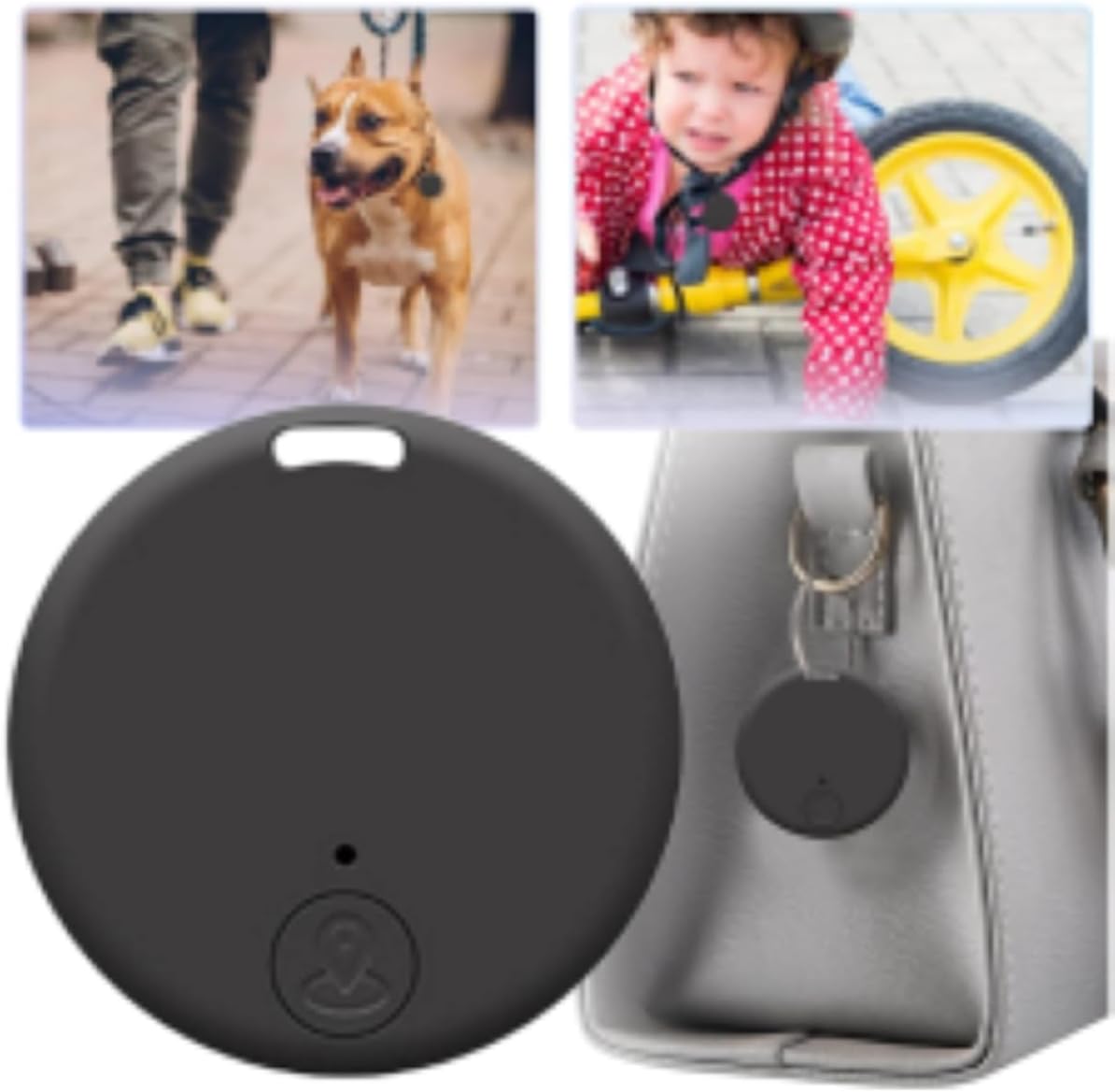
Слика 4.1: Примерamples of the Bluetooth Anti-Loss Tracker being used with a dog, a child, and attached to a handbag, illustrating its practical applications.
5. Одржавање
5.1 Замена батерије
The tracker typically uses a replaceable coin cell battery (e.g., CR2032). Refer to your specific model's instructions for battery type and replacement procedure. Generally, you will need to:
- Пажљиво отворите трагач цasing using a small tool or your fingernail at the designated notch.
- Уклоните стару батерију.
- Уметните нову батерију тако да позитивна (+) страна буде окренута нагоре.
- Затворите цasinг безбедно.
5.2 Чишћење
Wipe the tracker with a soft, dry cloth. Avoid using harsh chemicals or abrasive materials, as these can damage the device.
КСНУМКС. Решавање проблема
- Tracker not connecting: Ensure Bluetooth is active on your phone and the tracker's battery is not depleted. Try restarting both your phone and the tracker.
- Tracker not ringing: Check the volume settings within the app. Ensure the tracker is within the Bluetooth range of your phone.
- App not finding tracker: Close and reopen the app. If the issue persists, try unpairing and re-pairing the device.
- Кратак домет: Bluetooth range can be affected by obstacles (walls, furniture) and interference from other electronic devices. Ensure a clear line of sight for optimal performance.
7. Спецификације
| Феатуре | Опис |
|---|---|
| Бранд | Генериц |
| Број модела | OT.MT.RD.BK.UN_ |
| Технологија повезивања | Блуетоотх |
| Посебне карактеристике | Bluetooth Tracking, Two-way Search, Multiple Connections, Compact Design |
| Подржана апликација | Bluetooth Tracking App |
| Специфичне употребе | Keys, Wallet, Bags, Pets, Children |
| Компатибилни уређаји | Smartphone, Bluetooth Device |
| Укључене компоненте | Bluetooth Tracker Device, User Manual |

Image 7.1: A diagram illustrating the compact dimensions of the Bluetooth Anti-Loss Tracker, measuring 37mm by 37mm with a thickness of 5mm.
8. Гаранција и подршка
За информације о гаранцији и корисничку подршку, погледајте контакт податке које је дао ваш продавац или званичник произвођача. webсајт. Сачувајте рачун као доказ о куповини за евентуалне рекламације по гаранцији.