
Увод
This manual provides essential instructions for the setup, operation, and maintenance of your SLuB ZW60 Smartwatch. Please read this guide thoroughly before using your device to ensure proper function and longevity. The SLuB ZW60 features a 1.43-inch touchscreen, Bluetooth 5.3 connectivity, music player capabilities, various sports modes, IP67 dust and water resistance, and comprehensive health monitoring functions.
Важна напомена: The health management functions of this smartwatch are for reference only and cannot be used for medical purposes. This product is not a medical device.
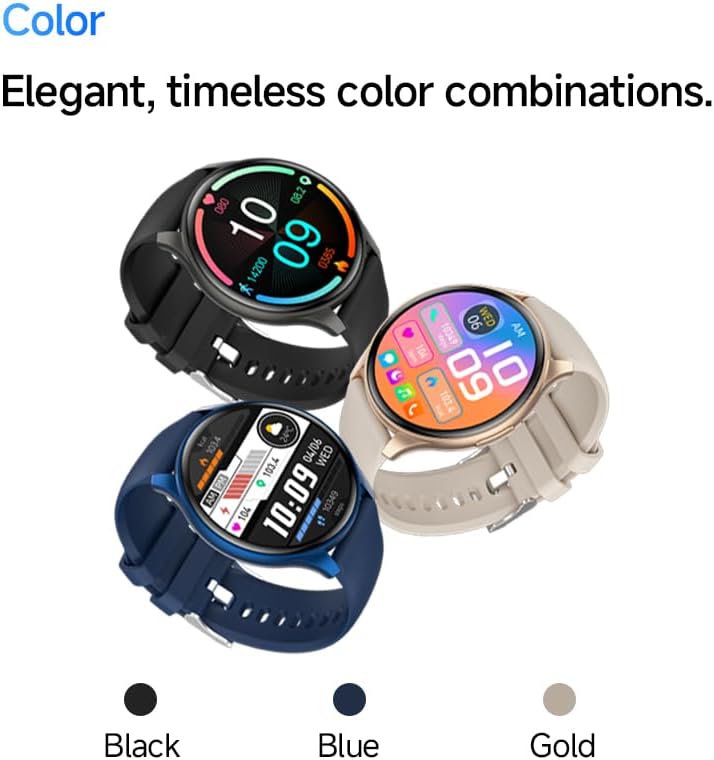
Image: The SLuB ZW60 Smartwatch in various color options (Black, Blue, Gold), highlighting its round display and overall design.
Шта је у кутији
Након отварања пакета, проверите да ли су присутне све следеће ставке:
- SLuB ZW60 Smartwatch
- Магнетни кабл за пуњење
- Кориснички приручник (овај документ)

Image: Contents of the SLuB ZW60 Smartwatch package, showing the smartwatch, its magnetic charging cable, and the printed user manual.
Сетуп
1. Пуњење паметног сата
Before initial use, fully charge your SLuB ZW60 Smartwatch. Connect the magnetic charging cable to the charging contacts on the back of the watch and plug the USB end into a standard USB power adapter (not included) or a computer's USB port. The watch display will indicate charging status. A full charge typically takes approximately 2 hours.
2. App Installation: H Band
To unlock the full functionality of your smartwatch, download and install the dedicated "H Band" application on your smartphone. Тражи "H Band" in your device's app store (Google Play Store for Android or Apple App Store for iOS).

Image: The smartwatch screen showing a grid of colorful application icons, illustrating the "H Band" app integration and multi-menu screen options.
3. Блуетоотх упаривање
- Уверите се да је ваш паметни сат напуњен и укључен.
- Омогућите Блуетоотх на свом паметном телефону.
- Open the "H Band" app.
- Follow the in-app instructions to search for and connect to your SLuB ZW60 Smartwatch. The app will guide you through the pairing process.
- Потврдите захтев за упаривање и на паметном телефону и на паметном сату ако се то од вас затражи.
Once paired, the smartwatch will synchronize data with the app and enable features like call notifications and message alerts.
Упутство за употребу
Основна навигација
- екран осетљив на додир: Превуците прстом лево, десно, горе или доле да бисте се кретали кроз меније и екране. Додирните да бисте изабрали ставку.
- Бочно дугме: Typically used to wake the screen, return to the home screen, or access the app menu. Refer to the on-screen prompts for specific functions.
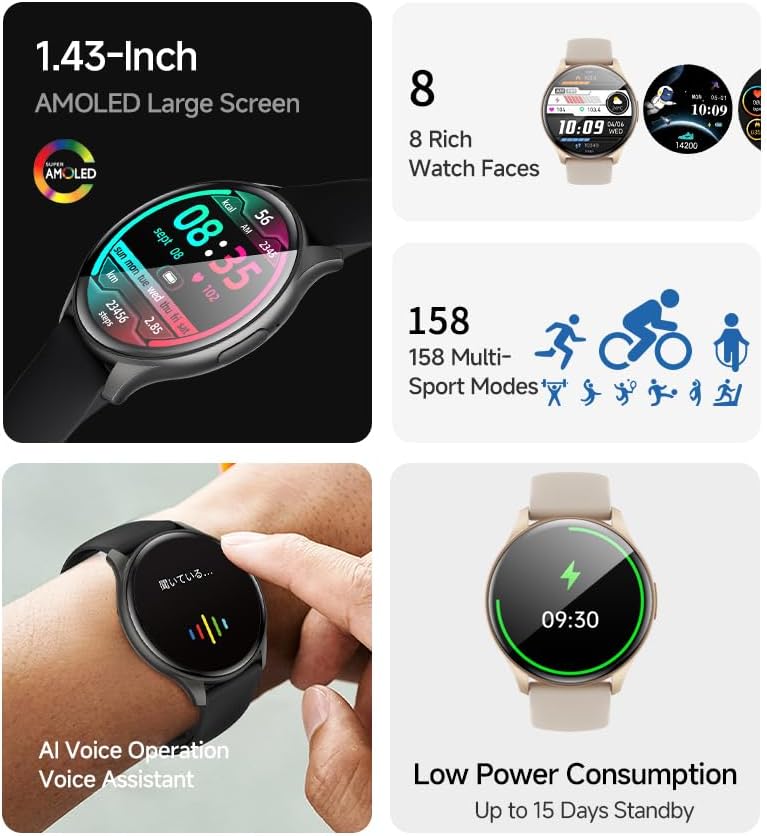
Слика: Сајам паметних сатоваasing its 1.43-inch AMOLED display with a customizable watch face, and visual cues for its 158 multi-sport modes, AI voice operation, and low power consumption.
Функција позивања
With the smartwatch connected to your smartphone via Bluetooth, you can make and receive calls directly from your wrist. The built-in speaker and microphone allow for hands-free communication.
- Упућивање позива: Access the dial pad or contacts list on your smartwatch to initiate a call.
- Примање позива: When a call comes in, the smartwatch will display the caller ID. Tap the green icon to answer or the red icon to reject.
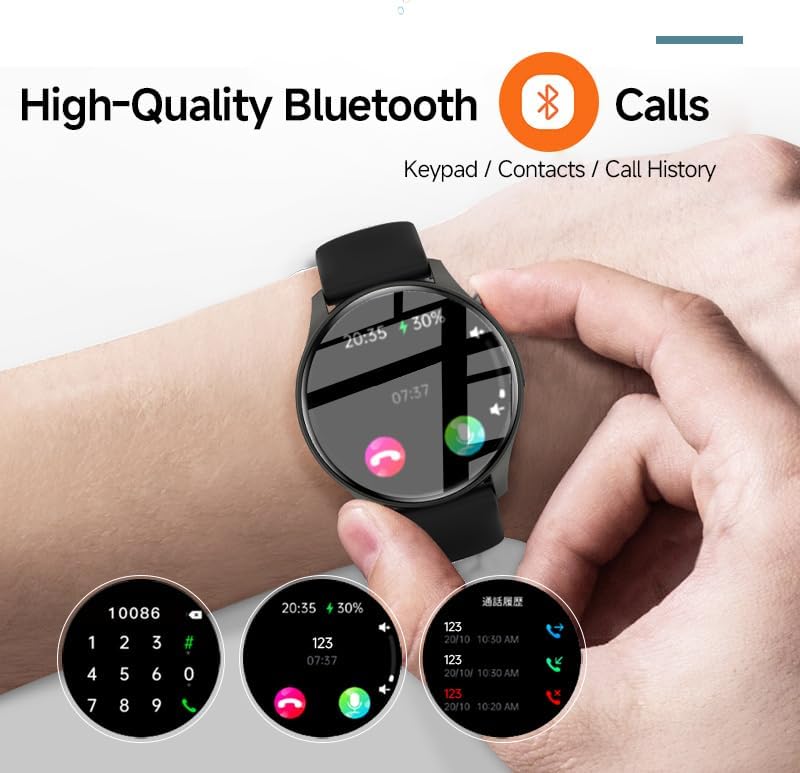
Image: The smartwatch screen showing the Bluetooth calling feature, including a numeric keypad for dialing, recent call history, and contact access.
Обавештења о порукама
Once paired with your smartphone, the smartwatch can display notifications from various apps, including emails, social media, and messaging services. This allows you to stay informed without needing to check your phone constantly.
- Ensure app notifications are enabled in your smartphone's settings and within the "H Band" app.
- Превуците прстом надоле на бројчанику сата да бисте view недавна обавештења.

Image: The smartwatch showing a message notification, indicating its ability to sync alerts from popular communication applications like WeChat, LINE, and others.
Health Management Functions
The SLuB ZW60 Smartwatch is equipped with multiple sensors to monitor various health metrics. Access these features through the watch menu or the "H Band" app.
- Мониторинг срчане фреквенције: Continuously or periodically measures your heart rate.
- Праћење сна: Tracks your sleep patterns, including deep sleep, light sleep, and wake times.
- Потрошња калорија: Estimates calories burned based on activity levels.
- Подаци о вежби: Records steps, distance, and other activity metrics.
Disclaimer: The data provided by these functions is for general wellness and fitness purposes only and should not be used for medical diagnosis or treatment.

Image: The smartwatch illustrating its 24-hour health management capabilities, including heart rate, body temperature, and sleep quality monitoring.
Спортски режими
The smartwatch supports over 150 sports modes, allowing you to accurately track your workouts. Common modes include running, cycling, badminton, basketball, and football.
- Select your desired sport from the watch's sports menu.
- The watch will record duration, calories burned, and other relevant metrics for your activity.
- Review detailed statistics in the "H Band" app after your workout.
Контрола музичког плејера
Контролишите репродукцију музике на повезаном паметном телефону директно са паметног сата. Можете да репродукујете, паузирате, прескачете нумере и подешавате јачину звука.
АИ гласовни асистент
Utilize the integrated AI Voice Assistant for quick commands and information retrieval. Activate the assistant via the watch interface and speak your commands.
Прилагодљиви сатови
Choose from a variety of pre-installed watch faces or customize your own through the "H Band" app to match your style and display preferred information.
Одржавање
Чишћење паметног сата
Regular cleaning helps maintain the appearance and functionality of your device.
- Обришите екран и кућиште меком крпом која не оставља влакна.
- За тврдокорну прљавштину, благо дampИсперите крпу водом. Избегавајте употребу јаких хемикалија или абразивних материјала.
- Уверите се да су контакти за пуњење чисти и суви пре пуњења.
Водоотпорност (IP67)
The SLuB ZW60 Smartwatch is rated IP67, meaning it is dust-tight and can withstand immersion in water up to 1 meter (3.3 feet) for up to 30 minutes. This makes it suitable for daily use, such as washing hands or light rain exposure.
- НЕ use the watch for swimming, diving, or showering with hot water.
- Избегавајте exposing the watch to high-pressure water or steam.
- If the watch gets wet, dry it thoroughly before charging or operating.
Савети за трајање батерије
- Смањите осветљеност екрана.
- Онемогућите непотребна обавештења.
- Ограничите континуирано праћење откуцаја срца ако није потребно.
- Ensure the "H Band" app is running efficiently in the background on your phone.
Решавање проблема
| Проблем | Могуће решење |
|---|---|
| Сат се не укључује. | Уверите се да је сат потпуно напуњен. Повежите га са пуњачем најмање 30 минута. |
| Не може се упарити са паметним телефоном. |
|
| Обавештења се не примају. |
|
| Нетачни здравствени подаци. |
|
| Екран не реагује. | Try restarting the watch by pressing and holding the side button until it powers off, then power it back on. |
Спецификације
| Феатуре | Детаљ |
|---|---|
| Назив модела | ЗВ60 |
| Бранд | SLuB |
| Величина екрана | 1.43 инча |
| Дисплаи Типе | АМОЛЕД |
| Повезивање | Блуетоотх 5.3 |
| Отпорност на воду | IP67 (отпоран на прашину и воду) |
| Димензије производа | 1.77 к 0.43 к 1.97 инча |
| Тежина артикла | 3.23 унци (91.5 грама) |
| Трајање батерије | Up to 15 Days Standby |
| Компатибилна апликација | Х Банд |
| Произвођач | SLuB |
Гаранција и подршка
For warranty information and technical support, please refer to the documentation included with your purchase or contact SLuB customer service. Contact details can typically be found on the manufacturer's official website or within the "H Band" application.
Онлине ресурси: For the latest updates, FAQs, and additional support, visit the official SLuB webсајту.