
1. Увод
The FREEWOLF A2 is a transparent wireless gaming mouse designed for versatility and performance. It features dual-mode connectivity (2.4G wireless and Bluetooth 5.0), a PixArt 3212 optical sensor with adjustable DPI, a built-in rechargeable battery with a digital display, and customizable RGB backlighting. Its ergonomic design ensures comfort during extended use across various operating systems like Windows, Mac, and Linux.

Image 1.1: The FREEWOLF A2 Transparent Wireless Gaming Mouse, showcasing its transparent shell and internal components.
2. Садржај пакета
Молимо вас да проверите да ли су све ставке присутне у пакету:
- FREEWOLF A2 Wireless Gaming Mouse
- USB Receiver (2.4G dongle)
- УСБ-Ц кабл за пуњење
- Кориснички приручник (овај документ)
3. Производ је готовview
Familiarize yourself with the various components and features of your FREEWOLF A2 mouse.

Image 3.1: Exploded diagram illustrating the internal components of the FREEWOLF A2 mouse, including the transparent shell, battery, PCB board, and switches.

Слика 3.2: Одозго надоле view of the FREEWOLF A2 mouse with key components labeled, including the 2.4G receiver storage, DPI switch, power switch, and dimensions.
Кључне карактеристике:
- Двострука веза: 2.4G Wireless and Bluetooth 5.0.
- PixArt 3212 Sensor: High sensitivity and accuracy.
- Подесиви ДПИ: 5 levels up to 4000 DPI.
- Пуњива батерија: Built-in 400 mAh battery with USB-C charging.
- Дигитални екран: Приказује проценат батеријеtage and DPI level.
- RGB позадинско осветљење: Прилагодљиви светлосни ефекти.
- Ергономски дизајн: Comfortable for various grip styles.
4. Подешавање
4.1. Пуњење миша
Before first use, it is recommended to fully charge the mouse. Connect the provided USB-C charging cable to the mouse's charging port and the other end to a USB power source (e.g., computer USB port, USB wall adapter). The digital screen will display the battery percentagе током пуњења.
Note: The USB-C cable is for charging only and does not provide a wired connection for mouse operation.

Image 4.1: Close-up of the FREEWOLF A2 mouse showing the digital screen displaying battery percentage.
4.2. Повезивање путем 2.4G бежичне мреже
- Locate the USB receiver (dongle) stored in the compartment on the underside of the mouse.
- Укључите УСБ пријемник у слободан УСБ порт на рачунару.
- Slide the power switch on the underside of the mouse to the '2.4G' position.
- The mouse should connect automatically. Your computer will typically install the necessary drivers.
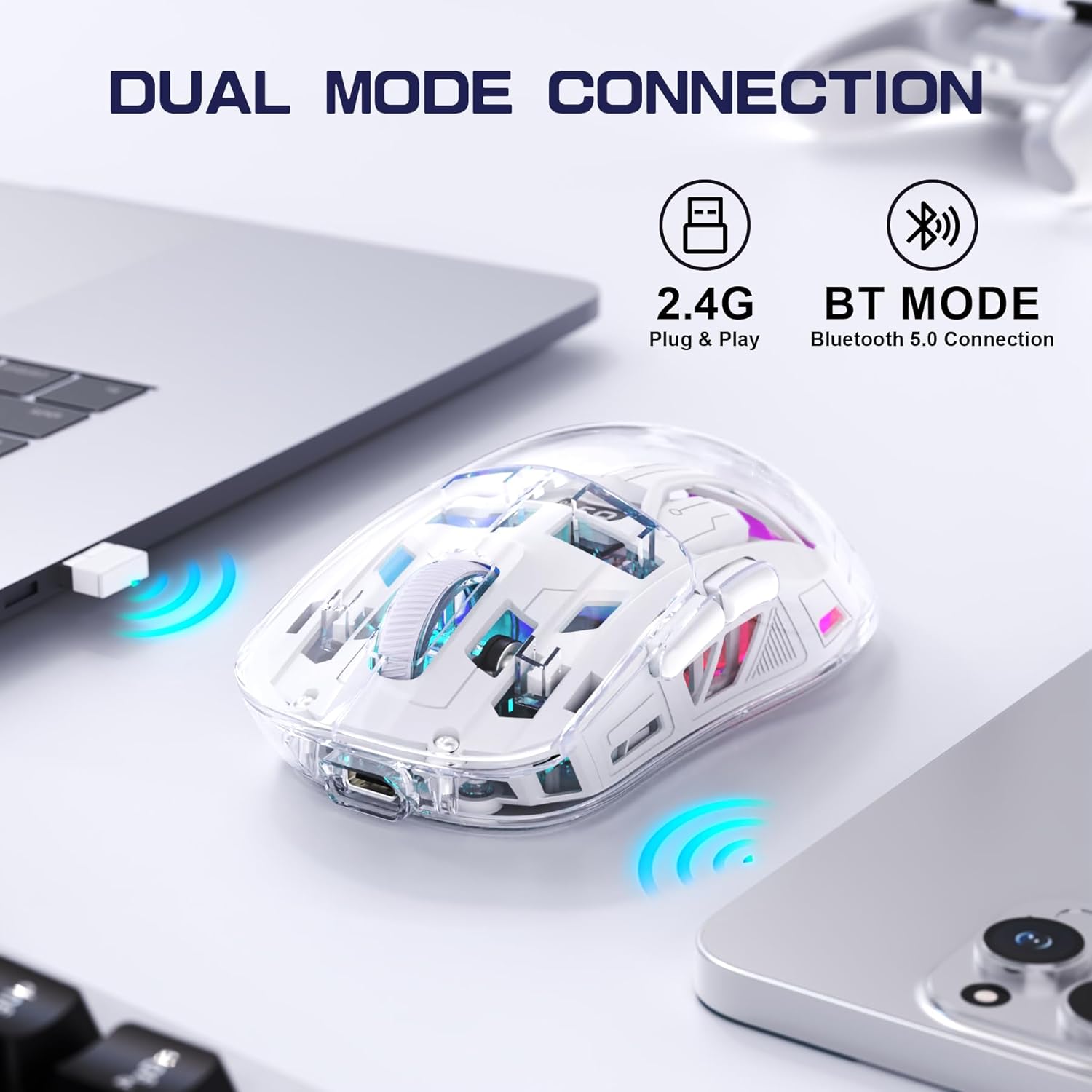
Image 4.2: The FREEWOLF A2 mouse connected to a laptop via its 2.4G wireless USB receiver.
4.3. Повезивање путем Bluetooth 5.0
- Slide the power switch on the underside of the mouse to the 'BT' (Bluetooth) position.
- На рачунару или уређају отворите подешавања за Bluetooth.
- Тражи new devices. The mouse should appear as 'FREEWOLF A2' or similar.
- Select the mouse to pair. Follow any on-screen prompts.
5. Упутство за употребу
5.1. Подешавање DPI-ја
The mouse features 5 adjustable DPI levels (1200-4000 DPI) to suit different tasks and preferences. To change the DPI, press the DPI button located on the underside of the mouse. The digital screen will briefly display the current DPI setting.

Image 5.1: Diagram illustrating the 5 adjustable DPI levels (1200, 1600, 2000, 2400, 4000) available on the FREEWOLF A2 mouse.
5.2. Контрола RGB позадинског осветљења
The FREEWOLF A2 mouse features vibrant RGB backlighting. To cycle through different lighting effects or turn the backlight off, press and hold the scroll wheel button for a few seconds.

Image 5.2: Two FREEWOLF A2 mice on a desk, showcasing their cool RGB lighting effects in a low-light environment.
5.3. Дисплеј батерије
The integrated digital screen on the mouse continuously displays the current battery percentage, allowing you to monitor power levels and recharge as needed.
5.4. Ергономски дизајн
The mouse is designed to conform to various hand grip styles (Palm Grip, Fingertip Grip, Claw Grip), reducing discomfort during prolonged use.
Image 5.3: A hand demonstrating a comfortable grip on the FREEWOLF A2 mouse, highlighting its ergonomic design.
6. Одржавање
- Чишћење: Користите меку, суву крпу за чишћење миша. Избегавајте употребу јаких хемикалија или абразивних материјала.
- Складиштење: When not in use, store the mouse in a cool, dry place. If storing for an extended period, ensure the mouse is fully charged and turn off the power.
- Одржавање батерије: To prolong battery life, avoid fully discharging the mouse frequently. Recharge when the battery level is low.
КСНУМКС. Решавање проблема
- Миш не реагује:
- Ensure the mouse is powered on and the correct connection mode (2.4G or BT) is selected.
- Check battery level on the digital screen and recharge if necessary.
- For 2.4G mode, ensure the USB receiver is securely plugged into a working USB port. Try a different USB port.
- For Bluetooth mode, ensure Bluetooth is enabled on your device and the mouse is paired correctly. Try unpairing and re-pairing.
- Поново покрените рачунар или уређај.
- Cursor movement is erratic or frozen:
- Очистите оптички сензор на доњој страни миша.
- Уверите се да користите миш на одговарајућој површини (не јако рефлектујућој или провидној).
- Проверите да ли има сметњи од других бежичних уређаја.
- Adjust DPI settings to see if it resolves the issue.
- RGB backlight not working:
- Уверите се да миш има довољно напуњену батерију.
- Press and hold the scroll wheel button to cycle through lighting modes or turn the backlight on/off.
- Проблеми са пуњењем:
- Уверите се да је USB-C кабл правилно повезан и са мишем и са извором напајања.
- Пробајте други USB-C кабл или адаптер за напајање.
- Потврдите да је извор напајања функционалан.
8. Спецификације
| Феатуре | Детаљ |
|---|---|
| Број модела | A2 |
| Технологија повезивања | 2.4G Wireless, Bluetooth 5.0 |
| Технологија детекције покрета | Оптички (ПикАрт 3212) |
| Подесиви ДПИ | 1200-4000 (5 levels) |
| Капацитет батерије | 400 мАх (уграђено) |
| Порт за пуњење | УСБ-Ц |
| Посебне карактеристике | Ergonomic Design, LED Lights (RGB), Portable, Rechargeable, Digital Battery Display |
| Димензије производа | 6.89 к 4.53 к 0.04 инча |
| Тежина артикла | 4.9 унци |
| Произвођач | Слободни вук |
9. Гаранција и подршка
Specific warranty information for the FREEWOLF A2 Transparent Wireless Gaming Mouse is not provided in the available product data. Please refer to the product packaging or the retailer's webсајт за детаље о гаранцији.
For technical support or further assistance, please contact the manufacturer or your point of purchase. Contact information may be available on the product packaging or the official FREEWOLF webсајту.