
1. Увод
The Ice-Watch ICE fit 1.0 smartwatch is designed for sports enthusiasts and performance tracking. It features an integrated GPS for precise route tracking, compatibility with Strava, and real-time data to help achieve fitness goals. With 4GB of internal storage, you can listen to music directly from your watch during activities. This manual provides essential information for the proper use and maintenance of your device.

Фронт view of the Ice-Watch ICE fit 1.0 Black AMOLED Smartwatch.
2. Карактеристике производа
- Приказ: АМОЛЕД екран од 1.78 инча.
- Интегрисани ГПС: For precise activity tracking.
- Складиштење музике: 4GB internal memory for offline music playback.
- Мониторинг здравља: Includes heart rate tracking, sleep monitoring, and maximum oxygen uptake (VO2 Max) estimation.
- Мултиспорт Трацкер: Supports various sports activities.
- Strava Compatibility: Sync your activities with Strava.
- Отпорност на воду: IP68 rated, resistant to immersion up to 1.5 meters for 30 minutes. Not suitable for swimming or diving.
- Трајање батерије: Up to 5-7 days depending on usage.
- Контакти за хитне случајеве: Ability to store 3 emergency contacts.

Key features of the ICE fit 1.0 smartwatch, including battery life and connectivity options.
3. Водич за подешавање
3.1 Почетно пуњење
Before first use, fully charge your smartwatch. Connect the charging cable to the charging port on the back of the watch and to a USB power source. The watch display will indicate charging status.
3.2 Инсталација и упаривање апликације
- Download the official Ice-Watch companion app from your smartphone's app store (iOS or Android).
- Отворите апликацију и пратите упутства на екрану да бисте креирали налог или се пријавили.
- Уверите се да је Блуетоотх омогућен на вашем паметном телефону.
- In the app, select 'Add Device' or similar option and choose your ICE fit 1.0 from the list of available devices.
- Потврдите захтев за упаривање и на паметном телефону и на паметном сату.
The connection process is designed to be straightforward, with no known issues connecting to iPhones.
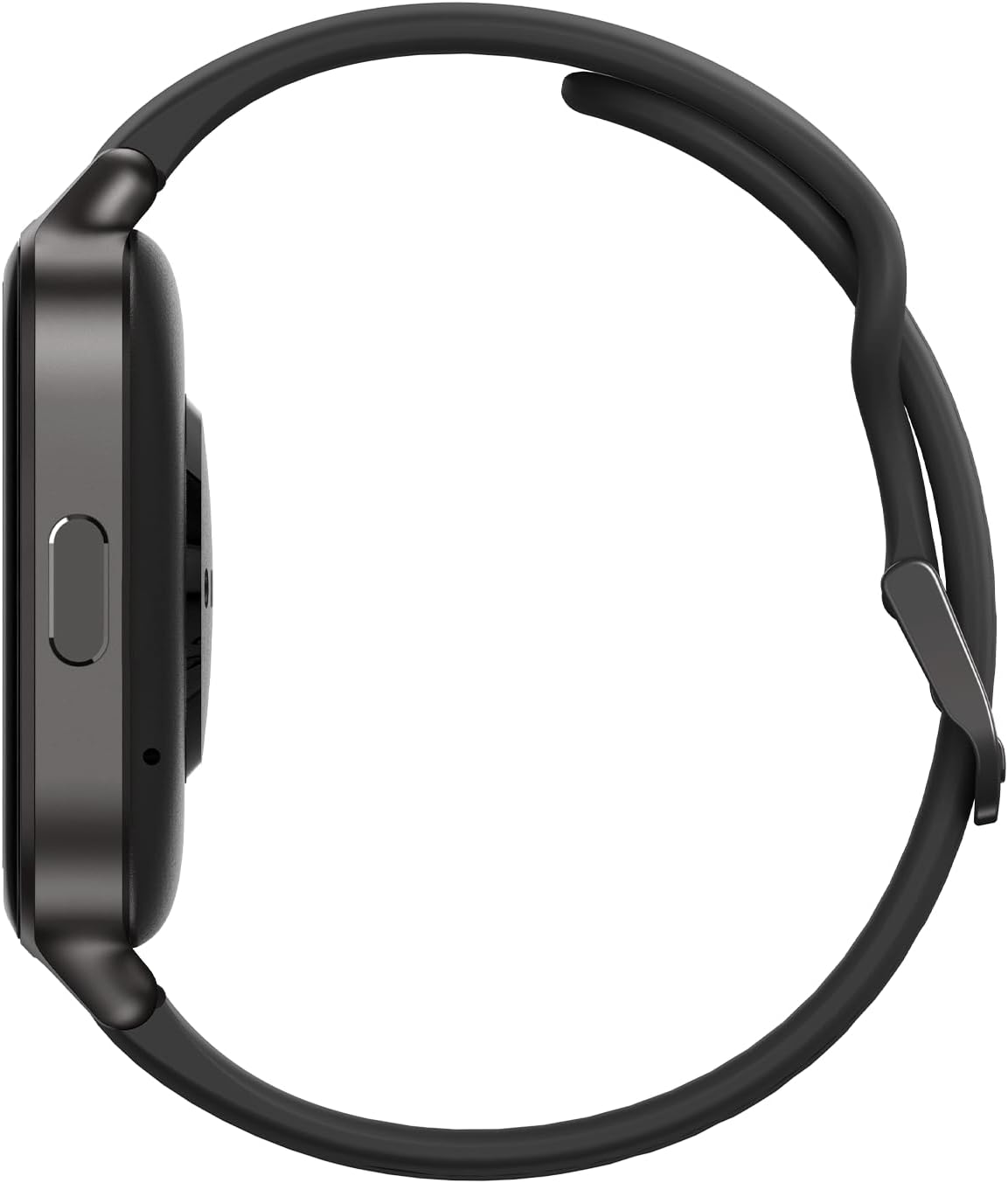
Сиде view of the smartwatch, highlighting the physical button and charging area.
4. Упутство за употребу
4.1 Основна навигација
- екран осетљив на додир: Swipe left, right, up, or down to navigate through menus and widgets. Tap to select an option.
- Бочно дугме: Press to return to the home screen or to access the app list. A long press may activate specific functions or power the device on/off.
4.2 Using Key Features
- ГПС праћење: Start a workout from the sports mode to activate the integrated GPS. The watch will track your route, distance, and pace.
- Мониторинг здравља: Access the heart rate, sleep, or oxygen uptake widgets to view your data. Ensure the watch is worn snugly on your wrist for accurate readings.
- Репродукција музике: Пренесите музику files to the watch's 4GB storage via the companion app. Connect Bluetooth headphones to the watch for audio playback.
- Strava Sync: Configure Strava integration within the companion app to automatically upload your workout data.
- Контакти за хитне случајеве: Set up to 3 emergency contacts in the companion app. In an emergency, a specific action on the watch (refer to app for details) can alert these contacts.

The smartwatch display showing fitness metrics like recovery time and GPS tracking.

Additional features displayed on the smartwatch, including emergency contacts and health app integration.
5. Одржавање
5.1 Чишћење
Regularly clean your smartwatch and strap to prevent skin irritation and maintain functionality. Use a soft, damp крпа за брисање екрана и цasing. For the silicone strap, mild soap and water can be used. Ensure the watch is completely dry before wearing or charging.
5.2 Отпорност на воду
The ICE fit 1.0 is IP68 water-resistant, meaning it can withstand immersion in water up to 1.5 meters for a maximum of 30 minutes. It is resistant to splashes, rain, and accidental short-term immersion. However, it is не designed for swimming, diving, or high-pressure water activities. Avoid exposing the watch to hot water, steam, or chemicals.
5.3 Одржавање батерије
To prolong battery life, avoid extreme temperatures. Charge the watch using the provided cable and a standard USB power adapter. Do not leave the watch fully discharged for extended periods.

The back of the smartwatch, featuring the optical heart rate sensors.
КСНУМКС. Решавање проблема
- Сат се не укључује: Уверите се да је сат потпуно напуњен. Повежите га са пуњачем најмање 30 минута.
- Не може се упарити са паметним телефоном: Make sure Bluetooth is enabled on your phone and the watch. Restart both devices and try pairing again. Ensure the companion app is updated to the latest version.
- ГПС не прати: Уверите се да сте на отвореном простору са чистим view of the sky. Allow the watch a few moments to acquire a GPS signal before starting your activity.
- Нетачна очитавања откуцаја срца: Ensure the watch is worn snugly on your wrist, not too loose or too tight. Clean the sensor area on the back of the watch.
- Kratko trajanje baterije: Reduce screen brightness, disable unnecessary notifications, and limit continuous heart rate monitoring if not needed. Ensure background app refresh for the companion app is optimized on your phone.
For issues not covered here, please refer to the companion app's help section or contact customer support.
7. Спецификације
| Феатуре | Детаљ |
|---|---|
| Број модела | 024104 |
| Величина екрана | 1.78 инча |
| Дисплаи Типе | АМОЛЕД |
| Интерна меморија | 4 ГБ |
| Повезивање | Блуетоотх |
| ГПС | Интегрисани ГПС |
| Отпорност на воду | IP68 (1.5 метра током 30 минута) |
| Тип батерије | Lithium-polymer (1 CR5 included) |
| Оперативни систем | АТСКСНУМКС |
| Casing Материјал | Метал + Пластика |
| Материјал траке | Силицоне |
8. Гаранција и подршка
Your Ice-Watch ICE fit 1.0 smartwatch comes with a standard manufacturer's warranty. Please refer to the warranty card included in your product packaging for specific terms and conditions. For technical support, troubleshooting assistance, or warranty claims, please contact Ice-Watch customer service through their official webсајт или контакт информације наведене у документацији вашег производа.
Информације о доступности резервних делова тренутно нису доступне.