
1. Увод
Thank you for choosing the LiebeWH ZT-300AB Wireless Digital Multimeter. This device is a high-precision, 6000-count True RMS multimeter designed for a wide range of electrical measurements. It features wireless connectivity, allowing real-time data recording, analysis, and processing via a mobile application. This manual provides essential information for the safe and effective use of your multimeter.
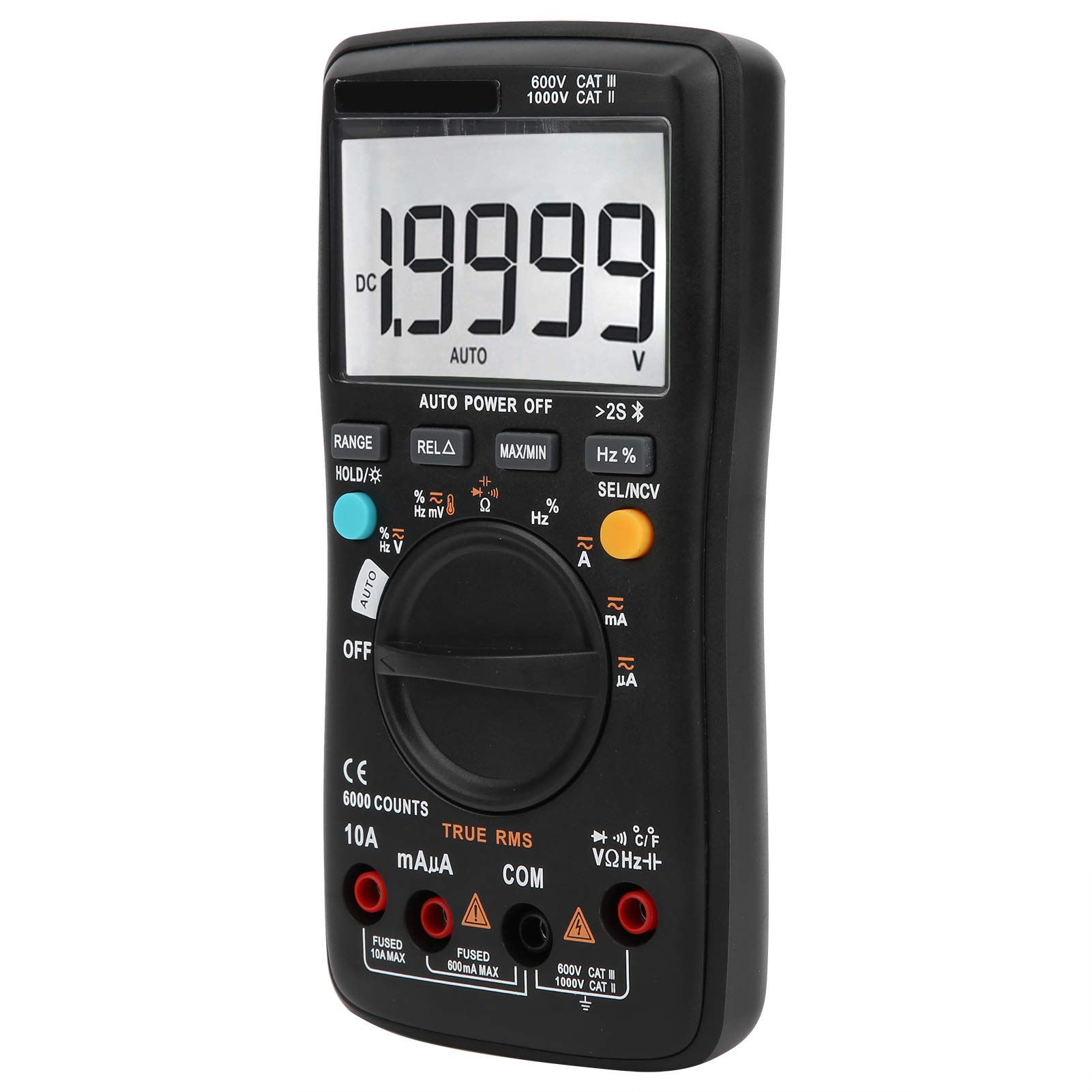
Слика 1.1: Предња страна view of the LiebeWH ZT-300AB Wireless Digital Multimeter, showing the large LCD display and function dial.
2. Безбедносне информације
Да бисте осигурали сигуран рад и сервис бројила, следите ова упутства. Непоштовање ових упозорења може довести до тешких повреда или смрти.
- Увек искључите мерне каблове из кола пре промене функција.
- Немојте примењивати више од оцењеног волtagе, како је означено на мерачу, између терминала или између било ког терминала и уземљења.
- Будите опрезни када радите са волtagизнад 30V AC RMS, 42V вршне струје или 60V DC. Такав напонtagпредстављају опасност од удара.
- Always use the proper terminals, function, and range for your measurements.
- Do not use the meter if it appears damaged or if the case is open.
- Замените батерију чим се појави индикатор празне батерије како бисте избегли погрешна очитавања.
- Не користите мерач у окружењу са експлозивним гасом, паром или прашином.
- Ensure test leads are in good condition, with no damaged insulation.
3. Подешавање
3.1 Садржај пакета
Проверите да ли ваш пакет садржи следеће ставке:
- LiebeWH ZT-300AB Digital Multimeter
- Тест каблови (црвени и црни)
- Температуре Пробе
- Упутство за употребу

Image 3.1: The multimeter shown with its included test leads and temperature probe.
3.2 Инсталација батерије
Мултиметар захтева батерије за рад. Да бисте инсталирали или заменили батерије:
- Уверите се да је мултиметар искључен и искључите све мерне каблове.
- Пронађите поклопац одељка за батерије на задњој страни уређаја.
- Користите шрафцигер да отворите одељак за батерије.
- Insert the new batteries, observing the correct polarity (+ and -).
- Вратите поклопац одељка за батерије и причврстите га завртњем.
3.3 Повезивање мерних каблова
Повежите мерне каблове са одговарајућим улазним прикључцима на мултиметру:
- Повежите црна тестни водич до ЦОМ (обични) џек.
- Повежите црвена тестни водич до ВΩХз џек за јачину звукаtagе, мерења отпора, фреквенције, капацитета, диода и континуитета.
- For current measurements (mA/µA), connect the црвена тестни водич до мАµА Јацк.
- For high current measurements (up to 10A), connect the црвена тестни водич до 10А Јацк.
3.4 Wireless Function and Mobile App
The ZT-300AB can connect to your smartphone via its wireless function for real-time data monitoring and analysis.
- Download the dedicated mobile application from your device's app store. (App name not specified, refer to product packaging or manufacturer's webсајт).
- Enable wireless on your smartphone and the multimeter.
- Open the app and follow the on-screen instructions to pair your multimeter.
- The app allows real-time data display, recording, and curve graphing. It can connect to and monitor up to four wireless multimeters simultaneously.

Image 3.2: The multimeter displaying a reading, with a smartphone screen showing the companion application for data monitoring.
4. Упутство за употребу
4.1 Укључивање/искључивање
Turn the rotary dial from the OFF position to any measurement function to power on the multimeter. To power off, turn the dial back to the OFF position. The multimeter also features an automatic power-off function to conserve battery life.
4.2 Избор функције
Окрените централни точкић да бисте изабрали жељену функцију мерења (нпр. V~ за AC Voltagе, V- за једносмерну вол.tage, Ω for Resistance, A~ for AC Current, A- for DC Current, Temp for Temperature, etc.).
4.3 Функције дугмета
- ДОМЕТ: Switches between automatic and manual ranging. In manual range, press repeatedly to cycle through available ranges.
- HOLD/☀: Press once to hold the current reading on the display. Press again to release. Long press to activate/deactivate the backlight.
- REL△: Relative measurement mode. Displays the difference between the current reading and a stored reference value.
- МАКС/МИН: Records and displays the maximum and minimum values measured during a session.
- Хз%: For frequency and duty cycle measurements.
- SEL/NCV: Selects between different sub-functions within a dial position (e.g., AC/DC, Diode/Continuity). Long press to activate Non-Contact Voltagе (НЦВ) детекција.
4.4 Извршавање мерења
Always ensure the test leads are connected to the correct jacks and the function dial is set to the appropriate measurement type before connecting to a circuit.
- Волtage Measurement (AC/DC): Select V~ for AC or V- for DC. Connect test leads in parallel with the circuit or component.
- Current Measurement (AC/DC): Select A~ for AC or A- for DC. Connect test leads in series with the circuit. Ensure the correct current jack (mAµA or 10A) is used.
- Мерење отпора (Ω): Select Ω. Connect test leads across the component when it is de-energized.
- Мерење капацитивности: Select the capacitance function. Connect test leads across the capacitor when it is de-energized.
- Тест диода: Select the diode function. Connect test leads across the diode.
- Тест континуитета: Select the continuity function. Connect test leads across the circuit. A beep indicates continuity.
- Фреквенција (Hz) / Радни циклус (%): Select the Hz% function. Connect test leads to the signal source.
- Мерење температуре: Connect the temperature probe to the appropriate jacks (usually VΩHz and COM). Select the temperature function.
- Нон-Цонтацт Волtagе (НЦВ): Long press the SEL/NCV button. Bring the top of the multimeter near an AC voltage source. The meter will indicate the presence of voltagе без директног контакта.
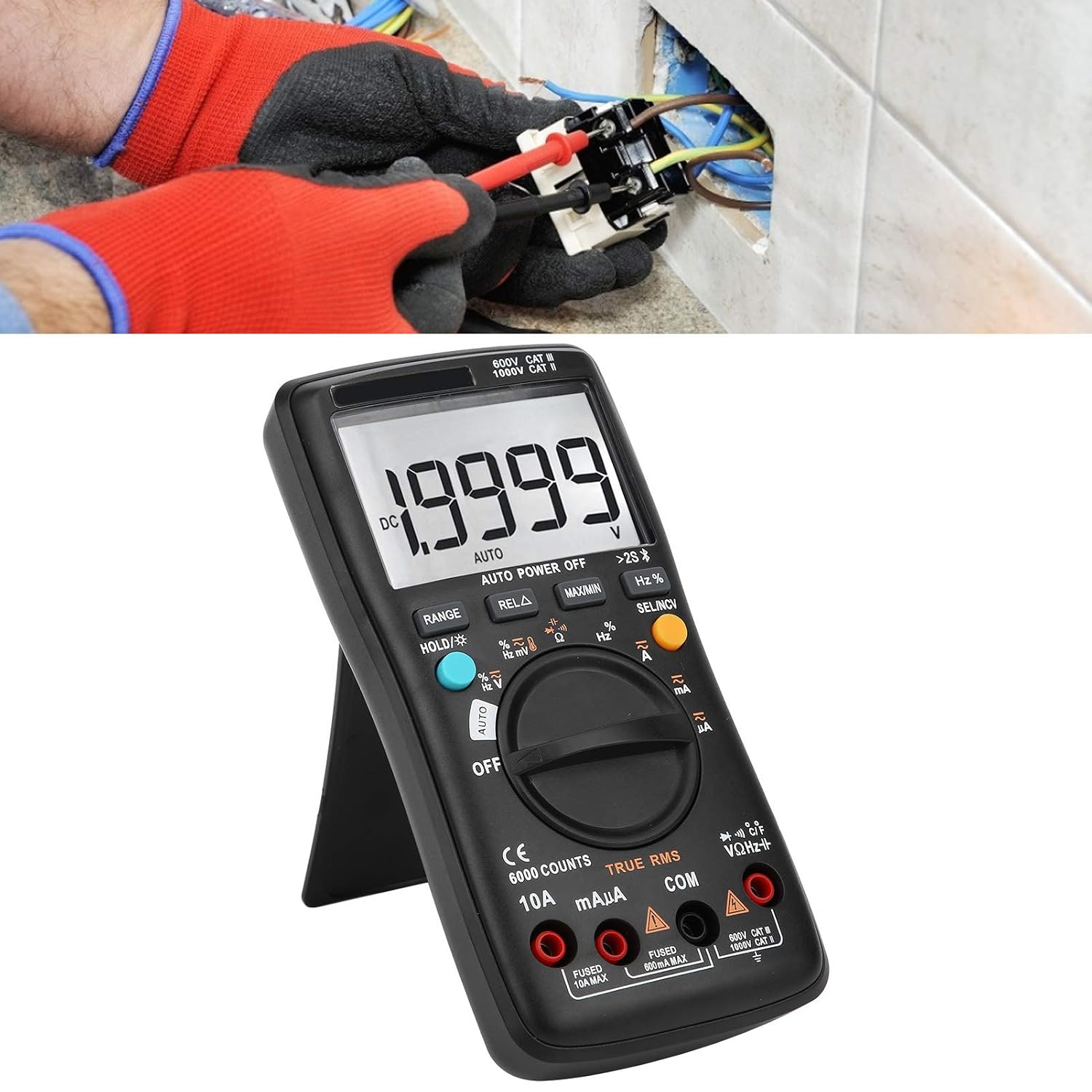
Image 4.1: The multimeter in use, positioned on its integrated kickstand for convenient viewтоком мерења.
5. Одржавање
5.1 Чишћење
Обришите кућиште огласомamp крпом и благим детерџентом. Не користите абразивна средства или раствараче. Држите терминале чистим од прљавштине и влаге.
5.2 Замена батерије
Refer to Section 3.2 for battery replacement instructions. Replace batteries promptly when the low battery indicator appears on the display.
5.3 Замена осигурача
If the current measurement functions stop working, the fuse may need replacement. Fuses are located inside the multimeter. Fuse specifications are typically printed near the current input jacks (e.g., FUSED 10A MAX, FUSED 600mA MAX). To replace a fuse:
- Уверите се да је мултиметар искључен и искључите све мерне каблове.
- Open the back case of the multimeter (this may require removing screws).
- Carefully locate and remove the blown fuse.
- Replace it with a fuse of the exact same type and rating. Using an incorrect fuse can damage the meter or pose a safety hazard.
- Reassemble the multimeter, ensuring all screws are securely fastened.
КСНУМКС. Решавање проблема
- Нема дисплеја или бледи дисплеј: Проверите да ли су батерије инсталиране и да ли је ниво напуњености. Замените батерије ако је потребно.
- Нетачна очитавања: Ensure test leads are properly connected to the correct jacks. Verify the function dial is set to the appropriate measurement type and range. Check for damaged test leads.
- Мерење струје не ради: Check the fuse (refer to Section 5.3). Ensure the red test lead is connected to the correct current input jack (mAµA or 10A).
- Проблеми са бежичном везом: Ensure wireless is enabled on both the multimeter and your smartphone. Restart both devices and try pairing again. Check the mobile app for troubleshooting tips.
- Мерач не реагује: Turn the meter off and then on again. If the issue persists, remove batteries for a few minutes and then reinsert them.
7. Спецификације
| Феатуре | Спецификација |
|---|---|
| Дисплаи | 6000 Цоунтс |
| Рангинг | Ауто/Мануал |
| Sampлинг Рате | 3 секунди/време |
| Труе РМС | Подржано |
| Задржавање података | Подржано |
| Позадинско осветљење | Подржано |
| Индикација слабе батерије | Подржано |
| Аутоматско искључивање | Подржано |
| ДЦ Волtagе (В) | 6В, 60В, 600В, 1000В |
| ДЦ Волtagе (мВ) | КСНУМКСмВ |
| Димензије | КСНУМКС к КСНУМКС к КСНУМКС цм (КСНУМКС к КСНУМКС к КСНУМКС инча) |
| Тежина | 374 г (0.82 лбс) |
| Произвођач | ЛиебеВХ |
| Број модела производа | LiebeWHso0iq29gfn |

Image 7.1: Dimensions of the LiebeWH ZT-300AB Multimeter, showing its compact size.
8. Гаранција и подршка
For warranty information and technical support, please refer to the documentation included with your purchase or contact the manufacturer directly. Contact details can typically be found on the product packaging or the official LiebeWH webсајту.