
1. Увод
Welcome to the GAIM Sport Shooting Simulator user manual. This document provides comprehensive instructions for setting up, operating, maintaining, and troubleshooting your GAIM Sport Shooting Simulator. Designed for sport shooting enthusiasts, this virtual reality system offers a realistic and immersive training experience to enhance your skills in various shooting scenarios.
Video: GAIM Sport Shooting Trailer. This video provides a brief overview of the GAIM Sport Shooting Simulator's capabilities and immersive experience.
2. Производ је готовview
The GAIM Sport Shooting Simulator is a state-of-the-art virtual reality training system designed to replicate real-world shooting conditions. It is ideal for dry-fire training, competitive shooting practice, and skill enhancement.
Кључне карактеристике:
- Advanced Shooting Simulation: Experience realistic handgun training in a virtual gun range, perfect for steel challenge sessions.
- Bluetooth Trigger Integration: Features a weighted, adjustable trigger for precise control, seamlessly connecting with the GAIM simulator for enhanced dry-fire training.
- Adjustable Magazine Compatibility: Designed for tailored experiences in USPSA and IPSC training scenarios, improving adaptability.
- Realistic Blue Gun Design: Offers a safe yet authentic feel for virtual gun range practice, crafted for precision and efficiency.
- Weighted Trigger for Precision: Replicates real-world conditions, ideal for dry-fire training and preparing for competitive events.
- Компатибилност: Works with Meta Quest 3, Meta Quest 2, and Meta Quest Pro (sold separately).
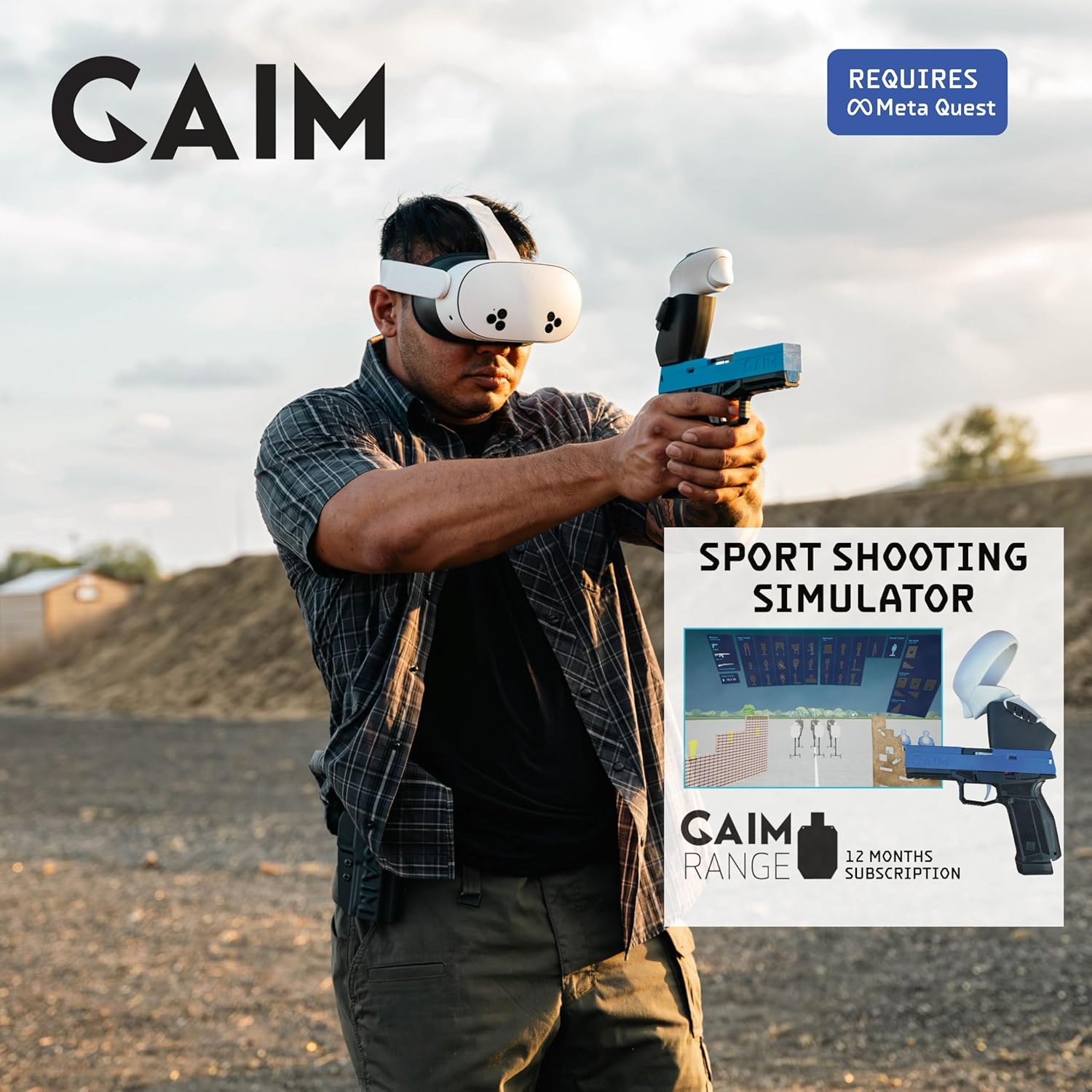
Image: The GAIM Sport Shooting Simulator, featuring a user wearing a VR headset and holding the blue pistol controller, ready for virtual training.
3. Подешавање
3.1. Распакивање и компоненте
Your GAIM Sport Shooting Simulator package includes the following components:
- Adjustable Bluetooth Trigger
- Контролор
- Држач контролера
- GAIM Controller (Blue Gun)

Image: Key components of the GAIM Sport Shooting Simulator, including the blue gun controller, a VR headset controller, and a paper target for comparison.
3.2. Connecting the Simulator
- Ensure your Meta Quest VR headset (Meta Quest 3, 2, or Pro) is fully charged and powered on.
- Attach the VR headset controller to the GAIM blue gun controller using the provided controller holder. This setup ensures accurate tracking of your movements.
- Power on the GAIM blue gun controller.
- Follow the on-screen instructions within your Meta Quest headset to pair the GAIM controller via Bluetooth.
- Launch the GAIM software application on your Meta Quest headset.

Image: A user preparing the GAIM blue gun controller and VR headset for a training session, demonstrating the physical components.
Video: GAIM Virtual Reality Hunting & Shooting Simulator Overview. This video demonstrates the setup process and provides an overview of the simulator's features for both hunting and sport shooting.
4. Упутство за употребу
4.1. Navigating the Virtual Environment
Once the GAIM software is launched, you will enter a virtual environment. Use the VR headset's controls and the GAIM pistol to navigate menus and select training scenarios. The weighted trigger provides a realistic feel for each shot.
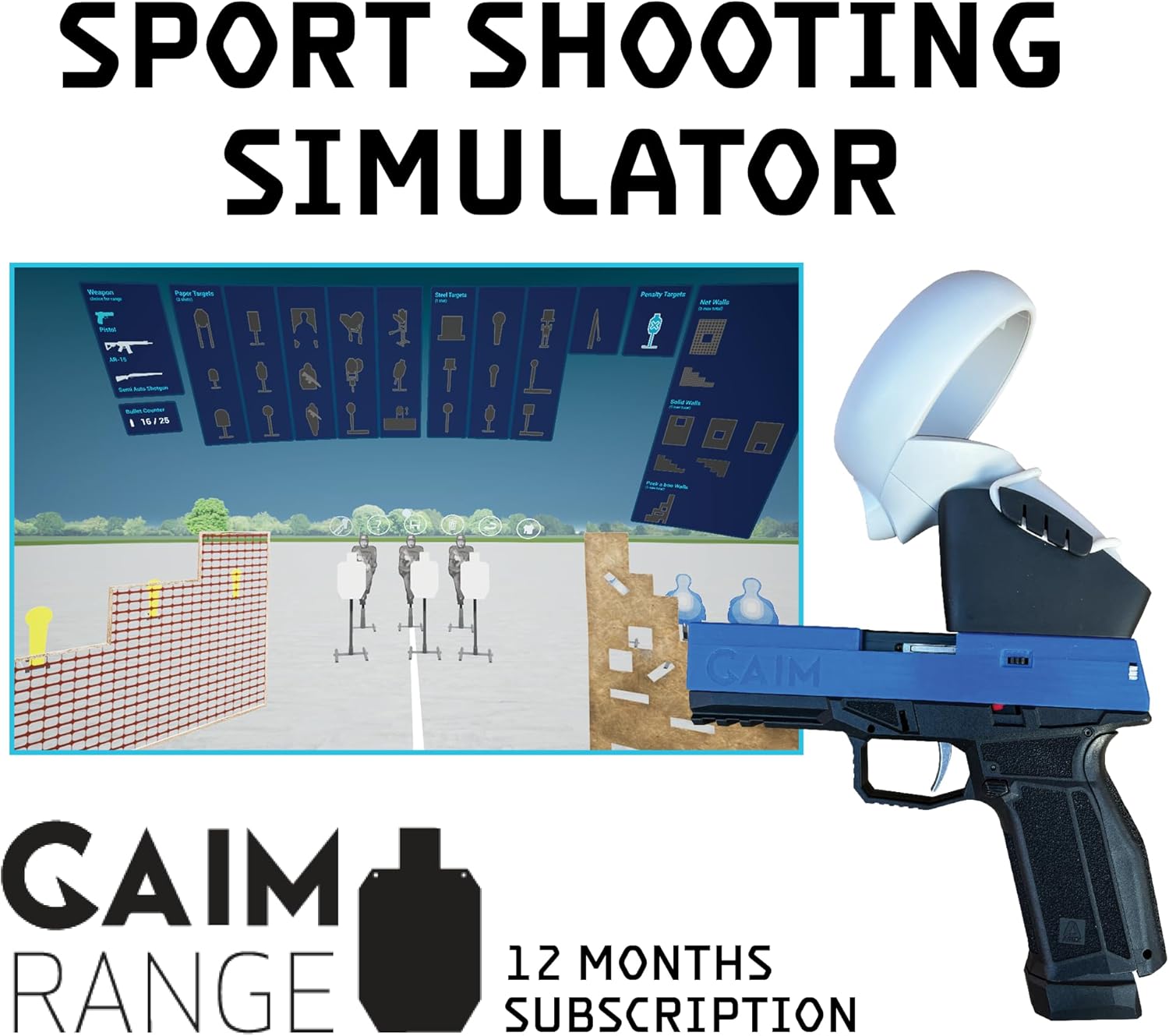
Слика: А view of the GAIM virtual range interface, showing various target types and customization options for training.
4.2. Training Scenarios
The GAIM simulator offers diverse training scenarios, including:
- Customizable Virtual Range: Set up various paper and steel targets, adjust distances, and create dynamic shooting drills.
- Steel Challenge: Practice competitive shooting stages with realistic target arrays.
- USPSA/IPSC Training: Utilize the adjustable magazine feature to simulate competitive pistol shooting scenarios.
- Hunting Scenarios: Practice shooting at static or running animal targets, with options to adjust speed and distance.

Image: A user actively engaged in a GAIM Sport Shooting Simulator session, demonstrating the immersive experience.
Video: GAIM Range Usage. This video illustrates how to set up and use the customizable virtual range, including target placement and engagement.
4.3. Performance Analysis
After each session, the GAIM software provides detailed feedback on your performance. This includes shot placement, barrel movement analysis, and other metrics to help you understand and improve your technique. For hunting scenarios, the analyzer tool shows how lead is affected by target speed and distance.

Image: A user experiencing the GAIM simulator, with a split view showing the virtual environment and a real-world target for enhanced training realism.
Video: Sport Shooting IPSC. This video demonstrates an IPSC-style sport shooting scenario within the GAIM simulator, highlighting dynamic target engagement.
5. Одржавање
To ensure the longevity and optimal performance of your GAIM Sport Shooting Simulator, follow these general maintenance guidelines:
- Чишћење: Regularly wipe down the blue gun controller and VR headset with a soft, dry cloth. Avoid using abrasive cleaners or solvents.
- Складиштење: Store the simulator components in a cool, dry place away from direct sunlight and extreme temperatures. Use the original packaging or a protective case when not in use.
- Одржавање батерије: Ensure the controllers and headset are charged regularly. For long-term storage, charge batteries to approximately 50% to prolong their lifespan.
КСНУМКС. Решавање проблема
If you encounter any issues with your GAIM Sport Shooting Simulator, refer to the following common troubleshooting steps:
- Проблеми са повезивањем: If the Bluetooth trigger or VR headset controller is not connecting, ensure both devices are charged, powered on, and within range. Try restarting both the controller and the VR headset.
- Грешке у софтверу: If the GAIM application is not responding or behaving unexpectedly, try restarting the application or your Meta Quest headset. Ensure your software is updated to the latest version.
- Проблеми са праћењем: Ensure your play area is well-lit and free from obstructions that might interfere with VR headset tracking. Check that the controller is securely attached to the blue gun.
- Unresponsive Trigger: Verify that the Bluetooth trigger is properly paired and charged. If issues persist, consult the Meta Quest support resources for controller-specific troubleshooting.
For further assistance, please refer to the support section below.
7. Спецификације
| Феатуре | Детаљ |
|---|---|
| Назив модела | GAIM Sport Shooting Simulator |
| Број модела ставке | abf8ec59-1bf6-4adb-abe2-6e1907b46e93 |
| Бранд | ГАИМ |
| Боја | Плава |
| Тежина артикла | 2 фунти |
| Димензије пакета | 12 к 9 к 7 инча |
| Технологија повезивања | Bluetooth, Internet, Wi-Fi, wireless |
| Посебна карактеристика | Built-In Speakers, Headset Casting, Immersive, Wireless, Bluetooth |
| Компатибилни уређаји | Meta Quest, Oculus Quest |
| Специфичне употребе за производ | Dry Fire Training, Range Training, Shooting Training |
| Узраст (опис) | Тинејџери, одрасли |
| Оперативни систем | Мета Куест |
8. Гаранција и подршка
For information regarding product warranty, returns, or technical support, please visit the official GAIM store or contact GAIM customer service directly. Keep your purchase receipt for warranty claims.
Више информација и ресурса за подршку можете пронаћи посетом GAIM Store on Amazon.