
1. Увод
Хвала вам на куповиниasing the RUIZU X66 64GB MP3 Player. This portable digital audio player is designed for high-quality music playback, featuring Bluetooth 5.3 connectivity, a built-in voice recorder, FM radio, and a convenient clip design. This manual provides detailed instructions on how to set up, operate, and maintain your device.
Видео: Готовоview of RUIZU X66 MP3 Player features.
2. Садржај пакета
Молимо вас да означите поље за следеће ставке:
- RUIZU X66 MP3 Player
- Жичане слушалице
- УСБ-Ц адаптерски кабл
- Поклон кутија
- Упутство за употребу

Image: Contents of the RUIZU X66 MP3 Player package.
3. Изглед уређаја
Familiarize yourself with the buttons and ports on your RUIZU X66 MP3 Player.

Слика: Прекоview of the RUIZU X66 MP3 Player's multi-functional features and layout.
- Екран: Shows menus, track information, and settings.
- Контролна дугмад: Navigation, play/pause, volume up/down.
- УСБ Типе-Ц порт: For charging and data transfer. Features a magnetic cap.
- 3.5 мм прикључак за слушалице: За повезивање жичаних слушалица.
- Recording Slide Button: Quick access to voice recording.
- клип: For attaching the player to clothing or bags.
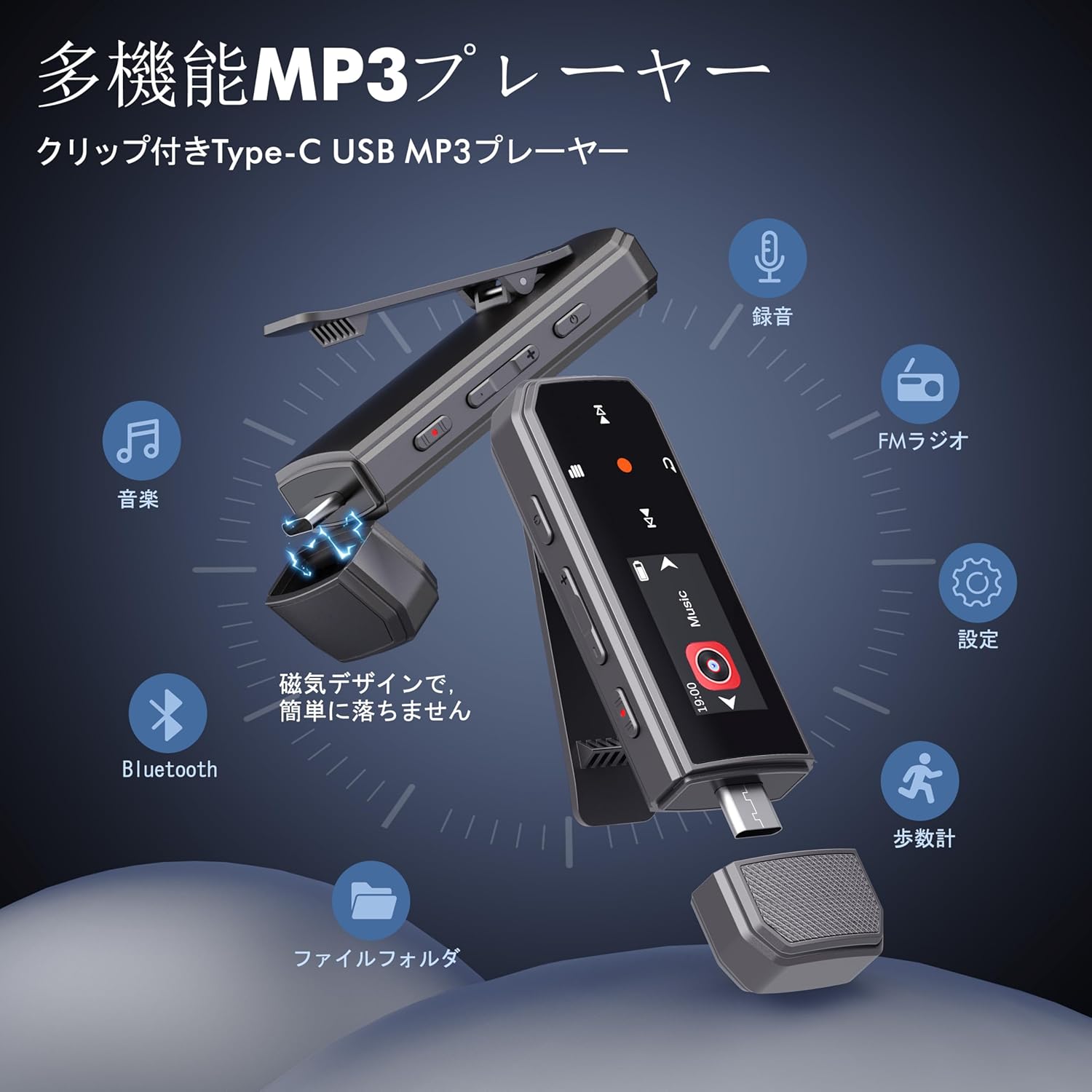
Image: RUIZU X66 MP3 Player highlighting its compact dimensions and clip.
4. Први кораци
4.1. Пуњење уређаја
Before first use, fully charge your MP3 player. The device has a built-in rechargeable battery that provides up to 20 hours of playback time on a 2-hour charge.
- Remove the magnetic cap from the USB Type-C port.
- Connect the included USB-C adapter cable to the player.
- Укључите други крај кабла у УСБ извор напајања (нпр. рачунар, адаптер за зид).
- Икона батерије на екрану ће показати статус пуњења.

Image: Magnetic cap of the RUIZU X66 MP3 Player.
4.2. Пренос музике Files
The RUIZU X66 has 64GB of internal storage. You can transfer music files from your computer or compatible smartphone.
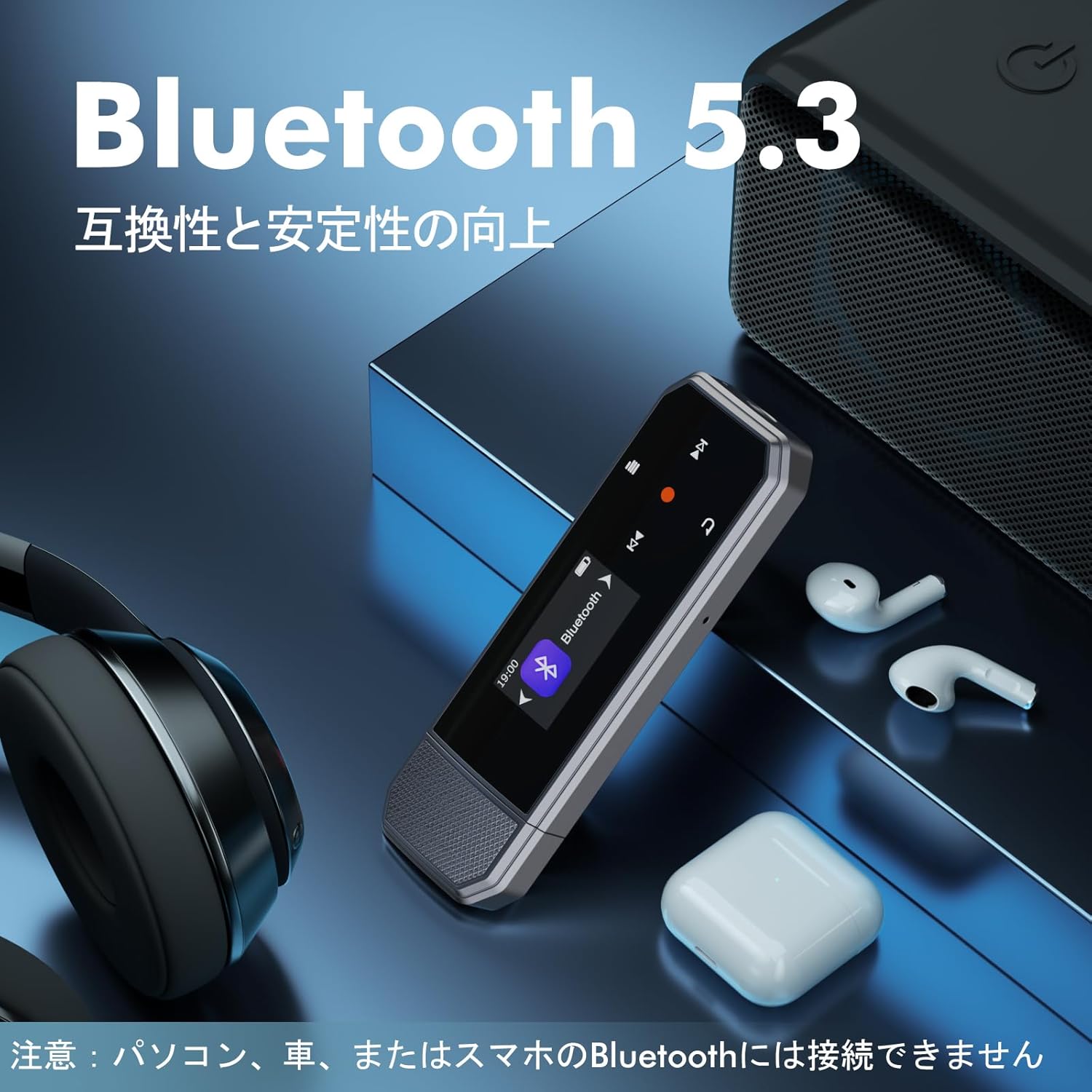
Image: Key specifications of the RUIZU X66 MP3 Player.
4.2.1. Via Computer (USB Connection)
- Connect the MP3 player to your computer using the USB-C adapter cable.
- Плејер ће се појавити као преносиви диск.
- Превуците и испустите своју музику files (MP3, WMA, APE, FLAC, WAV, M4A, OGG) into the player's storage.
- Безбедно избаците уређај из рачунара пре него што га искључите.
4.2.2. Via Smartphone (OTG Function)
The player supports OTG (On-The-Go) for direct file transfer from compatible Android smartphones.
- Connect the MP3 player directly to your Android smartphone's Type-C port.
- Your phone will recognize the player as external storage.
- Use your phone's file manager to transfer music files.
Note: OTG file transfer is not supported on iOS devices. Batch transfer is limited to 1GB at a time.

слика: File transfer options for the RUIZU X66 MP3 Player.
5. Основна операција
5.1. Укључивање/искључивање
- Да бисте укључили: Притисните и држите дугме за напајање док се екран не упали.
- To power off: Press and hold the Power button until the device shuts down.
5.2. Репродукција музике
- Navigate to the 'Music' menu using the control buttons.
- Select a song or folder to play.
- Користите дугме Плаи/Паусе да започнете или паузирате репродукцију.
- Користите дугмад Следеће/Претходно да бисте прескакали нумере.
5.2.1. Режими репродукције
The player supports various playback modes:
- Sequential Playback: Plays songs in order.
- Насумична репродукција: Plays songs in a random order.
- Поновите једно: Repeats the current song.
- Понови све: Repeats all songs in the current folder/playlist.
5.3. Контрола јачине звука
Use the dedicated Volume Up and Volume Down buttons on the side of the device to adjust the audio level.
5.4. Блуетоотх веза
Connect your RUIZU X66 to Bluetooth headphones or speakers for wireless audio.

Image: RUIZU X66 MP3 Player demonstrating Bluetooth 5.3 connectivity.
- Укључите Bluetooth слушалице или звучник и подесите их на режим упаривања.
- On the MP3 player, navigate to the 'Bluetooth' menu.
- Изаберите 'Тражи уређаји“ или „Упари нови уређај“.
- Choose your device from the list to connect.
Note: The RUIZU X66 cannot connect to car Bluetooth, computer Bluetooth, or smartphone Bluetooth for audio output.
6. Напредне функције
6.1. Снимање гласа
The RUIZU X66 features a one-button recording function.

Image: Activating the voice recording function on the RUIZU X66 MP3 Player.
- To start recording: Slide the red recording button on the side of the device upwards.
- To save recording: Slide the red recording button downwards.
- Снимљено files are saved in the 'Record' folder and can be played back from the device.
6.2. ФМ радио
Слушајте своје омиљене ФМ радио станице.

Image: Using the FM radio feature with wired headphones.
- Connect wired headphones to the 3.5mm jack (they act as the antenna).
- Navigate to the 'FM Radio' menu.
- Use the auto-tune function to scan for available stations or manually tune.
КСНУМКС. Педометар
Track your steps during exercise.
- Navigate to the 'Pedometer' menu to start tracking.
- The device records step count, distance, and time.
- Review your activity history within the pedometer menu.
6.4. Остале функције
- Екуализер: Подесите звучни професионалацfileпрема вашим жељама.
- обележивачи: Mark specific points in audio files for quick return.
- Ограничење јачине звука: Set a maximum volume level to protect hearing.
- File Фасцикле: Organize and browse your music by folders.
- УСБ Фласх Дриве: The device can also function as a portable USB storage drive.
7. Одржавање
- Чишћење: Use a soft, dry cloth to clean the device. Avoid liquid cleaners.
- Складиштење: Чувајте плејер на хладном и сувом месту, даље од директне сунчеве светлости и екстремних температура.
- Одржавање батерије: Да бисте продужили век трајања батерије, избегавајте често потпуно пражњење батерије. Редовно је пуните.
- Заштита екрана: The screen is susceptible to scratches. Handle with care.
КСНУМКС. Решавање проблема
| Проблем | Могуће решење |
|---|---|
| Уређај се не укључује. | Уверите се да је батерија напуњена. Прикључите се на извор напајања и покушајте поново. |
| Није могуће пренети fileс на уређај. | Check USB cable connection. Ensure the device is properly recognized by your computer/phone. For OTG, confirm your phone is Android and supports OTG. |
| Bluetooth connection unstable or not pairing. | Ensure your Bluetooth accessory is in pairing mode and within range. Restart both devices. Remember, the player cannot connect to car, PC, or phone Bluetooth for audio output. |
| Нема звука из слушалица. | Check headphone connection. Ensure volume is not muted or too low. Test with different headphones. |
| ФМ радио не ради. | Wired headphones must be connected as they act as the antenna. Ensure you are in an area with good signal reception. |
9. Спецификације
- Бренд: РУИЗУ
- Модел: Кс66
- Капацитет меморије: 64 ГБ
- Технологија повезивања: Bluetooth 5.3, USB Type-C, 3.5mm AUX
- Подржани аудио формати: MP3, WMA, APE, FLAC, WAV, M4A, DRM, ACELP, OGG
- Трајање батерије: До 20 сата (репродукција)
- Време пуњења: Отприлике 2 сата
- Тежина: 26г
- Димензије: 8.1 к 2.5 к 1.3 цм
- Карактеристике: FM Radio, Voice Recorder, Pedometer, Equalizer, Clip Design
10. Гаранција и подршка
RUIZU offers a 1-year warranty for product defects or malfunctions from the date of purchase. For any product issues, please contact our customer support for free refunds or exchanges.
If you have any questions about the product, please feel free to contact us. Refer to the "Product Packaging" for detailed contact information.


