
1. Увод
Хвала вам на куповиниasing the Arafuna NDR111B Portable DAB/DAB+/FM Radio. This manual provides essential information for setting up, operating, and maintaining your device. Please read it carefully before use and keep it for future reference.
Безбедносне информације
- Не излажите уређај киши, влази или екстремним температурама.
- Avoid disassembling the device; refer servicing to qualified personnel.
- Држите даље од јаких магнетних поља.
- Use only the provided Type-C charging cable.
2. Производ је готовview
The Arafuna NDR111B is a versatile portable radio offering DAB/DAB+, FM, and Bluetooth connectivity. It features a clear LCD display, 40 preset stations, dual alarms, and a sleep timer, all powered by a built-in rechargeable battery.
Шта је у кутији
- Arafuna NDR111B Portable Radio
- Tip-C USB kabl za punjenje
- Упутство за употребу
Контроле и компоненте
Familiarize yourself with the radio's layout:
Слика: Фронт view of the Arafuna NDR111B Portable Radio, showing the speaker grille, LCD display, and control buttons.

Слика: Са стране view of the Arafuna NDR111B Portable Radio, highlighting the Type-C charging port, headphone jack, and volume knob.
- ЛЦД екран: Shows time, station information, mode, and battery status.
- Дугме за напајање: Укључује/искључује радио.
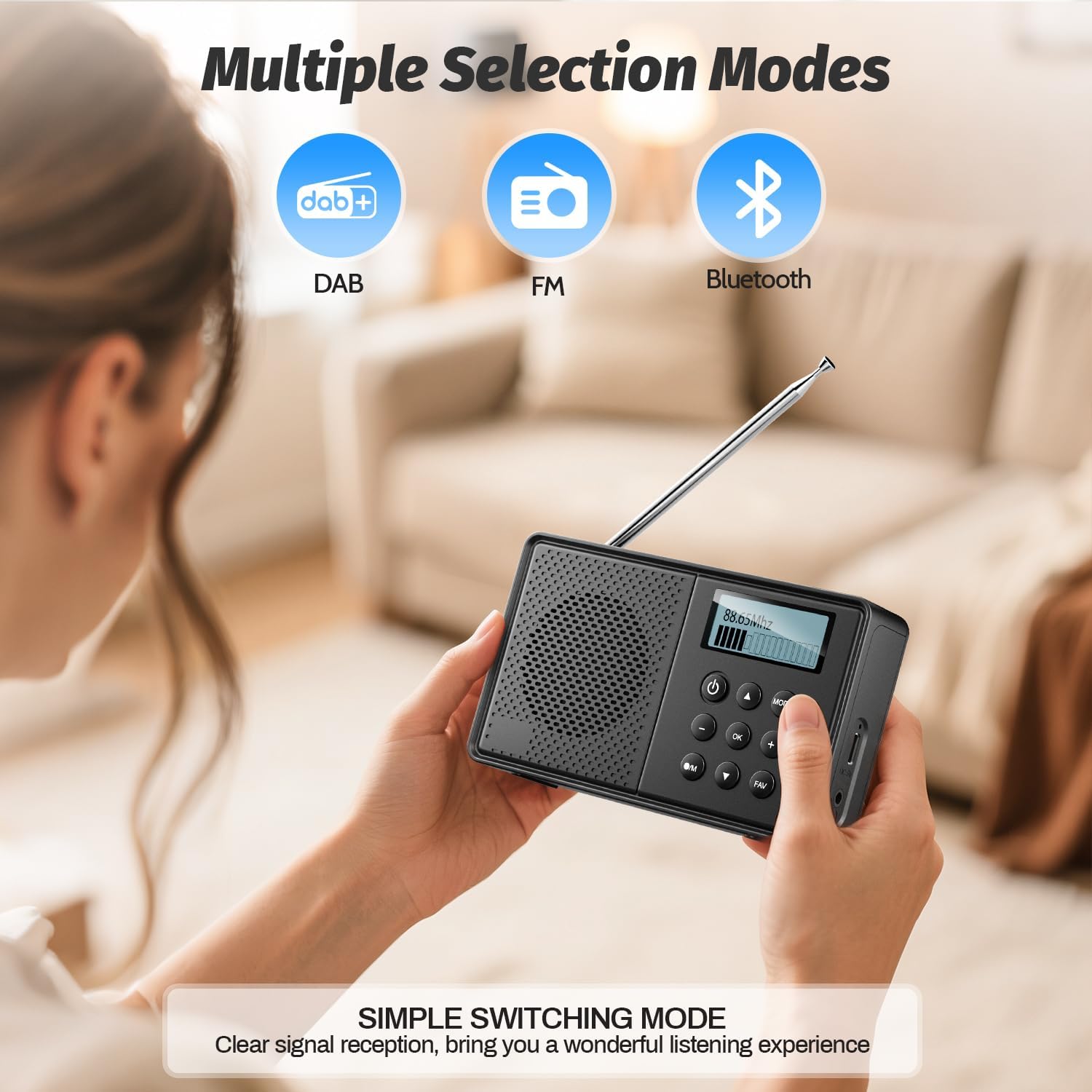
- Дугме за режим: Пребацује се између DAB, FM и Bluetooth режима.
- Дугме за јачину звука: Подешава јачину звука.
- Tuning/Navigation Buttons: Used for tuning stations, navigating menus, and setting alarms.
- Унапред подешена дугмад (1-5): Quick access to saved stations.
- ФАВ дугме: Saves and recalls favorite stations.
- Антена: Продужите за оптималан радио пријем.
- Порт за пуњење типа Ц: За пуњење унутрашње батерије.
- 3.5 мм прикључак за слушалице: За приватно слушање.
3. Подешавање
Почетно пуњење
Before first use, fully charge the radio. Connect the provided Type-C USB cable to the radio's charging port and the other end to a USB power adapter (not included) or a computer USB port. The battery indicator on the LCD display will show charging status.

Image: The Arafuna NDR111B radio connected to a Type-C charging cable, illustrating its high battery capacity and charging method.
Антенна Ектенсион
For optimal radio reception, extend the telescopic antenna fully. Adjust its position for the best signal quality.
4. Упутство за употребу
Укључивање/искључивање
- Притисните тастер Повер дугме за укључивање или искључивање радија.
Selecting Radio Modes (DAB/DAB+/FM)
- Притисните тастер МОДЕ button repeatedly to cycle through DAB, FM, and Bluetooth modes.
Image: The Arafuna NDR111B radio displaying icons for DAB, FM, and Bluetooth modes, indicating multiple selection options.
ДАБ/ДАБ+ радио операција
- In DAB mode, the radio will automatically scan for available stations upon first use.
- Use the navigation buttons to browse through the list of available DAB stations.
- Притисните OK да бисте изабрали станицу.
Операција ФМ радија
- In FM mode, you can perform an auto-scan or manual tuning.
- To auto-scan, press and hold the СЦАН button (if available) or follow on-screen prompts.
- For manual tuning, use the navigation buttons to adjust the frequency.

Image: The Arafuna NDR111B radio illustrating its auto-scan feature and the ability to store 40 preset stations (20 DAB, 20 FM).
Чување и позивање пресета
The radio allows you to store up to 40 stations (20 DAB / 20 FM).
Да бисте сачували станицу:
- Подесите жељену станицу.
- Притисните и држите ФАВ дугме на 2 секунди.
- Use the navigation buttons to select a preset number (1-20 for DAB, 1-20 for FM).
- Притисните OK потврдити.

Image: A visual guide showing three steps to store favorite stations using the FAV and OK buttons on the Arafuna NDR111B radio.
Да бисте поново позвали станицу:
- Притисните тастер ФАВ дугме накратко.
- Use the navigation buttons to select the desired preset number.
- Притисните OK потврдити.

Image: A visual guide showing three steps to recall favorite stations using the FAV and OK buttons on the Arafuna NDR111B radio.
Блуетоотх повезивање
- Пребаците се на Bluetooth режим помоћу МОДЕ дугме. На екрану ће се приказати „Bluetooth“.
- On your smartphone, tablet, or other Bluetooth device, enable Bluetooth and search for "NDR111B".
- Select "NDR111B" to pair. Once connected, you can stream audio to the radio.
- Напомена: Bluetooth headphones are not supported for output.

Image: The Arafuna NDR111B radio demonstrating Bluetooth connectivity with various devices like smartphones, PCs, and tablets. A note indicates that Bluetooth headphones are not supported.
Двострука подешавања аларма
You can set two independent alarms for different schedules (e.g., weekdays and weekends).
- Access the alarm settings via the menu.
- Set the desired alarm time, source (buzzer or radio station), and frequency (daily, weekdays, weekends).
- Притисните OK да спасе.
- Напомена: Alarms function only when the radio is connected to a power supply.
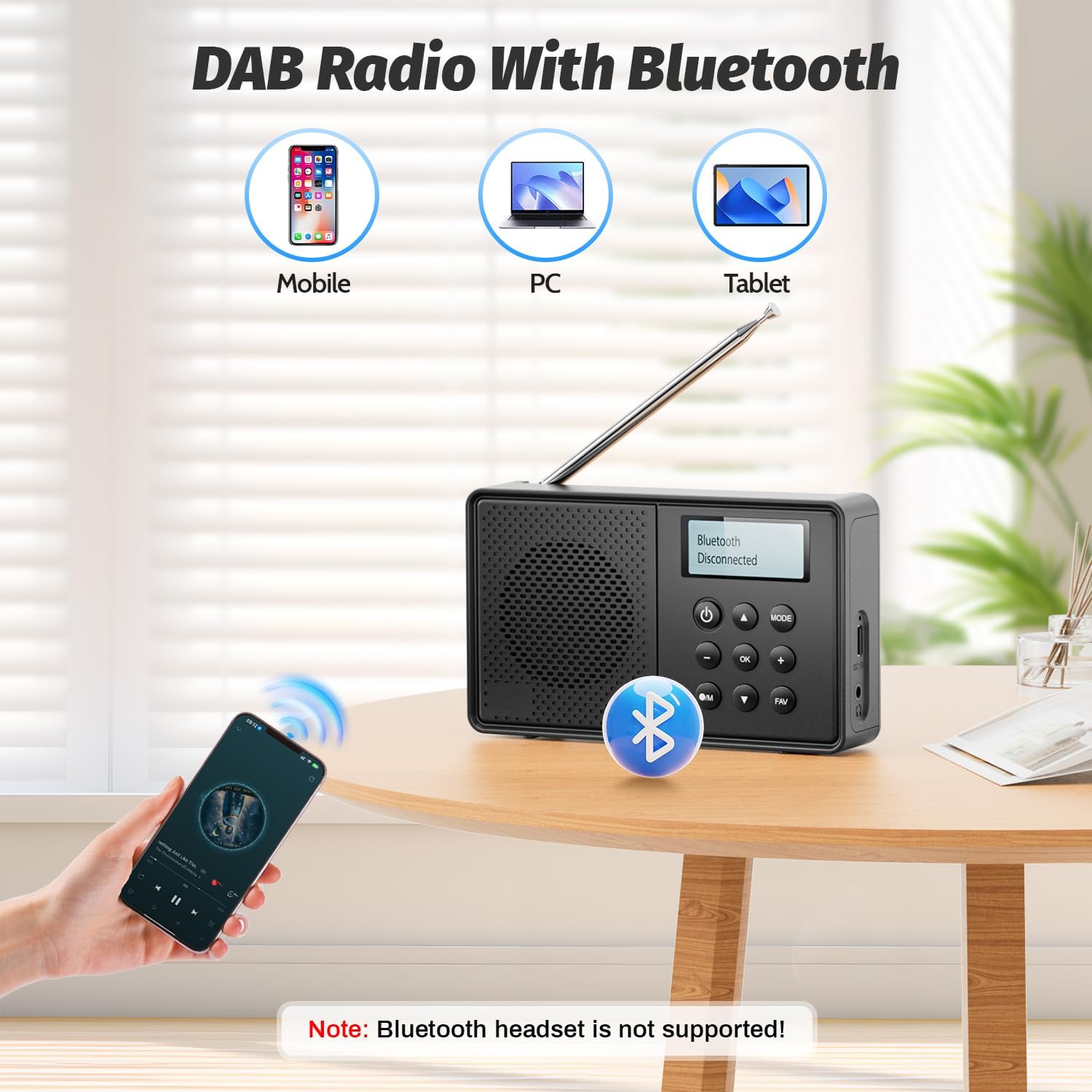
Image: The Arafuna NDR111B radio on a table next to a sleeping person, with an overlay showing the dual alarm and sleep timer settings. A note clarifies that alarms work only when connected to power.
Функција Слееп Тимер
The sleep timer allows the radio to turn off automatically after a set period (15-90 minutes).
- Access the sleep timer settings via the menu.
- Select the desired duration (e.g., 15, 30, 60, 90 minutes).
- The radio will automatically turn off after the selected time.
Употреба слушалица
- Plug 3.5mm wired headphones into the headphone jack for private listening.
5. Пуњење
The Arafuna NDR111B features a built-in lithium battery that provides up to 5 hours of playback and can be fully recharged in approximately 2.5 hours via the Type-C port.
- Connect the Type-C cable to the radio and a power source.
- The battery icon on the display will indicate charging status.
- Disconnect the cable once fully charged to preserve battery life.
6. Одржавање
- Очистите радио меком, сувом крпом. Не користите абразивна средства за чишћење или раствараче.
- Држите уређај даље од прашине и директне сунчеве светлости.
- If not used for a long period, charge the battery periodically to maintain its health.
КСНУМКС. Решавање проблема
| Проблем | Могући узрок | Решење |
|---|---|---|
| Нема струје | Батерија је испражњена | Charge the radio using the Type-C cable. |
| Лош радио пријем | Antenna not extended or poor signal area | Потпуно извуците телескопску антену и подесите њен положај. Покушајте да је преместите на другу локацију. |
| Блуетоотх се не повезује | Уређај није у режиму упаривања или је ван домета | Ensure the radio is in Bluetooth mode. Check that your device's Bluetooth is on and within 10 meters. |
| Аларм се не оглашава | Radio not connected to power or alarm not set correctly | Connect the radio to a power source. Verify alarm settings (time, source, frequency). |
8. Спецификације
| Феатуре | Детаљ |
|---|---|
| Бранд | Арафуна |
| Модел | NDR111B |
| Димензије производа | 12 к 2 к 6 цм |
| Тежина артикла | 230 г |
| Технологија тјунера | ДАБ/ДАБ+/ФМ |
| Подржани радио опсези | DAB, DAB+, FM |
| Frequency (DAB/DAB+) | 174-240 МХз |
| Frequency (FM) | 87.5-108 МХз |
| Технологија повезивања | Блуетоотх |
| Дисплаи | ЛЦД |
| Излазна снага звучника | 3 Ватт |
| Извор напајања | Напаја се батеријама (1 литијум-јонска батерија је укључена) |
| Капацитет батерије | 2200 mAh (approx. 5 hours playback) |
| Време пуњења | Приближно 2.5 сата (преко Type-C порта) |
| Додатне карактеристике | DAB Plus Radio, Dual Alarm, Sleep Timer, 40 Presets |
9. Гаранција и подршка
Arafuna products are designed for reliability and performance. For warranty information, technical support, or customer service inquiries, please refer to the contact details provided on the product packaging or the official Arafuna webсајт. Сачувајте рачун као доказ о куповини.
10. Видео снимци производа
Распакивање и крајview
Video: An unboxing video of a similar product, demonstrating the initial setup and components. This video provides a visual guide to what to expect when opening your Arafuna NDR111B radio.
Демонстрација производа
Video: A practical product illustration, showcasing the features and functionality of the radio in use. This video helps visualize how to operate the various modes and settings.
Radio Features Overview
Video: A demonstration of a portable FM radio, highlighting its features and ease of use. While not the exact model, it provides a general understanding of portable radio operation.
Преносиви радио са Блуетоотх-ом
Видео: Видео презентацијаasing a portable radio with Bluetooth functionality, similar to the Arafuna NDR111B. It illustrates how to use the radio for both traditional broadcasts and Bluetooth audio streaming.