
SABLUTE B0DHG83QYC
SABLUTE Large Print Backlit Wired USB Keyboard Instruction Manual
Model: B0DHG83QYC
1. Увод
Thank you for choosing the SABLUTE Large Print Backlit Wired USB Keyboard. This keyboard is designed to provide a comfortable and efficient typing experience with its oversized characters, 7-color backlighting, integrated wrist rest, and convenient phone holder. This manual will guide you through the setup, operation, and maintenance of your new keyboard.
2. Шта је у кутији
- SABLUTE Large Print Backlit Wired USB Keyboard
3. Упутства за подешавање
- Распакујте тастатуру: Пажљиво извадите тастатуру из паковања.
- Повежите се са рачунаром: Locate an available USB-A port on your computer (desktop, laptop, or compatible device). Insert the USB connector of the keyboard firmly into the USB-A port.
- Инсталација драјвера: The keyboard is plug-and-play. Your operating system (Windows, macOS, Linux) will automatically detect and install the necessary drivers. No additional software is required.
- Потврдите везу: Once connected, the keyboard should be ready for use. Test by typing in a text editor or browser.
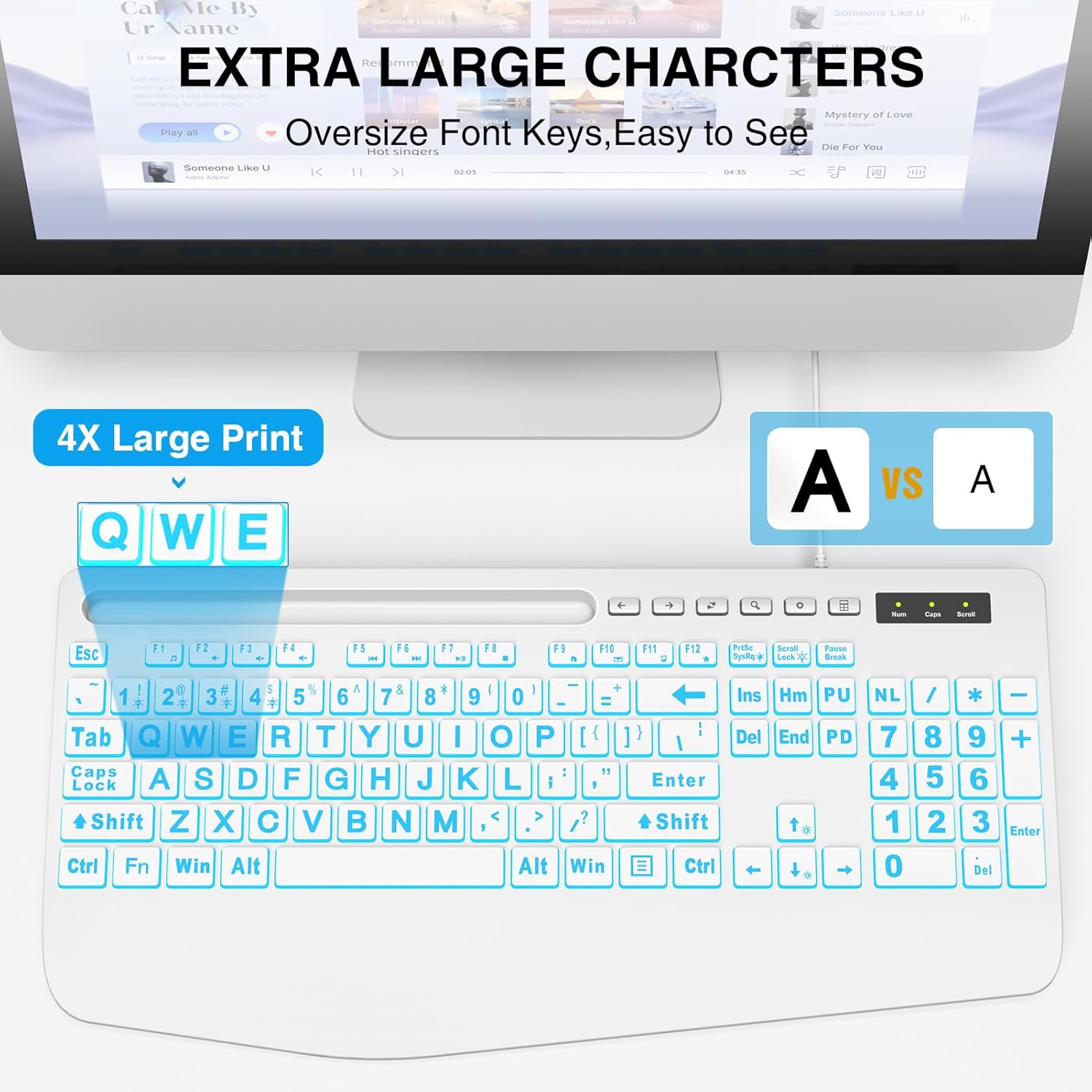
This image illustrates the large print keys on the SABLUTE keyboard, designed for enhanced visibility and reduced eye strain. A comparison highlights the increased character size compared to standard keyboards.
4. Упутство за употребу
4.1 Контрола позадинског осветљења
The keyboard features a 7-color backlight with adjustable brightness and multiple modes. Use the following key combinations to control the backlighting:
- Подесите осветљеност: Притисните Fn + Паге Уп да бисте повећали осветљеност. Притисните Fn + Паге Довн to decrease brightness. There are 7 levels of brightness.
- Укључивање/искључивање позадинског осветљења: Притисните Fn + Сцролл Лоцк to toggle the backlight on or off.
- Toggle Backlight Color: Притисните Fn + 1 to cycle through the 7 available backlight colors.
- Keep One Backlight Color: Притисните Fn + 2 to select and maintain a single backlight color.
- Backlighting While Typing Mode: Притисните Fn + 3 to activate a reactive mode where keys illuminate upon typing.
- Backlight Color Changes Back and Forth Mode: Притисните Fn + 4 to activate a dynamic mode where colors transition back and forth.
This image displays the keyboard with its keys illuminated in various colors, demonstrating the 7-color backlight feature.

This diagram illustrates how to adjust the backlight brightness of the keyboard using the 'Fn' key combined with the brightness up/down keys.

This diagram demonstrates how to cycle through the available backlight colors by pressing the 'Fn' key simultaneously with the '1' key.

This diagram explains how to select and maintain a single backlight color by pressing the 'Fn' key along with the '2' key.

This diagram illustrates the reactive backlighting mode, where keys illuminate upon typing, activated by pressing 'Fn' + '3'.

This diagram demonstrates the dynamic backlight mode where colors transition back and forth, activated by pressing 'Fn' + '4'.
4.2 Integrated Phone/Tablet Holder
The keyboard features a built-in slot at the top, designed to hold your smartphone or tablet. This allows for convenient viewing of videos, video conferencing, or reading materials while using your computer. Please note that this holder does not provide charging functionality.

This image shows a smartphone securely placed in the keyboard's built-in holder, illustrating its convenience for multitasking.
4.3 Ергономски ослонац за зглоб
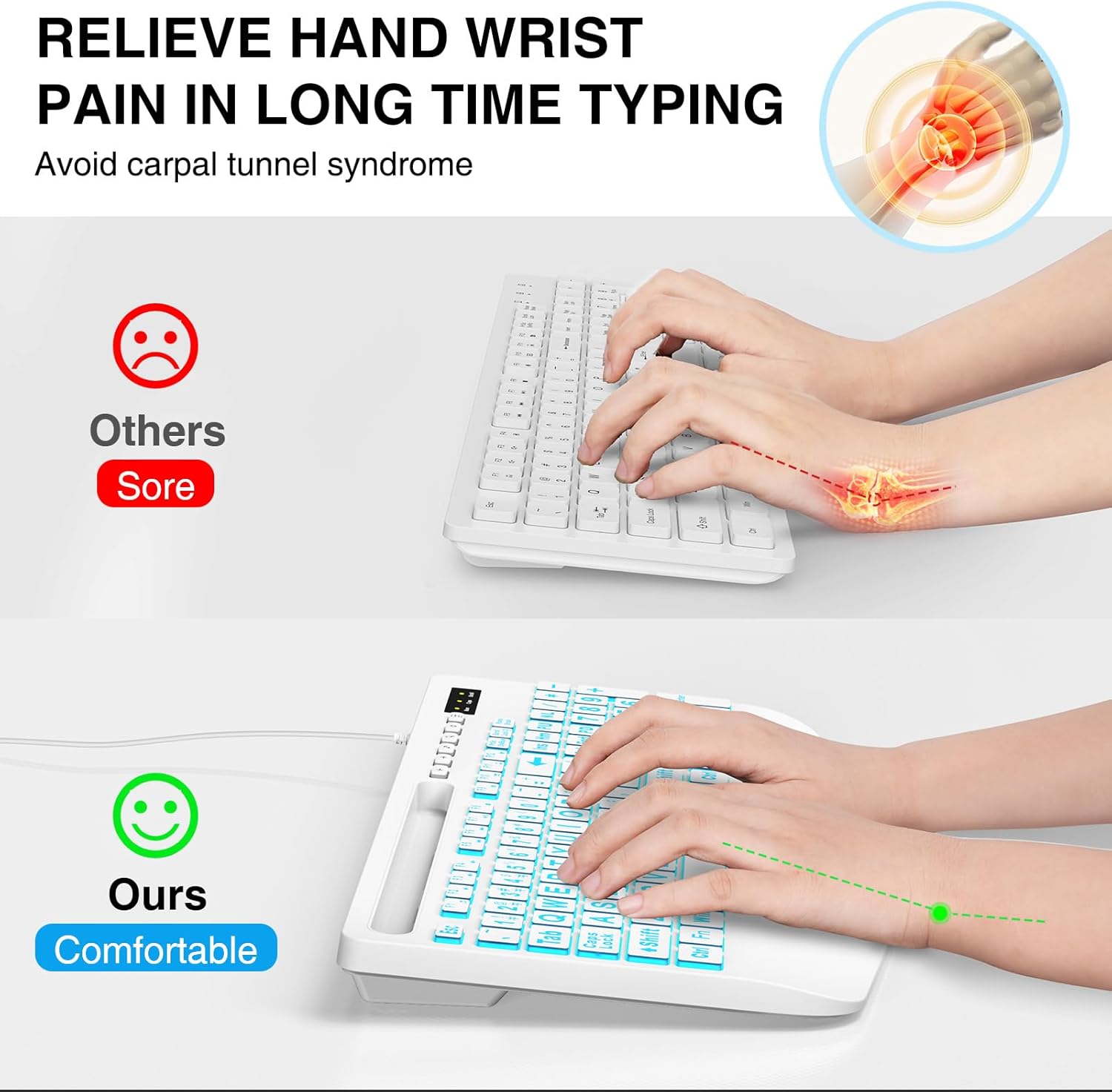
The keyboard is designed with an integrated palm rest to provide ergonomic support. This feature helps reduce wrist fatigue and discomfort during prolonged typing sessions, promoting a more natural hand position.
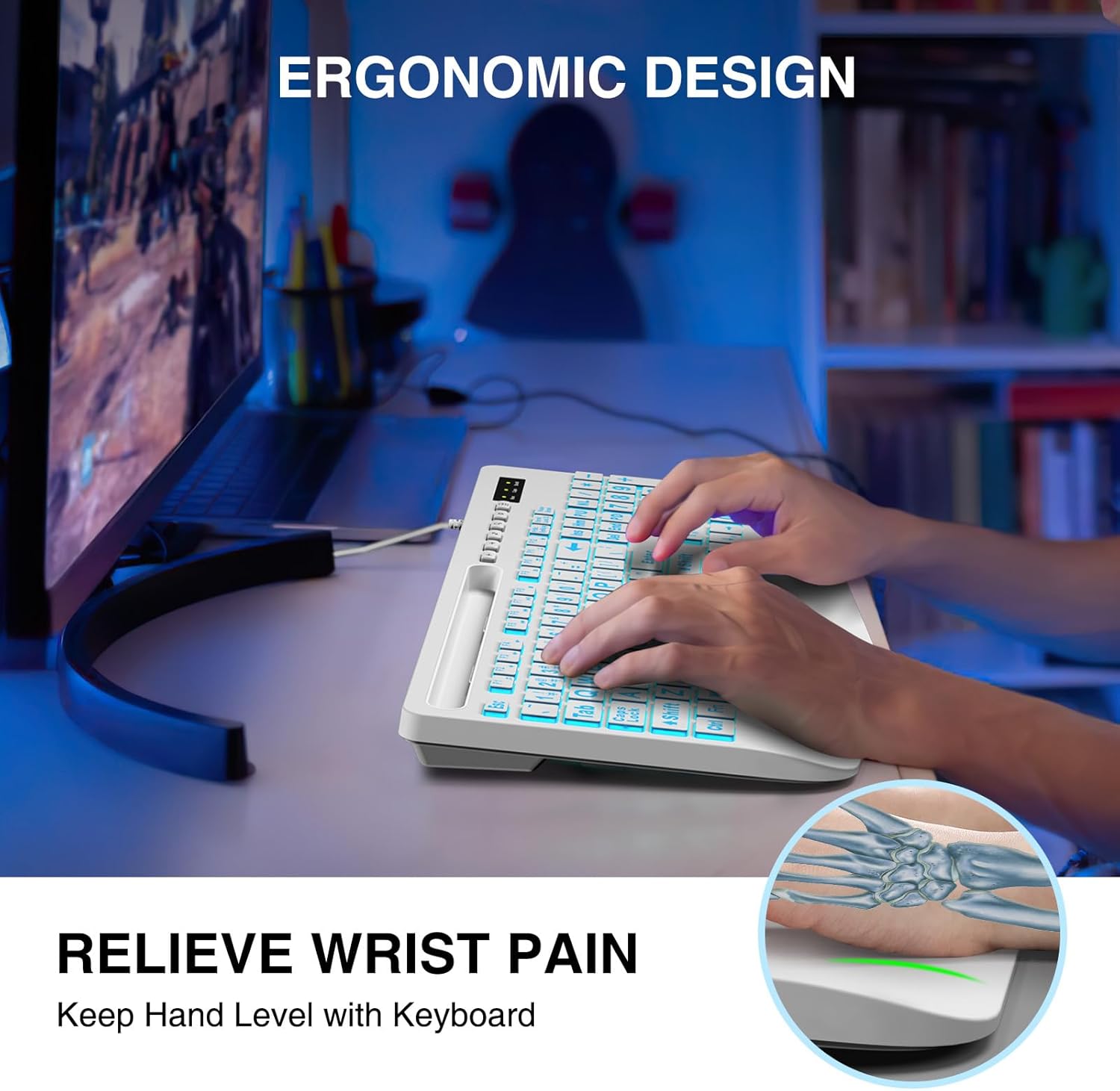
This image shows a user typing on the keyboard, emphasizing the integrated wrist rest designed to provide support and reduce discomfort during extended use.
4.4 Мултимедијални функционални тастери
The keyboard includes dedicated function keys (F1-F12) that, when pressed with the Fn key, provide quick access to multimedia controls and other system functions. Refer to the key legends for specific functions such as volume control, media playback, and launching applications.
5. Одржавање
- Чишћење: To clean the keyboard, disconnect it from your computer. Use a soft, damp cloth to wipe the surface. For stubborn dirt, a mild cleaning solution can be applied to the cloth (not directly to the keyboard). Avoid excessive moisture.
- Уклањање прашине: Користите компримовани ваздух да уклоните прашину и остатке између тастера.
- Складиштење: Чувајте тастатуру на сувом и хладном месту, даље од директне сунчеве светлости и екстремних температура.
КСНУМКС. Решавање проблема
- Тастатура не реагује:
- Уверите се да је USB кабл безбедно повезан и са тастатуром и са рачунаром.
- Покушајте да повежете тастатуру са другим УСБ портом на рачунару.
- Поново покрените рачунар.
- Тестирајте тастатуру на другом рачунару да бисте утврдили да ли је проблем са тастатуром или са рачунаром.
- Позадинско осветљење не ради:
- Ensure the backlight is turned on by pressing Fn + Сцролл Лоцк.
- Adjust the brightness using Fn + Паге Уп / Паге Довн.
- Keys Are Sticky or Unresponsive:
- Clean the keyboard as described in the Maintenance section to remove any debris that might be affecting key presses.
7. Спецификације
| Бранд | САБЛУТЕ |
| Модел | B0DHG83QYC |
| Технологија повезивања | USB-A (жичани) |
| Компатибилни уређаји | Mac, PC, Windows |
| Опис тастатуре | Backlit, Wired, Large print keyboard with wrist rest |
| Посебне карактеристике | Large print keys, Phone/Tablet Holder, Wrist Rest, 7-Color Backlight |
| Подршка бојама позадинског осветљења тастатуре | РГБ (7 боја) |
| Димензије производа | 17" Д x 8.5" Ш x 1.25" В (43.18 цм x 21.59 цм x 3.18 цм) |
| Тежина артикла | 1.9 фунте (0.86 кг) |
8. Информације о гаранцији
SABLUTE products are manufactured to high-quality standards. For specific warranty details, please refer to the warranty card included with your purchase or contact SABLUTE customer support. Keep your proof of purchase for warranty claims.
9. Подршка
If you encounter any issues or have questions not covered in this manual, please contact SABLUTE customer support. Contact information can typically be found on the product packaging or the official SABLUTE webсајту.
Ask a question about this manual
Ask about setup, troubleshooting, compatibility, parts, safety, or missing instructions. Manuals+ will review the question and use this page’s manual context to help answer it.