
1. Увод
Thank you for choosing the MANGOKIT MS1 CD Player with DAB/DAB+ FM Radio, Bluetooth, and 80W Stereo Hi-Fi System. This manual provides essential information for the safe and efficient operation of your device. Please read it thoroughly before use and retain it for future reference.
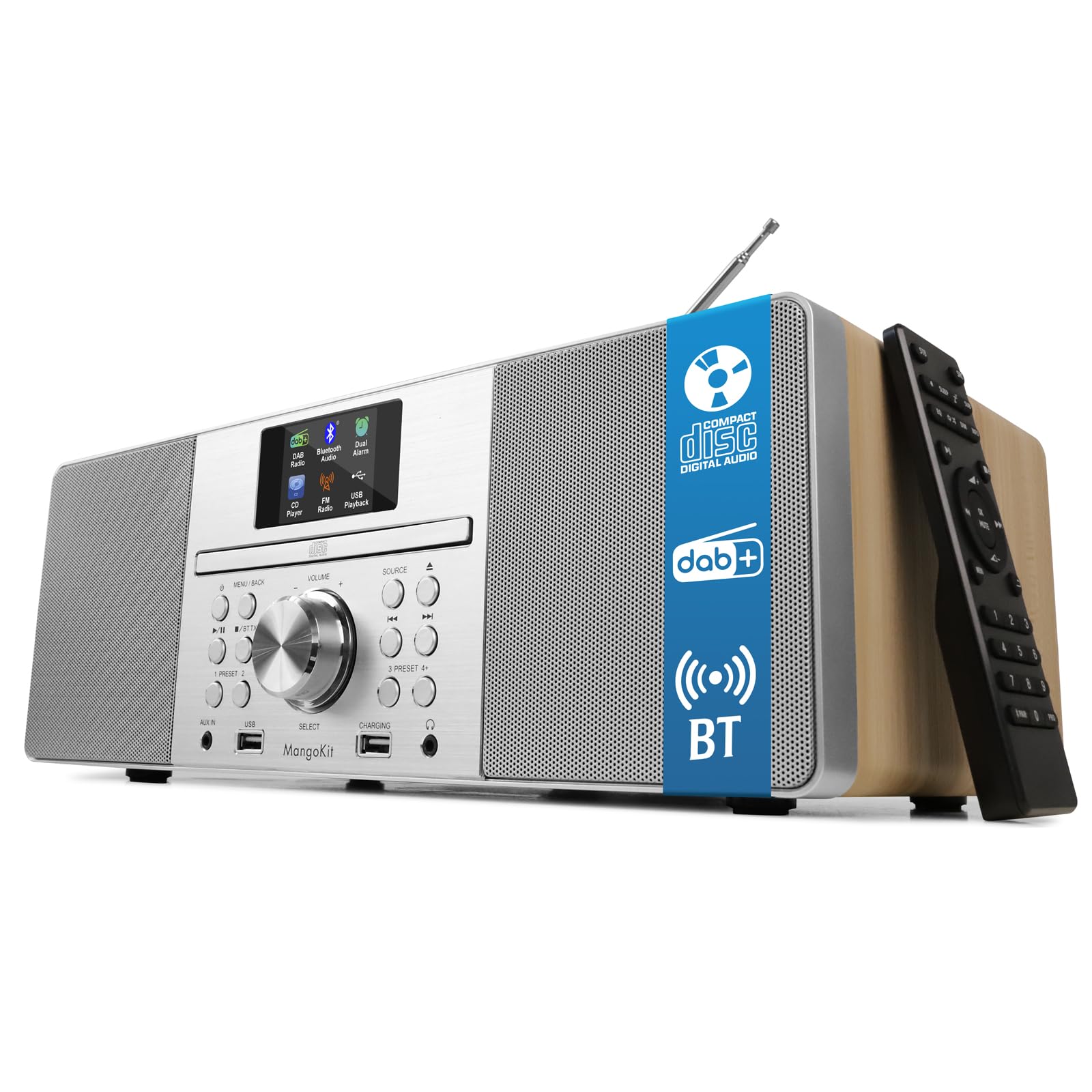
The MANGOKIT MS1 CD Player, a versatile audio system featuring a wooden acoustic cabinet.
2. Безбедносне информације
- Извор напајања: Користите само наведени адаптер за напајање. Уверите се да је јачина звукаtagе одговара вашем локалном извору напајања.
- вентилација: Не блокирајте вентилационе отворе. Оставите довољно простора око уређаја за правилан проток ваздуха.
- Вода и влага: Do not expose the unit to rain, moisture, or dripping/splashing liquids. Keep away from water sources.
- топлота: Do not place near heat sources such as radiators, heat registers, stoves, or other apparatus (including ampлифиерс) који производе топлоту.
- Чишћење: Искључите уређај из зидне утичнице пре чишћења. Користите меку, суву крпу. Не користите течна средства за чишћење или аеросолна средства за чишћење.
- Сервисирање: Не покушавајте сами да сервисирате овај производ. Све сервисирање препустите квалификованом сервисном особљу.
- Пласман: Поставите уређај на стабилну, равну површину како бисте спречили његов пад.
3. Садржај пакета
Проверите да ли су све ставке присутне у кутији:
- MANGOKIT MS1 CD Player System
- Повер Цабле
- Ремоте Цонтрол
- Упутство за употребу
4. Производ је готовview
The MANGOKIT MS1 offers multiple audio sources and convenient controls for an enhanced listening experience.

Фронт view of the MANGOKIT MS1, highlighting its multi-source capabilities including CD, DAB+, FM, and Bluetooth.
Front Panel Controls and Ports

Детаљно view of the MANGOKIT MS1 front panel, showing the AUX IN port, USB port for playback, USB port for charging, and the 3.5mm headphone jack.
- Екран: 2.4-inch color display for station information, track details, and settings.
- ЦД лежиште: Front-loading CD player.
- Control Knobs/Buttons: For power, volume, source selection, tuning, menu navigation, and presets.
- USB Port (Playback): За репродукцију звука fileс са УСБ диска.
- USB Port (Charging): За пуњење екстерних уређаја.
- AUX УЛАЗ (3.5 мм): За повезивање екстерних аудио извора.
- Утичница за слушалице (3.5 мм): За приватно слушање.
- Телескопска антена: For DAB/DAB+ and FM radio reception.
5. Подешавање
- Распакивање: Пажљиво уклоните све компоненте из паковања.
- Пласман: Place the MS1 on a stable, flat surface. Ensure there is adequate space around the unit for ventilation.
- Антена: Fully extend the telescopic antenna for optimal radio reception.
- Прикључак за напајање: Connect the power cable to the DC IN port on the back of the unit and then plug it into a wall outlet.
- Почетно укључивање: Press the Power button on the unit or remote control to turn on the device. The unit will typically perform an automatic scan for DAB/DAB+ stations upon first use.
6. Упутство за употребу
6.1 Избор извора
Press the 'Source' button on the unit or remote control to cycle through available modes: DAB/DAB+ Radio, FM Radio, CD Player, Bluetooth, USB, and AUX Input.
6.2 ДАБ/ДАБ+ Радио
- Select DAB mode. The unit will scan for available stations.
- Use the 'Tune' or navigation buttons to browse the list of available stations.
- Press 'Select' or 'Enter' to choose a station.
- To save a preset: Press and hold a 'Preset' button (1-5) until the display confirms the station is saved. You can save up to 60 stations.
- To recall a preset: Briefly press the corresponding 'Preset' button.
6.3 ФМ Радио
- Изаберите ФМ режим.
- Press the 'Scan' button to automatically search for and store available stations.
- Alternatively, use the 'Tune' or navigation buttons to manually tune to a frequency.
- Saving and recalling presets works similarly to DAB mode.
6.4 ЦД плејер

The MANGOKIT MS1 CD player with a disc inserted and the remote control for easy operation.
- Изаберите режим ЦД-а.
- Gently insert a CD into the CD slot with the label side facing up. The unit will automatically load the disc.
- Playback will begin automatically. Use the 'Play/Pause', 'Skip Track', and 'Stop' buttons on the unit or remote control to manage playback.
6.5 Стримовање преко Bluetooth-а

The MANGOKIT MS1 connected via Bluetooth to a smartphone, demonstrating wireless music streaming.
- Select Bluetooth mode. The display will show 'Pairing' or 'Waiting for connection'.
- На паметном телефону или таблету омогућите Блуетоотх и потражите доступне уређаје.
- Select 'MANGOKIT MS1' from the list to pair. Once connected, you can stream audio from your device.
6.6 USB Playback and Charging
- Репродукција: Убаците УСБ диск који садржи МП3 files into the USB playback port. Select USB mode to browse and play files.
- Пуњење: Connect your device's charging cable to the USB charging port to power up your smartphone or tablet.
6.7 АУКС улаз
Connect an external audio device (e.g., MP3 player) to the AUX IN port using a 3.5mm audio cable. Select AUX mode to play audio from the connected device.
6.8 Alarms and Sleep Timer
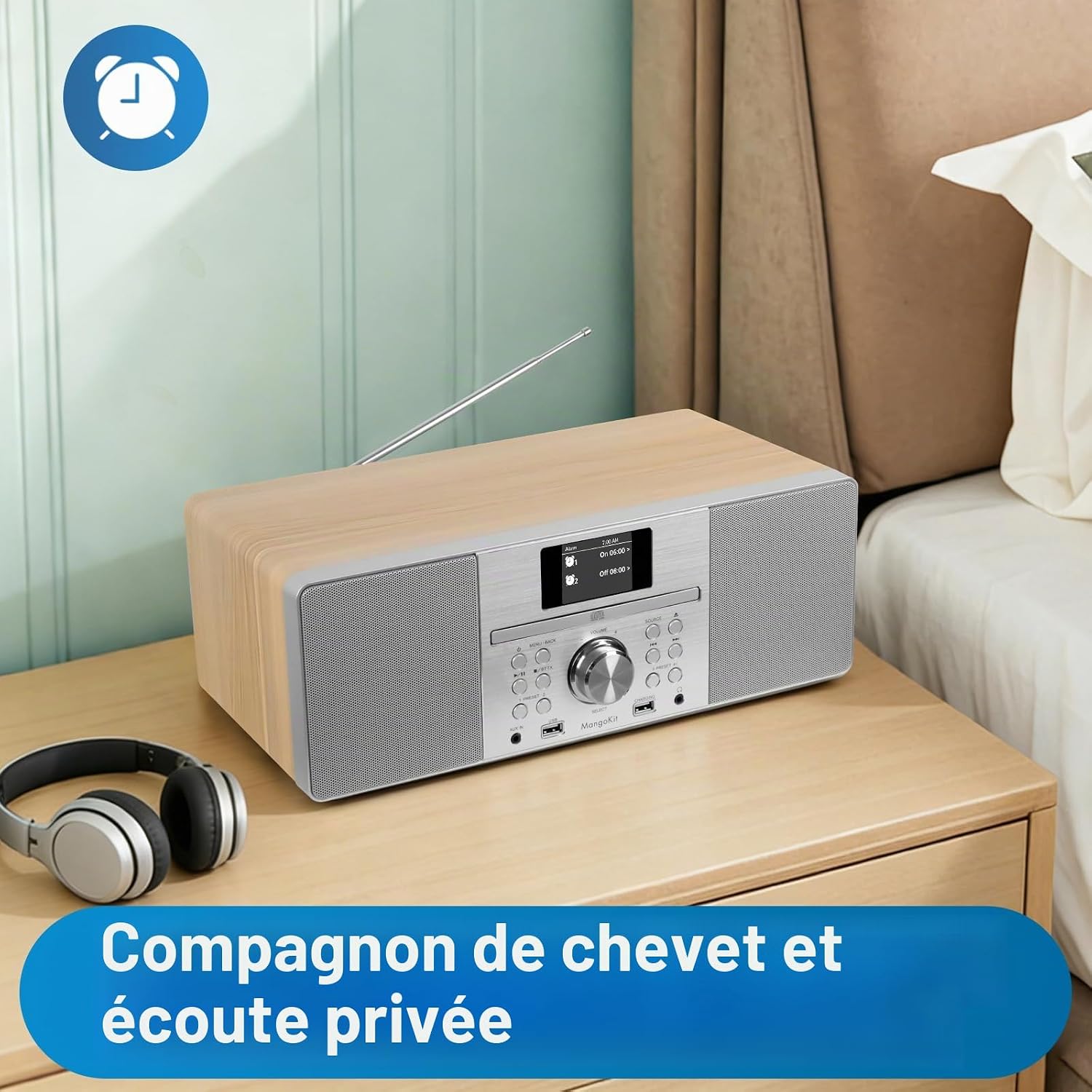
The MANGOKIT MS1 positioned on a bedside table, suitable for use as an alarm clock and for private listening with headphones.
- Подешавање аларма: Access the 'Alarm' menu in the system settings. You can set up to two alarms with customizable sources (DAB, FM, Buzzer) and schedules (daily, weekdays, weekends).
- Мерач спавања: Activate the 'Sleep Timer' function to automatically turn off the unit after a set period (e.g., 15, 30, 60 minutes).
6.9 Equalization Modes
The unit features equalization modes to adapt the sound profile. Navigate to the 'Equalizer' settings in the menu to select options like Flat, Rock, Pop, Jazz, Classic, or adjust custom bass/treble levels.
7. Одржавање
- Чишћење: Use a soft, dry, lint-free cloth to clean the unit's exterior. Do not use abrasive cleaners, waxes, or solvents.
- CD Player Care: Handle CDs by their edges to avoid fingerprints and scratches. Use a CD cleaning kit if necessary.
- Складиштење: Ако складиштите уређај дуже време, искључите га из утичнице и чувајте га на хладном и сувом месту.
КСНУМКС. Решавање проблема
| Проблем | Могући узрок | Решење |
|---|---|---|
| Нема струје | Кабл за напајање није повезан; утичница је неисправна | Уверите се да је кабл за напајање безбедно повезан. Покушајте са другом утичницом. |
| Нема звука | Јачина звука је прениска; активирано је искључивање звука; изабран је погрешан извор | Increase volume. Check if mute is active. Select the correct audio source. |
| Лош радио пријем | Антена није извучена; Слаб сигнал | Fully extend and adjust the telescopic antenna. Try repositioning the unit. |
| CD се не репродукује | CD inserted incorrectly; CD scratched/dirty; Incorrect source | Re-insert CD correctly. Clean or replace CD. Select CD source. |
| Блуетоотх се не упарује | Bluetooth not enabled on device; Device too far; Incorrect mode | Ensure Bluetooth is enabled on your external device. Move device closer. Select Bluetooth mode on MS1. |
| Даљински управљач не ради | Batteries depleted; Obstruction; Remote out of range | Replace batteries. Remove any obstructions between remote and unit. Ensure remote is within range. |
9. Спецификације
| Бранд | МангоКит |
| Број модела | МС1 |
| Технологија повезивања | Блутут (5.3), УСБ |
| Аудио излазна снага | 80 W (Stereo Hi-Fi System) |
| Подржани аудио формати | CD-DA, MP3 |
| Медиа Типе | Аудио ЦД |
| Тип тјунера | DAB/DAB+, FM Digital Radio |
| Пресетс | 60 Статионс |
| Дисплаи | 2.4-инчни екран у боји |
| Прикључак за слушалице | 3.5 мм |
| АУКС улаз | 3.5 мм прикључак |
| Димензије (Д к Ш к В) | 38Д к 13.9Ш к 21.2В цм |
| Тежина артикла | 4 килограма |
| Компатибилни уређаји | МП3 плејер, паметни телефон, таблет |
10. Гаранција и подршка
- гаранција: Овај производ долази са једногодишњом гаранцијом од датума куповине.
- Доступност резервних делова: Spare parts are available for 7 years.
- Корисничка подршка: For technical assistance, troubleshooting, or warranty claims, please contact MangoKit customer support through your retailer or the official MangoKit webсајту.