
ddpai MINI 2X
DDPAI MINI2X Упутство за употребу камере за аутомобил
2K QHD 1440p Car Dashcam with Advanced Features
1. Производ је готовview
DDPAI MINI2X камера за снимање аутомобила је високо ефикасни уређај за снимање возила дизајниран за снимање јасних и детаљних снимака.tage of your journeys. Featuring 2K QHD 1440p resolution, advanced night vision, and intelligent parking monitoring, it provides enhanced security and peace of mind on the road. Its compact and rotatable design ensures versatile placement and comprehensive coverage.
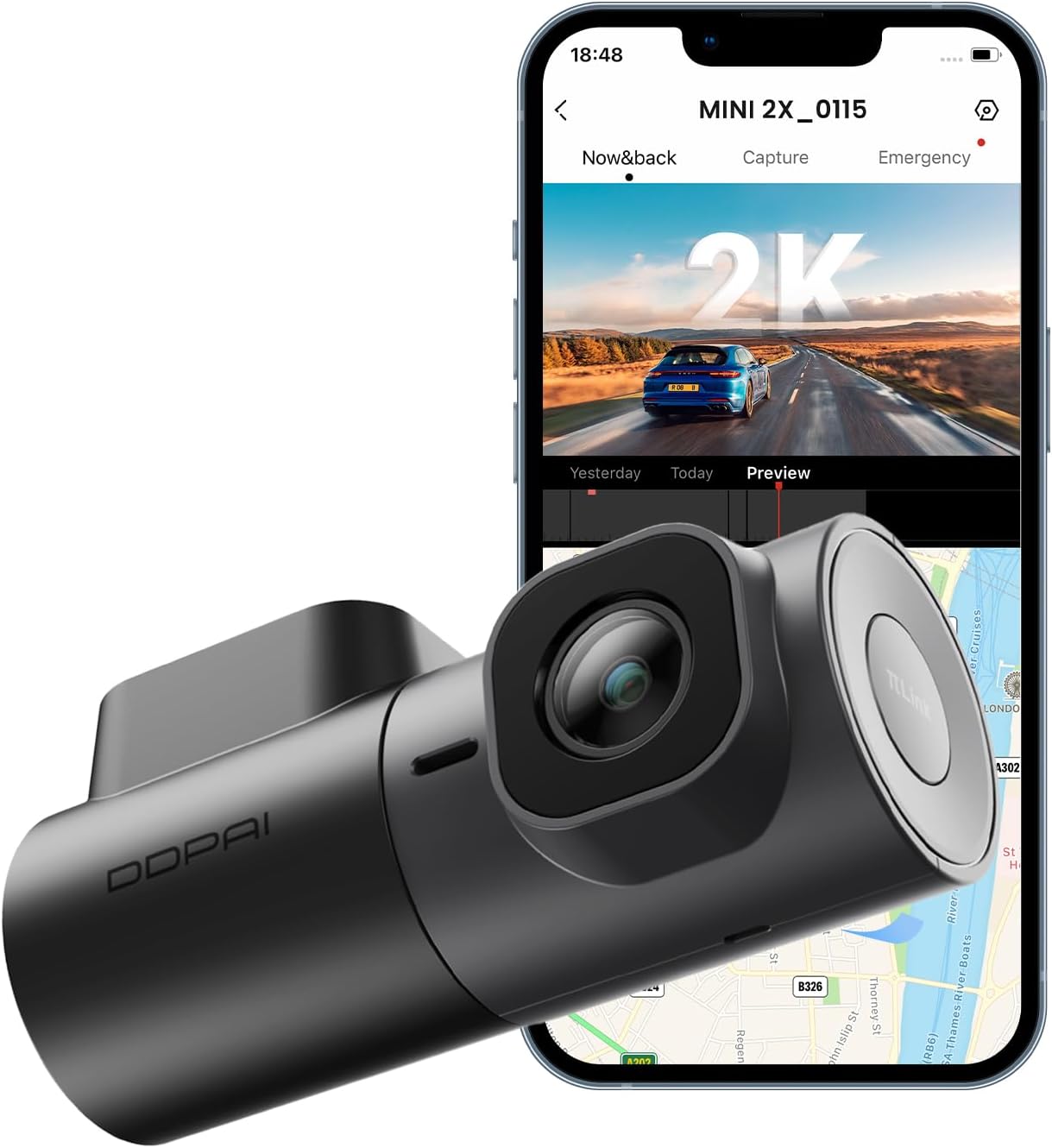
Image: The DDPAI MINI2X Dash Cam shown alongside a smartphone displaying its companion application interface, highlighting its compact size and connectivity features.
2. Садржај пакета
Молимо вас да проверите да ли су све ставке наведене у наставку укључене у ваш пакет:
- Dash Cam (MINI2X)
- Цар Цхаргер
- Цар Моунт
- Алат за инсталацију
- Quick Guide (User Manual)
- 3M Adhesive (for mounting)
- Елецтростатиц Стицкер
- USB Power Cable (Type-C)

Слика: Фронт view of the DDPAI MINI2X Dash Cam product box.

Слика: Позади view of the DDPAI MINI2X Dash Cam product box, showing product specifications and regulatory information.
3. Водич за подешавање
3.1 Монтирање камере за аутомобил
The DDPAI MINI2X is designed for windshield mounting. Choose a location that does not obstruct your view of the road. Clean the windshield surface thoroughly before applying the electrostatic sticker and 3M adhesive for secure attachment.
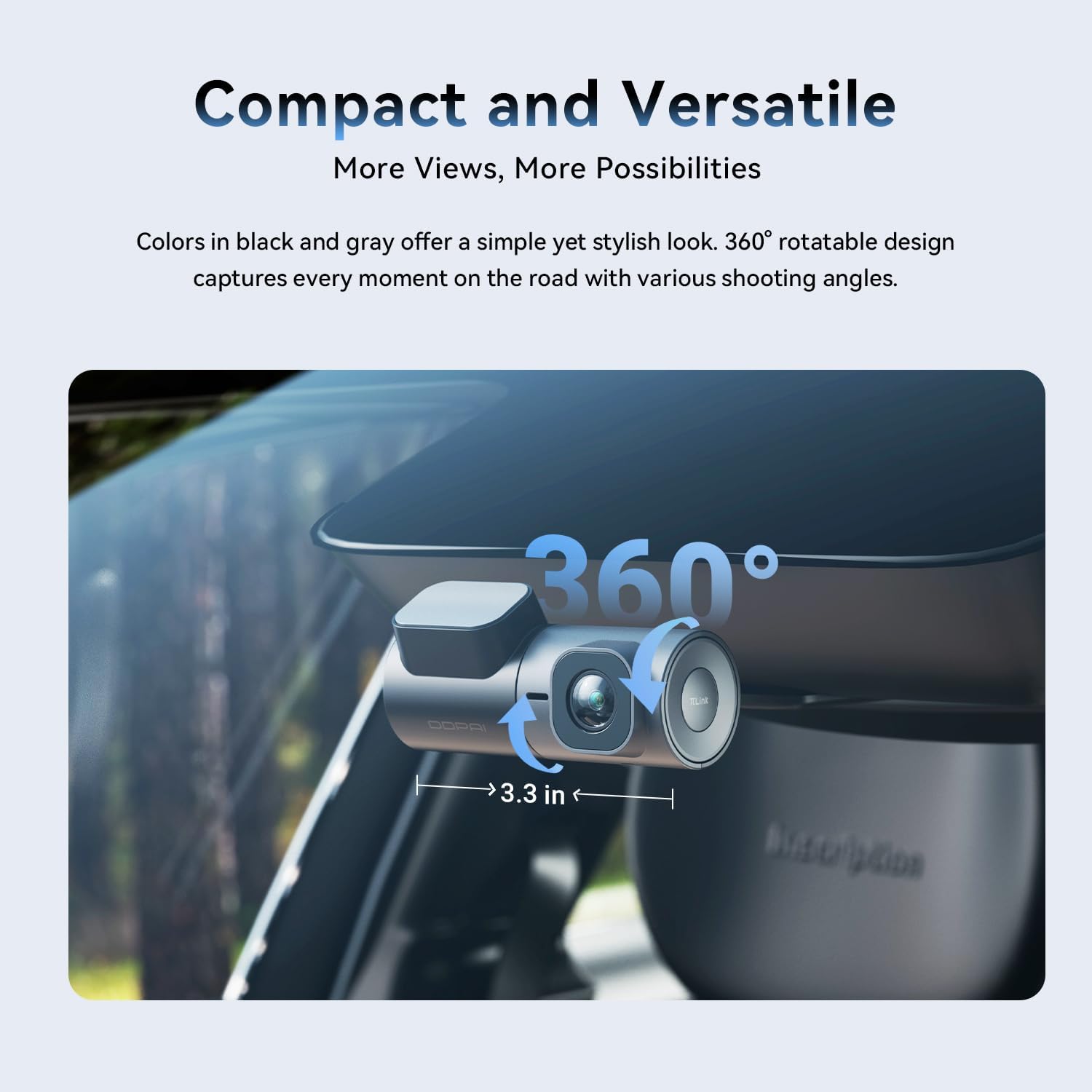
Image: The DDPAI MINI2X Dash Cam installed on a car windshield, illustrating its compact size and 360-degree rotatable lens for flexible recording angles.
3.2 Прикључак за напајање
Connect the provided USB power cable to the dash cam's Type-C port and plug the car charger into your vehicle's cigarette lighter socket. Ensure the cable is routed safely and does not interfere with driving controls. For 24-hour parking monitoring, an additional hardwire kit (sold separately) is required.

Слика: Крупни план view of the DDPAI MINI2X Dash Cam's bottom, showing the Type-C power input and the microSD card slot. Note: SD card is not included.
3.3 Уметање ТФ картице
The dash cam supports up to a 256GB TF (microSD) card (not included). Insert the TF card into the designated slot on the dash cam. Ensure the card is inserted correctly before powering on the device.
3.4 Повезивање апликације
Download the official DDPAI App from your smartphone's app store. Connect to the dash cam via 5GHz Wi-Fi and Bluetooth for quick setup, live view, video playback, and settings management. The app provides a convenient interface for controlling your dash cam.

Image: Illustrates the faster data transfer speeds of 5GHz Wi-Fi compared to 2.4GHz for the DDPAI MINI2X Dash Cam, facilitating quicker video downloads and playback.
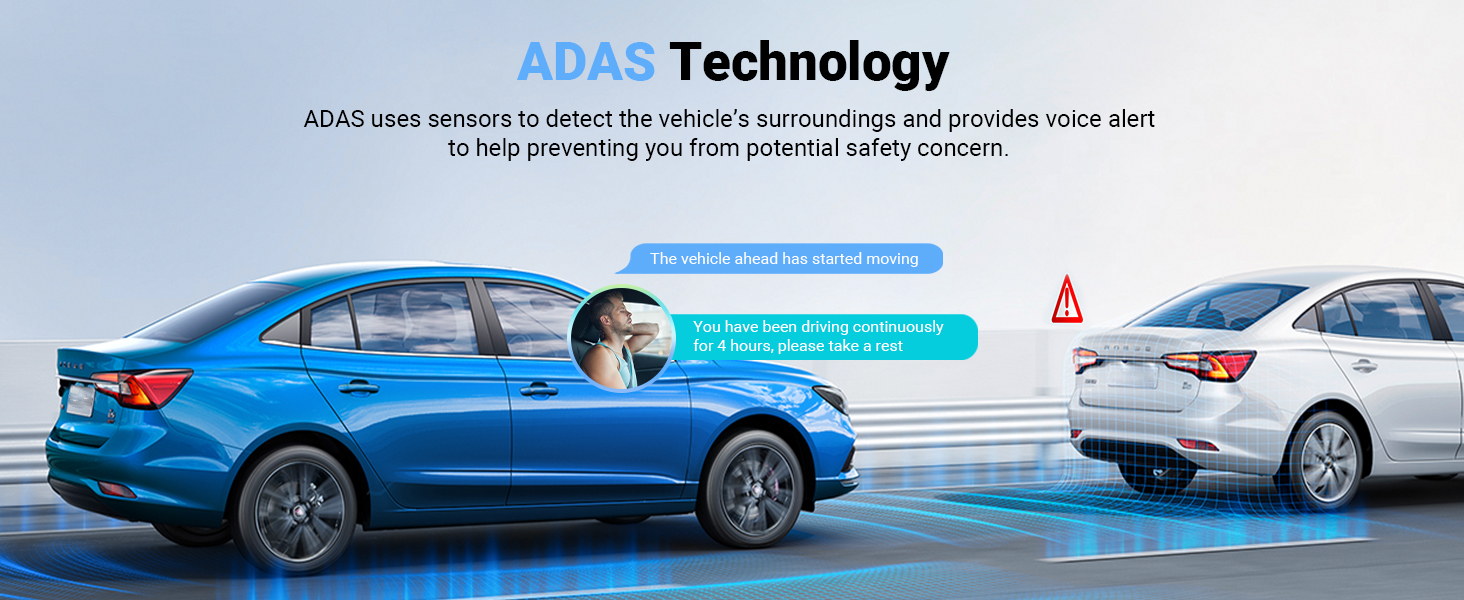
Image: A smartphone displaying the DDPAI app interface, demonstrating features like download, preview, share, and capture, with the dash cam in the background.
4. Упутство за употребу
4.1 Режими снимања
The dash cam automatically begins recording when powered on. It records in 2K QHD (2560x1440P) resolution at 30 frames per second, ensuring clear and detailed video capture. The 360° rotatable lens allows you to adjust the recording angle to capture either the front view or the vehicle's interior.

Image: A still frame from DDPAI MINI2X footage, demonstrating the clarity of 2K QHD resolution, capable of capturing details like license plates.
Image: Illustration of the DDPAI MINI2X's 360-degree rotatable lens, showing its versatility for recording both front and interior views.
4.2 Night Vision 2.0 with AI-ISP
Equipped with AI-ISP technology and an F1.55 large aperture, the dash cam provides enhanced night vision capabilities. It captures bright and clear video even in low-light conditions, improving visibility and security during nighttime driving and parking surveillance.
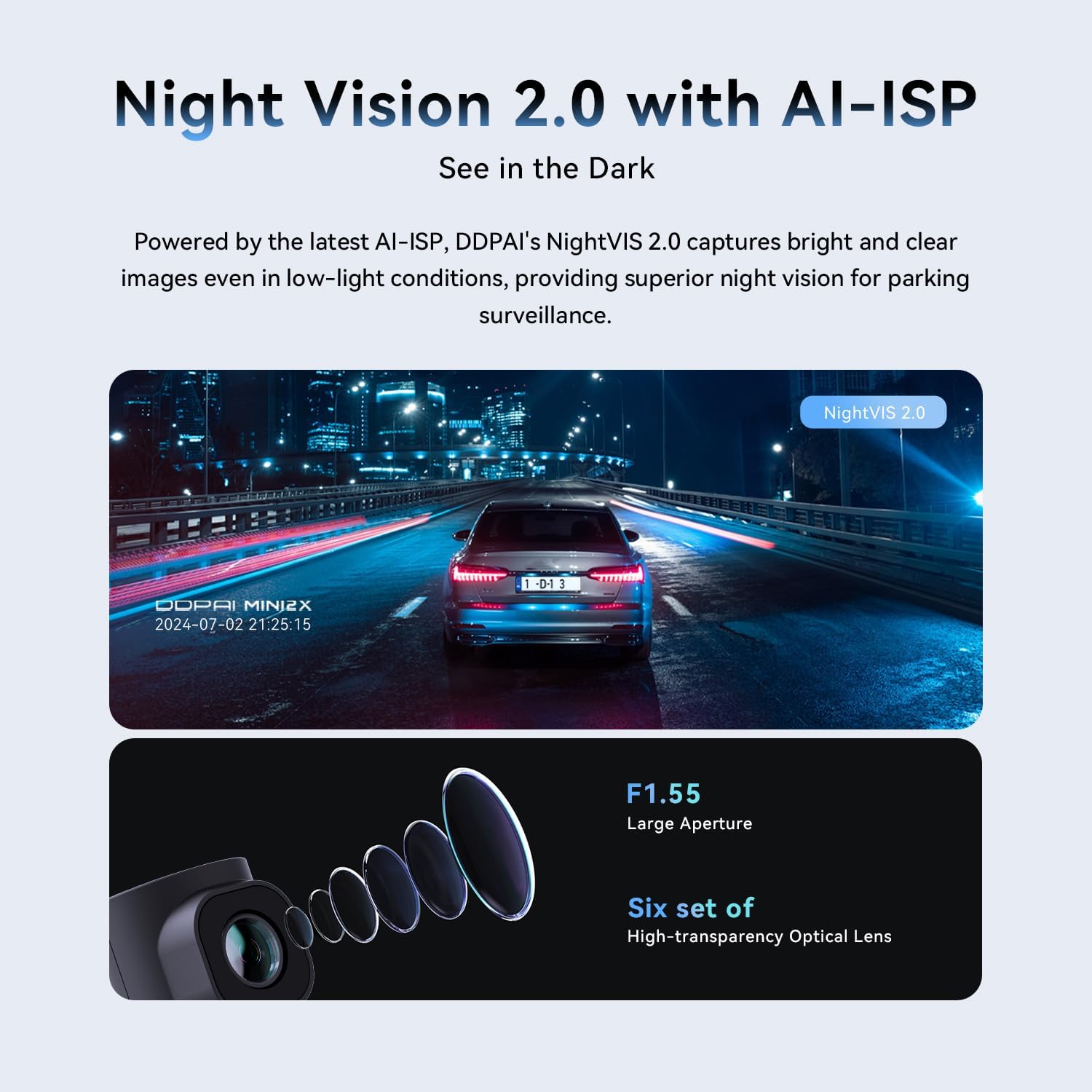
Image: Demonstrates the superior clarity of Night Vision 2.0 with AI-ISP on the DDPAI MINI2X Dash Cam in low-light conditions, compared to standard night vision.
4.3 Parking Monitoring (AOV)
The AOV (Always On Vision) low-energy time-lapse recording feature significantly reduces power consumption, allowing for up to 8 days of parking surveillance. In sleep mode, monitoring can extend up to 20 days. The dash cam instantly wakes within 1 second to capture any anomalies, ensuring continuous protection. A hardwire kit is required for this feature.
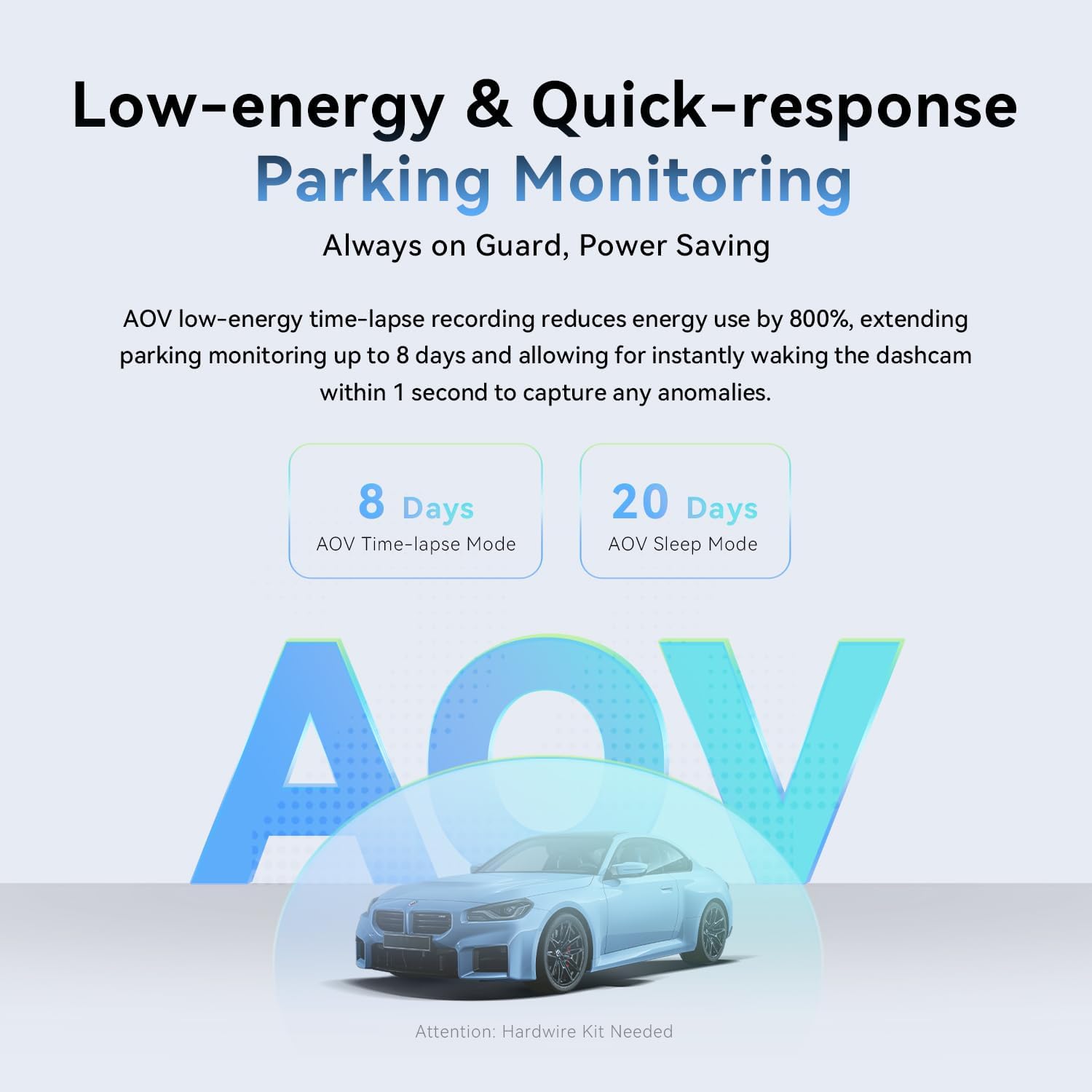
Image: Explains the AOV (Always On Vision) parking monitoring feature, showing 8 days in time-lapse mode and 20 days in sleep mode, with a note that a hardwire kit is needed.
4.4 ADAS Technology
The integrated ADAS (Advanced Driver-Assistance Systems) uses sensors to identify the vehicle's surroundings. It provides voice alerts for events such as front vehicle start-up and fatigue driving, contributing to a safer driving experience.

Image: Illustrates the ADAS technology of the DDPAI MINI2X Dash Cam, showing voice alerts for "Front Vehicle Start Alert" and "Driver Fatigue Alert" in a driving scenario.
4.5 Снимање у петљи и Г-сензор
Камера у аутомобилу има могућност снимања у петљи, које аутоматски преписује најстарије снимке.tage when the TF card is full, ensuring continuous recording. The built-in G-sensor detects sudden changes in motion or impacts, automatically triggering the dash cam to save and lock the ongoing recording, providing crucial evidence in case of an incident.

Image: Shows the loop recording feature of the DDPAI MINI2X Dash Cam, indicating recording times for different SD card capacities (32G, 64G, 128G, 256G).

Image: Illustrates the G-sensor functionality of the DDPAI MINI2X Dash Cam, showing how it detects impacts and locks video footagе да бисте спречили преписивање.
4.6 Super Capacitor
The DDPAI MINI2X is equipped with a super capacitor, allowing it to perform reliably in extreme temperatures ranging from -4°C to 158°C (-20°F to 70°C). This ensures stable operation and extended lifespan compared to traditional battery-powered dash cams.

Image: Depicts the super capacitor feature of the DDPAI MINI2X Dash Cam, highlighting its ability to operate reliably in extreme temperatures from -4°C to 158°C.
5. Одржавање
- Очистите сочиво: Regularly wipe the dash cam lens with a soft, lint-free cloth to ensure clear video quality. Avoid abrasive materials that could scratch the lens.
- Управљање ТФ картицама: Format the TF card periodically (e.g., once a month) using the DDPAI App to maintain optimal performance and prevent data corruption.
- Разматрање температуре: While the dash cam is designed for extreme temperatures, prolonged exposure to direct sunlight in very hot conditions when not in use can be mitigated by parking in shade or temporarily removing the device.
- Ажурирања фирмвера: Check the DDPAI App regularly for firmware updates to ensure your dash cam has the latest features and bug fixes.
КСНУМКС. Решавање проблема
| Проблем | Могући узрок | Решење |
|---|---|---|
| Камера у аутомобилу се не укључује. | Loose power connection, faulty car charger, vehicle power issue. | Check all cable connections. Ensure the car charger is properly inserted and the vehicle's power outlet is functional. Try a different USB port or car charger if available. |
| Видео фооtagе је замућено или нејасно. | Dirty lens, protective film still on lens, improper mounting. | Clean the lens with a soft cloth. Remove any protective film. Ensure the dash cam is securely mounted and the windshield is clean. |
| Грешка ТФ картице или проблеми са снимањем. | Incompatible TF card, corrupted card, card full. | Ensure you are using a compatible high-speed TF card (Class 10 or higher). Format the TF card via the DDPAI App. Replace the TF card if the issue persists. |
| Cannot connect to DDPAI App via Wi-Fi. | Incorrect Wi-Fi password, Wi-Fi interference, app glitch. | Ensure you are connecting to the correct Wi-Fi network broadcast by the dash cam. Restart both the dash cam and your smartphone. Try resetting the dash cam's Wi-Fi settings. |
| Праћење паркинга не ради. | No hardwire kit installed, incorrect settings. | Verify that a hardwire kit is correctly installed and connected. Check parking monitoring settings in the DDPAI App. |
7. Спецификације производа
- Назив модела: МИНИ2Кс
- Резолуција снимања видео записа: 1440p (2560x1440P @ 30fps)
- Објектив: 360° Rotatable, F1.55 Large Aperture, Six sets of high-transparency optical lens
- Ноћни вид: AI-ISP Night Vision 2.0
- Повезивање: 5 GHz Wi-Fi, Bluetooth
- Посебне карактеристике: App Control, ADAS Technology (Front Vehicle Start-up, Fatigue Driving Alert), AOV Parking Monitoring, Loop Recording, G-Sensor (Collision Lock), Super Capacitor
- Складиштење: Supports up to 256GB TF Card (MicroSD, not included)
- Улазна снага: 5В-2А
- Димензије производа: 4.7 к 5.8 к 2.5 инча
- Тежина артикла: 10.9 унци
- Боја: Црно
- Тип монтаже: Носач за вјетробранско стакло
- Произвођач: ддпаи
8. Гаранција и подршка
DDPAI is committed to providing high-quality products and excellent customer service. For any inquiries or support needs, please refer to the information below:
- гаранција: 18 месеци
- Политика враћања: 7 дана
- Дефекти: Повраћај новца за дефекте
For quick 24/7 live email customer support, please contact: servicecenter@ddpai.com

Image: Details of DDPAI's after-sale service, including warranty period, return policy, and customer support email.
Ask a question about this manual
Ask about setup, troubleshooting, compatibility, parts, safety, or missing instructions. Manuals+ will review the question and use this page’s manual context to help answer it.