
1. Увод
Thank you for choosing the WARRKY AE04 USB A/C to Ethernet Adapter. This manual provides detailed instructions for the proper installation, operation, and maintenance of your new adapter. Please read this manual thoroughly before use to ensure optimal performance and longevity of the product.
The WARRKY AE04 adapter allows you to connect your USB-A or USB-C enabled device to a wired Ethernet network, providing a stable and high-speed internet connection up to 1 Gigabit per second (1000 Mbps).
2. Производ је готовview
The WARRKY AE04 is a versatile 2-in-1 adapter designed for seamless wired network connectivity. It features both USB-A and USB-C connectors, allowing compatibility with a wide range of devices. The adapter is compact, portable, and built with quality materials for durability.

Слика 2.1: Two WARRKY AE04 USB A/C to Ethernet Adapters, showcasing their compact design and dual connectivity options.
Кључне карактеристике:
- Двоструко повезивање: Equipped with both USB-A and USB-C connectors for broad device compatibility.
- Гигабит Етхернет: Supports network speeds up to 1000 Mbps for fast and stable internet.
- Плуг & Плаи: За већину оперативних система нису потребни драјвери.
- Издржљив дизајн: Features a gold-plated connector, aluminum shell, and anti-loss protection.
- ЛЕД индикатор: Provides visual status of network connection.
- Компактан и преносив: Slim design for easy transport.

Слика 2.2: The WARRKY AE04 adapter demonstrating its dual USB-A and USB-C connector design, allowing for versatile use with various devices.

Слика 2.3: An illustration of the WARRKY AE04 adapter's quality features, including gold plating, aluminum shell, anti-loss protection, and an LED indicator, along with a bend test graphic.
3. Упутства за подешавање
The WARRKY AE04 adapter is designed for simple plug-and-play operation, requiring no driver installation for most compatible operating systems.
- Connect the Adapter to Your Device:
- If your device has a USB-C port, connect the USB-C end of the adapter directly into the port.
- If your device has a USB-A port, attach the included USB-A converter to the USB-C end of the adapter, then plug the USB-A connector into your device's USB-A port.
- Повежите Етхернет кабл: Insert a standard RJ45 Ethernet cable (Cat 6 or higher recommended for optimal performance) into the RJ45 port on the WARRKY AE04 adapter. Connect the other end of the Ethernet cable to your router, modem, or network switch.
- Потврдите везу: Once connected, the LED indicator on the adapter should illuminate, indicating an active network connection. Your device should automatically detect the wired network connection.
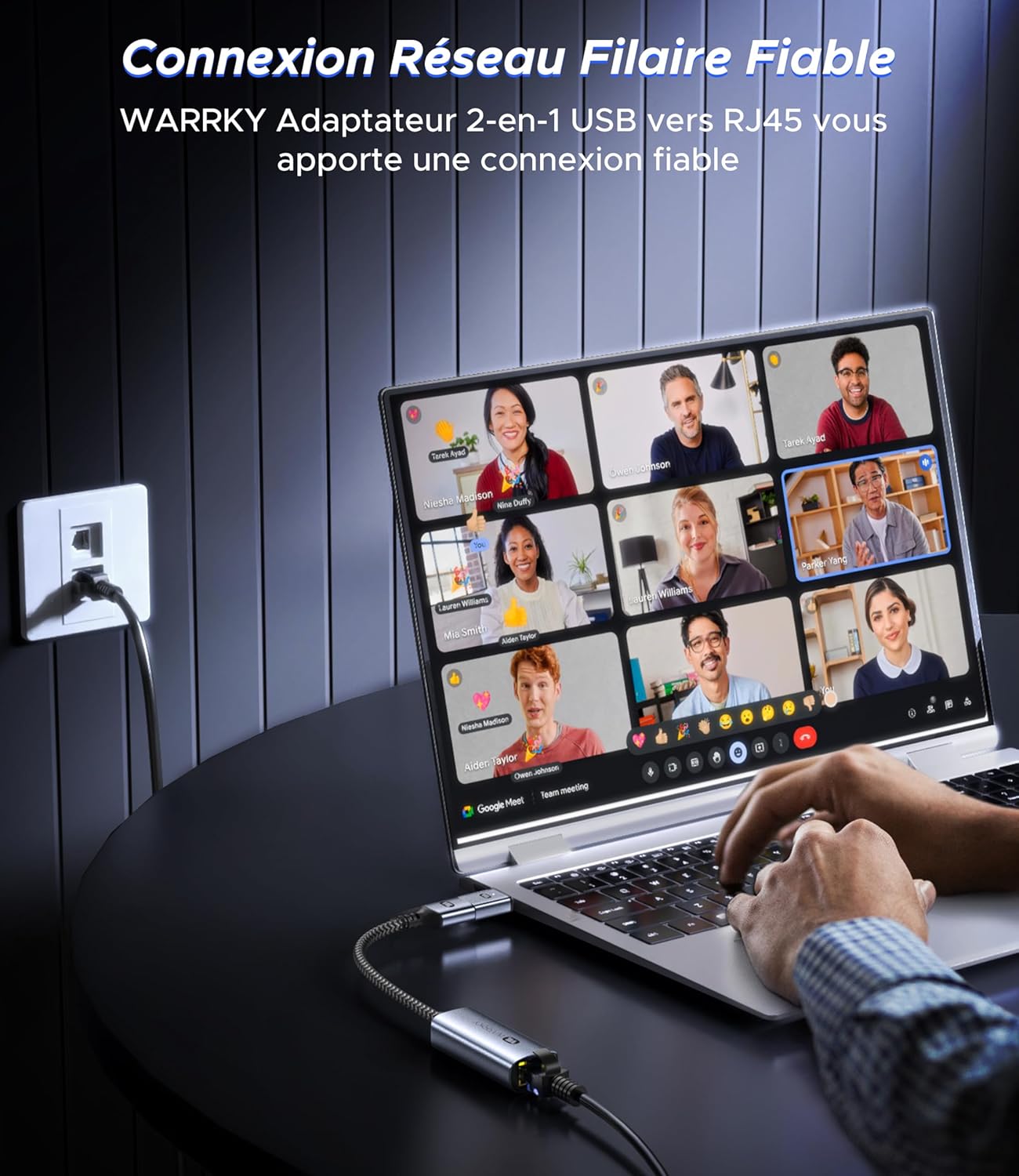
Слика 3.1: The WARRKY AE04 adapter providing a reliable wired network connection to a laptop, demonstrating the simple plug-and-play setup.
4. Упутство за употребу
After successful setup, the WARRKY AE04 adapter operates automatically, providing a stable wired network connection.
- Брзина мреже: The adapter supports Gigabit Ethernet, capable of achieving speeds up to 1000 Mbps. For optimal performance, ensure your router, modem, and Ethernet cable (Cat 6 or higher) also support Gigabit speeds.
- ЛЕД индикатор: The integrated LED light on the adapter indicates the status of your network connection. A solid light typically signifies an active link, while a blinking light indicates data transfer.
- Стабилност: A wired connection generally offers greater stability and lower latency compared to Wi-Fi, making it ideal for online gaming, video conferencing, and large file трансфери.

Слика 4.1: Visual representation of the WARRKY AE04 adapter delivering 1000 Mbps wired network speed, significantly faster than typical 100 Mbps Wi-Fi connections. It is recommended to use CAT 6 or higher Ethernet cables for 1Gbps speed.
5. Компатибилност
The WARRKY AE04 adapter offers broad compatibility with various devices and operating systems, thanks to its dual USB-A and USB-C design and driver-free operation.
Компатибилни оперативни системи:
- Windows (XP/Vista/7/8/10/11)
- Мац ОС
- Цхроме ОС
- Линук
- Андроид
- иПад ОС

Слика 5.1: The WARRKY AE04 adapter featuring a Realtek chip, indicating wide compatibility with various operating systems including Windows, Mac OS, Chrome OS, Linux, Android, and iPad OS, without requiring additional drivers.
Компатибилни уређаји:
- USB-A уређаји: Desktop Computers, Laptops, Nintendo Switch, TV Boxes.
- USB-C уређаји: Smartphones, MacBooks, Steam Deck, Tablets.
Note: This adapter is NOT compatible with Wii/Wii U consoles.
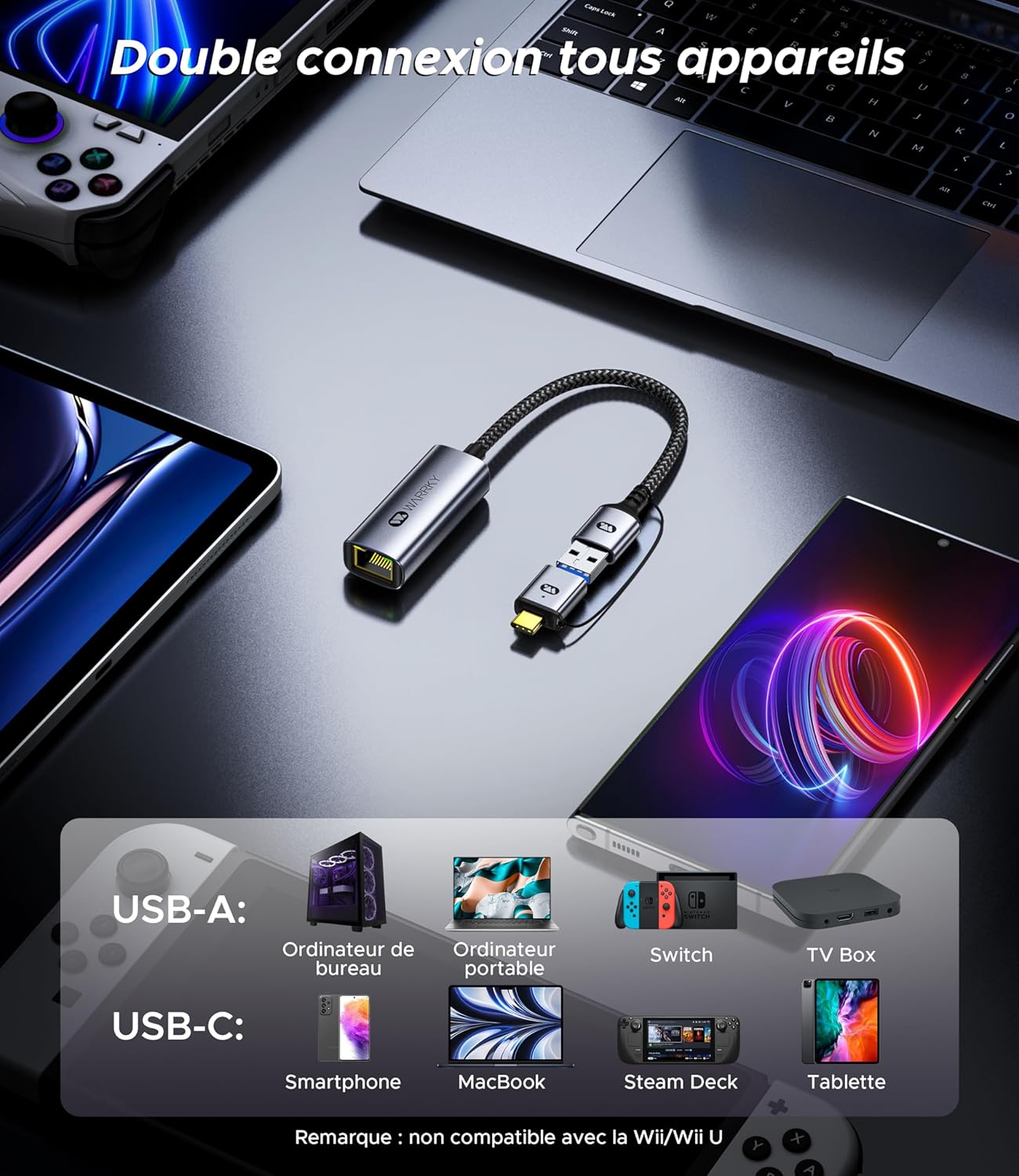
Слика 5.2: The WARRKY AE04 adapter demonstrating its dual connectivity with a range of devices, including desktop PCs, laptops, Nintendo Switch, TV boxes via USB-A, and smartphones, MacBooks, Steam Deck, and tablets via USB-C. It explicitly states incompatibility with Wii/Wii U.
6. Спецификације
| Феатуре | Детаљ |
|---|---|
| Број модела | WARRKY-DT-AE04 |
| Повезивање | USB-A 3.0, USB-C 3.0, RJ45 Ethernet |
| Етхернет Спеед | Up to 1000 Mbps (Gigabit Ethernet) |
| Број портова | 1x RJ45, 1x USB-A (via converter), 1x USB-C |
| Тежина артикла | 2.46 унце (приближно 70 грама) |
| Димензије пакета | 4.65 к 3.46 к 0.67 инча |
| УПЦ | 721295573153 |
| Захтеви за возача | Driver-free for most compatible OS |

Слика 6.1: The WARRKY AE04 adapter highlighting its compact and portable design, with dimensions of approximately 5.3 cm length and 2.2 cm width for the main body, and a 15 cm cable length.
КСНУМКС. Решавање проблема
If you encounter issues with your WARRKY AE04 adapter, please refer to the following common solutions:
- Нема мрежне везе:
- Ensure the adapter is securely plugged into your device's USB-A or USB-C port.
- Verify that the Ethernet cable is firmly connected to both the adapter and your router/modem.
- Check if your router/modem is powered on and functioning correctly.
- Покушајте да повежете адаптер са другим УСБ портом на вашем уређају.
- Test with a different Ethernet cable to rule out cable issues.
- Restart your computer and network equipment (router/modem).
- Мала брзина мреже:
- Ensure your Ethernet cable is Cat 6 or higher, as older cables (e.g., Cat 5) may limit speeds.
- Verify that your internet service plan and network equipment (router/modem) support Gigabit speeds.
- Проверите да ли постоје други уређаји на вашој мрежи који троше значајан пропусни опсег.
- Уверите се да је оперативни систем вашег уређаја ажуриран.
- Адаптер није препознат:
- Although driver-free, some operating systems might require a system update or specific settings. Consult your device's support documentation.
- Try connecting the adapter to another compatible device to determine if the issue is with the adapter or the original device.
8. Одржавање
To ensure the longevity and optimal performance of your WARRKY AE04 adapter, follow these simple maintenance guidelines:
- Чишћење: Use a soft, dry cloth to gently wipe the adapter. Avoid using liquid cleaners or abrasive materials, which can damage the device.
- Складиштење: Када се не користи, адаптер чувајте на хладном и сувом месту, даље од директне сунчеве светлости и екстремних температура.
- Руковање: Avoid bending or twisting the cable excessively, as this can damage internal wires. Do not expose the adapter to water or high humidity.
- Заштита конектора: Utilize the anti-loss protection feature to keep the USB-A converter securely attached when not in use, preventing misplacement.
9. Гаранција и подршка
Warrky is committed to providing high-quality products and excellent customer service.
Доживотна гаранција:
Warrky offers a lifetime warranty for its products. You can upgrade to a lifetime warranty by registering your product on the official Warrky webсајт: ввв.варрки.цом.
Професионална подршка:
For any technical issues or questions, Warrky provides professional technical support. You can expect a response within 18 hours.
- Е-маил за техничку подршку: суппорт@варрки.цом
- Suggestions or Critiques: оффициал@варрки.цом

Слика 9.1: The back panel of the WARRKY product packaging, outlining details for upgrading to a lifetime warranty, professional support contact information (support@warrky.com), and an email for suggestions or critiques (official@warrky.com).