
Увод
Thank you for choosing the SZELAM 16.7" Atomic Digital Wall Clock. This clock is designed to provide accurate time, date, indoor temperature, and humidity readings. Featuring automatic time synchronization via WWVB radio broadcast and a large, easy-to-read display, it is suitable for various indoor environments. This manual provides detailed instructions for setup, operation, and maintenance to ensure optimal performance.
Садржај пакета
Приликом распакивања, молимо вас да се уверите да су све доле наведене ставке присутне и у добром стању:
- 1 x SZELAM 16.7" Atomic Digital Wall Clock
- 1 к Упутство за употребу
- Installation Package (Nails and Wall Plugs)

Image: The SZELAM 16.7" Atomic Digital Wall Clock, user manual, and installation hardware.
Карактеристике производа
- Атомска синхронизација времена: Automatically synchronizes with WWVB radio broadcast for precise timekeeping.
- Велики екран: 16.7-inch screen with large numbers for easy readability from a distance.
- Мултифункционални екран: Shows time (12/24 hour format), date, day of week, indoor temperature (°C/°F), and humidity.
- Аутоматски ДСТ: Аутоматски се прилагођава летњем рачунању времена.
- Ради на батерије: Requires 3 x AA batteries (not included), offering flexible placement without wires.
- Индикатор слабе батерије: Упозорава када је потребна замена батерије.
- Разноврстан пласман: Designed for both wall mounting and tabletop use with a fold-out stand.

Image: The SZELAM Atomic Digital Wall Clock showcasing its large display and multiple data points.
Сетуп
1. Инсталација батерије
The clock requires 3 x AA batteries (not included) for operation. Ensure correct polarity when inserting the batteries.
- Пронађите одељак за батерије на полеђини сата.
- Отворите поклопац одељка за батерије.
- Insert 3 new AA batteries, matching the + and - terminals as indicated.
- Добро затворите поклопац одељка за батерије.
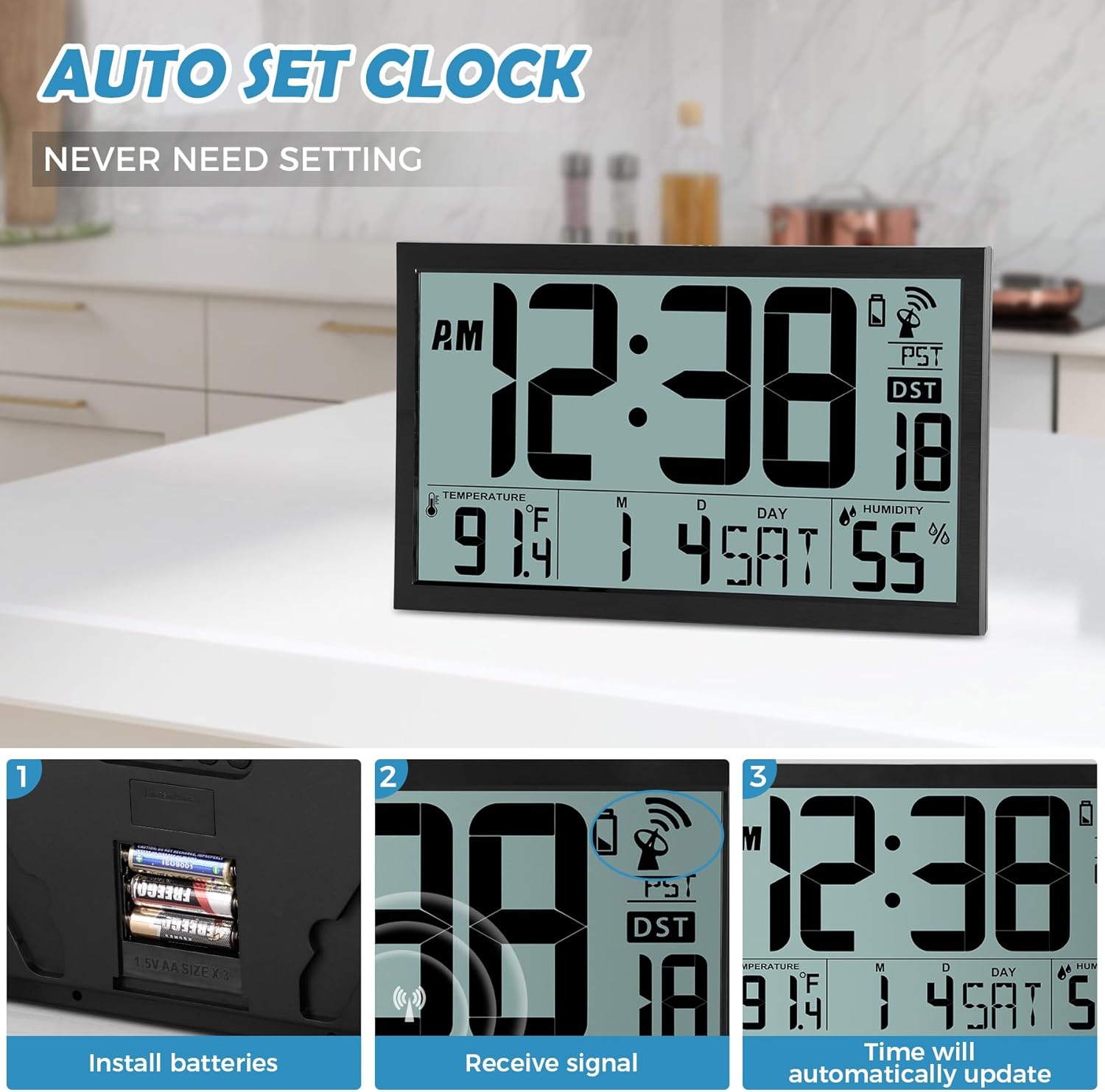
Image: Battery installation process, showing the battery compartment and inserted AA batteries.
2. Опције монтаже
The clock offers two convenient placement methods:
- Zidni nosač: Use the two keyhole slots on the back of the clock. Drill two holes in your wall, insert the provided wall plugs, and then screw in the nails, leaving a small portion exposed for the clock to hang.
- Положај стола: Utilize the integrated fold-out stand on the back of the clock to place it on any flat surface.
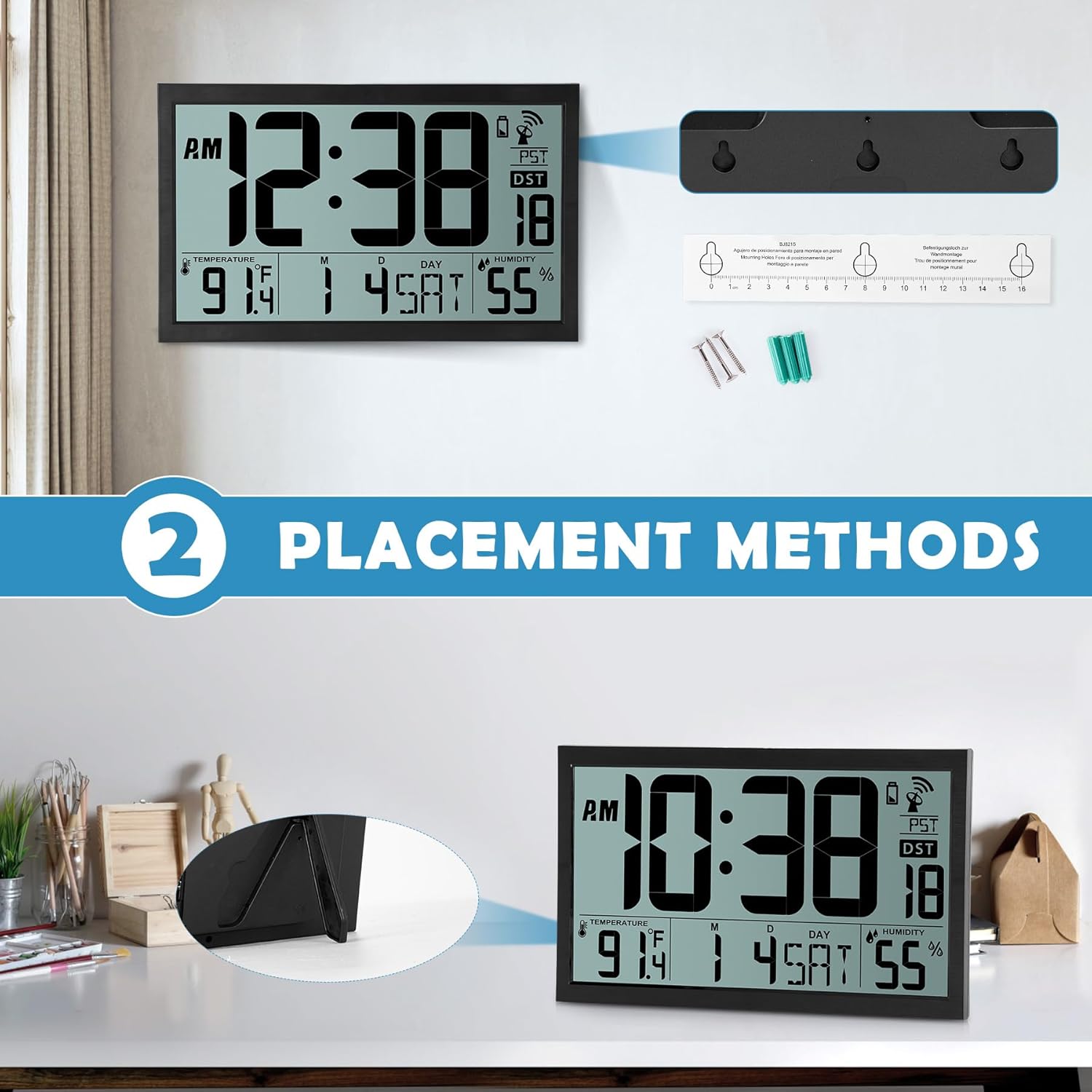
Image: Visual representation of the two placement methods: wall-mounted and tabletop.
Упутство за употребу
1. Automatic Time Synchronization (Atomic Clock)
After battery installation, the clock will automatically attempt to receive the WWVB radio signal. This process can take up to 7 minutes. Once synchronized, the clock will automatically set the correct time and date and update itself every midnight. The time is always accurate to the second.
The clock supports four time zones: EST, PST, MST, CST. You can cycle through these time zones using the 'WAVE' button on the back of the clock.

Image: The clock receiving an atomic signal, with a map illustrating time zones.
2. Manual Time and Date Setting
If automatic synchronization is not desired or unavailable, you can manually set the time and date:
- Press the 'TIME' button on the back of the clock.
- Use the 'UP' and 'DOWN' buttons to adjust the year, then press 'TIME' to confirm.
- Repeat this process for month, date, hour, and minute.
- Once all settings are confirmed, the clock will display the manually set time.
3. Подешавање аларма
Да бисте подесили аларм:
- Press the 'SET' button (alarm icon) on the back of the clock.
- Use the 'UP' and 'DOWN' buttons to adjust the alarm hour, then press 'SET' to confirm.
- Use the 'UP' and 'DOWN' buttons to adjust the alarm minute, then press 'SET' to confirm.
- To activate or deactivate the alarm, press the 'ON/OFF' button (alarm icon). An alarm icon will appear on the display when activated.
4. Приказ температуре и влажности
The clock displays indoor temperature in either Celsius (°C) or Fahrenheit (°F) and humidity in percentage (%). You can switch between °C and °F using a dedicated button or by cycling through display modes if available (refer to specific button labels on your device).
5. Летње рачунање времена (ДСТ)
The clock features an automatic changeover from standard time to Daylight Saving Time and vice-versa. The 'AUTO DST' indicator will be visible on the display when this feature is active.
Video: A detailed demonstration of unboxing, battery installation, and setting the time, date, and alarm on the SZELAM Atomic Digital Wall Clock.
Одржавање
- Чишћење: Wipe the clock's surface with a soft, dry cloth. Avoid using abrasive cleaners or solvents.
- Замена батерије: Replace batteries when the low battery indicator appears on the display to ensure continuous and accurate operation.
- Окружење: Place the clock in a dry environment, away from direct sunlight, extreme temperatures, and strong electromagnetic fields to prevent damage and ensure optimal signal reception.
Решавање проблема
| Проблем | Могући узрок | Решење |
|---|---|---|
| Clock not displaying time/date | No batteries or incorrect battery polarity. | Уметните 3 к АА батерије са исправним поларитетом. |
| Време/датум је нетачан | Atomic signal not received or weak signal. | Place the clock near a window or in an open area. Allow up to 24 hours for signal reception. Manually set time if necessary. |
| Аларм се не оглашава | Аларм није активиран или је погрешно подешен. | Ensure the alarm is turned 'ON' (alarm icon visible) and the alarm time is set correctly. |
| Temperature/Humidity readings seem inaccurate | Clock placed near heat/cold sources or in a high humidity area. | Relocate the clock to a stable indoor environment, away from direct sunlight, vents, or excessive moisture. |
Спецификације
| Феатуре | Детаљ |
|---|---|
| Бранд | СЗЕЛАМ |
| Број модела | БЈ8215 |
| Дисплаи Типе | Дигитал |
| Величина екрана | 16.7 инча |
| Димензије производа | 14.3" Ш x 9" В |
| Извор напајања | Напајање батеријама (потребне су 3 x AA батерије, нису укључене) |
| Тип монтаже | Зидни носач, столна плоча |
| Посебне карактеристике | Atomic Time, Calendar Display, Humidity Display, Large Display, Battery Indicator, Alarm Clock, Auto DST |
| Врста материјала | Пластика |
| Тежина артикла | 1.67 килограма |
Гаранција и подршка
For warranty information or technical support, please refer to the contact details provided with your purchase or visit the official SZELAM webсајт. Сачувајте рачун као доказ о куповини за евентуалне рекламације по гаранцији.