
1. Увод
Thank you for choosing the Edifier X1 Lite True Wireless Earbuds. This manual provides detailed instructions for setting up, operating, and maintaining your new earbuds to ensure optimal performance and longevity. Please read this manual thoroughly before use.

Image: Edifier X1 Lite True Wireless Earbuds in their open charging case.
2. Шта је у кутији
The Edifier X1 Lite package includes the following components:
- Edifier X1 Lite True Wireless слушалице (леве и десне)
- Футрола за пуњење
- УСБ кабл за пуњење
- Кориснички приручник (овај документ)
3. Подешавање
3.1 Почетно пуњење
Пре прве употребе, потпуно напуните слушалице и кућиште за пуњење.
- Ставите обе слушалице у футролу за пуњење.
- Повежите УСБ кабл за пуњење са портом за пуњење на кућишту и са извором напајања (нпр. УСБ адаптер за зид, УСБ порт рачунара).
- Индикаторска лампица на кућишту за пуњење ће приказивати статус пуњења. Погледајте одељак о ЛЕД индикаторима за детаље.
- Потпуно пуњење обично траје око 1.5 сата за футролу и слушалице.
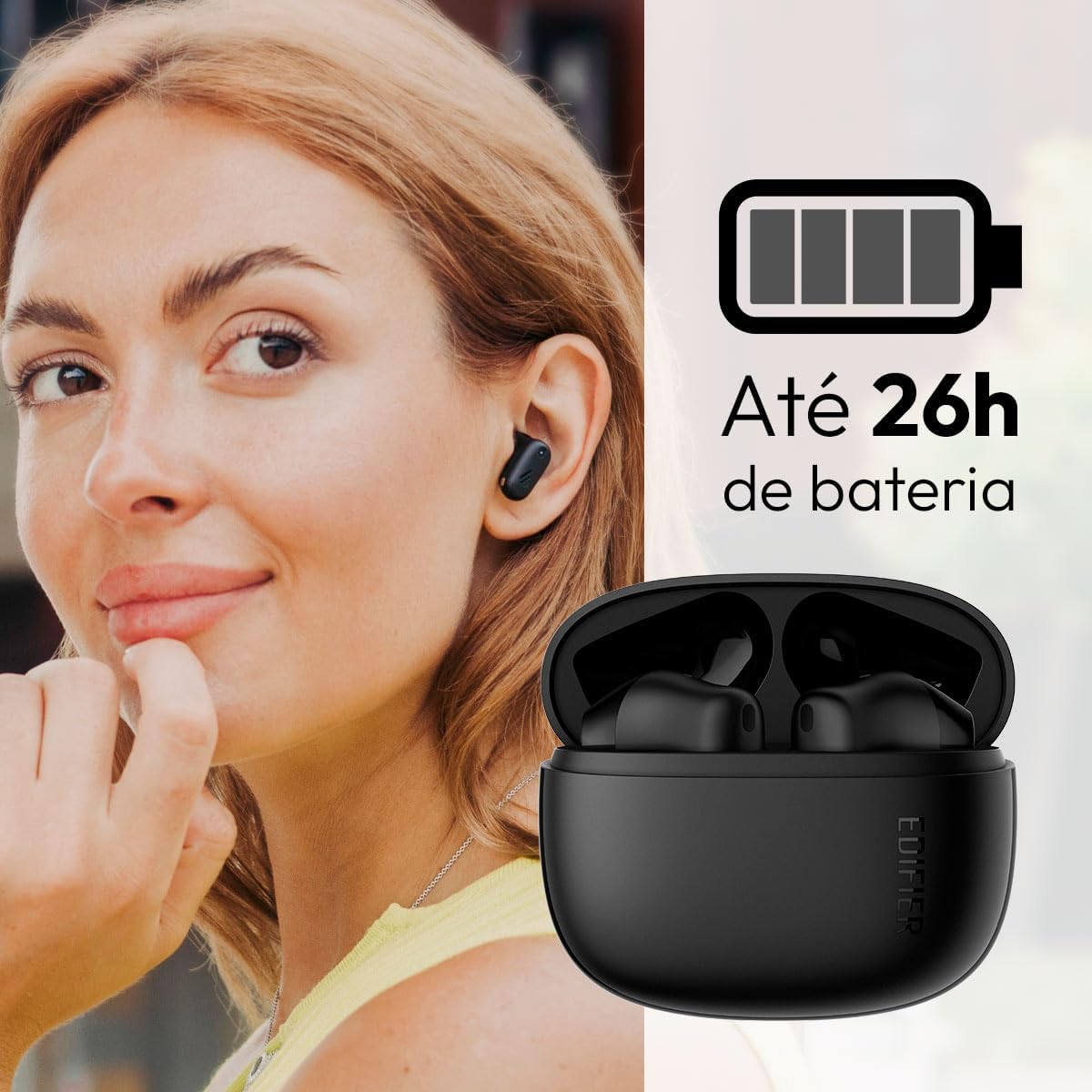
Image: Woman wearing an earbud, with the charging case and a battery icon indicating charging.
Fast Charging Feature:
A 15-minute quick charge can provide approximately 1.5 hours of playtime for the earbuds.

Image: Visual representation of battery life and fast charging capabilities.
3.2 Блуетоотх упаривање
Follow these steps to pair your Edifier X1 Lite earbuds with your device:
- Прво упаривање: Open the charging case. The earbuds will automatically power on and enter pairing mode. The indicator light on the earbuds will flash rapidly.
- На свом уређају (паметном телефону, таблету, лаптопу) омогућите Блутут.
- Тражи „EDIFIER X1 Lite“ на листи доступних Bluetooth уређаја.
- Select "EDIFIER X1 Lite" to connect. Once connected, the indicator lights on the earbuds will turn off, and you will hear a confirmation tone.
- Re-pairing/Connecting to a New Device: If the earbuds are already connected to another device, disconnect them first. Alternatively, with the earbuds in the case and the lid open, press and hold the button on the charging case for 3 seconds to enter pairing mode.

Image: Man using earbuds, highlighting Bluetooth 5.4 connectivity.
3.3 Edifier ConneX App Installation
For enhanced features and customization, download the EDIFIER ConneX app:
- Scan the QR code provided in the image below or visit the official Edifier app download page.
- Инсталирајте апликацију на паметном телефону или таблету.
- Open the app and follow the on-screen instructions to connect your X1 Lite earbuds.
- The app allows for sound effect customization, game mode activation, and touch control settings.

Image: EDIFIER ConneX app interface with QR code. Download the Edifier ConneX App
4. Упутство за употребу
4.1 Ношење слушалица
Proper fit ensures optimal sound quality and comfort:
- Идентификујте леву (Л) и десну (Р) слушалице.
- Пажљиво уметните сваку слушалицу у одговарајући ушни канал.
- Лагано окрените слушалицу док не буде чврсто и удобно причвршћена.

Image: Man demonstrating proper earbud placement.
4.2 Укључивање/искључивање
- Укључено: Слушалице се аутоматски укључују када се изваде из кућишта за пуњење.
- Искључивање: Слушалице се аутоматски искључују и почињу да се пуне када се врате у кућиште за пуњење и затвори поклопац.
4.3 Контроле на додир
The Edifier X1 Lite earbuds feature touch-sensitive controls on each earbud. These controls can be customized via the EDIFIER ConneX app.
| Акција | Лева слушалица (Л) | Десна слушалица (Р) |
|---|---|---|
| Одговори/Заврши позив | Двапут додирните | Двапут додирните |
| Одбаци позив | Трипле Тап | Трипле Тап |
| Пусти/паузирај музику | Двапут додирните | Двапут додирните |
| Нект Трацк | N/A (Customize via App) | Трипле Тап |
| Превиоус Трацк | Трипле Тап | N/A (Customize via App) |
| Режим игре укључен/искључен | Четвороструки додир | Четвороструки додир |
Note: These are default settings. Functions can be reconfigured using the EDIFIER ConneX app.

Image: Visual guide to earbud touch controls.
5. Одржавање
5.1 Чишћење
- Редовно чистите слушалице и кућиште за пуњење меком, сувом крпом која не оставља влакна.
- Не користите абразивна средства за чишћење, алкохол или хемијске раствараче.
- Ensure charging contacts on both earbuds and case are clean and free of debris to maintain proper charging.
5.2 Отпорност на воду (IP54)
The Edifier X1 Lite earbuds are IP54 rated, meaning they are protected against dust ingress and splashing water from any direction. This makes them suitable for workouts and light rain.
- Не потапајте слушалице у воду.
- The charging case is not water-resistant. Keep it dry.
- If earbuds get wet, wipe them dry completely before placing them back in the charging case to prevent damage.

Image: Demonstrating IP54 sweat resistance during exercise.
5.3 Одржавање батерије
- Избегавајте излагање слушалица и кућишта екстремним температурама (врућим или хладним).
- Чувајте уређај на хладном и сувом месту када се не користи.
- Редовно пуните уређај, чак и ако се не користи често, како бисте одржали здравље батерије.
КСНУМКС. Решавање проблема
If you encounter issues with your Edifier X1 Lite earbuds, refer to the following common problems and solutions:
6.1 Нема звука или повремена веза
- Проверите батерију: Уверите се да су и слушалице и кућиште за пуњење довољно напуњене.
- Поново упарите: Disconnect the earbuds from your device's Bluetooth settings and then re-pair them.
- Удаљеност: Ensure the earbuds are within the Bluetooth range (typically 10 meters) of your device.
- сметње: Move away from strong Wi-Fi signals or other Bluetooth devices that might cause interference.
- Ресетовати: Place both earbuds in the charging case, close the lid, wait a few seconds, then open the lid and try pairing again.
6.2 Слушалице се не пуне
- Проверите кабл: Ensure the USB charging cable is securely connected to both the case and the power source.
- Извор напајања: Пробајте други УСБ порт или зидни адаптер.
- Очистите контакте: Clean the charging contacts on the earbuds and inside the charging case with a dry cotton swab.
- Правилно постављање: Уверите се да су слушалице правилно постављене у кућиште за пуњење.
6.3 Лош квалитет позива
- Ометање микрофона: Ensure the microphone on the earbuds is not covered.
- Окружење: Move to a quieter environment if possible. The AI algorithm helps, but extreme noise can still affect clarity.
- Стабилност везе: Обезбедите стабилну Блуетоотх везу.

Image: Man using earbuds for a clear call, highlighting AI voice pick-up technology.
6.4 Проблеми са повезивањем апликације
- Блуетоотх укључен: Ensure Bluetooth is enabled on your device and the earbuds are connected.
- Дозволе за апликације: Check if the EDIFIER ConneX app has necessary Bluetooth and location permissions.
- Restart App/Device: Затворите и поново отворите апликацију или поново покрените паметни телефон.
- Ажурирање апликације: Уверите се да је апликација ажурирана на најновију верзију.
7. Спецификације
| Феатуре | Детаљ |
|---|---|
| Назив модела | Кс1 Лите |
| Технологија повезивања | бежични (Блуетоотх) |
| Блуетоотх верзија | 5.4 |
| Тип аудио драјвера | Dynamic Driver (Φ13mm) |
| Фреквенцијски опсег | 20Хз-20кХз |
| Трајање батерије | До 7 сати (слушалице), до 26 сати (са футролом за пуњење) |
| Брзо пуњење | 15 минута пуњења за 1.5 сати репродукције |
| Лов Латенци | 60мс |
| Отпорност на воду | IP54 (само слушалице) |
| Микрофон | Single Mic AI algorithm voice pick-up |
| Контролни метод | Touch Control, App (EDIFIER ConneX) |
| Материјал | Пластика |
| Тежина слушалице | Приближно 4 г по слушалици |
| Боја | Црно |
8. Гаранција и подршка
Edifier products are designed with quality and reliability in mind. For warranty information and customer support, please refer to the official Edifier webсајт или директно контактирајте њихову корисничку службу.
- Службено Webсајт: Посетите ввв.едифиер.цом за регистрацију производа, честа питања и ресурсе за подршку.
- Служба за кориснике: Contact Edifier customer support for technical assistance or warranty claims. Contact details can typically be found on the official webсајту или у паковању производа.
Молимо вас да сачувате доказ о куповини ради гаранције.