
Увод
Хвала вам на куповиниasing the MangoKit MS1 DAB Radio with CD Player. This compact wooden Hi-Fi stereo system offers a versatile audio experience, combining DAB/DAB+ and FM radio, a CD player, Bluetooth connectivity, and USB playback/charging capabilities. This manual provides detailed instructions for setup, operation, and maintenance to ensure optimal performance and longevity of your device.
Безбедносне информације
- Пажљиво прочитајте сва упутства пре употребе и сачувајте их за будуће потребе.
- Не излажите уређај киши, влази или екстремним температурама.
- Обезбедите одговарајућу вентилацију; не блокирајте ниједан вентилациони отвор.
- Користите само струјни адаптер који је испоручен са јединицом.
- Не покушавајте да растављате или модификујете уређај. Сва сервисирања препустите квалификованом особљу.
- Држите уређај даље од јаких магнетних поља.
- Очистите уређај меком, сувом крпом. Не користите течна средства за чишћење или аеросоле.
Садржај пакета
Молимо вас да проверите да ли су све ставке присутне:
- MangoKit MS1 Main Unit
- Ремоте Цонтрол
- Повер Адаптер
- Кориснички приручник (овај документ)
Производ је завршенview
Предња плоча и контроле

The image above displays the front of the MangoKit MS1 unit, highlighting its primary functions: CD playback, FM radio, Bluetooth connectivity, and alarm clock features. The central display shows operational information, while buttons and a rotary dial provide control over various modes and settings.
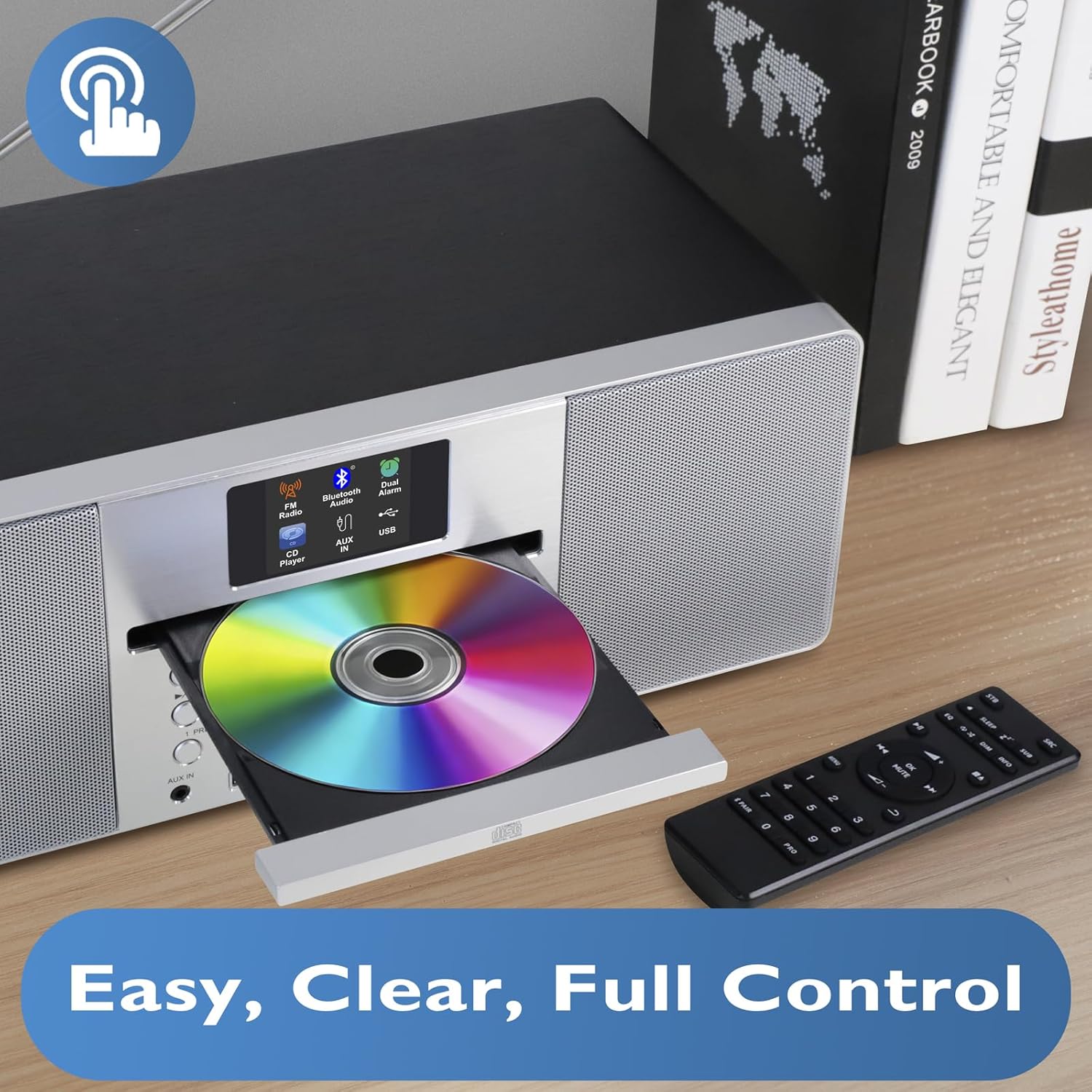
Ова слика пружа ближи приказ view of the CD player with its tray open, ready for disc insertion. The remote control is also visible, indicating convenient wireless operation for all functions, including CD playback, radio tuning, and volume adjustment.
Задња плоча и прикључци
The rear panel typically includes the power input, antenna connection, and potentially additional audio input/output ports. Refer to the physical unit for exact port locations.
Сетуп
1. Распакивање
Carefully remove the unit and all accessories from the packaging. Retain the packaging for future transport or storage.
2. Прикључак за напајање
- Insert the DC plug of the power adapter into the DC IN socket on the rear of the MS1 unit.
- Plug the power adapter into a standard AC wall outlet (100-240V, 50/60Hz).
3. Подешавање антене
Extend the telescopic antenna fully for optimal DAB/DAB+ and FM radio reception. Adjust its position to achieve the best signal quality.
4. Прво укључивање
Press the Power button on the unit or remote control. The display will illuminate, and the unit will typically enter standby or the last used mode. Upon first use, it may initiate an automatic DAB scan.
Упутство за употребу
Општа операција
- Укључивање/искључивање: Притисните дугме за напајање.
- Контрола јачине звука: Use the Volume knob or +/- buttons on the remote.
- Избор режима: Press the Mode button to cycle through DAB, FM, CD, Bluetooth, and USB modes.
- Навигација у менију: Use the navigation buttons (Up/Down/Left/Right) and Select/OK button to browse menus and confirm selections.
DAB/DAB+ and FM Radio
The MS1 allows you to enjoy a wide range of digital and analog radio stations with superior sound quality.
- Изаберите радио режим: Press the Mode button until DAB or FM is selected.
- Auto Scan (DAB): Upon first use or if stations are not found, the unit will perform an auto-scan for DAB stations. You can also initiate a scan from the menu.
- Tuning (FM): In FM mode, use the tuning buttons to manually tune or auto-scan for stations.
- Пресетс: Store up to 20 favorite stations by pressing and holding the Preset button, then selecting a preset number. Recall stations by pressing the Preset button and selecting the desired number.
ЦД плејер
Play your favorite audio CDs with the integrated CD player.
- Убаци ЦД: Gently press the Eject button to open the CD tray. Place a CD with the label side up into the tray and close it.
- Select CD Mode: Press the Mode button until CD is selected. The unit will begin playing automatically.
- Контроле репродукције: Use Play/Pause, Stop, Skip Forward/Backward buttons on the unit or remote for control.
Блуетоотх повезивање
Бежично стримујте музику са свог паметног телефона, таблета или других уређаја који подржавају Bluetooth.

This image illustrates the MS1 unit wirelessly connected to a smartphone via Bluetooth, demonstrating its capability for streaming music. The display shows 'Bluetooth' mode, indicating a successful connection for audio playback.
- Изаберите Блуетоотх режим: Press the Mode button until Bluetooth is selected. The unit will enter pairing mode, indicated on the display.
- Упаривање: On your device, enable Bluetooth and search for 'MS1'. Select it to pair.
- Пусти музику: Once paired, play audio from your device, and it will stream through the MS1.
USB Playback and Charging
The MS1 features two dedicated USB ports for MP3 file playback and device charging.
- УСБ репродукција: Убаците УСБ диск који садржи МП3 files into the designated USB port. Select USB mode to browse and play files.
- УСБ пуњење: Connect your device (e.g., smartphone) to the 1A USB charging port using a compatible USB cable. The unit will provide power to charge your device.
Будилник са одлагањем
Set dual alarms to wake up to your favorite radio station or a buzzer.

This image shows the MS1 unit positioned on a bedside table, accompanied by headphones. This setup highlights its utility as an alarm clock and its capability for private listening, allowing users to enjoy audio without disturbing others.
- Подешавање аларма: Access the Alarm settings via the menu. Set the desired time, alarm source (DAB/FM/Buzzer), and volume for Alarm 1 and Alarm 2.
- Одгода функција: When an alarm sounds, press the Snooze button to temporarily silence it for a short period.
Употреба слушалица
For private listening, connect standard 3.5mm headphones to the headphone jack located on the unit. The main speakers will mute automatically.
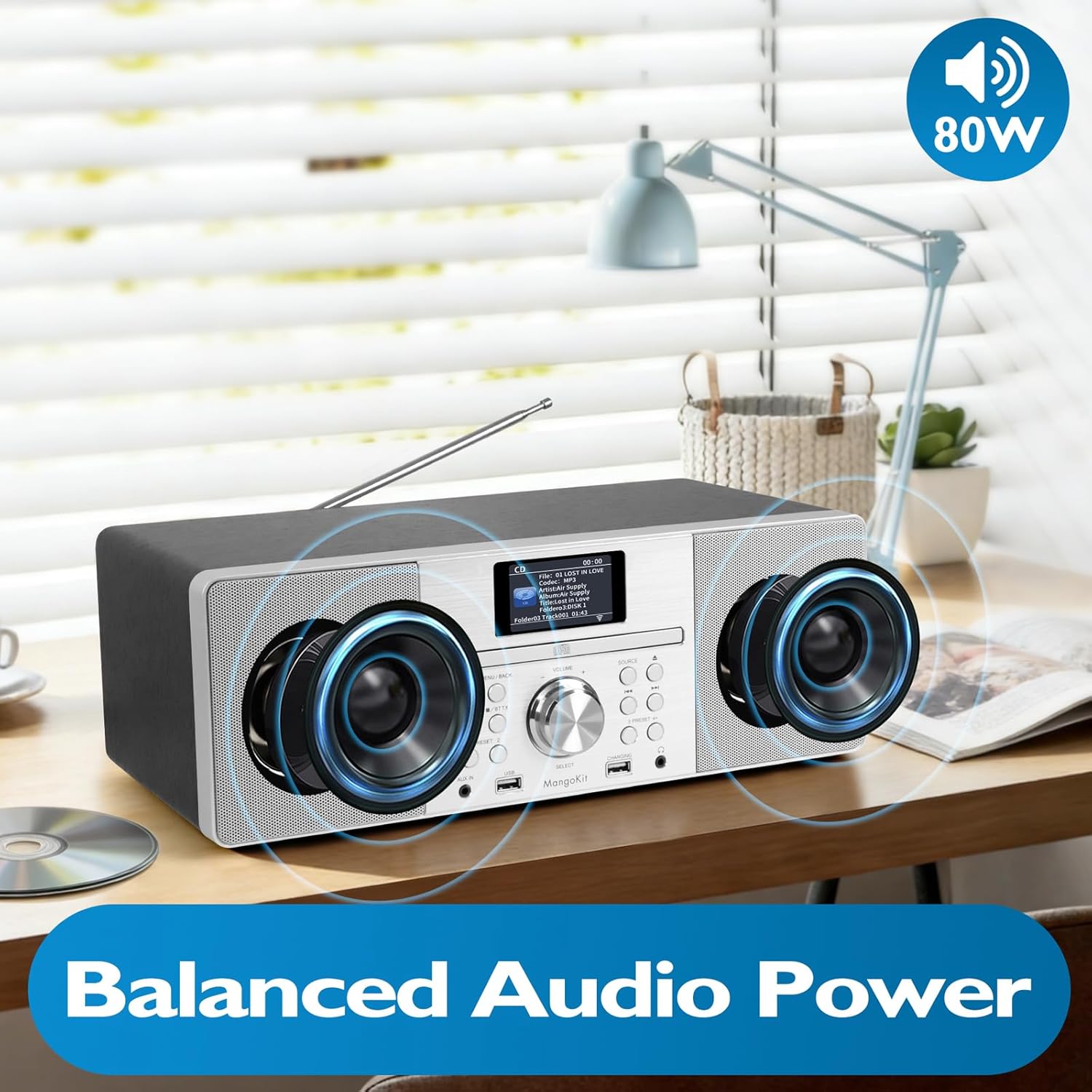
This image focuses on the internal speaker design of the MangoKit MS1, illustrating its balanced audio power. It visually represents the stereo sound delivery through its custom, high-quality speakers, contributing to a rich audio experience.
Одржавање
Чишћење
- Искључите напајање пре чишћења.
- Користите меку, суву крпу која не оставља влакна да обришете спољашње површине.
- Не користите абразивна средства за чишћење, воскове или раствараче.
- For the CD lens, use a specialized CD lens cleaning kit if necessary.
Складиштење
If storing the unit for an extended period, disconnect it from the power supply and store it in a cool, dry place, preferably in its original packaging.
Решавање проблема
| Проблем | Могући узрок | Решење |
|---|---|---|
| Нема струје | Адаптер за напајање није повезан; утичница није активна. | Check power adapter connection; try a different outlet. |
| Нема звука | Јачина звука је прениска; слушалице су повезане; неисправан режим. | Increase volume; disconnect headphones; select correct mode. |
| Лош радио пријем | Antenna not extended/positioned correctly; weak signal. | Extend and adjust the telescopic antenna; try repositioning the unit. |
| CD се не репродукује | CD inserted incorrectly; disc dirty/scratched; incorrect mode. | Re-insert CD label side up; clean or replace disc; select CD mode. |
| Блуетоотх упаривање није успело | Device not in pairing mode; MS1 not discoverable; device too far. | Ensure MS1 is in Bluetooth pairing mode; restart Bluetooth on your device; move device closer. |
Спецификације
- Модел: МС1
- Бренд: МангоКит
- Технологија повезивања: УСБ, Блуетоотх
- Извор напајања: AC Power (via adapter)
- Ватtage: 20 вати
- Димензије артикла (Д к Ш к В): 38 к 21 к 14 цм
- Карактеристике: DAB/DAB+ Radio, FM Radio, CD Player, Bluetooth Streaming, USB Playback, USB Charging (1A), Dual Alarms, Headphone Port
Гаранција и подршка
For warranty information and technical support, please refer to the documentation provided at the time of purchase or contact MangoKit customer service. Keep your proof of purchase for warranty claims.