
Увод
Thank you for choosing the SUNITEC BH880 Wireless Headset. This manual provides detailed instructions for setting up, operating, and maintaining your headset to ensure optimal performance and longevity. The BH880 headset is designed for clear communication and comfortable use in various environments, featuring advanced noise-cancelling technology and multiple connectivity options.

Image: SUNITEC BH880 Wireless Headset, showcasing its design with an adjustable microphone boom.
Шта је у кутији
Проверите да ли су све ставке присутне у пакету:
- 1 x SUNITEC BH880 Bluetooth Computer Headset with Microphone
- 1 к Типе-Ц кабл за пуњење
- 1 x Bluetooth Audio USB-A Dongle Adapter
- 1 к 3.5 мм аудио кабл
- 1 x Упутство за употребу (овај документ)

Image: The SUNITEC BH880 headset, USB-C charging cable, USB-A dongle, and 3.5mm audio cable, illustrating the package contents.
Производ је завршенview
Familiarize yourself with the components and controls of your SUNITEC BH880 headset.
Кључне карактеристике:
- AI Noise Cancelling Microphone: Blocks 99% of ambient noise for clear voice transmission.
- Qualcomm QCC3034 чипсет: Provides stable and fast Bluetooth transmission with aptX HD and aptX LL support.
- Удобан дизајн: Soft dual ear pads and an adjustable headband for extended wear.
- 270° Rotatable Boom Microphone: Can be positioned on either the left or right side.
- Дуг век трајања батерије: До 45 сати разговора са једним пуњењем.
- Вишеструко повезивање: Bluetooth, USB Dongle, and 3.5mm wired connection.

Image: Close-up of the memory foam earpads, highlighting the comfort feature of the headset.

Image: Detail of the individual mute button located on the microphone boom.

Слика: Интерна view highlighting the Qualcomm QCC3034 chipset, responsible for stable and fast connections.
Сетуп
1. Пуњење слушалица
Before first use, fully charge the headset. Connect the Type-C charging cable to the headset's charging port and the other end to a USB power source (e.g., computer USB port, wall adapter). The LED indicator will show charging status. A full charge takes approximately 2 hours and provides up to 45 hours of talk time or 400 hours of standby time.
2. Укључивање/искључивање
- Укључено: Притисните и држите дугме за напајање неколико секунди док се ЛЕД индикатор не упали.
- Искључивање: Притисните и држите дугме за напајање неколико секунди док се ЛЕД индикатор не искључи.
3. Опције повезивања
The SUNITEC BH880 offers three ways to connect to your devices:
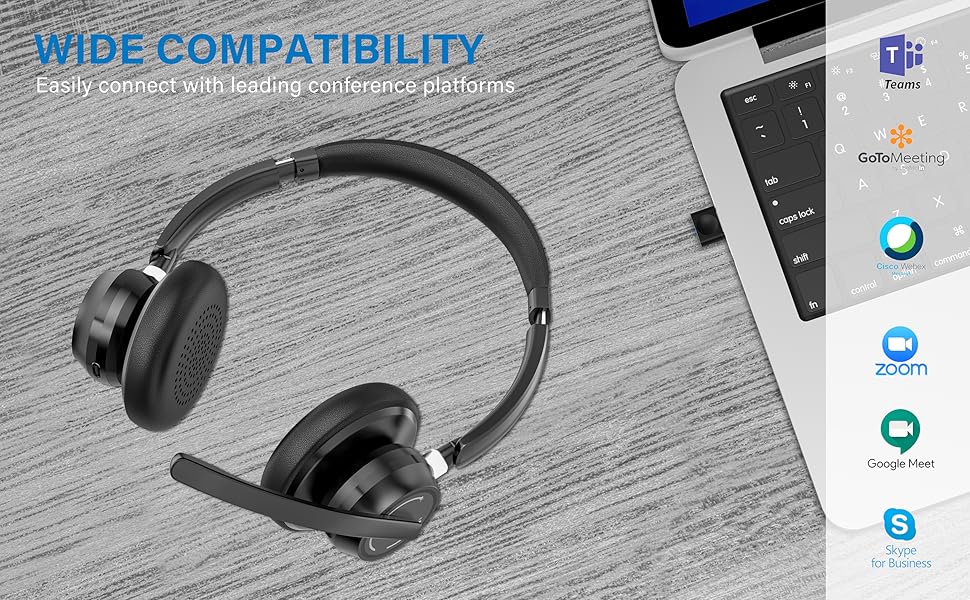
Image: Visual representation of Bluetooth, USB Dongle, and Wired connection methods for the headset.
Блуетоотх веза:
- Уверите се да су слушалице искључене.
- Притисните и држите дугме за напајање док ЛЕД индикатор не почне наизменично да трепери плаво и црвено, што указује на режим упаривања.
- На свом уређају (паметном телефону, таблету, рачунару) омогућите Блутут и потражите нове уређаје.
- Select "SUNITEC BH880" from the list of available devices.
- Када се повеже, ЛЕД индикатор ће полако трептати плаво.
УСБ донгле веза:
This method is ideal for computers without built-in Bluetooth or for a more stable connection.
- Plug the USB-A Dongle Adapter into an available USB port on your computer.
- Power on the SUNITEC BH880 headset. It will automatically attempt to connect to the dongle.
- The LED indicator on the dongle and headset will show a solid blue light once connected.
- You may need to select the "SUNITEC BH880" as the audio input/output device in your computer's sound settings.

Image: A USB dongle being inserted into a laptop's USB port, demonstrating the dongle connection method.
Жична веза:
Use the included 3.5mm audio cable to connect the headset directly to devices with a 3.5mm audio jack. Note that the microphone function is not available when using the 3.5mm wired connection; the headset will function as headphones only.

Image: The headset shown with logos of popular communication platforms like Teams, Zoom, Google Meet, and Skype, indicating wide compatibility.
Упутство за употребу
Основне функције:
- Појачавање/утишавање: Use the dedicated volume buttons on the earcup.
- Пусти/паузирај: Притисните вишенаменско дугме једном.
- Следећа нумера: Притисните и држите дугме за појачавање јачине звука.
- Претходни запис: Притисните и држите дугме за смањивање јачине звука.
Функције позива:
- Одговори/заврши позив: Притисните вишенаменско дугме једном.
- Одбиј позив: Притисните и држите вишенаменско дугме 2 секунди.
- Поновно бирање последњег броја: Двапут притисните вишенаменско дугме.
Функција утишавања микрофона:
The headset features an individual mute button on the microphone boom for quick privacy control.
- Искључи/Укључи звук: Press the mute button on the microphone boom. The LED indicator on the microphone will show red when muted.
- Напомена: For PC platforms, microphone mute functionality may also be controlled via the software application (e.g., Zoom, Teams).
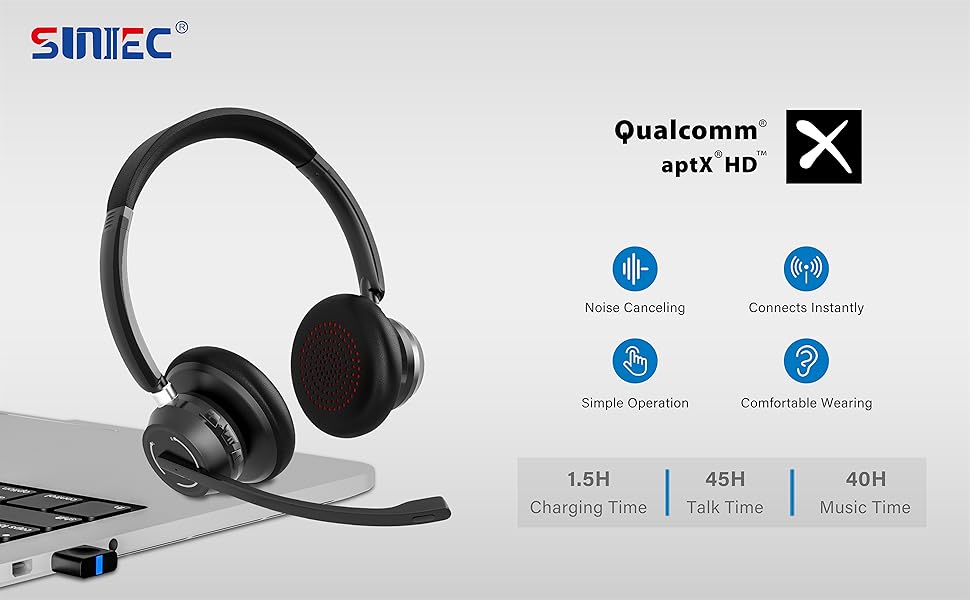
Image: A graphic demonstrating how the noise-cancelling microphone filters out background noise for clearer audio output.
Одржавање
Proper care ensures the longevity of your SUNITEC BH880 headset.
- Чишћење: Користите меку, суву крпу за чишћење слушалица. Не користите абразивна средства за чишћење или раствараче.
- Складиштење: Чувајте слушалице на хладном и сувом месту, даље од директне сунчеве светлости и екстремних температура.
- Одржавање батерије: Да бисте сачували век трајања батерије, избегавајте често потпуно пражњење слушалица. Редовно их пуните, чак и ако их не користите дуже време.
- Избегавајте влагу: The headset is not water-resistant. Keep it away from liquids and high humidity.
Решавање проблема
If you encounter issues with your SUNITEC BH880 headset, refer to the following common solutions:
| Проблем | Решење |
|---|---|
| Слушалице се не укључују. | Ensure the headset is charged. Connect it to a power source using the Type-C cable. |
| Није могуће упаривање преко Bluetooth-а. |
|
| Нема звука или лош квалитет звука. |
|
| Микрофон не ради. |
|
| USB Dongle not connecting. |
|
Спецификације
| Феатуре | Детаљ |
|---|---|
| Назив модела | БХ880 |
| Технологија повезивања | Wireless (Bluetooth), Wired (3.5mm), USB Dongle |
| Бежична комуникациона технологија | Блуетоотх 5.1 |
| Блуетоотх домет | До 15 метара (49 стопе) |
| Контрола буке | Адаптивно поништавање буке (микрофон) |
| Величина аудио драјвера | 40 милиметара |
| Тип аудио драјвера | Динамички возач |
| Импеданса | 32 Охмс |
| Облик слушалице | Преко уха |
| Трајање батерије (време разговора) | До 45 сати |
| Време пуњења | Approximately 2 Hours (Type-C) |
| Тежина артикла | 280 грама (9.9 унци) |
| Димензије производа | 5.91 к 3.94 к 1.96 инча |
| Материјал | Пластика |
| Компатибилни уређаји | Computers, Communication Software (Skype, Zoom, MS Teams, Google Meet) |
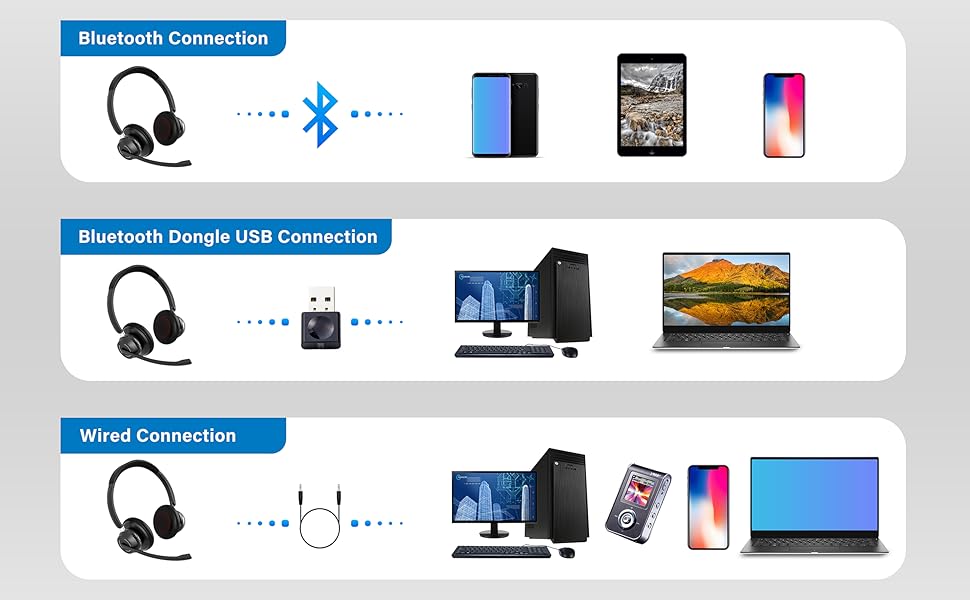
Image: An illustration highlighting the headset's battery performance, indicating up to 45 hours of wireless talk time.
Гаранција и подршка
SUNITEC products are designed for reliability and performance. For warranty information or technical support, please refer to the contact details provided with your purchase or visit the official SUNITEC webсајт. Сачувајте рачун као доказ о куповини за потребе гаранције.
For further assistance, you may contact SUNITEC customer service through their official channels.