
Увод
Thank you for choosing the EZVALO 16.5-inch Under Cabinet Lighting. This product combines smart motion sensing with a sleek design to provide versatile illumination for various indoor spaces. Featuring adjustable color temperatures, dimmable brightness, and a rechargeable battery, it offers a convenient and energy-efficient lighting solution.
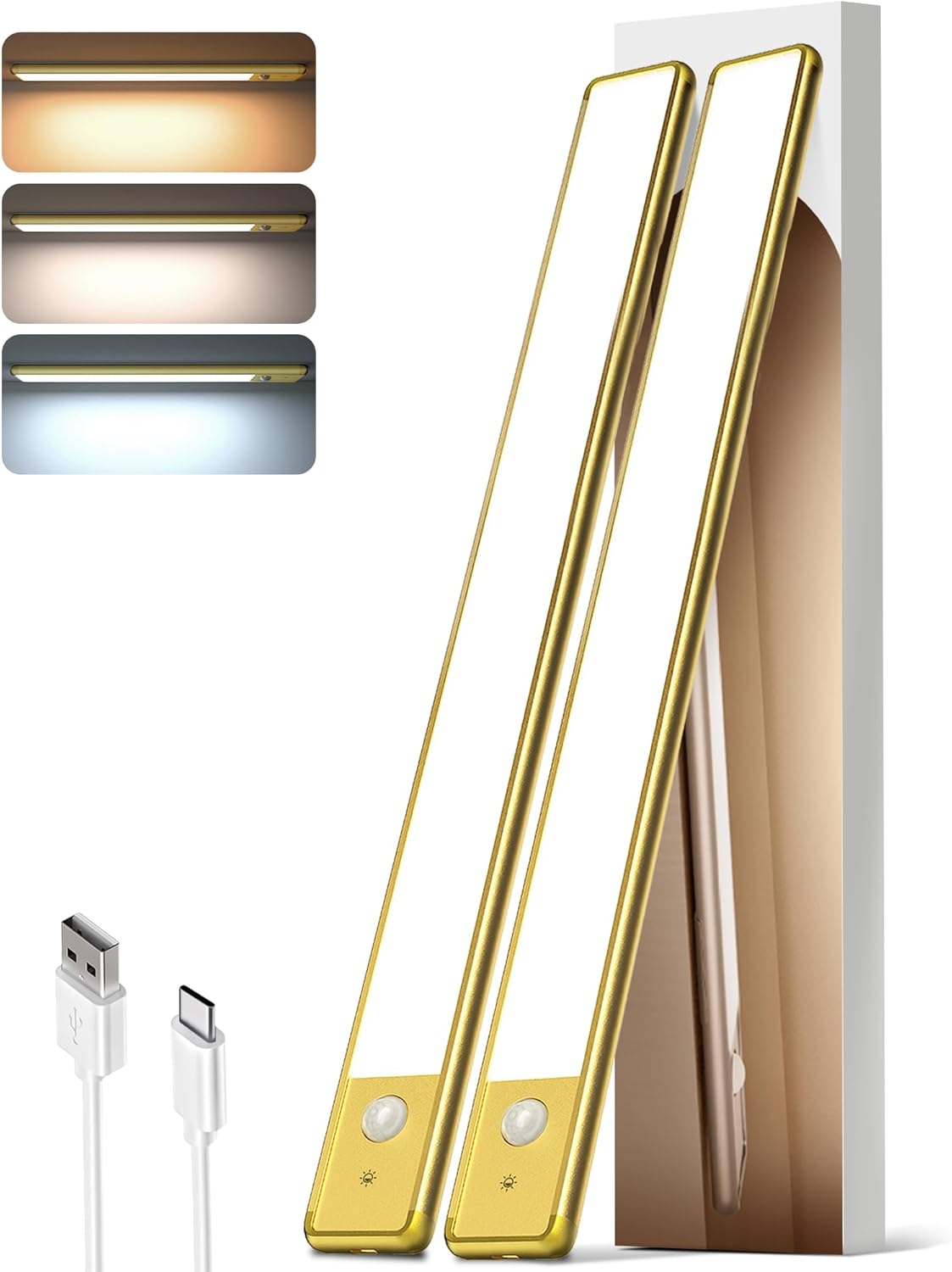
Image: The EZVALO 16.5-inch Under Cabinet Lighting unit, showcasinг његов танак професионалацfile and integrated motion sensor.
Садржај пакета
- 2 x EZVALO 16.5-inch Cabinet Lights
- 1 x USB-C кабл за пуњење
- 4 x лепљиве гвоздене плоче
- 1 x Упутство за употребу (овај документ)
Карактеристике производа
- Паметни сензор покрета: Detects motion within 120° and 10 ft.
- 3 температуре боје: Warm White (3500K), Natural (4200K), Cool White (5700K).
- Осветљеност која се може затамнити: Adjustable from 10% to 100%.
- Пуњива батерија: 4000mAh capacity, offering extended use.
- Једноставна инсталација: Magnetic mount or 3M adhesive tape.
- Разноврсна употреба: Suitable for kitchens, closets, pantries, stairs, bedrooms, and more.
- Енергетски ефикасан: 74pcs energy-saving LEDs with a non-glare frosted cover.
Подешавање и инсталација
The EZVALO Under Cabinet Lighting offers two convenient installation methods:
Method 1: Magnetic Attachment (for metal surfaces)
- Ensure the metal surface is clean and dry.
- Simply place the light directly onto the metal surface. The built-in strong magnet will secure it.
Method 2: Adhesive Iron Plates (for non-metal surfaces)
- Identify the desired installation location. Ensure the surface is clean, dry, and smooth.
- Скините заштитну фолију са једне стране лепљиве плоче гвожђа.
- Attach the adhesive side of the iron plate to the back of the light unit, aligning it with the magnetic strips.
- Peel off the protective film from the other side of the adhesive iron plate.
- Firmly press the light (with the attached iron plates) onto the desired surface for at least 30 seconds.

Image: Visual guide demonstrating the magnetic and adhesive installation process for the under cabinet light.
Напомена: The magnetic design allows for easy removal of the light unit for charging or repositioning without damaging surfaces.
Recommended Placement Exampлес:
- Кухиња: Under cabinets for task lighting.
- Closet/Wardrobe: Inside for improved visibility.
- остава: To illuminate shelves.
- степенице: Along the wall for safety and ambiance.
- Desk/Workbench: For focused lighting.

Слика: прamples of EZVALO lights installed in a kitchen, wardrobe, drawer, and staircase.
Упутство за употребу
The EZVALO light features a touch button for easy control of modes, color temperature, and brightness.
Touch Button Guide:
- Једнократни додир: Cycles through AUTO Mode and switches Color Temperature (Warm White, Natural, Cool White).
- Двапут додирните: Activates "Always ON Mode".
- Трипле Тап: Activates "Always OFF Mode".
- Дуго притисните: Adjusts brightness from 10% to 100%.

Image: Detailed diagram illustrating the touch button functions for mode selection, color temperature, and brightness adjustment.
Радни режими:
- Night Mode (Motion Sensor): The light will only activate in darkness when motion is detected within 120° and 10 ft. It will turn OFF automatically after 20 seconds of no activity.
- Режим „Увек укључено“: The light remains continuously lit. Double-tap to activate for a continuous 30-minute lighting period.
- Режим увек искључен: The light remains off. Triple-tap to activate.

Image: Illustration of the motion sensor's detection range, covering a 120-degree wide angle and up to 10 feet.
Избор температуре боје:
Single tap the touch button to cycle through the three available color temperatures:
- Топла бела (3500К): Provides a cozy and inviting atmosphere.
- Natural (4200K): Ideal for everyday lighting and general tasks.
- Хладна бела (5700К): Offers bright, clear light for focus and clarity.
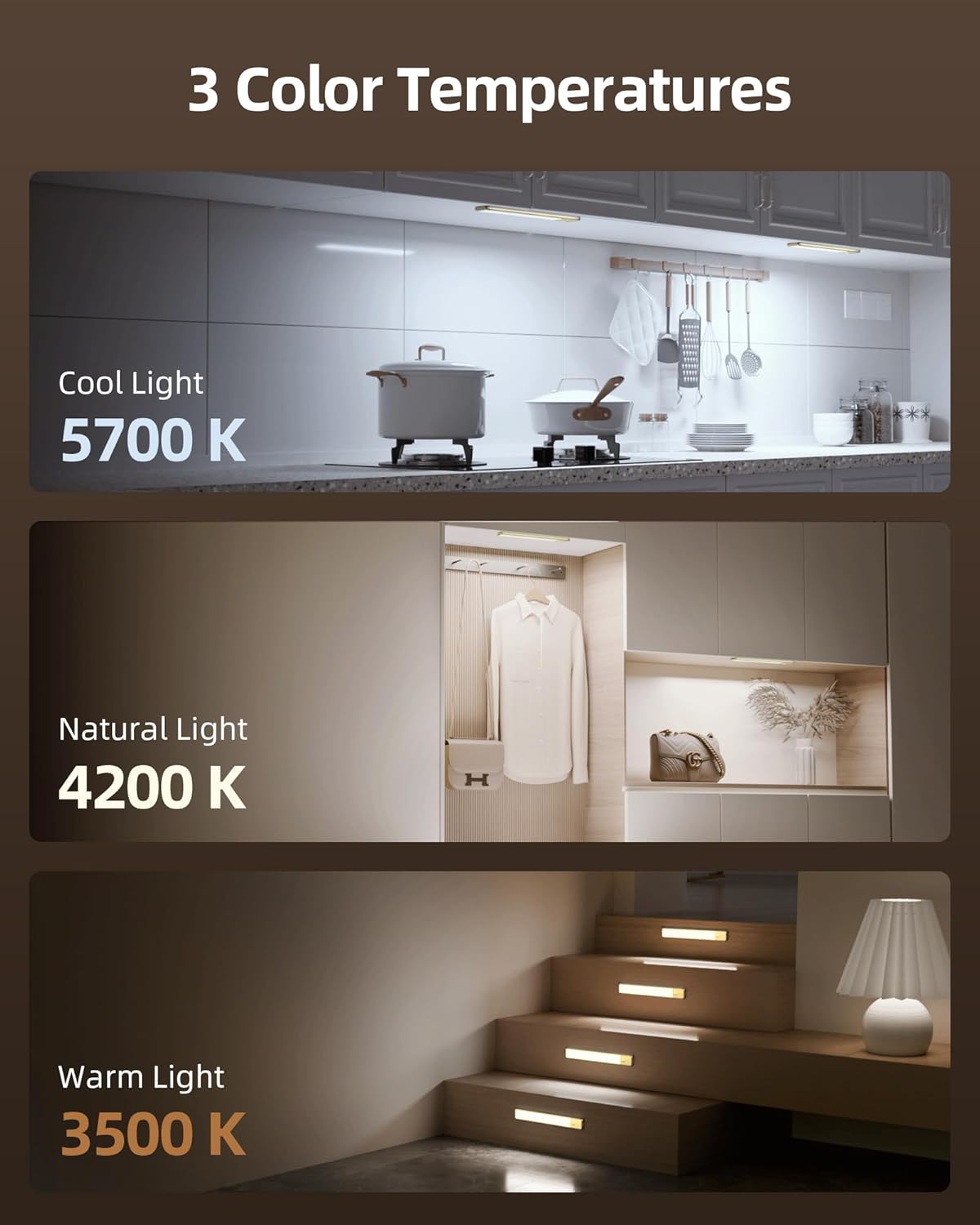
Image: Visual representation of the three color temperatures: Cool Light (5700K), Natural Light (4200K), and Warm Light (3500K).
Подешавање осветљености:
Long press the touch button to seamlessly adjust the brightness level from 10% (dimmest) to 100% (brightest). Release the button when the desired brightness is achieved.
Пуњење
The EZVALO light is equipped with a 4000mAh rechargeable battery. Use the provided USB-C charging cord to recharge the unit.
- Locate the USB-C charging port on the side of the light unit.
- Connect the USB-C end of the charging cable to the light and the USB-A end to a compatible power source (e.g., USB wall adapter, computer USB port).
- Индикаторска лампица ће показати статус пуњења.
- A full charge typically provides up to 30 days of use in AUTO Mode or 9.5 hours at 100% brightness in Always-On Mode.

Слика: Детаљна view of the light's charging port and battery, with text indicating battery life in different modes.
Савет: Please fully charge the light before first use.
Одржавање
- Чишћење: Wipe the light surface with a soft, dry cloth. Avoid using abrasive cleaners or solvents.
- Складиштење: If storing for an extended period, charge the battery to approximately 50% and store in a cool, dry place. Recharge every 3-6 months to maintain battery health.
- Одржавање батерије: Do not expose the battery to extreme temperatures or attempt to disassemble it.
Решавање проблема
| Проблем | Могући узрок | Решење |
|---|---|---|
| Светлост се не пали. | Батерија је празна. | Charge the light using the provided USB-C cable. |
| Сензор покрета не ради. | Light is not in AUTO Mode. | Single tap the touch button until AUTO Mode is active. |
| Motion sensor activates too frequently or not at all. | Incorrect placement or ambient light conditions. | Ensure the sensor is not obstructed. Adjust placement to avoid false triggers from pets or drafts. In Night Mode, the sensor only works in darkness. |
| Осветљеност или температура боје се не могу подесити. | Неправилан рад. | Refer to the "Operating Instructions" section for correct touch button usage (single tap for color, long press for brightness). |
Спецификације
| Бранд | ЕЗВАЛО |
| Број модела | ЛИБ-42 |
| Димензије (Д к Ш к В) | 16.5 cm D x 1.56 cm Š x 0.52 cm V |
| Материјал | Алуминијум |
| Извор напајања | Напајање батеријом (4000mAh) |
| Извор светлости | ЛЕД (74 ком.) |
| Температуре боје | 3500K (топло бела), 4200K (природна), 5700K (хладно бела) |
| Осветљеност | 10%-100% Dimmable, 120 Lumen Max |
| Опсег сензора покрета | 120° wide angle, up to 10 ft |
| Контролни метод | Додирните |
| Врста инсталације | Магнетиц Моунт |
| Ниво отпорности на воду | Not Water Resistant (Indoor Use Only) |
Гаранција и подршка
За информације о гаранцији или техничку подршку, погледајте контакт податке наведене на паковању производа или посетите званичну веб страницу EZVALO-а. webсајту. Сачувајте рачун о куповини за гаранције.
Relevant Product Videos
The following videos provide additional visual guidance and demonstrations of the EZVALO Under Cabinet Lighting:
Motion Activated Wireless Lighting For Small Closets
Video: A demonstration of the EZVALO motion-activated light being used in a small closet, highlighting its ease of installation and automatic functionality.
No Drill Under Cabinet Lighting
Video: This video illustrates the simple, no-drill installation process of the under cabinet lighting, showing how it can be easily attached to surfaces.
Motion Sensing Re-chargeable LED. WHY?
Видео: Оверview discussing the benefits and features of the motion-sensing rechargeable LED light, including its versatility and energy efficiency.