
1. Увод
The Hello Kitty Sunrise Alarm Clock is designed to provide a gentle and natural waking experience with its sunrise simulation feature. This digital alarm clock includes multicolor lights, an LED display showing time, date, and temperature, a USB charging port, and a convenient snooze function. Its charming Cinnamoroll design adds a whimsical touch to any room.

Image 1: Hello Kitty Cinnamoroll Sunrise Alarm Clock with multicolor lighting.
2. Безбедносне информације
- Не излажите уређај екстремним температурама, директној сунчевој светлости или високој влажности.
- Use only the provided USB power cable or a certified equivalent.
- Држите уређај даље од воде или других течности.
- Не покушавајте сами да растављате или поправљате уређај. Обратите се квалификованом сервисеру.
- Уверите се да је уређај постављен на стабилну, равну површину.
3. Садржај пакета
Молимо вас да проверите пакет за следеће ставке:
- Hello Kitty Sunrise Alarm Clock (Cinnamoroll design)
- УСБ кабл за напајање
- Кориснички приручник (овај документ)
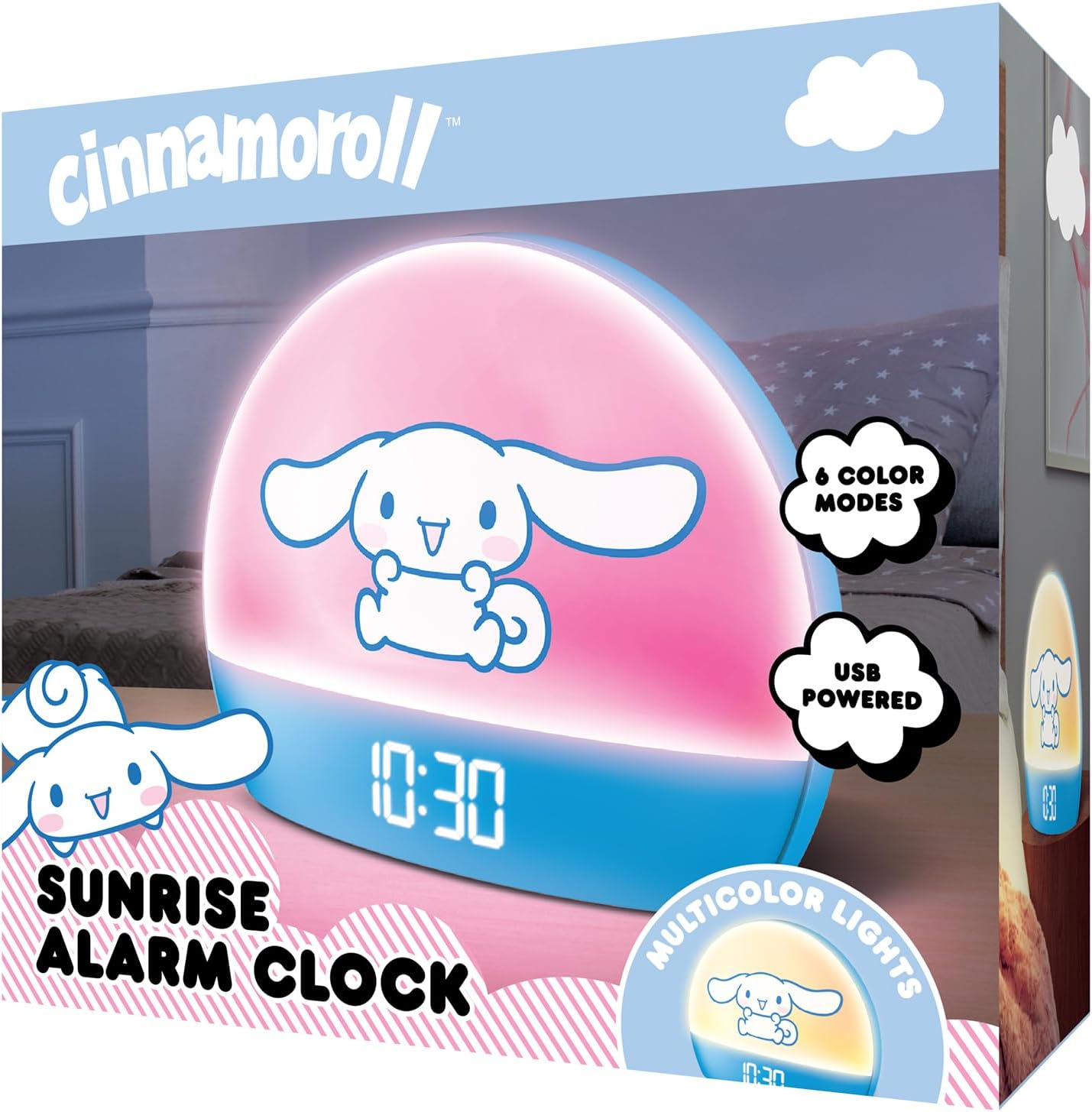
Image 2: Front packaging of the Hello Kitty Cinnamoroll Sunrise Alarm Clock.
4. Производ је готовview
Упознајте се са главним компонентама вашег будилника.
- ЛЕД дисплеј: Shows time, date, and temperature.
- Светлосни панел: Emits multicolor and sunrise simulation lights.
- Контролна дугмад: Located on the back or bottom for setting time, alarm, and light functions.
- УСБ пуњач: For powering the device and charging external devices.
- Дугме за одлагање: Typically a prominent button on the top or front.

Image 3: Hello Kitty Cinnamoroll Sunrise Alarm Clock in a bedroom setting.
5. Подешавање
5.1 Прикључак за напајање
- Connect the provided USB power cable to the USB port on the back of the alarm clock.
- Укључите други крај USB кабла у компатибилни USB адаптер за напајање (није укључен) или USB порт са напајањем.
- The LED display will light up, indicating the device is powered on.
5.2 Подешавање времена и датума
Specific button names are not provided, so general instructions are given. Refer to the physical device for exact button labels.
- Press the "SET" or "TIME" button to enter time setting mode.
- Use the "UP" and "DOWN" buttons to adjust the hour. Press "SET" again to confirm.
- Adjust the minute using "UP" and "DOWN" buttons. Press "SET" to confirm.
- Наставите овај поступак да бисте подесили годину, месец и дан.
- The clock may offer 12-hour or 24-hour format selection. Follow on-screen prompts or consult the device's specific button functions.
6. Упутство за употребу
6.1 Подешавање аларма
- Press the "ALARM" button to enter alarm setting mode.
- Use "UP" and "DOWN" buttons to set the desired alarm hour. Press "ALARM" to confirm.
- Adjust the alarm minute. Press "ALARM" to confirm.
- Some models may allow setting alarm volume or sound. Follow prompts if available.
- To activate/deactivate the alarm, look for an "ALARM ON/OFF" button or a toggle within the alarm setting menu.
6.2 Sunrise Simulation
The sunrise simulation feature gradually increases light intensity before your set alarm time, mimicking a natural sunrise.
- This feature is typically linked to the alarm function. When the alarm is active, the light will begin to brighten a set period (e.g., 30 minutes) before the alarm sounds.
- Consult the device's specific controls for adjusting the duration or intensity of the sunrise simulation, if applicable.
6.3 вишебојних светла
The clock offers various color modes for ambient lighting.
- Press the "LIGHT" or "COLOR" button to cycle through different color options or activate a color-changing mode.
- Press and hold the "LIGHT" button to turn off the ambient light.
- Brightness of the display and ambient light can often be adjusted using dedicated buttons or by holding the "LIGHT" button.
6.4 Функција одлагања
When the alarm sounds, press the large "SNOOZE" button (usually on top) to temporarily pause the alarm. The alarm will sound again after a short interval (e.g., 5-10 minutes).
6.5 УСБ прикључак за пуњење
The integrated USB port can be used to charge small electronic devices like smartphones or tablets. Simply connect your device's charging cable to the USB port on the alarm clock.
6.6 Приказ температуре
The LED display shows the current room temperature. No specific action is usually required to view this, as it cycles with time and date or is displayed continuously.
7. Одржавање
- Очистите сат меком, сувом крпом. Не користите абразивна средства за чишћење или раствараче.
- Уверите се да је УСБ порт без прашине и прљавштине.
- Store the clock in a cool, dry place when not in use for extended periods.
КСНУМКС. Решавање проблема
| Проблем | Могући узрок | Решење |
|---|---|---|
| Сат се не укључује. | USB cable not connected properly or power source issue. | Check USB cable connection. Try a different USB power adapter or port. Ensure the cable is securely inserted. |
| Time is incorrect or drifts. | Time not set correctly or internal clock issue. | Re-set the time following Section 5.2. If the issue persists, try disconnecting and reconnecting power. |
| Аларм се не оглашава. | Аларм није активиран или је погрешно подешен. | Verify the alarm is set and activated (check for an alarm icon on the display). Ensure the volume is not set to zero if adjustable. |
| Дугмад не реагују. | Temporary software glitch or physical button issue. | Disconnect power for a few seconds and reconnect to reset the device. If buttons remain unresponsive, contact support. |
| УСБ порт за пуњење не ради. | Cable issue, device not fully powered, or port malfunction. | Ensure the clock is properly powered. Try a different USB charging cable. Check if the port is clean and free of debris. |
9. Спецификације
| Бранд | Хелло Китти |
| Број модела | HKCLK01CR-MFN |
| Боја | Цинаморол |
| Дисплаи Типе | Дигитал |
| Посебне карактеристике | Adjustable Brightness, Alarm, Charging Port, LED Display, Temperature Display, Sunrise Simulation, Multicolor Lights |
| Димензије производа | 7" Ш x 6" В |
| Извор напајања | Електрични са каблом (УСБ) |
| Материјал | Пластика |
| Тежина артикла | 0.4 килограма (14 унци) |
| Технологија повезивања | УСБ |
| Произвођач | Јужни Телеком |
10. Гаранција и подршка
For warranty information or technical support, please refer to the contact details provided on the product packaging or visit the official Hello Kitty product support webсајту. Сачувајте рачун о куповини за гаранције.