
1. Увод
This manual provides comprehensive instructions for the installation, operation, and maintenance of your Xigmatek FENIX 240 ARCTIC AIO ARGB CPU Liquid Cooler. Please read this manual thoroughly before installation to ensure proper setup and optimal performance.
Садржај пакета:
- 240мм радијатор
- Pump/CPU Block
- Two High-Performance ARGB Fans
- CPU Socket Mounting Kit (for Intel LGA 1700/1200/115X and AMD AM5/AM4)
- Термална паста
- MINI ARGB Controller
- Тубе Цлипс
2. Безбедносне информације
Придржавајте се следећих безбедносних мера предострожности током инсталације и рада:
- Уверите се да је ваш систем искључен и искључен из струје пре инсталације.
- Пажљиво рукујте компонентама како бисте избегли оштећење.
- Do not open the pump or radiator; it contains liquid coolant.
- Чувати ван домашаја деце.
- Refer to your motherboard manual for specific fan and ARGB header locations.
3. Подешавање и инсталација
Follow these steps to install your Xigmatek FENIX 240 ARCTIC AIO Liquid Cooler.
3.1 Prepare the Radiator and Fans
Attach the two 120mm ARGB fans to the 240mm radiator using the provided screws. Ensure the fan airflow direction is appropriate for your case (typically exhausting air out of the case or drawing cool air in).
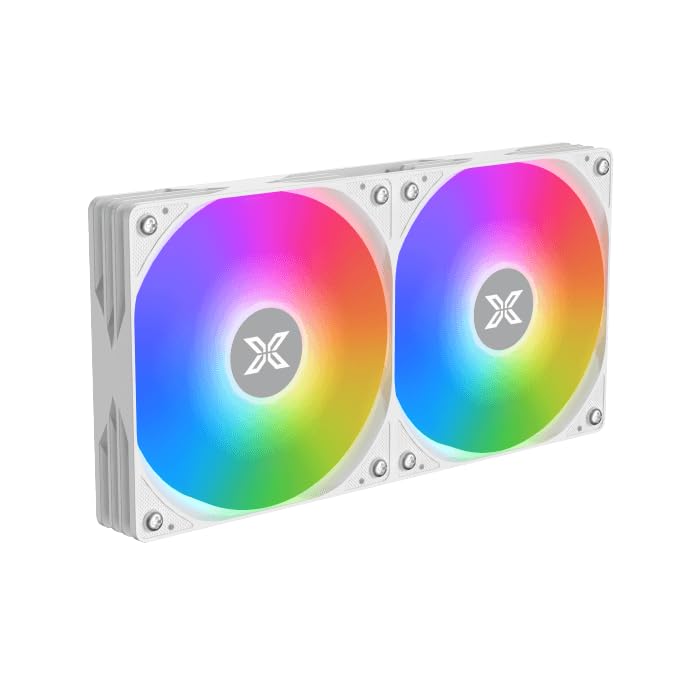
Image: Two ARGB fans are shown mounted on the white radiator, ready for installation.
3.2 Install the CPU Mounting Bracket
Select the appropriate mounting bracket for your CPU socket (Intel LGA 1700/1200/115X or AMD AM5/AM4). Follow the instructions in the mounting kit for your specific socket type to secure the backplate and standoffs to your motherboard.
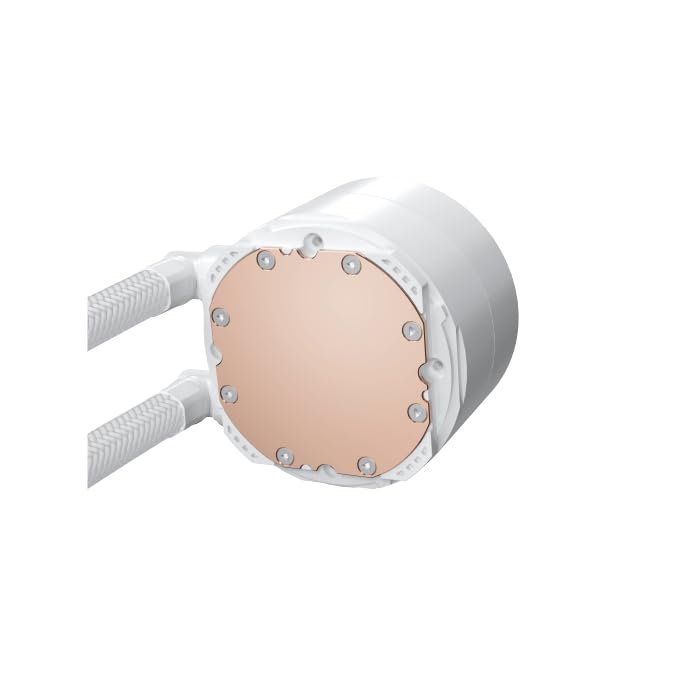
Image: The copper cold plate of the CPU pump block is visible, which makes direct contact with the CPU.
3.3 Наношење термалне пасте
Clean the CPU surface thoroughly. Apply a small amount of the included thermal paste to the center of your CPU's integrated heat spreader (IHS). A pea-sized dot is generally sufficient.
3.4 Mount the Pump/CPU Block
Carefully place the pump/CPU block onto the CPU, aligning it with the standoffs. Secure it with the provided thumb screws, tightening them in a cross pattern until snug. Avoid overtightening.

Image: The complete Xigmatek FENIX 240 ARCTIC AIO Liquid Cooler, showcasing the radiator, fans, and pump with ARGB lighting.
3.5 Install the Radiator
Mount the radiator and fan assembly into an available 240mm fan mount location in your PC case. Common locations include the top or front of the case. Use the appropriate screws to secure it.
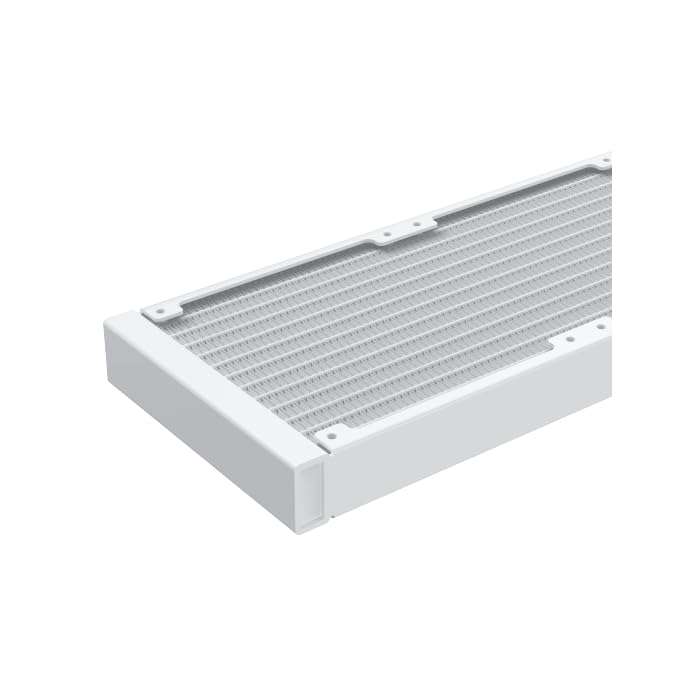
Слика: Крупни план view of the radiator fins, highlighting the high-density aluminum construction for efficient heat dissipation.
3.6 Повежите каблове
- Connect the pump's 3-pin or 4-pin power cable to a dedicated AIO_PUMP or CPU_FAN header on your motherboard.
- Connect the fan power cables to available fan headers on your motherboard or to the included MINI ARGB Controller.
- Connect the ARGB cables from the fans and pump to the MINI ARGB Controller. Then, connect the controller to a 5V 3-pin ARGB header on your motherboard for software control, or use the controller's built-in modes.
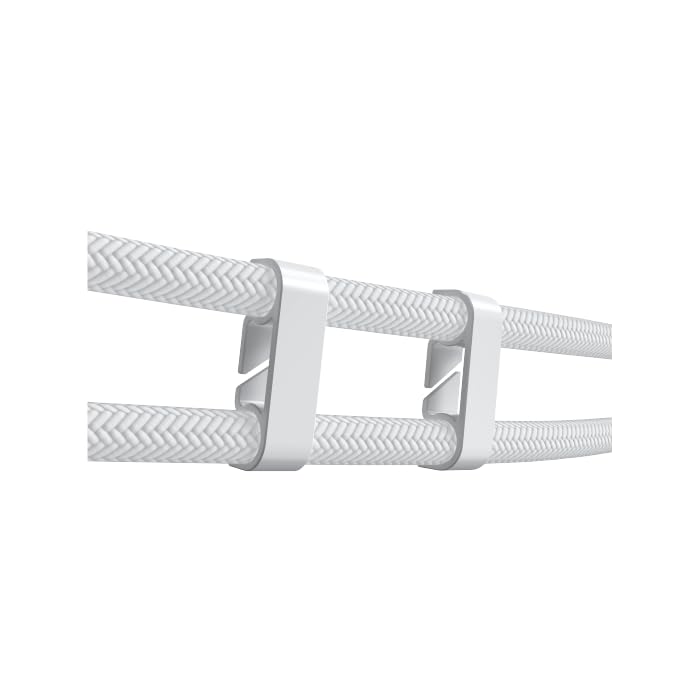
Image: Tube clips are shown securing the braided liquid cooler tubing, helping with cable management and preventing kinks.
4. Упутство за употребу
Once installed, power on your system. The Xigmatek FENIX 240 ARCTIC AIO will begin cooling your CPU automatically. The pump and fans will adjust their speed based on CPU temperature, as controlled by your motherboard's BIOS settings or fan control software.
ARGB контрола осветљења:
The integrated ARGB lighting can be controlled via the included MINI ARGB Controller or through compatible motherboard software (e.g., ASUS Aura Sync, MSI Mystic Light Sync, Gigabyte RGB Fusion, ASRock Polychrome Sync). Connect the controller to your motherboard's 5V 3-pin ARGB header to synchronize lighting effects.
5. Одржавање
Regular maintenance ensures optimal performance and longevity of your liquid cooler.
- Чишћење прашине: Периодично чистите прашину са ребара хладњака и лопатица вентилатора помоћу компримованог ваздуха. Уверите се да се вентилатори не окрећу током чишћења.
- Инспекција цеви: Check the tubing for any signs of kinks, leaks, or damage.
- Бука пумпе: Monitor the pump for unusual noises, which could indicate an issue.
КСНУМКС. Решавање проблема
Ако наиђете на проблеме, погледајте следеће уобичајене проблеме и решења:
- Високе температуре процесора:
- Ensure the pump is running and connected to the correct header.
- Verify fans are spinning and correctly oriented.
- Check if the CPU block is securely mounted and thermal paste is properly applied.
- Без ARGB осветљења:
- Confirm all ARGB cables are securely connected to the controller and motherboard (5V 3-pin header).
- Check motherboard software settings for ARGB control.
- Ensure the MINI ARGB Controller is powered.
- Unusual Pump Noise:
- Ensure there are no air bubbles trapped in the pump. Gently tilt your PC case to help dislodge any air.
- Verify the pump is running at an appropriate speed (check BIOS settings).
7. Спецификације
| Феатуре | Спецификација |
|---|---|
| Број модела | ЕН42980 |
| Величина радијатора | 240мм |
| Материјал радијатора | Алуминијум |
| Метод хлађења | Вода |
| Брзина вентилатора | До 1800 РПМ |
| Капацитет протока ваздуха | 82.8 Cubic Inches Per Minute |
| Ниво буке | 29.8 децибела |
| Волtage | 12 волти (ДЦ) |
| Ватtage | 280 вати |
| Компатибилне утичнице | Intel LGA 1700/1200/115X, AMD AM5/AM4 |
| Димензије производа | 12.91 к 8.11 к 5.71 инча |
| Тежина | 3.62 фунти |
8. Гаранција и подршка
Xigmatek products are manufactured to high-quality standards. For warranty information and technical support, please refer to the official Xigmatek webсајт или контактирајте локалног дистрибутера. Сачувајте доказ о куповини за потребе гаранције.
За додатну помоћ посетите: ввв.кигматек.цом