
EBTOOLS EBTOOLSs1gq2a4o5t-12
EBTOOLS Body Camera User Manual
Model: EBTOOLSs1gq2a4o5t-12
1. Увод
This manual provides comprehensive instructions for the operation and maintenance of your EBTOOLS Body Camera, Model EBTOOLSs1gq2a4o5t-12. This portable, body-mounted camcorder is designed for various recording needs, including law enforcement, security, and outdoor activities, offering 1080P HD video recording, night vision capabilities, and a wide-angle lens.
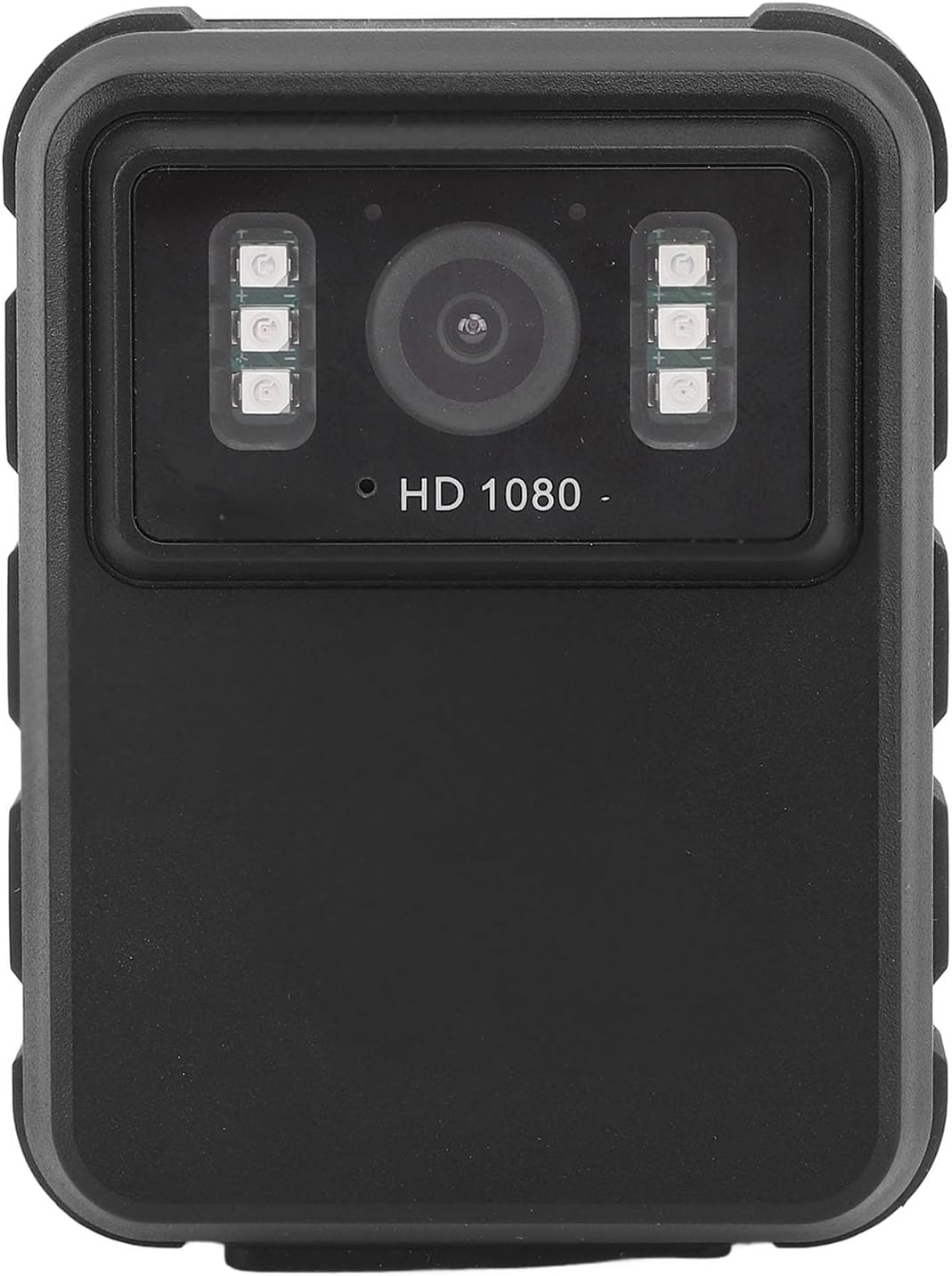
Слика 1: Фронт view of the EBTOOLS Body Camera, showing the lens and infrared LEDs.
2. Производ је готовview
2.1 Кључне карактеристике
- 1080P HD Video Recording: Captures high-definition video for clear footage.
- Ноћни вид: Equipped with 6 infrared LEDs for clear recording up to 33 feet in low-light or dark conditions, with manual and automatic activation modes.
- Широкоугаони објектив од 130°: Пружа шире поље view to capture more of the surroundings.
- Лооп Рецординг: Аутоматски преписује најстарији footage when storage is full, ensuring continuous recording.
- 2.0-инчни ИПС екран: Allows for immediate video playback and photo viewing directly on the device.
- Разноврсне опције монтаже: Can be clipped to clothing, mounted on a motorcycle, or used as a dash cam.
- Дуг век трајања батерије: Built-in 1800mAh lithium battery supports approximately 8 hours of continuous recording.

Слика 2: Illustration of the 130° wide-angle lens and the 2.0-inch IPS display for clear viewинг.

Слика 3: The camera's built-in infrared lights for night vision and its robust design suitable for various conditions.
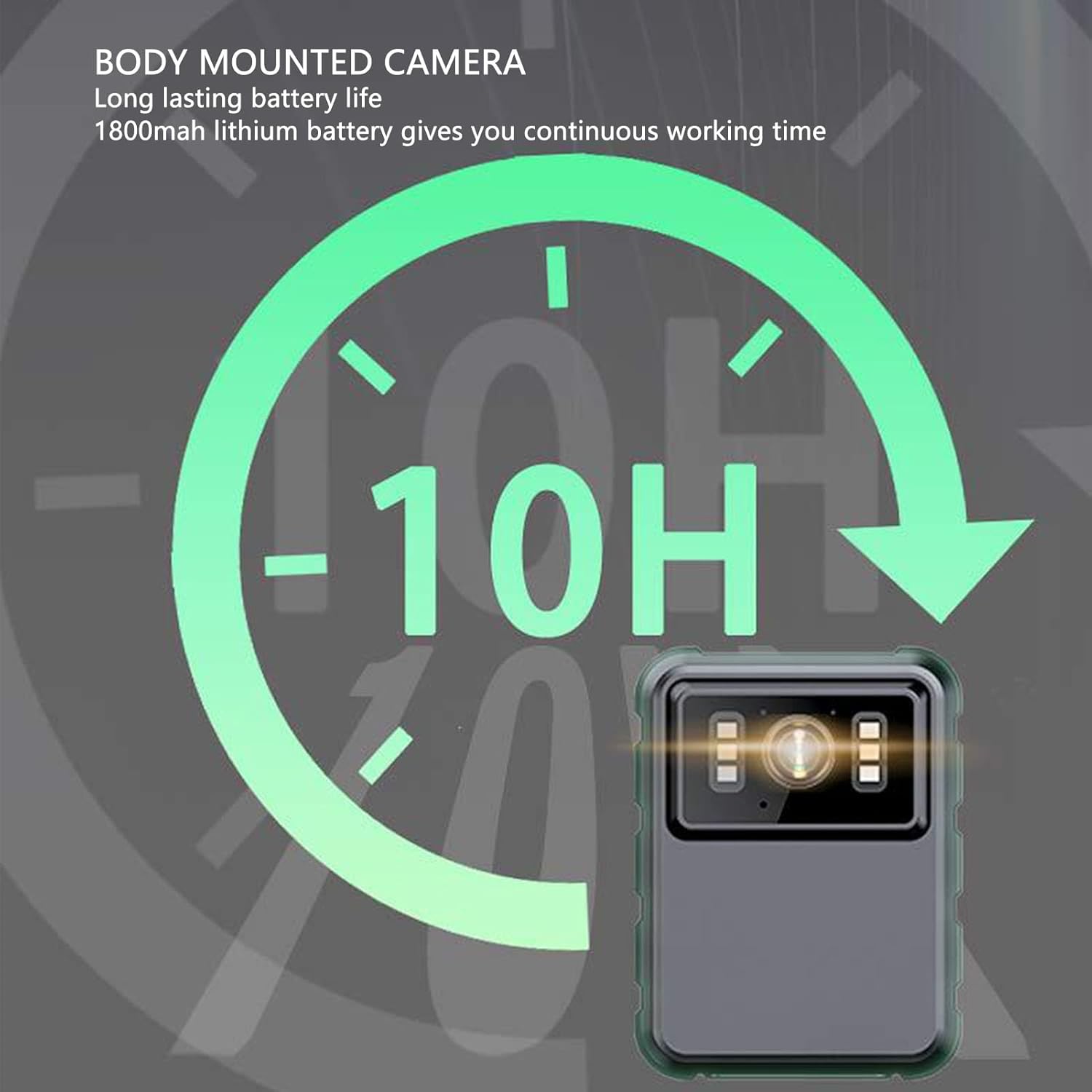
Слика 4: The camera features a long-lasting 1800mAh lithium battery, providing extended operational time.
2.2 Садржај пакета
Проверите да ли су све ставке присутне у пакету:
- 1 x EBTOOLS Body Camera
- 2 к носачи за монтирање
- 1 к адаптер
- 1 x Кабл за пуњење (USB)
- 1 x Упутство за употребу (овај документ)
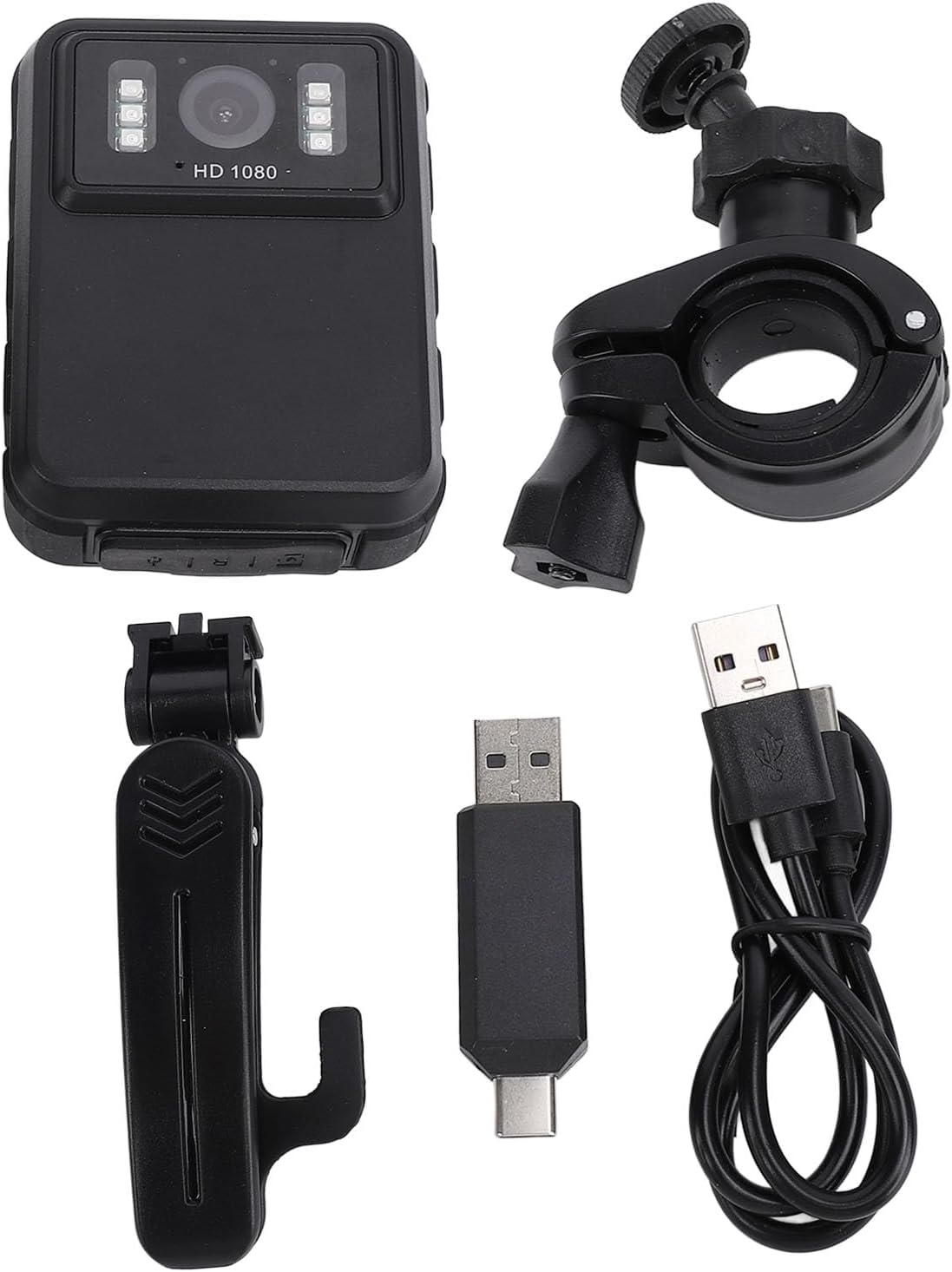
Слика 5: All components included in the EBTOOLS Body Camera package.
3. Подешавање
3.1 Почетно пуњење
- Connect the provided charging cable to the camera's USB port.
- Connect the other end of the charging cable to the adapter, then plug the adapter into a standard power outlet.
- Allow the camera to charge fully before first use. The charging indicator light will typically change color or turn off when charging is complete.
3.2 Укључивање/искључивање
- За укључивање: Притисните и држите дугме за напајање (обично се налази са стране или на врху) неколико секунди док се екран не осветли.
- За искључивање: Press and hold the Power button again until the device shuts down.
3.3 Attaching Brackets
The camera comes with two types of brackets for versatile mounting:
- Clip Bracket: For attaching to clothing, pockets, or straps. Slide the camera onto the clip until it securely locks.
- Universal Mount Bracket: For motorcycle handlebars, dashboards, or other surfaces. Attach the camera to the bracket's screw mount, then secure the bracket to the desired location.

Слика 6: Detail of the camera's universal mounting screw thread.
4. Упутство за употребу
4.1 Снимање видео записа
- Уверите се да је камера укључена.
- Press the dedicated Record button (often marked with a red dot or camera icon) to start video recording. A recording indicator (e.g., a flashing red light or icon on the screen) will appear.
- Press the Record button again to stop recording. The video file ће се аутоматски сачувати.
- The camera supports 1080P and 2K resolution. Refer to the on-screen menu for resolution selection.

Слика 7: The camera supports both 2K and 1080P video recording resolutions.
4.2 Фотографисање
- With the camera powered on, switch to photo mode (if applicable, via a mode button or menu).
- Press the Shutter button (often the same as the Record button, or a separate button) to capture a still image.
4.3 Активација ноћног вида
The camera features both automatic and manual night vision modes:
- Аутоматски режим: The camera will detect low light conditions and automatically activate the infrared LEDs.
- Ручни режим: Access the camera's menu settings to manually turn night vision on or off.
4.4 Снимање у петљи
When the storage capacity is full, the camera will automatically overwrite the oldest video files to continue recording. This feature ensures continuous operation without manual intervention to clear space.
4.5 Репродукција и File Менаџмент
- Репродукција на уређају: Use the 2.0-inch IPS display and navigation buttons to browse and play recorded videos or view photos directly on the camera.
- Повезивање са рачунаром: Connect the camera to a computer using the USB cable to transfer files for backup or viewing on a larger screen. The camera will appear as a removable disk drive.

Слика 8: The camera's display and control buttons for navigation and playback.

Слика 9: Examples of the camera's versatile applications, such as for delivery personnel or motorcycle riders.
5. Одржавање
- Чишћење: Use a soft, dry cloth to clean the camera body. For the lens, use a specialized lens cleaning cloth and solution to avoid scratches. Do not use harsh chemicals.
- Складиштење: Чувајте камеру на хладном и сувом месту, даље од директне сунчеве светлости и екстремних температура.
- Одржавање батерије: Да бисте продужили век трајања батерије, избегавајте често потпуно пражњење батерије. Редовно пуните камеру, чак и ако је не користите, како бисте одржали здравље батерије.
- Ажурирања фирмвера: Проверите произвођача webпериодично проверавајте сајт за доступна ажурирања фирмвера како бисте осигурали оптималне перформансе и нове функције.
КСНУМКС. Решавање проблема
6.1 Камера се не укључује
- Ensure the battery is sufficiently charged. Connect the camera to a power source and allow it to charge for at least 30 minutes before attempting to power on again.
- Verify that the power button is being pressed and held for the required duration (typically 3-5 seconds).
6.2 Recording Issues (e.g., not saving, corrupted files)
- Check available storage space. If the storage is full and loop recording is not enabled or functioning correctly, new recordings may not save.
- Ensure the camera's internal storage is not corrupted. If issues persist, consider formatting the storage via the camera's settings menu (this will erase all data).
6.3 Night Vision Not Activating
- Verify that night vision is enabled in the camera's settings, either in automatic or manual mode.
- Ensure there are no obstructions blocking the infrared LEDs on the front of the camera.
6.4 Computer Not Recognizing Camera
- Покушајте са другим УСБ портом на рачунару.
- Уверите се да је USB кабл безбедно повезан и са камером и са рачунаром.
- Restart both the camera and the computer.
7. Спецификације
| Феатуре | Детаљ |
|---|---|
| Бранд | ЕБТООЛС |
| Назив модела | EBTOOLSs1gq2a4o5t-12 |
| Дисплаи Сцреен | 2.0 inch IPS Screen (Resolution: 320x240) |
| Ленс Viewинг Англе | 100° (широки угао) |
| Резолуција камере | 3840x2160p (2K), 2560x1440p, 1920x1080p (1080P) |
| Аудио битрате | WAV (512KBPS) |
| Инфрацрвени ноћни вид | Support, Built-in 6 Enhanced Energy Saving Infrared Lights |
| Infrared Switching Mode | Off, Auto, Manual Adjustment |
| Микрофон | Omnidirectional Built-in Capacitor MIC |
| Уграђена батерија | Литијумска батерија 1800мАх |
| Recording Working Time | Отприлике 8 сата |
| Време непрекидног снимања | Отприлике 8 сата |
| Longest Photo Time | Approximately 10 hours (1080p 30fps High Grade Video) |
| Технологија повезивања | УСБ |
| Тежина артикла | 10.9 унци |
| Димензије пакета | 5.91 к 5.12 к 2.36 инча |
8. Гаранција и подршка
For warranty information, technical support, or service inquiries, please refer to the official EBTOOLS webсајт или контактирајте њихову службу за кориснике. Сачувајте рачун као доказ о куповини за потребе гаранције.
You can typically find support contact details on the manufacturer's webсајту или преко продавца где је производ купљен.
Ask a question about this manual
Ask about setup, troubleshooting, compatibility, parts, safety, or missing instructions. Manuals+ will review the question and use this page’s manual context to help answer it.