
СУПВАН Е11
SUPVAN E11 Bluetooth Label Maker Machine User Manual
Увод
This manual provides detailed instructions for the setup, operation, maintenance, and troubleshooting of your SUPVAN E11 Bluetooth Label Maker Machine. Please read this manual thoroughly before using the device to ensure proper function and longevity.
Безбедносне информације
- Држите уређај даље од воде и високе влажности.
- Не излажите уређај екстремним температурама или директној сунчевој светлости.
- Use only SUPVAN approved label tapes to prevent damage to the print head.
- Не покушавајте сами да раставите или поправите уређај. Обратите се корисничкој подршци за помоћ.
- Чувати ван домашаја деце.
Садржај пакета
Проверите да ли су све ставке присутне у вашем пакету:
- Е11 Лабел Макер
- Упутство за употребу
- УСБ-Ц кабл
- 2 Rolls White Continuous Label Tape (15 mm x 6 m)
- 2 Rolls White Die-cut Label Tape (12 mm x 40 mm)

Image: Contents of the SUPVAN E11 Label Maker package, including the label maker, USB-C cable, user manual, and four rolls of label tape.
Производ је завршенview
The SUPVAN E11 is a portable thermal label maker designed for various labeling needs. It features a QWERTY keyboard for direct input and Bluetooth connectivity for app-based design and printing.
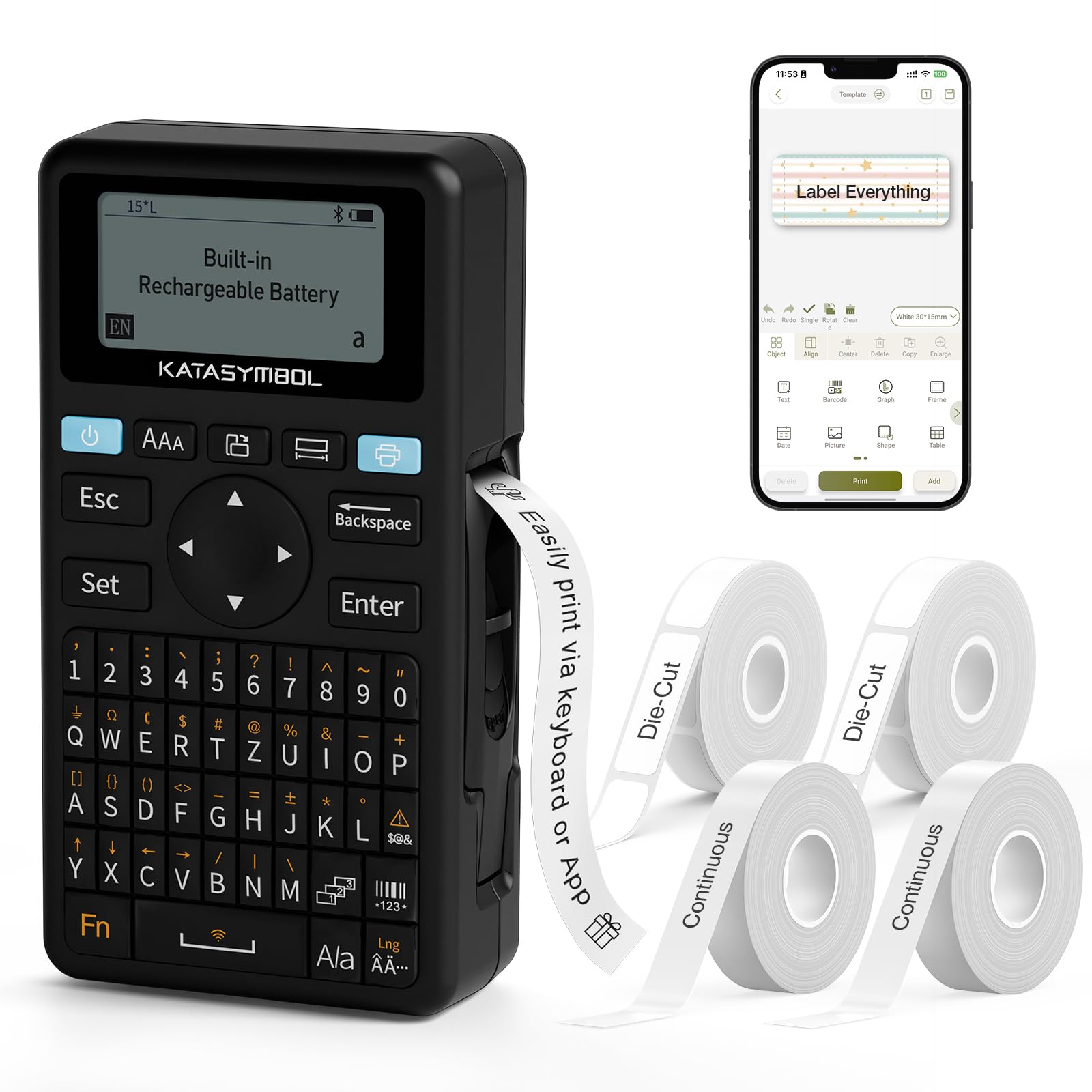
Слика: Фронт view of the SUPVAN E11 Label Maker, showing the QWERTY keyboard and display screen.
Сетуп
1. Пуњење уређаја
The SUPVAN E11 features a built-in 1200 mAh rechargeable battery. Before initial use, fully charge the device using the provided USB-C cable.
- Connect the USB-C cable to the charging port on the label maker.
- Повежите други крај кабла са УСБ адаптером за напајање (није укључен) или УСБ портом рачунара.
- Индикатор пуњења на уређају ће приказивати статус пуњења.

Image: The SUPVAN E11 Label Maker demonstrating that it uses thermal paper and requires no ink or toner.
2. Постављање етикетне траке
The E11 label maker uses thermal label rolls. Follow these steps to install a new roll:
- Open the label compartment cover on the side of the device.
- Insert the label roll into the compartment, ensuring the label tape feeds out from the bottom and through the guide slot.
- Добро затворите поклопац одељка.

Image: A hand demonstrating how to install a label tape roll into the SUPVAN E11 Label Maker.
3. Connecting via Bluetooth (App)
For advanced customization and printing, connect your label maker to the companion app:
- Download the official SUPVAN app from your device's app store.
- Turn on the label maker and ensure Bluetooth is enabled on your smartphone.
- Open the SUPVAN app and follow the on-screen instructions to pair with your E11 device.

Image: A visual guide showing the step-by-step process of connecting the label maker to the mobile app via Bluetooth.
Операција
1. Keyboard Printing
For quick and frequent labeling, use the integrated QWERTY keyboard:
- Turn on the label maker.
- Type your desired text using the keyboard. The text will appear on the LCD display.
- Press the 'Print' button to print the label.
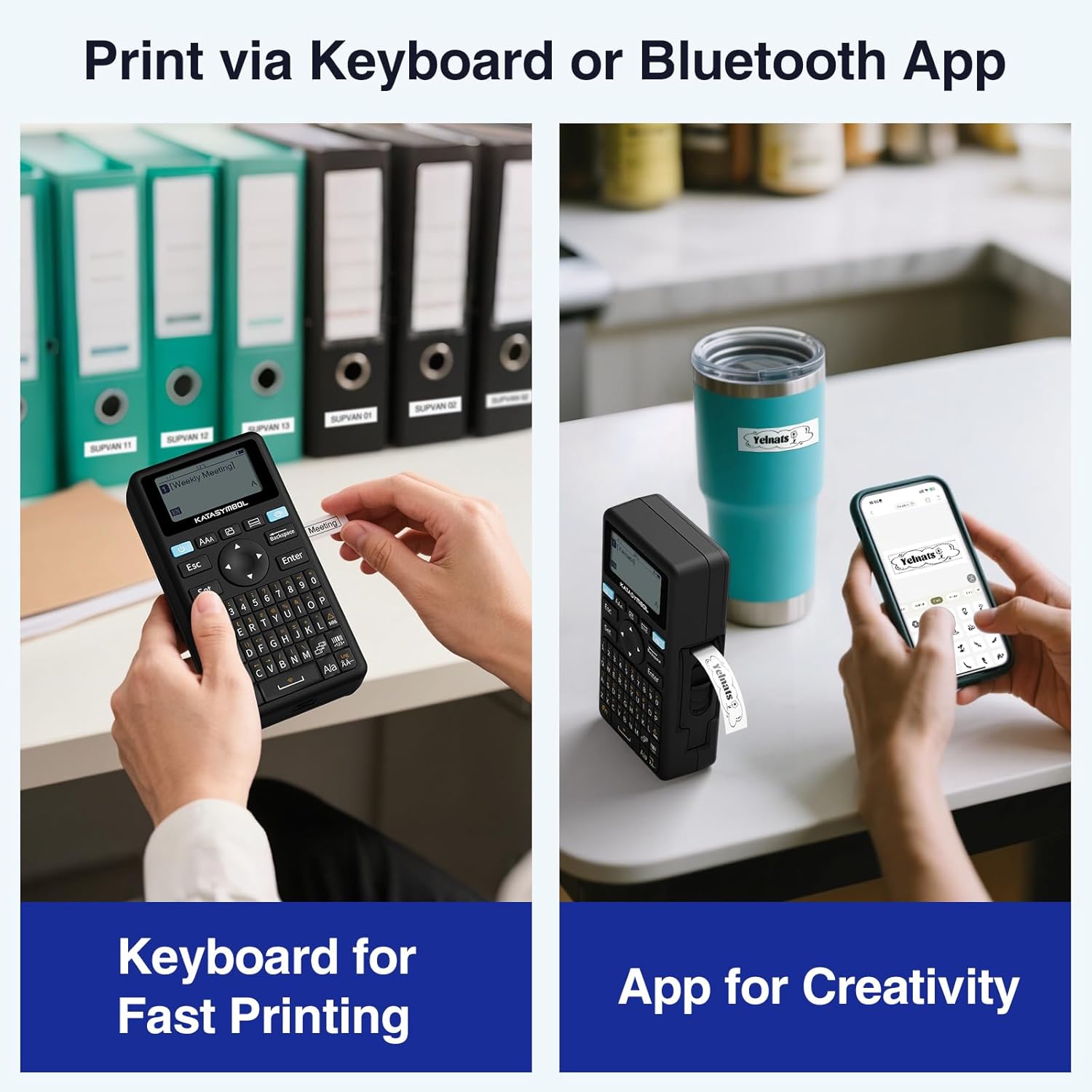
Image: A person using the SUPVAN E11 Label Maker's keyboard to type and print a label.
2. App Printing and Customization
The SUPVAN app offers extensive customization options:
- Ensure your device is connected to the app via Bluetooth.
- Open the app and select your label design.
- Utilize the app's features to customize your label:
- Фонтови: Choose from over 30 fonts.
- Оквири: Apply from over 50 frames.
- иконе: Select from over 660 icons.
- QR Codes & Barcodes: Generate and print QR codes and various barcode types.
- Шаблони: Create and save your own label templates.
- Once your design is complete, tap the 'Print' button in the app.
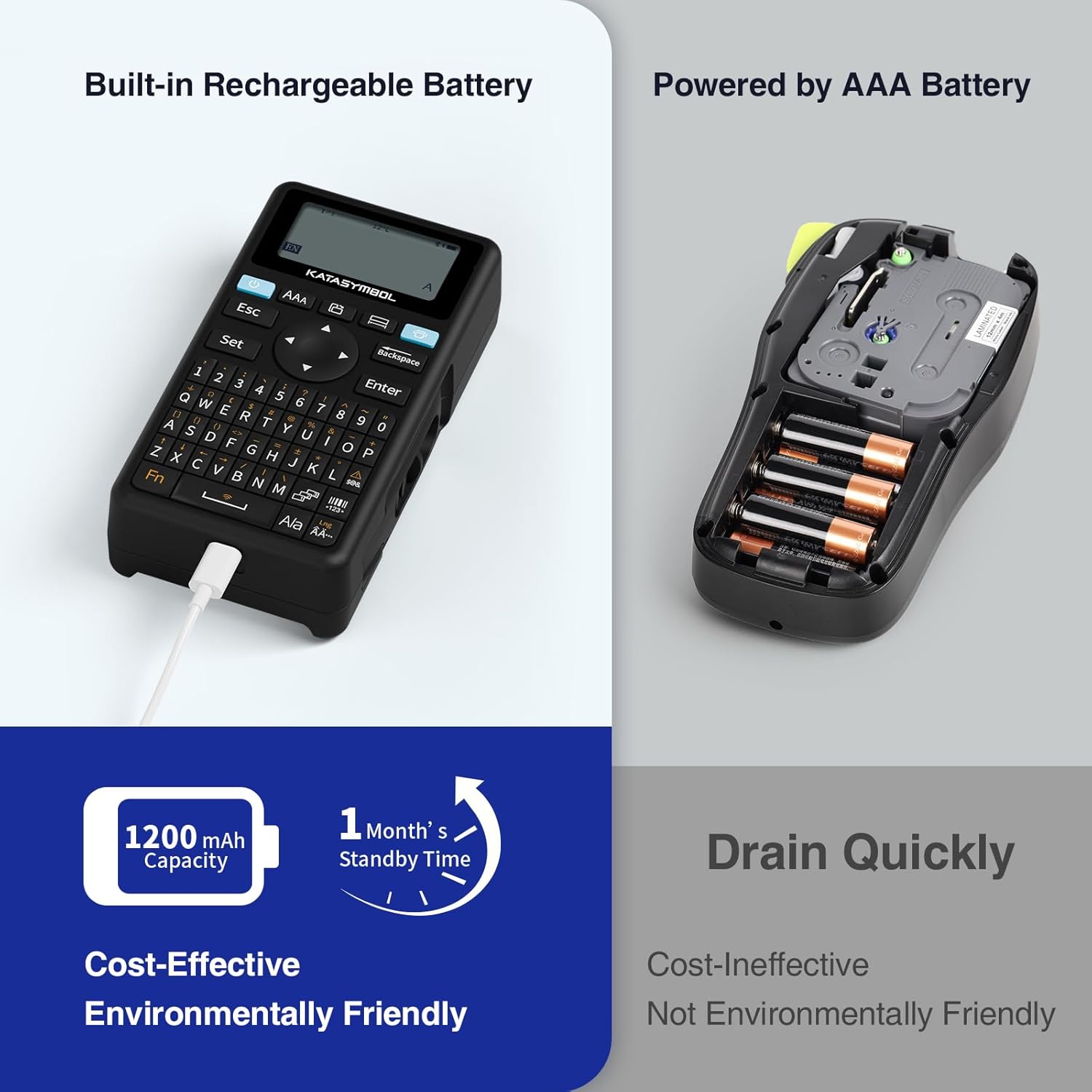
Image: A person using the SUPVAN E11 Label Maker in conjunction with the mobile app to design and print a customized label.

Image: A visual representation of the SUPVAN Label App's features, including a wide selection of fonts, frames, icons, and options for QR codes and barcodes.
Adjusting Label Font Size in the App
Video: This video demonstrates how to adjust the font size of your label text within the SUPVAN mobile application.
Adjusting Font Styles in the App
Video: This video illustrates the process of changing font styles and applying various formatting options to your labels using the SUPVAN mobile application.
3. Label Types and Minimal Margin Printing
The E11 supports both continuous and die-cut labels, offering flexibility for different applications. It also features minimal margin printing, reducing label waste.
- Continuous Labels: Ideal for long text or custom lengths.
- Die-Cut Labels: Pre-sized labels for specific items or standard applications.
- Minimal Margin: The E11 prints with only a 0.2-inch margin, significantly less than many other label makers, saving tape.

Слика: прamples of die-cut and continuous labels printed by the SUPVAN E11, showcasing its versatility for different label types.
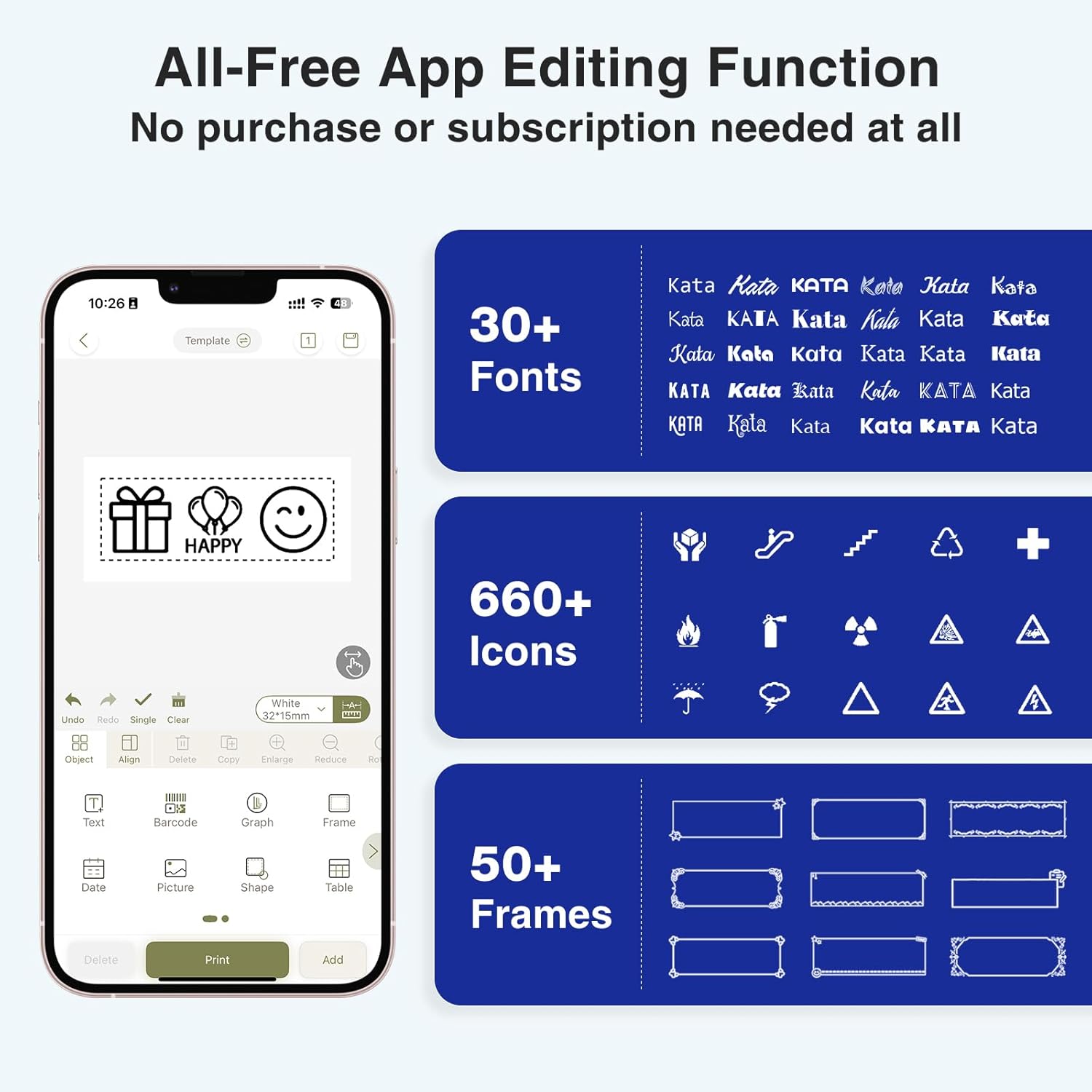
Image: A visual comparison highlighting the minimal 0.2-inch margin of SUPVAN labels versus the larger 1-inch margin of other label makers, demonstrating material efficiency.
4. Широка примена
The SUPVAN E11 is suitable for various organizational tasks in different environments:
- Почетна: Organizing pantry items, storage bins, and personal belongings.
- Кухиња: Labeling food containers, spices, and expiry dates.
- Канцеларија: Categorizing files, folders, and office supplies.
- школа: Labeling school supplies, books, and projects.
- Garage/Workshop: Organizing tools and parts.

Image: A collage showing various applications of labels created with the SUPVAN E11, including labeling bottles, file folders, and storage containers.
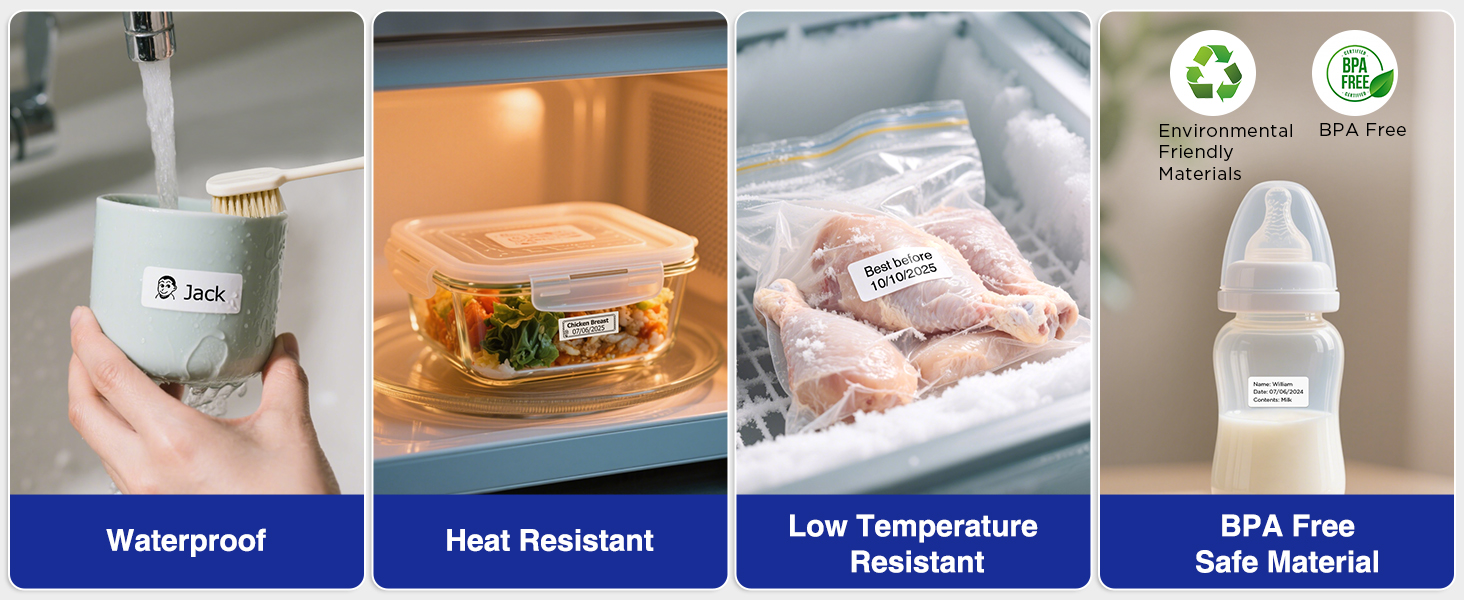
Image: A display illustrating the durability of SUPVAN laminated labels, highlighting their waterproof, heat-resistant, low-temperature resistant, and BPA-free characteristics.
Одржавање
1. Чишћење главе за штампање
To ensure optimal print quality, regularly clean the print head:
- Turn off the label maker and open the label compartment.
- Gently wipe the print head with a soft, lint-free cloth dampнапуњен изопропил алкохолом.
- Allow the print head to dry completely before closing the compartment and using the device.
2. Брига о батерији
Да бисте продужили век трајања батерије:
- Избегавајте често потпуно пражњење батерије.
- Редовно пуните уређај, чак и ако га не користите, како бисте одржали здравље батерије.
- Чувајте уређај на хладном и сувом месту када се не користи дуже време.
Решавање проблема
| Проблем | Могући узрок | Решење |
|---|---|---|
| Device does not turn on or turns off unexpectedly. | Low battery; device overload during long prints. | Ensure the device is fully charged. For long prints, try breaking the text into shorter segments. |
| Poor print quality (faint, streaky, or blank labels). | Print head is dirty; incorrect label tape installation; faulty label tape. | Clean the print head as described in the Maintenance section. Reinstall the label tape correctly. Try a new roll of label tape. |
| Проблеми са Bluetooth везом. | Bluetooth is off; device not paired; app issues. | Ensure Bluetooth is enabled on both devices. Re-pair the label maker through the app. Restart the app and the label maker. |
| Labels are not feeding correctly or jamming. | Improper tape installation; foreign object in the feed path. | Open the compartment and re-install the tape, ensuring it is aligned. Check for any obstructions and carefully remove them. |
Спецификације
| Феатуре | Детаљ |
|---|---|
| Бранд | СУПВАН |
| Назив модела | Е11 |
| Технологија повезивања | Блуетоотх |
| Технологија штампе | Тхермал |
| Излаз штампача | Моноцхроме |
| Максимална брзина штампања Монохром | 40 мм/с |
| Резолуција | 203 дпи |
| Тежина артикла | 0.5 фунте (приближно 227 г) |
| Димензије производа (Д x Ш x В) | 5.8" x 3.1" x 1.5" (приближно 14.7 цм x 7.9 цм x 3.8 цм) |
| Капацитет батерије | 1200 мАх |
| Интерфејс за пуњење | УСБ тип Ц |
| Дисплаи Типе | ЛЦД |
| Контролни метод | Апликација, дугме |
| Максимална величина медија | 15 мм к 6 м |
Информације о гаранцији
The SUPVAN E11 Label Maker comes with a 2-годишња гаранција произвођачаОва гаранција покрива недостатке у материјалу и изради при нормалној употреби. Молимо вас да сачувате доказ о куповини за потребе подношења захтева за гаранцију.
For detailed warranty terms and conditions, please refer to the official SUPVAN webсајту или контактирајте корисничку подршку.
Корисничка подршка
If you encounter any issues or have questions not covered in this manual, please contact SUPVAN customer support:
- Webсајт: Visit the official SUPVAN webсајт за често постављана питања и ресурсе за подршку.
- Емаил: Погледајте паковање производа или званична упутства webсајт за имејл адресе корисничке службе.
Ask a question about this manual
Ask about setup, troubleshooting, compatibility, parts, safety, or missing instructions. Manuals+ will review the question and use this page’s manual context to help answer it.