Thank you for choosing the MONODEAL Portable CD Player, Model MD709. This versatile device offers a comprehensive audio experience, combining traditional CD playback with modern connectivity options. It features dual stereo speakers, Bluetooth reception and transmission, FM radio capabilities, TF card support, and a vibrant TFT color display. This manual provides detailed instructions to help you set up, operate, and maintain your new CD player.
2. Шта је у кутији
MONODEAL Portable CD Player (MD709) x 1
Упутство за употребу к 1
Тип-Ц кабл за пуњење к 1
Wired headset x 1
АУКС кабл к 1
Image: The MONODEAL Portable CD Player shown with its included accessories: Type-C charging cable, wired headset, and AUX cable.
3. Карактеристике производа
3.1. Bluetooth Connectivity (RX & TX)
The CD player supports both Bluetooth reception (RX) and transmission (TX). This allows you to seamlessly pair it with smartphones and tablets for a personalized music experience (RX mode). Additionally, you can connect it to Bluetooth headphones or speakers (TX mode) for customized audio settings. The included AUX cable further expands compatibility, allowing connection to devices with AUX ports or headphone jacks, such as mobile phones and DVD players. Please note that in-car Bluetooth is not supported.
Image: Illustration of the two Bluetooth modes: transmitting audio to headphones/speakers and receiving audio from a phone/tablet.
3.2. TFT Color Display
Equipped with a 2-inch TFT color display, this portable CD player offers brighter colors, clearer details, and a wider viewing angle compared to traditional LCD screens. The display provides a smooth and intuitive user interface with a simple button layout, making it easy for users of all ages to operate.
Image: A visual comparison highlighting the superior color and clarity of the TFT display over a standard LCD screen.
3.3. FM Reception and Transmission
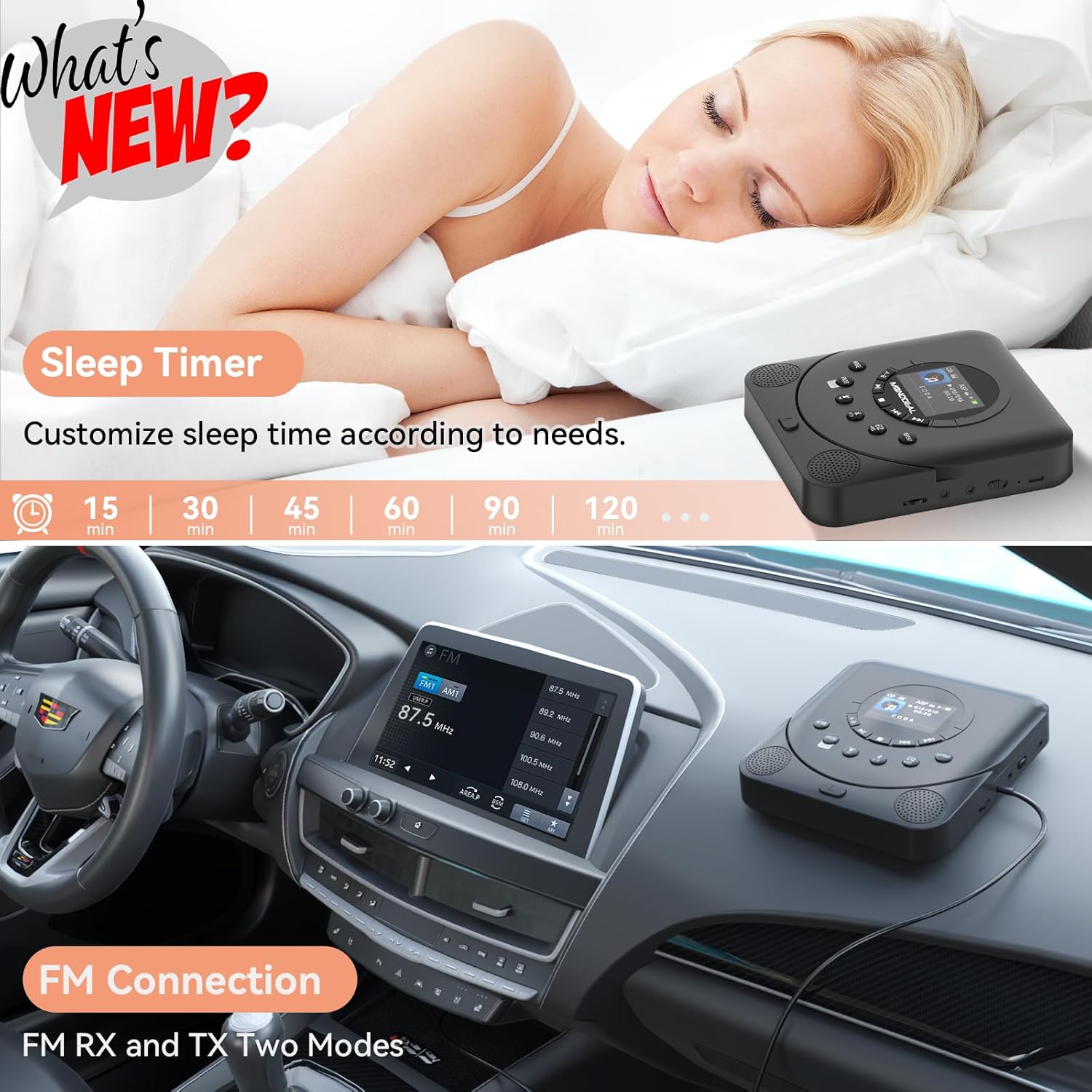
Beyond CD playback, the device includes both FM reception and transmission functions. You can listen to your favorite FM radio channels directly or pair the player with your car's FM frequency to wirelessly transmit audio, allowing you to enjoy music through your car's sound system.
Image: The CD player transmitting audio via FM to a car's radio system.
3.4. Dual Speakers and Sleep Function
The CD player features built-in high-fidelity speakers with a unique sound chamber design, compatible with CD/CD-R/CD-RW/MP3/WMA audio files. It offers 7 sound effects (NOR, BBS, POP, ROC, JAZZ, CLAS) for a customized listening experience. A convenient sleep timer function allows you to set playback duration from 15 to 120 minutes.
Image: The CD player with an emphasis on its HIFI stereo speakers and compatible audio formats like CD, CDR, CD-RW, MP3, and WMA.
Image: A user sleeping with the CD player nearby, illustrating the sleep timer feature with various time options.
3.5. TF Card Support and Battery Life
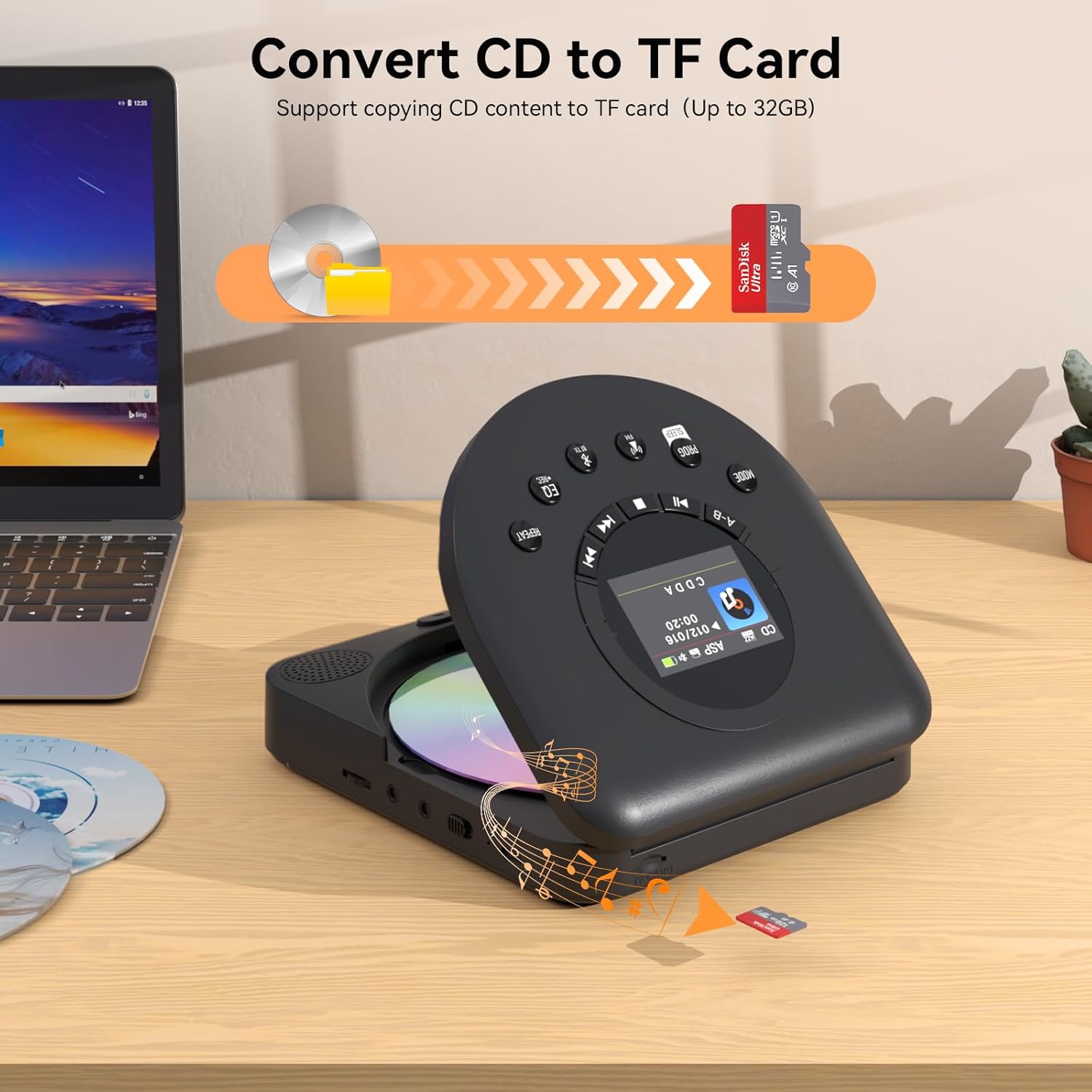
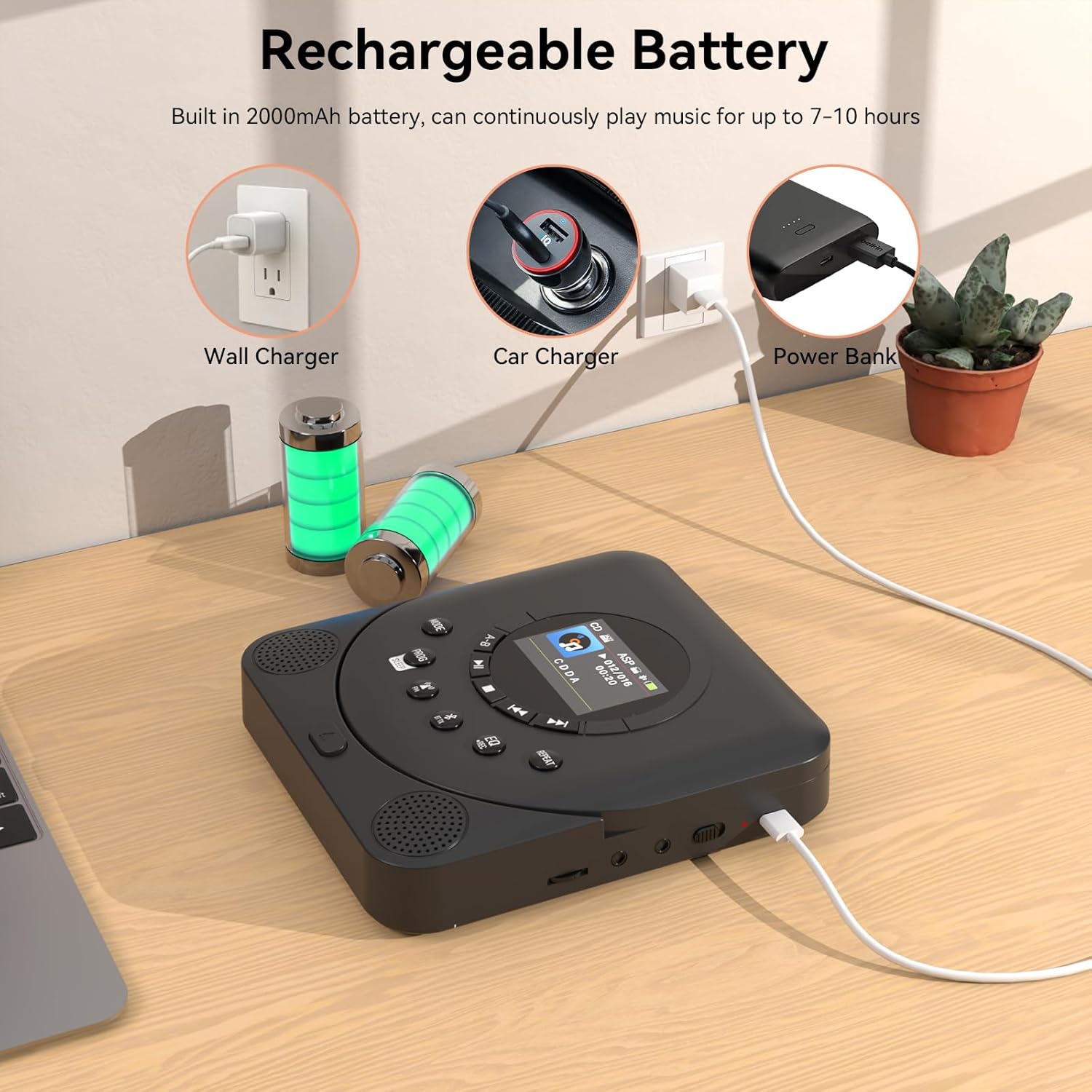
The player supports TF cards up to 32GB, allowing you to copy CD content for digital playback. This ensures you can enjoy your favorite songs even if the disc is damaged. A built-in 2000mAh rechargeable battery provides 7-10 hours of continuous music playback on a full charge, ideal for outdoor use.
Image: A visual representation of converting CD content to a TF card for digital storage and playback.
Image: The CD player being charged, showing compatibility with wall chargers, car chargers, and power banks.
4. Подешавање
4.1. Пуњење уређаја
Before first use, fully charge the CD player using the provided Type-C charging cable. Connect the cable to the DC 5V port on the device and a compatible USB power source (e.g., wall adapter, computer USB port, power bank). The charging LED indicator will show charging status.
4.2. Убацивање CD-a
Press the 'OPEN' button to open the CD compartment lid.
Carefully place a CD into the tray with the label side facing up.
Gently close the CD compartment lid until it clicks securely.
4.3. Уметање ТФ картице
Locate the TF card slot on the side of the device. Insert a TF card (up to 32GB, not included) into the slot until it clicks into place. Ensure the card is inserted in the correct orientation.
Слика: Крупни план view of the TF card port on the side of the CD player.
5. Упутство за употребу
5.1. Основна репродукција
Press the 'Power On/Off' button to turn on the device.
The display screen will show the current mode. Use the 'MODE' button to switch between CD, Bluetooth, FM, and TF Card modes.
In CD mode, the player will automatically begin playing the disc.
Use the 'Play/Pause' button to pause or resume playback.
Use the 'Next/Fast forward' and 'Previous/Rewind' buttons to skip tracks or fast forward/rewind within a track.
Adjust volume using the '+ VOL -' buttons.
Press 'REPEAT' to cycle through repeat modes (e.g., repeat one, repeat all, random).
Press 'STOP' to stop playback.
5.2. Bluetooth Modes (RX/TX)
Bluetooth Transmission (TX): In CD or TF card mode, press the 'Bluetooth transmitter' button. The player will enter pairing mode. Тражи the device on your Bluetooth headphones or speaker and connect.
Bluetooth Reception (RX): Press the 'MODE' button until 'Bluetooth' mode is selected. On your smartphone or tablet, search for 'MONODEAL MD709' and connect. Audio from your external device will now play through the CD player's speakers.
5.3. ФМ радио
Press the 'MODE' button to select FM mode.
ФМ пријем: The player will automatically scan and save available stations. Use the 'Next/Fast forward' and 'Previous/Rewind' buttons to navigate through saved stations.
ФМ пренос: While in FM mode, press the 'FM transmitter' button. The display will show the FM frequency. Adjust the frequency using the 'Next/Fast forward' and 'Previous/Rewind' buttons to match your car radio's frequency.
5.4. Репродукција TF картице
After inserting a TF card, press the 'MODE' button to select TF card mode. The player will automatically detect and play audio files from the card. Use the playback controls as described in section 5.1.
5.5. Мерач спавања
Press the 'PROG/SLEEP' button repeatedly to set the sleep timer. Options typically include 15, 30, 45, 60, 90, and 120 minutes. The player will automatically turn off after the selected duration.
5.6. Sound Effects (EQ)
Press the 'EQ/REC' button to cycle through the available sound effects: NOR (Normal), BBS (Bass Boost), POP (Pop), ROC (Rock), JAZZ (Jazz), CLAS (Classical). Select the effect that best suits your music preference.
6. Одржавање
6.1. Чишћење
Wipe the exterior of the CD player with a soft, dry cloth. For the CD lens, use a specialized CD lens cleaning kit. Do not use abrasive cleaners or solvents.
6.2. Брига о батерији
To prolong battery life, avoid fully discharging the battery frequently. Recharge the device regularly, even if not in constant use. Store the device in a cool, dry place when not in use for extended periods.
6.3. Складиштење
When storing the CD player, ensure the CD compartment is empty and the lid is closed. Keep it away from direct sunlight, high temperatures, humidity, and dust.
КСНУМКС. Решавање проблема
Проблем
Могући узрок
Решење
Уређај се не укључује.
Слаба батерија; Дугме за напајање није правилно притиснуто.
Charge the device fully; Press and hold the power button.
Нема звука из звучника/слушалица.
Volume too low; Incorrect mode selected; Headphones not fully inserted.
CD is dirty or scratched; CD inserted incorrectly; Device is unstable.
Clean or replace CD; Re-insert CD correctly; Place device on a stable surface.
Блуетоотх упаривање није успело.
Device not in pairing mode; Bluetooth disabled on external device; Too far from external device.
Ensure player is in BT TX/RX mode; Enable Bluetooth on external device; Move devices closer.
FM radio static/poor reception.
Слаб сигнал; Сметње.
Relocate the device to an area with better signal; Extend the antenna if applicable.
8. Спецификације
Феатуре
Детаљ
Димензије производа
5.3 к 5.9 к 0.99 инча
Тежина артикла
1.28 фунти
Број модела
МД709
Батерије
Потребне су 1 А батерије (укључене)
Бранд
МОНОДЕАЛ
Боја
Црно
Технологија повезивања
Помоћни, Блутут, УСБ
Посебне карактеристике
Anti-Skip Protection, FM Transmitter, Portable, TFT screen
9. Гаранција и подршка
MONODEAL is committed to providing high-quality products and customer satisfaction. Your MD709 Portable CD Player comes with a 12-month replacement policy and lifetime support. For any questions, problems, or support needs, please refer to the contact information provided on the product packaging or the official MONODEAL webсајту.
Ask a question about this manual
Ask about setup, troubleshooting, compatibility, parts, safety, or missing instructions. Manuals+ will review the question and use this page’s manual context to help answer it.