
Важна безбедносна упутства
Before using this elliptical trainer, please read all instructions carefully. Keep this manual for future reference.
- Консултујте се са лекаром пре него што започнете било који програм вежбања.
- Држите децу и кућне љубимце подаље од опреме током употребе.
- Place the elliptical on a level surface with adequate clearance around it.
- Носите одговарајућу одећу за вежбање и спортске ципеле.
- Не прекорачујте максималну тежину корисника од 113 кг (250 лбс).
- Пре сваке употребе проверите опрему да ли има истрошених или лабавих делова. Не користите је ако је оштећена.
- Уверите се да су сви завртњи и матице добро затегнути.
- Одмах престаните са вежбањем ако осетите слабост, вртоглавицу или бол.
- Use the elliptical only for its intended purpose as described in this manual.
Садржај пакета
Пре почетка монтаже проверите да ли су све компоненте присутне:
- Конзола
- Кориснички приручник (овај документ)
- Комплет алата
- Монтажа замајца
- Главне компоненте рама
- Pedals and Arms
- Стабилизатори
Ако неки делови недостају или су оштећени, одмах контактирајте корисничку подршку.
Подешавање и монтажа
Assembly typically requires two people. Follow the detailed instructions provided in the included assembly guide. The tool kit contains necessary wrenches and an Allen key. A Phillips head screwdriver (not included) may also be required.
- Распакивање: Carefully remove all components from the packaging. Place them on a clear, level surface. Retain packaging materials until assembly is complete.
- Stabilizer Installation: Причврстите предњи и задњи стабилизатор на главни оквир помоћу приложених вијака и подлошки.
- Upright Assembly: Secure the upright post to the main frame. Ensure all wiring connections are properly routed and connected as per the assembly guide.
- Pedal Arms and Pedals: Attach the pedal arms to the flywheel mechanism and then secure the foot pedals to the pedal arms. Pay attention to left and right markings.
- Console Attachment: Connect the console wiring to the upright post's wiring. Mount the console securely to the upright post.
- Коначна провера: Before first use, ensure all bolts, nuts, and connections are tight and secure. Test the movement of the pedals and handlebars for smooth operation.

Image: The ProForm Sport Elliptical fully assembled, illustrating its compact design and key structural components. Dimensions are approximately 150 cm (length) x 65 cm (width) x 156 cm (height).

Image: A user tilting the elliptical to engage the front transport wheels, demonstrating how to easily move the machine for storage or repositioning.
Упутство за употребу
Цонсоле Оверview
The console features a 5-inch LCD display, resistance control buttons, and a device holder. It provides real-time workout data and allows for iFIT integration.

Слика: Детаљна view of the console, highlighting the 5-inch (12.7 cm) LCD display, resistance buttons (1-20), tablet holder, and integrated 2-inch (5 cm) Bluetooth enabled speakers.
Подешавање отпора
The ProForm Sport Elliptical features 20 levels of digital magnetic resistance. This Silent Magnetic Resistance (SMR) system provides a smooth and quiet workout.
- Ручно подешавање: Use the '+' and '-' buttons on the console to increase or decrease the resistance level during your workout.
- Quick Resistance Buttons: The console also features quick-select buttons (1-20) to jump directly to a desired resistance level.
Using iFIT
The elliptical is designed for seamless integration with the iFIT platform, offering a personalized training experience.
- Повежите свој уређај: Place your smartphone or tablet on the integrated device holder. Connect your device to the elliptical via Bluetooth.
- iFIT App: Download and open the iFIT app on your device. An iFIT membership is required to access the full library of workouts.
- Personalized Workouts: iFIT offers over 10,000 on-demand workouts led by expert trainers. The SmartAdjust™ technology automatically adjusts the elliptical's resistance to match the workout intensity and your fitness level.
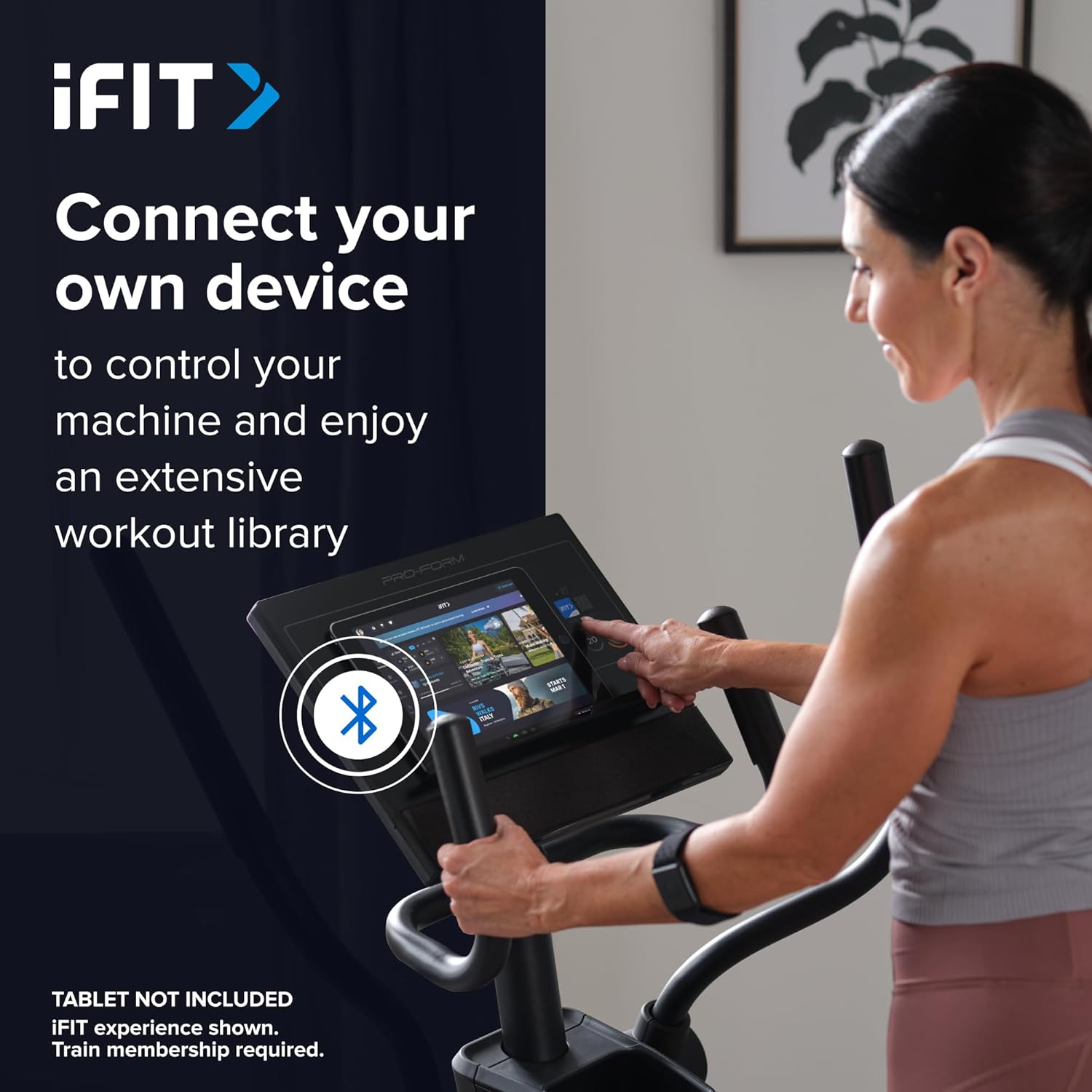
Image: A user connecting a tablet to the elliptical's console, demonstrating how to use a personal device to control the machine and access the iFIT workout library.
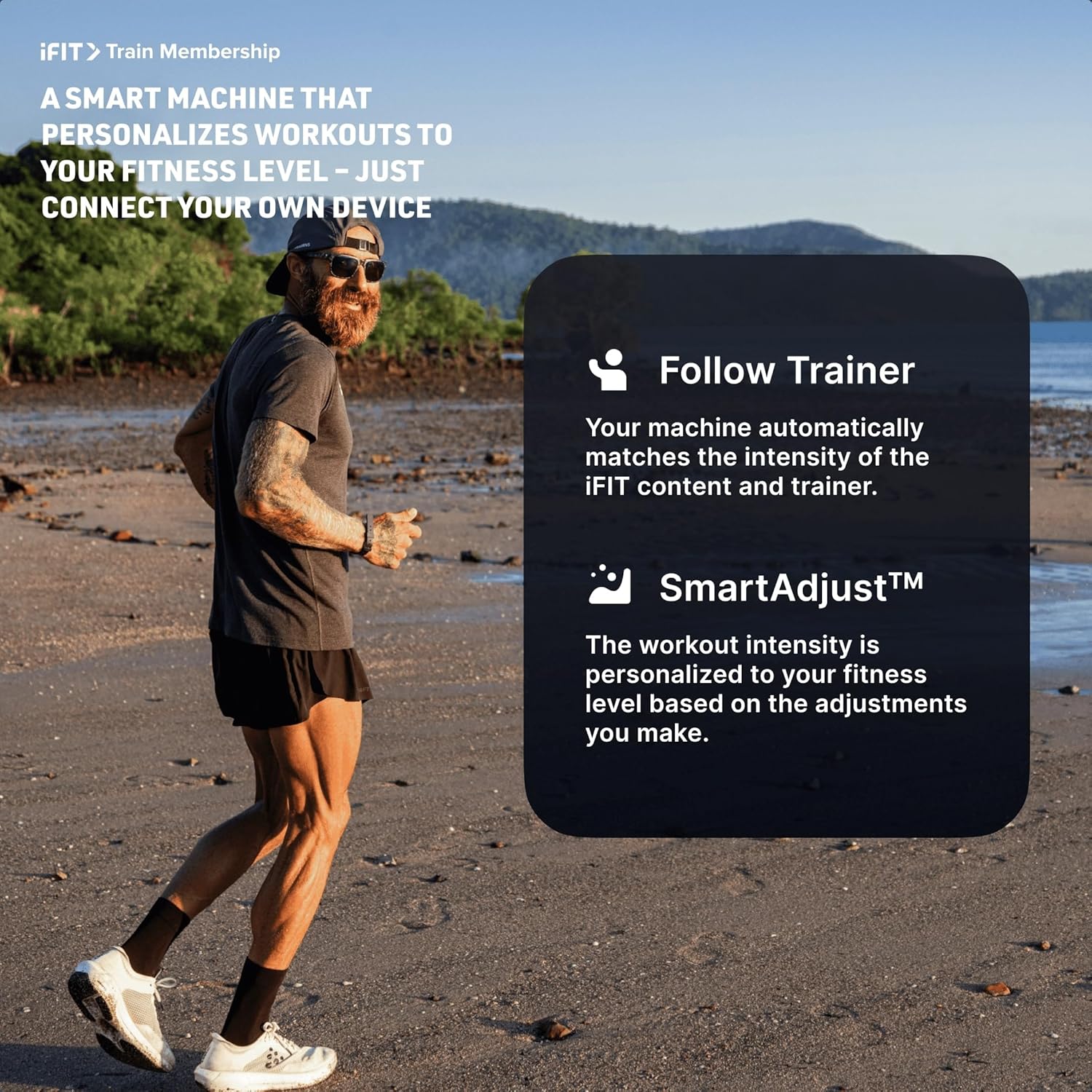
Image: An illustration detailing iFIT Train Membership benefits, including the 'Follow Trainer' feature where the machine adjusts to match trainer intensity, and 'SmartAdjust™' for personalized workout intensity based on fitness level.
Блуетоотх повезивање
The elliptical's console includes Bluetooth-enabled speakers. You can connect your personal device to play audio directly through the elliptical's speakers.
- Упаривање: Омогућите Блуетоотх на свом уређају. Тражи the elliptical's Bluetooth name (usually "ProForm Elliptical" or similar) and pair.
- Аудио репродукција: Once paired, audio from your device will play through the elliptical's 2-inch (5 cm) speakers.
Одржавање
Regular maintenance ensures the longevity and optimal performance of your ProForm Sport Elliptical.
- Чишћење: Обришите елиптични тренажер након сваке употребе рекламомamp крпом да бисте уклонили зној и прашину. Избегавајте абразивна средства за чишћење или раствараче.
- инспекција: Periodically check all bolts, nuts, and moving parts for tightness and wear. Tighten any loose fasteners. Replace worn parts immediately.
- подмазивање: Refer to the detailed assembly guide for specific lubrication points and recommended lubricants, if any.
- Складиштење: Store the elliptical in a dry, clean environment away from extreme temperatures and direct sunlight.
Решавање проблема
| Проблем | Могући узрок | Решење |
|---|---|---|
| Конзола се не укључује. | Power adapter not connected; power outlet issue; console wiring loose. | Ensure power adapter is fully plugged into the elliptical and a working outlet. Check console wiring connections. |
| Elliptical makes noise during use. | Loose bolts or components; parts requiring lubrication; worn bearings. | Inspect and tighten all visible bolts and nuts. Refer to the assembly guide for lubrication points. If noise persists, contact customer support. |
| Отпор се не мења. | Console malfunction; internal resistance mechanism issue. | Ensure console is properly connected. If using iFIT, check app connection. If problem persists, contact customer support. |
| Bluetooth audio not connecting. | Device Bluetooth off; elliptical not in pairing mode; interference. | Ensure Bluetooth is enabled on your device. Restart both device and elliptical. Try pairing again. Move closer to the elliptical. |
Спецификације
| Назив модела: | ProForm Sport Elliptical |
| Број модела: | PFEL54925-INT |
| Бренд: | ПроФорм |
| Димензије (Д к Ш к В): | 150 цм к 65 цм к 156 цм (59.1 ин к 25.6 ин к 61.4 ин) |
| Тежина артикла: | 52.7 кг (116.2 лбс) |
| Максимална тежина корисника: | 113 кг (250 лбс) |
| Механизам отпора: | Magnetic (Silent Magnetic Resistance - SMR) |
| Нивои отпора: | 20 дигитална нивоа |
| Дужина корака: | 40.6 цм (16 инча) |
| Приказ: | 5-инчни ЛЦД |
| Повезивање: | Bluetooth (for iFIT and audio) |
| Укључене компоненте: | Console, User Manual, Tool Kit, Flywheel |
Информације о гаранцији
Your ProForm Sport Elliptical is covered by the following warranty:
- оквир: 8 years contractual warranty (total 10 years).
- Делови и рад: 2 years legal warranty.
*The extended frame warranty is valid only if the product registration is completed on https://ifitsupport.eu/it/product-registration у року од 28 дана од испоруке производа.
Сачувајте доказ о куповини за гаранцијске захтеве.
Корисничка подршка
For technical assistance, warranty claims, or to order replacement parts, please contact ProForm customer support.
Refer to the contact information provided with your purchase or visit the official ProForm website for support details in your region.
When contacting support, please have your model number (PFEL54925-INT) and serial number ready.