
1. Увод
Thank you for choosing the HelloBaby HB65-2 Baby Monitor. This manual provides essential information for the safe and effective operation of your new baby monitor. Please read these instructions thoroughly before use and retain them for future reference.
2. Садржај пакета
Уверите се да су све ставке наведене у наставку присутне у вашем пакету:
- 1 к родитељска јединица (монитор)
- 2 x Camera Units
- 3 x Power Cords/Adapters
- 1 к Упутство за употребу

Image: The HelloBaby HB65-2 Baby Monitor system, showing the parent unit (monitor) and two camera units.
3. Производ је готовview
The HelloBaby HB65-2 system consists of a portable parent unit with a 3.2-inch LCD screen and two camera units. It utilizes 2.4GHz frequency hopping and digital encryption for a secure and reliable connection.
Кључне карактеристике:
- 3.2-инчни ЛЦД екран
- Remote Pan-Tilt-Zoom Camera
- Инфрацрвени ноћни вид
- Двосмерна аудио комуникација
- Приказ собне температуре
- Lullaby Function (8 melodies)
- VOX Mode (Voice Activated)
- Sound Level LED Indicator

Слика: Прекоview of the HelloBaby HB65-2 monitor and cameras, highlighting key features such as remote pan-tilt-zoom, night vision, two-way audio, temperature display, lullabies, and extended range.
4. Подешавање
The HelloBaby HB65-2 is designed for simple plug-and-play setup.
4.1 Постављање камере
- Поставите камеру на место које пружа јасан view of your baby. Ensure it is at least 3 feet (1 meter) away from the baby to prevent entanglement with the power cord.
- The camera can be placed on a flat surface or mounted to a wall using the included wall mount kit.
- Connect the camera unit to a power outlet using one of the provided power cords.
4.2 Parent Unit Setup
- Place the parent unit in a convenient location where you can easily monitor your baby.
- Connect the parent unit to a power outlet using a provided power cord. The parent unit also contains a rechargeable battery for portable use.
- Press and hold the Power button on the parent unit to turn it on. The monitor should automatically connect to the camera units.
5. Упутство за употребу
5.1 Укључивање/искључивање
- To turn on: Press and hold the Power button on the parent unit.
- To turn off: Press and hold the Power button again until the screen turns off.
5.2 Remote Pan-Tilt-Zoom
The camera unit can be remotely adjusted from the parent unit to provide a comprehensive view собе.
- Пан: Ротирајте камеру хоризонтално до 355 степени.
- Нагиб: Adjust the camera vertically up to 120 degrees.
- Зумирање: Digitally zoom in on the image up to 2X.

Image: Illustration of the camera's remote pan (355° rotatable) and tilt (120° up and down) capabilities.

Image: The 3.2-inch diagonal color screen of the parent unit, demonstrating the 2X digital zoom feature on a sleeping baby.
5.3 Двосмерни разговор
This feature allows you to communicate with your baby through the camera unit, providing comfort or instructions.
- Притисните и држите дугме за разговор на родитељској јединици.
- Говорите јасно у микрофон на родитељској јединици.
- Отпустите дугме за разговор када завршите са говором.

Image: A woman in a kitchen using the parent unit to engage in two-way talk with her baby, whose image is displayed on the monitor screen.
5.4 VOX Mode (Voice Activated)
VOX mode conserves battery life by turning off the video and audio relay when no sound is detected. It automatically reactivates when sound above a set threshold is detected.
- Висока осетљивост: The monitor will react to very low sound levels, suitable for detecting early stirring.
- Ниска осетљивост: The monitor will react only to louder sounds, such as a baby crying, to minimize false positives.
Refer to the parent unit's menu for specific instructions on enabling and adjusting VOX mode sensitivity.
5.5 успаванке
The camera unit can play 8 different lullabies to soothe your baby.
- Access the Lullaby menu on the parent unit.
- Select a lullaby to play or cycle through the available melodies.
5.6 Праћење температуре
The camera unit includes a temperature sensor that displays the room temperature on the parent unit, allowing you to ensure a comfortable environment for your baby.
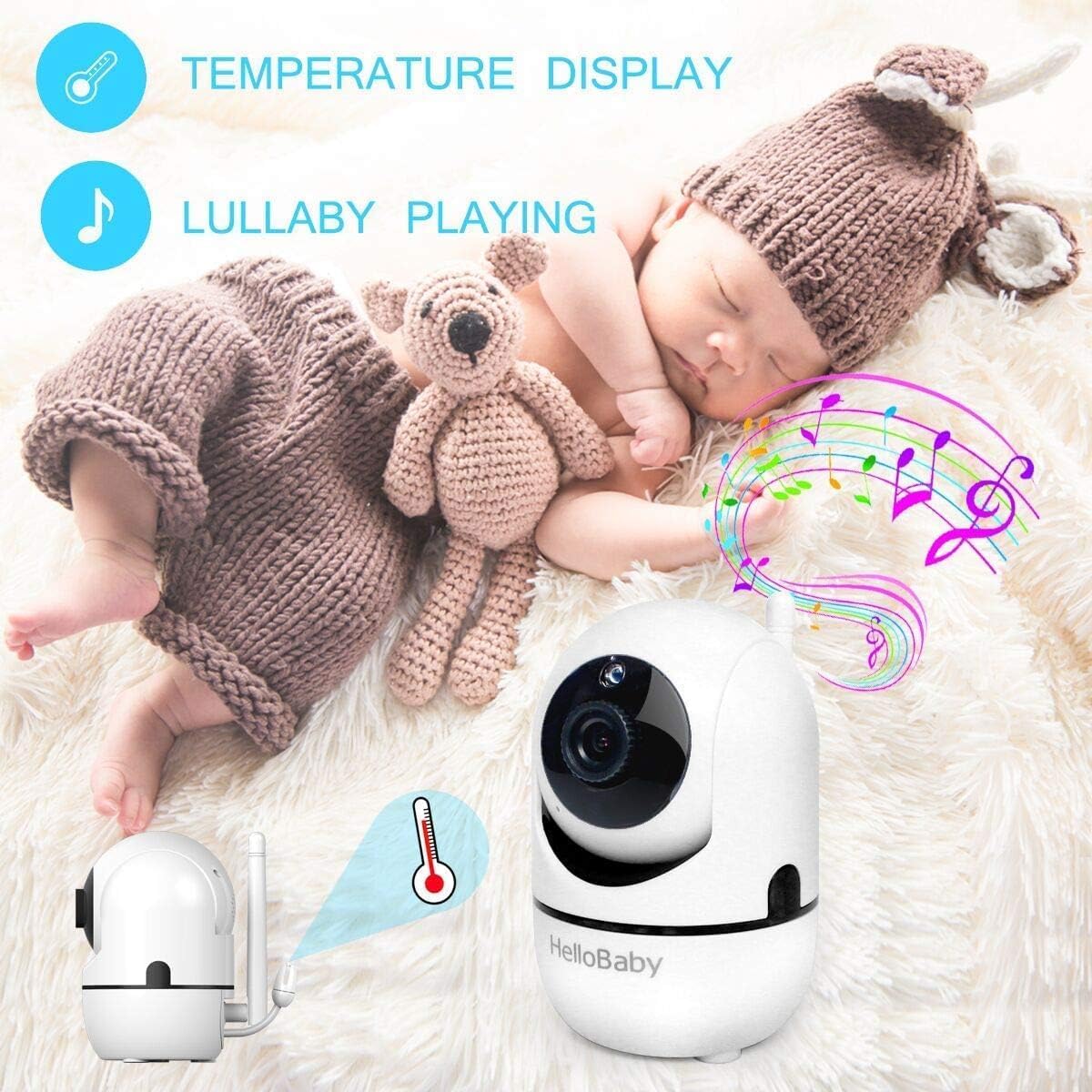
Image: The camera unit illustrating its temperature display and lullaby playing capabilities, with musical notes emanating from the camera.
5.7 Ноћни вид
The camera unit automatically activates infrared night vision in low-light conditions, providing a clear black and white image of your baby without disturbing their sleep.

Image: The camera unit demonstrating its night vision capability, capturing a clear black and white image of a sleeping baby in a dark room.
6. Одржавање
- Clean the monitor and camera units with a dry, soft cloth. Do not use cleaning agents or solvents.
- Ensure the camera lens is free from dust or smudges for optimal image clarity.
- Keep the units away from water and direct heat sources.
КСНУМКС. Решавање проблема
7.1 Monitor Freezing
If the monitor screen occasionally freezes, this is a known occurrence. To resolve this:
- Locate the reset key on the back of the monitor unit.
- Use a small pin or paperclip to press the reset button.
- If the issue persists, re-pair the camera with the monitor according to the pairing instructions in the full user guide (if applicable).
7.2 No Signal/Poor Connection
- Ensure both the parent unit and camera unit are powered on and within range.
- Move the parent unit closer to the camera unit.
- Avoid placing units near large metal objects or other electronic devices that may cause interference.
- Check for obstructions like thick walls or multiple floors between the units.
7.3 Без звука
- Increase the volume on the parent unit.
- Ensure the camera's microphone is not obstructed.
8. Спецификације
| Феатуре | Спецификација |
|---|---|
| Назив модела | ХБ65-2 |
| Величина екрана | 3.2-инчни ЛЦД |
| Видео Ресолутион | 480п |
| Повезивање | 2.4GHz Wireless (Frequency Hopping, Digital Encryption) |
| Покрет камере | Пан 355 °, нагиб 120 ° |
| Извор напајања | Напајање батеријама (родитељска јединица), АЦ адаптер (обе јединице) |
| Унутрашња/спољна употреба | Индоор |
| Димензије (Д к Ш к В) | 4.9 к 4.3 к 8.5 инча (приближно) |
| Тежина артикла | 1.83 фунте (приближно) |
| Батерије су потребне | 1 Lithium Polymer battery (for Parent Unit) |
9. Гаранција и подршка
For warranty information, technical support, or service inquiries, please refer to the warranty card included with your product or contact HelloBaby customer service through their official website or the retailer where the product was purchased. Please have your model number (HB65-2) and proof of purchase ready when contacting support.